
Text to Image
Pastel Running App UI with Sloth Mascot — AI Image Prompt
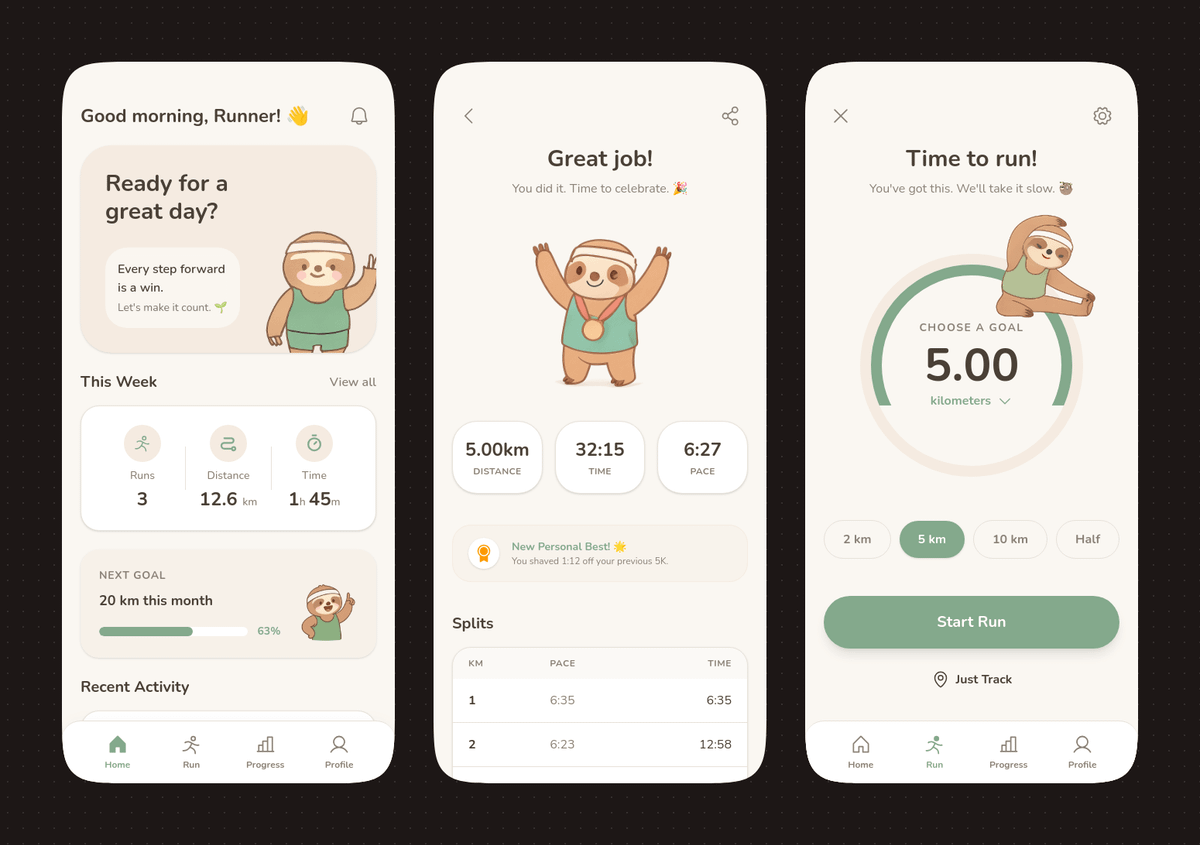
This prompt generates a polished three-screen mobile running app concept with soft pastel styling and a cute sloth mascot, ideal for app design showcases and editable UI mockups.
Prompt
{"type":"mobile fitness app UI mockup","style":"clean modern pastel app design, soft beige and warm white surfaces, muted sage green accents, rounded cards and buttons, subtle shadows, thin minimalist line icons, friendly playful branding with a sloth mascot, dribbble-style presentation on a dark brown dotted background","theme":"running tracker app","layout":{"device_count":3,"arrangement":"three tall smartphone screens side by side, evenly spaced, front view","background":"very dark brown with a faint evenly spaced dot grid","screens":[{"position":"left","screen_type":"home dashboard","header":{"greeting":"Good morning, Runner! 👋","left_icon":"none","right_icon":"notification bell"},"hero_card":{"headline":"Ready for a great day?","subcard_text_line_1":"Every step forward is a win.","subcard_text_line_2":"Let's make it count. 🌱","illustration":"cute sloth wearing a cream headband and mint-green workout outfit, standing and waving inside the card on the right"},"sections":[{"title":"This Week","position":"upper middle","count":3,"labels":["Runs","Distance","Time"],"values":["3","12.6 km","1h 45m"],"presentation":"single rounded stats card with three equal columns and pale green circular icons"},{"title":"NEXT GOAL","position":"middle lower","count":1,"labels":["20 km this month"],"values":["63%"],"presentation":"rounded progress card with green progress bar and small waving sloth illustration on the right"},{"title":"Recent Activity","position":"lower","count":1,"labels":["Recent Activity"],"presentation":"top edge of another rounded card visible, cropped by the bottom navigation"}],"bottom_nav":{"count":4,"labels":["Home","Run","Progress","Profile"],"active":"Home"}},{"position":"center","screen_type":"run summary","header":{"left_icon":"back chevron","center_text":"Great job!","subtext":"You did it. Time to celebrate. 🎉","right_icon":"share"},"hero_illustration":"cute sloth wearing a headband, mint athletic outfit, and a gold medal, both arms raised in celebration","stats_row":{"count":3,"labels":["DISTANCE","TIME","PACE"],"values":["5.00km","32:15","6:27"],"presentation":"three rounded statistic pills"},"achievement_card":{"count":1,"title":"New Personal Best! 🌟","subtitle":"You shaved 1:12 off your previous 5K.","icon":"small gold medal badge"},"table_section":{"title":"Splits","count":2,"columns":["KM","PACE","TIME"],"rows":[["1","6:35","6:35"],["2","6:23","12:58"]],"presentation":"rounded white table card with light dividers"}},{"position":"right","screen_type":"run goal setup","header":{"left_icon":"close x","center_text":"Time to run!","subtext":"You've got this. We'll take it slow. 🦥","right_icon":"settings gear"},"goal_visual":{"type":"circular progress selector","top_label":"CHOOSE A GOAL","main_value":"5.00","unit":"kilometers","ring":"thick partial sage-green arc on a pale beige circle","illustration":"small sloth stretching on the upper-right edge of the circle"},"goal_options":{"count":4,"labels":["2 km","5 km","10 km","Half"],"active":"5 km"},"primary_cta":{"label":"Start Run","style":"large rounded sage-green button"},"secondary_action":{"label":"Just Track","icon":"location pin"},"bottom_nav":{"count":4,"labels":["Home","Run","Progress","Profile"],"active":"Run"}}]}}Prompt breakdown
- Subject
- three smartphone screens showing running tracker app UI with cute sloth mascot in headband and mint-green workout clothes
- Style
- clean modern pastel app design, soft beige and warm white surfaces, muted sage green accents, rounded cards and buttons, thin minimalist line icons, dribbble-style presentation
- Composition
- three tall smartphone screens side by side, evenly spaced, front view on very dark brown with faint dot grid background
- Mood
- friendly playful branding with encouraging messages and sloth illustrations in waving, celebrating, and stretching poses
Remix ideas
- change the sloth's outfit color from mint-green to lavender on the hero card
- increase the next goal progress from 63% to 85% on the rounded progress card
- replace the splits table with a 4-row version showing all five kilometers
Reference images
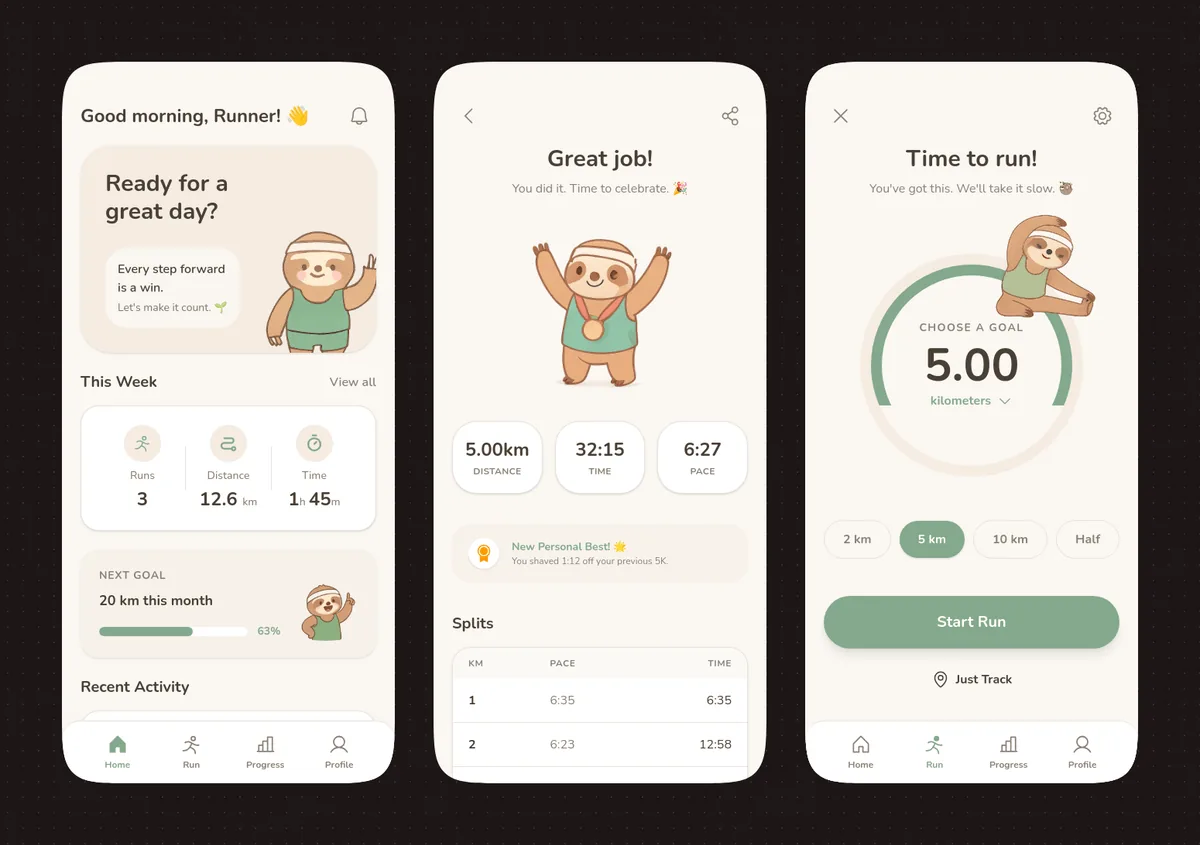
How to use this AI Image prompt template
 1
1Copy the prompt — grab this template’s prompt and negative prompt.  2
2Pick a model — choose a recommended AI model for the best match.  3
3Generate — open the studio with one click and create your result.
Related templates
Fitness SaaS Landing Page UI
Design a modern, high-end fitness app (app type) landing page and product UI for a brand called PulseFit (brand name). Create a clean web design mockup that looks like a real SaaS fitness platform and mobile companion app. The design should feel premium, motivating, and easy to use, with a polished UI/UX style similar to top-tier health and wellness apps. Include: - A hero section with bold headline, short subheadline, strong call-to-action button, and app preview - Dashboard UI showing daily activity, calories burned, workout streak, heart rate, step count, and progress rings - Workout program cards for strength, cardio, mobility, and recovery - Nutrition tracking section with macro breakdown and water intake - Progress charts and analytics widgets - Trainer/community section with profile cards and testimonials - Pricing section and download/app store callout - Mobile app screens shown alongside the web design for a cohesive product ecosystem Style direction: - Sleek, minimal, modern interface - Premium fitness brand aesthetic - Smooth spacing, strong hierarchy, rounded cards, soft shadows - Dark mode UI with energetic accent colors like electric blue, neon green, or vibrant orange - Crisp typography, realistic charts, polished buttons, beautiful onboarding feel - Highly detailed, dribbble-worthy, startup-quality product design - Realistic UX case study presentation, not a cartoon or illustration Composition: - Full website homepage mockup - Multiple UI sections visible in one polished presentation - Slight perspective or straight-on product showcase - Clean background with subtle gradients and professional lighting - Ultra-detailed, sharp text rendering, visually balanced layout Output: A stunning, realistic UI/UX design concept for a fitness app website and dashboard that looks ready for development. Make it look like a real Figma product design presentation for a premium startup.
Judy and Nick Irregular Fridge Magnet Design
现代简约设计风格,疯狂动物城主题珐琅冰箱贴设计,异形冰箱贴,兔子朱迪和狐狸尼克的半身特写,周围环绕着圣诞元素图案,底部有"Merry Christmas (底部文字)"英文字体,国际化设计,高级感,颜色为浅紫色渐变。纯净质感背景
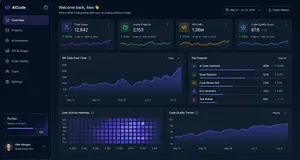
Dark AI Coding Dashboard UI
{ "type": "dark SaaS analytics dashboard UI", "product": { "brand": "{argument name=\"brand name\" default=\"AICode\"}", "theme": "dark navy blue glassmorphism interface with subtle gradients, soft glow, rounded cards, thin borders, modern developer-tool aesthetic" }, "canvas": { "aspect_ratio": "16:9", "background": "deep midnight blue with faint vignette and soft radial lighting" }, "layout": { "structure": "left sidebar plus main content area", "sections": [ { "title": "Sidebar", "position": "left", "count": 8, "labels": ["AICode", "Overview", "Projects", "AI Assistants", "API & Usage", "Code Quality", "Team", "Settings"], "details": "logo at top, Overview selected with purple highlight, lower subscription card showing Pro Plan, renews in 12 days, horizontal progress bar at 75%, user profile at bottom with avatar, {argument name=\"user name\" default=\"Alex Morgan\"}, and email alex@morgan.dev" }, { "title": "Header", "position": "top main area", "count": 4, "labels": ["Welcome back, Alex 👋", "Here's what's happening with your AI coding platform today.", "May 12 – Jun 12, 2024", "Export Report"], "details": "large greeting on left, date range picker and export button on right" }, { "title": "Metric cards", "position": "top row under header", "count": 4, "labels": ["Total Users", "Active Projects", "API Calls", "Code Quality Score"], "values": ["12,842", "2,153", "1.28M", "876"], "details": "each card has a small colored icon, large main value, comparison text vs Apr 12 – May 12, 2024, positive change percentages 14.6%, 8.3%, 23.7%, 5.9%, and a miniature line chart at the bottom; colors are purple, green, amber, and blue" }, { "title": "Main analytics panels", "position": "middle and bottom rows", "count": 4, "labels": ["API Calls Over Time", "Top Projects", "User Activity Heatmap", "Code Quality Trends"], "details": "API Calls Over Time is a wide area chart with Daily dropdown and rising purple line ending near 250K; Top Projects is a ranked list of 5 items with progress bars and percentage changes; User Activity Heatmap is a 7-row weekly heatmap with hour labels from 12 AM to 9 PM; Code Quality Trends is a line chart with Weekly dropdown and smooth upward purple trend from about 70 to low 90s" }, { "title": "Top Projects list", "position": "middle right panel", "count": 5, "labels": ["AI Code Assistant", "Smart Refactor", "Code Review Bot", "Doc Generator", "Test Builder"], "values": ["485K", "321K", "214K", "132K", "98K"], "details": "green positive deltas for first four items 12.4%, 8.7%, 3.1%, 6.8%, and red negative delta -1.2% for Test Builder; each row has a colored square icon and thin horizontal progress bar" } ] }, "style": { "visual_language": "premium fintech and AI product design mockup", "rendering": "crisp high-fidelity UI mockup, subtle shadows, neon edge lighting, polished charts, clean sans-serif typography", "primary_accent": "{argument name=\"accent color\" default=\"electric purple\"}", "secondary_accents": ["emerald green", "amber yellow", "cyan blue"], "density": "information-rich but spacious, balanced grid, highly legible" } }

Japanese Vacuum Design Sketch Board
{"type":"industrial design presentation board","style":"hand-rendered product concept sketch, marker and colored pencil rendering on white paper, clean Japanese product design school presentation aesthetic, light gray linework with soft purple and warm beige shading","subject":{"product":"minimal cordless stick vacuum cleaner","headline":"{argument name=\"headline text\" default=\"軽やかに、しっかり吸う。\"}","subheadline":"ミニマルで扱いやすい コードレススティッククリーナー","features":["軽量ボディで取り回しやすい","パワフルな吸引力","お手入れ簡単なダストカップ","空間に溶け込むデザイン"],"color":"{argument name=\"product color\" default=\"pearl white and smoky transparent gray\"}","materials":"matte plastic body, translucent dust cup, metallic aluminum pipe"},"layout":{"orientation":"landscape presentation sheet","sections":[{"title":"hero product views","position":"center and upper right","count":3,"labels":["full stick vacuum in three-quarter view","main body perspective view from upper center","main body side perspective view from upper right"]},{"title":"feature callouts","position":"around the hero views","count":7,"labels":["持ちやすい ハンドル形状 ミニマルな操作部","ダストカップ ワンタッチで着脱 水洗い可能","軽量アルミパイプ しっかり剛性もあり、軽い操作感","高性能フィルター 微細なほこりもしっかりキャッチ","シンプルなボタン配置 電源 / モード切替 バッテリー残量表示","自走式ヘッド 小回りがきき、すみずみまで掃除できる","アタッチメント 用途に合わせて使い分け"]},{"title":"usage and context sketches","position":"left side and right side insets","count":5,"labels":["vacuum standing in a living room corner beside a potted plant and sofa","hand holding the handle close-up","crevice nozzle cleaning sofa gap","vacuum body stored along a wall or narrow space","crevice nozzle cleaning under cabinet or edge"]},{"title":"attachment accessories","position":"lower center-right","count":2,"labels":["すき間ノズル","ブラシノズル"]},{"title":"exploded component view","position":"mid-right","count":1,"labels":["filter and dust cup separated vertically"]},{"title":"color variations","position":"bottom left","count":3,"labels":["light silver","warm gray","matte black"]}],"text_language":"Japanese","composition":"large central full-length vacuum diagonally across the page, supporting perspective renderings and small inset usability sketches, generous white margins, handwritten annotations with leader lines"},"rendering":{"line_quality":"loose but precise industrial sketch lines","shading":"soft marker gradients and pencil cross-shading","paper":"slightly textured white sketchbook paper","mood":"premium, approachable, student concept board meets professional product proposal"}}3c:Tb89,{"type":"industrial design presentation board","style":"hand-rendered product concept sketch, marker and colored pencil rendering on white paper, clean Japanese product design school presentation aesthetic, light gray linework with soft purple and warm beige shading","subject":{"product":"minimal cordless stick vacuum cleaner","headline":"{argument name=\"headline text\" default=\"軽やかに、しっかり吸う。\"}","subheadline":"ミニマルで扱いやすい コードレススティッククリーナー","features":["軽量ボディで取り回しやすい","パワフルな吸引力","
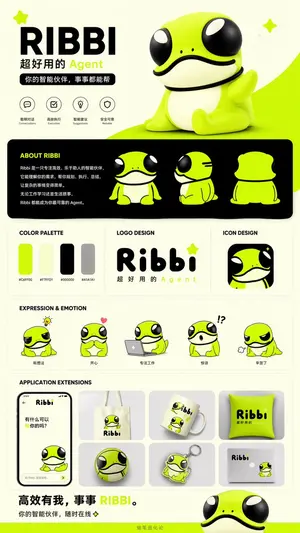
IP Branding and Merchandise Design
Create a creative image of Ip Branding And Merchandise Design. Style: photorealistic. Composition: balanced and well-framed. Lighting: natural with cinematic mood. Category: photography. Reference: ip-branding-and-merchandise-design-15199.

4-Panel SaaS Ad Banner Variations
{ "type": "4-panel ad banner variation grid", "product": { "name": "{argument name=\"product name\" default=\"HP BOOSTER\"}", "subtitle": "AI搭載ノーコード・サイトビルダー", "logo": "blue and green angle brackets with a diamond" }, "common_elements": { "device_mockups": "laptop and smartphone (desktop monitor in bottom-left panel) displaying a website with a city skyline, text '未来を、あなたのビジネスに。', and a blue '今すぐ始める' button" }, "layout": { "grid": "2x2", "panels": [ { "position": "top-left", "theme": "dark blue gradient with tech lines", "headline": "{argument name=\"main headline 1\" default=\"最短10分で、プロ品質のホームページを。\"}", "sub_headline": "AIがデザイン・構成・文章まで自動生成", "badge": "gold laurel wreath with text '導入企業続々増加中!'", "icon_count": 5, "icon_labels": ["AIが自動で作成・最適化", "ノーコードで自由に編集", "デザイン自由プロ品質", "SEO対策もおまかせ", "スマホ対応高速表示"], "bottom_bar": "teal background, yellow button '今すぐ無料で始める ▶'" }, { "position": "top-right", "theme": "white and light gray", "headline": "{argument name=\"main headline 2\" default=\"AIで、誰でも、カンタンに。\"}", "pre_headline": "ホームページ制作の常識を、もっとシンプルに。", "badge": "teal circle with text '専門知識・制作スキル不要!'", "icon_count": 4, "icon_labels": ["AIが自動で作成・最適化", "ノーコードで自由に編集", "スマホ対応・高速表示", "SEO対策もおまかせ"], "bottom_bar": "teal background, yellow button '無料でスタートする ▶'" }, { "position": "bottom-left", "theme": "bright yellow with comic-book action lines", "headline": "{argument name=\"main headline 3\" default=\"自分でカンタン!最短10分でホームページ完成!\"}", "pre_headline": "もう、制作会社に頼まない!", "badge": "pink circle with text 'AIがすべて自動で作成!'", "icon_count": 6, "icon_labels": ["AI自動生成", "ノーコード", "デザイン自由", "SEO対策", "スマホ対応", "高速表示"], "call_to_action": "pink pill button '無料ではじめる!▶'" }, { "position": "bottom-right", "theme": "dark gray and black", "headline": "{argument name=\"main headline 4\" default=\"成果につながるホームページを。\"}", "pre_headline": "本気で集客したいなら、", "badge": "gold laurel wreath with text '導入企業続々増加中!'", "icon_count": 4, "icon_labels": ["AIが設計から文章まで自動生成", "ノーコードで自由にカスタマイズ", "SEO・スピード・セキュリティ対応", "集客・売上UPを徹底サポート"], "bottom_bar": "gold background, dark blue button '今すぐ無料で始める ▶'" } ] } }
Explore more prompts
Browse more AI image and video prompts by category.
FAQ
- How does the sloth mascot integrate across the three screens?
- It waves from the right side of the home dashboard hero card, celebrates with raised arms and a gold medal on the run summary, and stretches along the edge of the circular goal selector.
- What specific stats appear on the center run summary screen?
- The summary shows 5.00 km distance, 32:15 time, 6:27 pace, plus a "New Personal Best!" card noting 1:12 shaved off the previous 5K and a two-row splits table for the first two kilometers.
- Is the Pastel Running App UI with Sloth Mascot prompt free to use?
- Yes, this prompt is completely free on AI Pin Maker and you can copy it directly with no signup or payment required.
- How do I use the Pastel Running App UI with Sloth Mascot prompt to generate an image or video?
- Copy the prompt, tweak the subject or style to fit your idea, then paste it into AI Pin Maker and generate your image or video in one click.
- Can I change the Pastel Running App UI with Sloth Mascot prompt into my own version?
- Absolutely, just replace the subject, style, or parameters in AI Pin Maker to make the prompt entirely your own.