
Text to Image
Neumorphic Glass UI Kit Board — AI Image Prompt
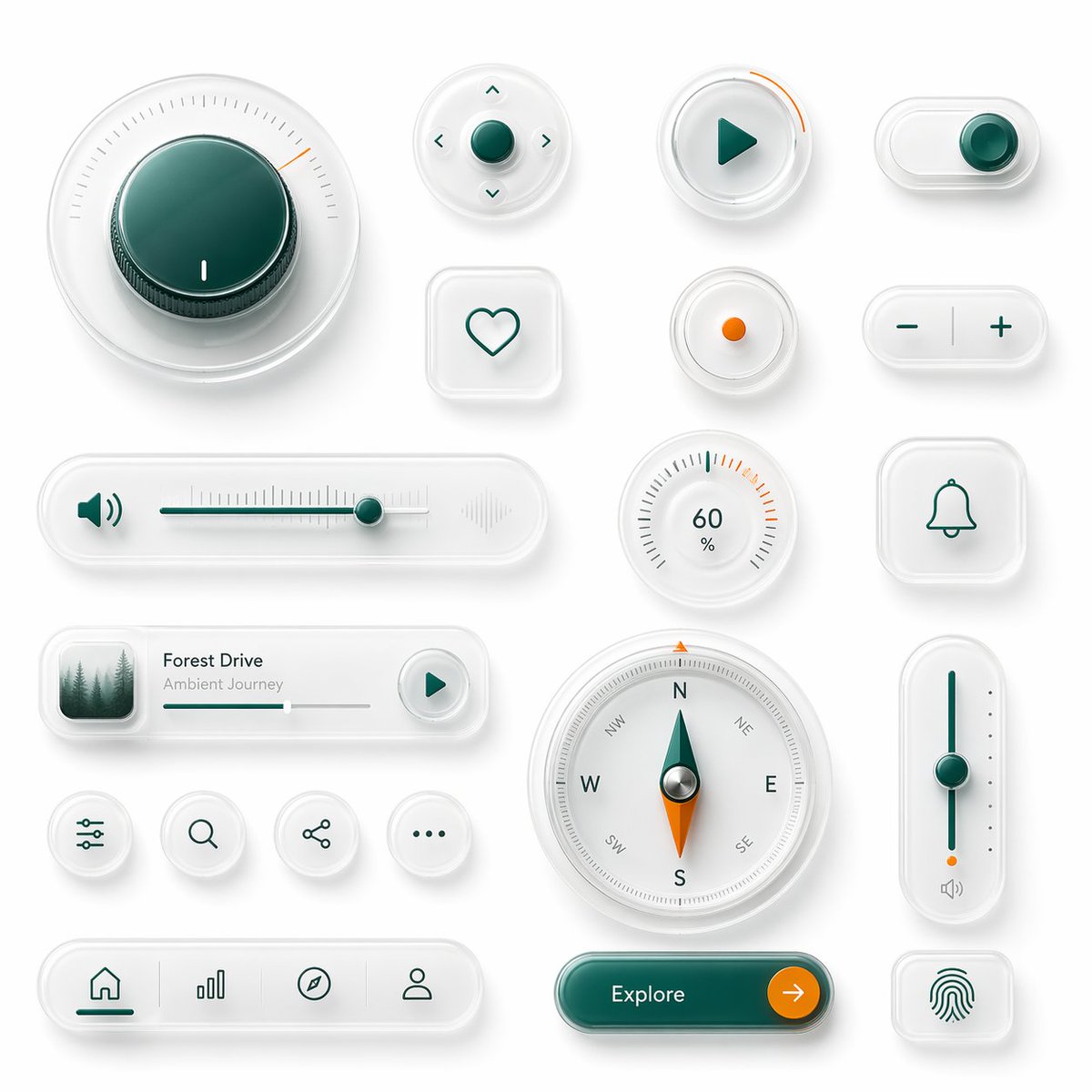
This prompt generates a polished board of 18 premium neumorphic interface controls, ideal for showcasing futuristic app UI components or smart-device dashboard concepts.
Prompt
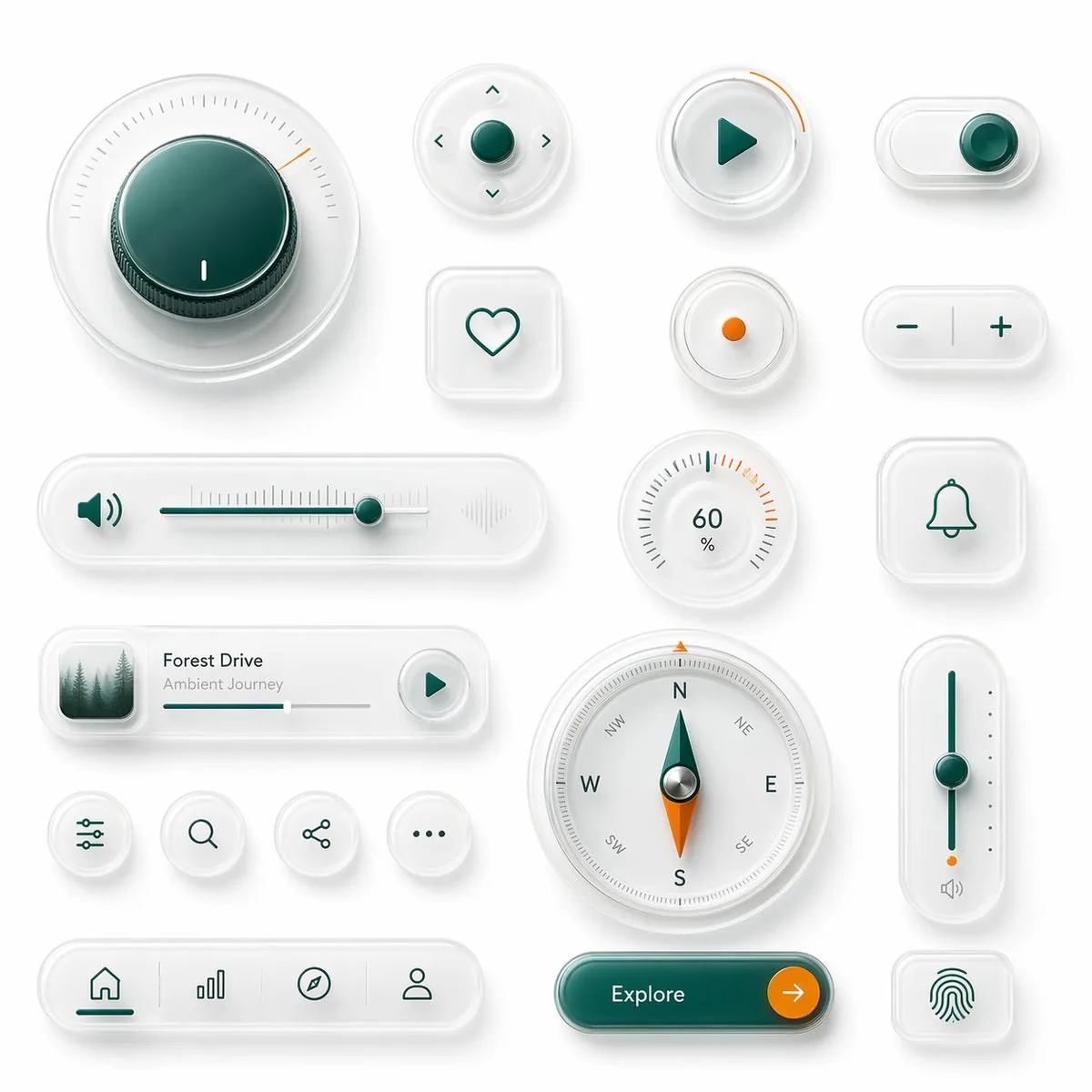
A clean neumorphic UI component showcase on a soft light gray background, arranged as a balanced design board of 18 separate interface elements with subtle shadows, frosted translucent white plastic surfaces, rounded corners, and glossy glass-like depth. Use a premium minimal product-design aesthetic with white-on-white layering, soft ambient occlusion, delicate inner shadows, and a restrained accent palette of deep teal green and vivid orange. Include 18 distinct components: 1 large circular rotary knob in the upper left with a dark teal glossy center, fine radial tick marks, and a small orange position indicator; 1 small circular directional control pad with a teal center button and four tiny arrow icons around it; 1 circular play button with a teal triangle icon and a short orange progress arc on the rim; 1 horizontal pill toggle switch at the top right with a teal knob positioned to the right; 1 rounded square heart button with a simple teal outline heart; 1 small circular indicator button with a single orange dot in the center; 1 pill-shaped plus-minus control with a teal minus on the left and teal plus on the right separated by a vertical divider; 1 long horizontal volume slider with a teal speaker icon on the left, fine slider ticks, a teal track, a teal knob near the right side, and a faint waveform icon on the far right; 1 circular percentage dial showing 60% with radial ticks and a few orange highlight marks near the upper right; 1 rounded square bell notification button with a teal outline bell icon; 1 compact music player card with a small square album image of misty evergreen trees on the left, the title {argument name="track title" default="Forest Drive"}, the subtitle {argument name="track subtitle" default="Ambient Journey"}, a thin progress bar, and a circular play button on the right; 4 small circular utility icon buttons in one row showing sliders/settings, search, share, and ellipsis; 1 large circular compass with cardinal letters N, E, S, W plus diagonal labels, a teal-and-orange needle, and metallic center; 1 tall vertical slider on the right with a teal track, teal knob around the middle, small side dots, an orange accent near the bottom, and a tiny speaker icon below; 1 bottom navigation bar in a long rounded pill containing 4 icons separated by subtle dividers: home, bar chart, compass, and user profile, with the home tab active in teal; 1 large rounded pill call-to-action button in glossy dark teal labeled {argument name="button text" default="Explore"} with a circular orange arrow button attached on the right; and 1 rounded square fingerprint button with a teal fingerprint icon. Keep spacing generous, alignment grid-based, and the overall render highly polished, tactile, and futuristic, like a luxury smart-device UI kit mockup.Prompt breakdown
- Subject
- 18 distinct neumorphic UI components including a large circular rotary knob with dark teal glossy center and orange indicator, directional pad, play button with progress arc, volume slider with waveform icon, music player card showing misty evergreen trees album art, compass with N E S W labels and teal-orange needle, tall vertical slider, bottom nav bar, Explore pill button, and fingerprint button
- Style
- Neumorphic with frosted translucent white plastic surfaces, rounded corners, glossy glass-like depth, and premium minimal product-design aesthetic using white-on-white layering
- Lighting
- Soft ambient occlusion and delicate inner shadows under restrained deep teal green and vivid orange accents
- Composition
- Balanced grid-based arrangement of 18 separate elements with generous spacing on a soft light gray background
- Mood
- Highly polished, tactile, and futuristic luxury smart-device UI kit mockup
Remix ideas
- Swap the misty evergreen trees album art for a coastal sunset photograph while keeping the track title Forest Drive
- Change the percentage dial value from 60% to 92% and extend the orange highlight marks around the full upper half
- Move the tall vertical slider to the upper right quadrant and recolor its track to vivid orange with matching side dots
Reference images
How to use this AI Image prompt template
 1
1Copy the prompt — grab this template’s prompt and negative prompt.  2
2Pick a model — choose a recommended AI model for the best match.  3
3Generate — open the studio with one click and create your result.
Related templates
Visual Telephone Game Grid
Create a game image of Visual Telephone Game Grid. Style: photorealistic. Composition: balanced and well-framed. Lighting: natural with cinematic mood. Category: illustration. Reference: visual-telephone-game-grid-20512.

4-Panel Animal Infographic Grid
{ "type": "{argument name=\"layout style\" default=\"2x2 grid infographic\"}", "panels": [ { "position": "top-left", "title": "{argument name=\"animal one\" default=\"ヒマラヤマーモット\"}", "image_description": "Himalayan marmot sitting on rocks with a snowy mountain background", "text_content": "Detailed biological facts including distribution, habitat, diet, behavior, sociality, hibernation, and characteristics", "icon_count": 4, "icons": [ {"color": "blue", "symbol": "mountain", "label": "高山性"}, {"color": "brown", "symbol": "cave", "label": "巣穴生活"}, {"color": "yellow", "symbol": "sun", "label": "昼行性"}, {"color": "blue", "symbol": "snowflake", "label": "長期冬眠"} ] }, { "position": "top-right", "title": "{argument name=\"animal two\" default=\"ウォンバット\"}", "image_description": "Wombat standing on dirt ground", "text_content": "Detailed biological facts including distribution, habitat, diet, behavior, digging ability, excretion, defense, and reproduction", "icon_count": 4, "icons": [ {"color": "purple", "symbol": "moon", "label": "夜行性"}, {"color": "brown", "symbol": "digging animal", "label": "穴掘り名人"}, {"color": "green", "symbol": "leaf", "label": "草食"}, {"color": "brown", "symbol": "acorn", "label": "有袋類"} ] }, { "position": "bottom-left", "title": "{argument name=\"animal three\" default=\"レッサーパンダ\"}", "image_description": "Red panda resting on a mossy tree branch", "text_content": "Detailed biological facts including distribution, habitat, diet, behavior, physical characteristics, sociality, conservation, and charm", "icon_count": 4, "icons": [ {"color": "green", "symbol": "tree", "label": "樹上生活"}, {"color": "green", "symbol": "bamboo", "label": "竹を食べる"}, {"color": "orange", "symbol": "tail", "label": "長い尾"}, {"color": "green", "symbol": "mountain", "label": "山地森林"} ] }, { "position": "bottom-right", "title": "{argument name=\"animal four\" default=\"ハイラックス\"}", "image_description": "Rock hyrax standing on a rocky outcrop", "text_content": "Detailed biological facts including distribution, habitat, diet, behavior, sociality, mobility, taxonomy, and characteristics", "icon_count": 4, "icons": [ {"color": "grey", "symbol": "rock", "label": "岩場適応"}, {"color": "purple", "symbol": "group of people", "label": "群れ生活"}, {"color": "yellow", "symbol": "sun", "label": "昼行性"}, {"color": "orange", "symbol": "sun", "label": "日光浴"} ] } ], "styling": { "layout": "4 equal quadrants separated by white borders", "text_panel": "Semi-transparent white vertical rectangle on the right side of each quadrant", "typography": "Large bold Japanese title at the top left of each quadrant, dense informational text in the white panel", "icon_style": "Row of 4 circular colored icons with white silhouettes and black text labels placed at the bottom edge of each quadrant" } }
Infographic Explaining Fibonacci Sequence with Math and Code
Create a cinematic image of Infographic Explaining Fibonacci Sequence With Math And Code. Style: photorealistic. Composition: balanced and well-framed. Lighting: natural with cinematic mood. Category: cinematic-video. Reference: infographic-explaining-fibonacci-sequence-with-math-and-code-1867.
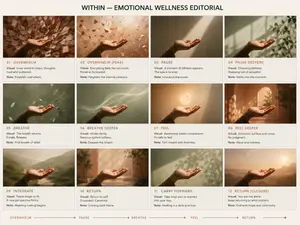
Premium Pitch Deck Storyboard
Create a game image of Premium Pitch Deck Storyboard. Style: photorealistic. Composition: balanced and well-framed. Lighting: natural with cinematic mood. Category: illustration. Reference: premium-pitch-deck-storyboard-25540.
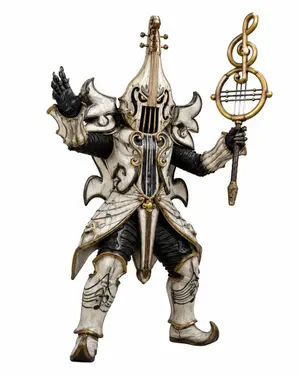
Music-Themed Tokusatsu Kaijin
Create a full-body tokusatsu-style enemy monster suit character on a clean white studio background, centered and isolated like a production design render. The creature is a music-themed villain named Violin Phantom (character name), combining an armored humanoid kaijin with an ornate violin and classical music motifs. It wears ivory-white, aged bone-like armor with antique gold trim, black ribbed undersuit fabric, and dark weathered creases, with a dramatic silhouette of sharp curled shoulder plates and flared skirt armor. The head and torso are shaped like a vertical violin: the face is hidden behind a violin-body helmet with two narrow glowing yellow eyes, black f-hole-like openings, vertical strings running down the front, and a tall violin neck rising from the crown with tuning pegs. Use exactly 2 visible eyes, 4 tuning pegs on the head instrument, 2 large curled shoulder plates, 2 black gloved hands, 2 armored legs, and 1 large ornate musical staff weapon. The left hand is raised open in a theatrical villain gesture, palm facing outward; the right hand holds a tall staff topped with a golden treble clef inside a circular lyre-like frame with horizontal strings. The armor includes engraved musical staff lines and note patterns on the thighs and shin guards, curling gold scrollwork on the chest, hanging gold bead ornaments at the waist, pointed curled boots, and layered asymmetrical plates with a worn ceramic texture. Style should feel like a practical Japanese special-effects monster costume from a superhero TV series, highly detailed, realistic materials, dramatic but evenly lit product photography, crisp edges, no environment, no text, no watermark. Use aged ivory white (armor color) armor, antique gold (metal trim color) trim, glowing yellow (eye color) eyes, and a treble clef lyre staff (weapon motif).
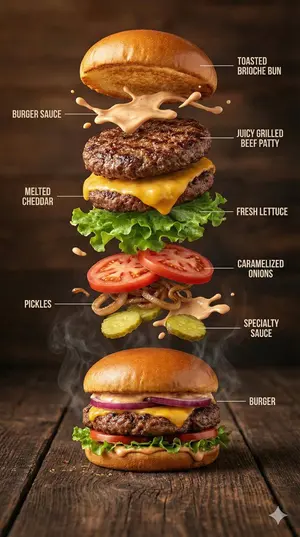
Hyper-Realistic Gourmet Burger Infographic - Nano Banana Pro AI Prompt for Infographic / Edu Visual
{ "image_prompt": { "type": "Hyper-realistic food infographic", "subject": { "dish": "Gourmet burger", "base_element": "A freshly assembled burger resting on a rustic surface, gently steaming", "levitating_ingredients": [ "Toasted brioche bun", "Juicy grilled beef patty", "Melted cheddar cheese", "Fresh lettuce leaves", "Ripe tomato slices", "Caramelized onions", "Crispy pickles", "Glossy burger sauce splashes" ] }, "composition": { "layout": "Clean vertical infographic composition", "arrangement": "Ingredients floating upward in a realistic, gravity-defying stack", "background": "Dark rustic wooden tabletop", "visual_hierarchy": "Burger base anchored at the bottom with ingredients rising layer by layer" }, "graphic_design_elements": { "labels": "Minimal, clear text labels", "lines": "Thin white guide lines pointing to each ingredient", "style": "Editorial food infographic inspired by premium food magazines" }, "lighting_and_mood": { "lighting": "Cinematic studio lighting with soft highlights", "color_palette": "Warm, rich, appetizing tones", "effects": "Subtle steam, frozen motion details, sauce suspended mid-air" }, "technical_specs": { "camera_settings": "Shallow depth of field, sharp focus, DSLR-style realism", "details": "Ultra-detailed textures on bun, meat, and vegetables", "resolution": "8K ultra-realistic quality" } } }
Explore more prompts
Browse more AI image and video prompts by category.
FAQ
- Which component shows a teal speaker icon and faint waveform graphic?
- The long horizontal volume slider includes a teal speaker icon on the left, fine ticks, teal track and knob, plus a faint waveform on the far right.
- What labels appear on the large circular compass?
- The compass displays cardinal letters N, E, S, W plus diagonal labels with a teal-and-orange needle and metallic center.
- Is the Neumorphic Glass UI Kit Board prompt free to use?
- Yes, this prompt is completely free on AI Pin Maker and you can copy it directly with no signup or payment required.
- How do I use the Neumorphic Glass UI Kit Board prompt to generate an image or video?
- Copy the prompt, tweak the subject or style to fit your idea, then paste it into AI Pin Maker and generate your image or video in one click.
- Can I change the Neumorphic Glass UI Kit Board prompt into my own version?
- Absolutely, just replace the subject, style, or parameters in AI Pin Maker to make the prompt entirely your own.