
Text to Image
Visual Telephone Game Grid — AI Image Prompt
A fun prompt that takes an image and creates a grid showing it evolving incorrectly, like a visual game of telephone.
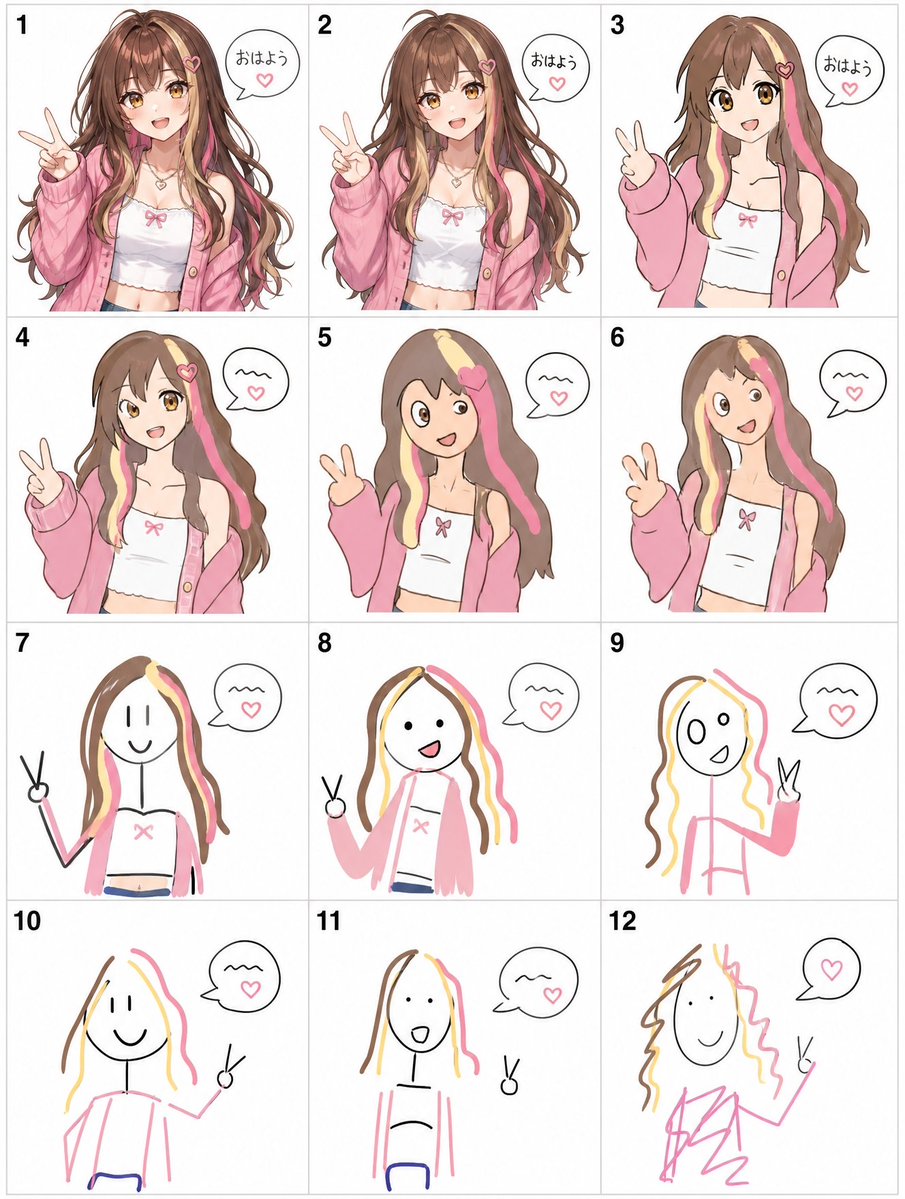
Prompt
Create a game image of Visual Telephone Game Grid. Style: photorealistic. Composition: balanced and well-framed. Lighting: natural with cinematic mood. Category: illustration. Reference: visual-telephone-game-grid-20512.
Prompt breakdown
- Subject
- Visual Telephone Game Grid as a photorealistic game image with sequential cells
- Style
- photorealistic illustration
- Lighting
- natural with cinematic mood
- Composition
- balanced and well-framed
- Mood
- cinematic
Remix ideas
- Increase cell count from 3x3 to 4x4 to lengthen the visual telephone chain
- Swap select grid icons for hand-drawn doodles while keeping overall photorealism
- Introduce subtle vignette lighting at the edges to heighten the cinematic focus on central cells
Reference images
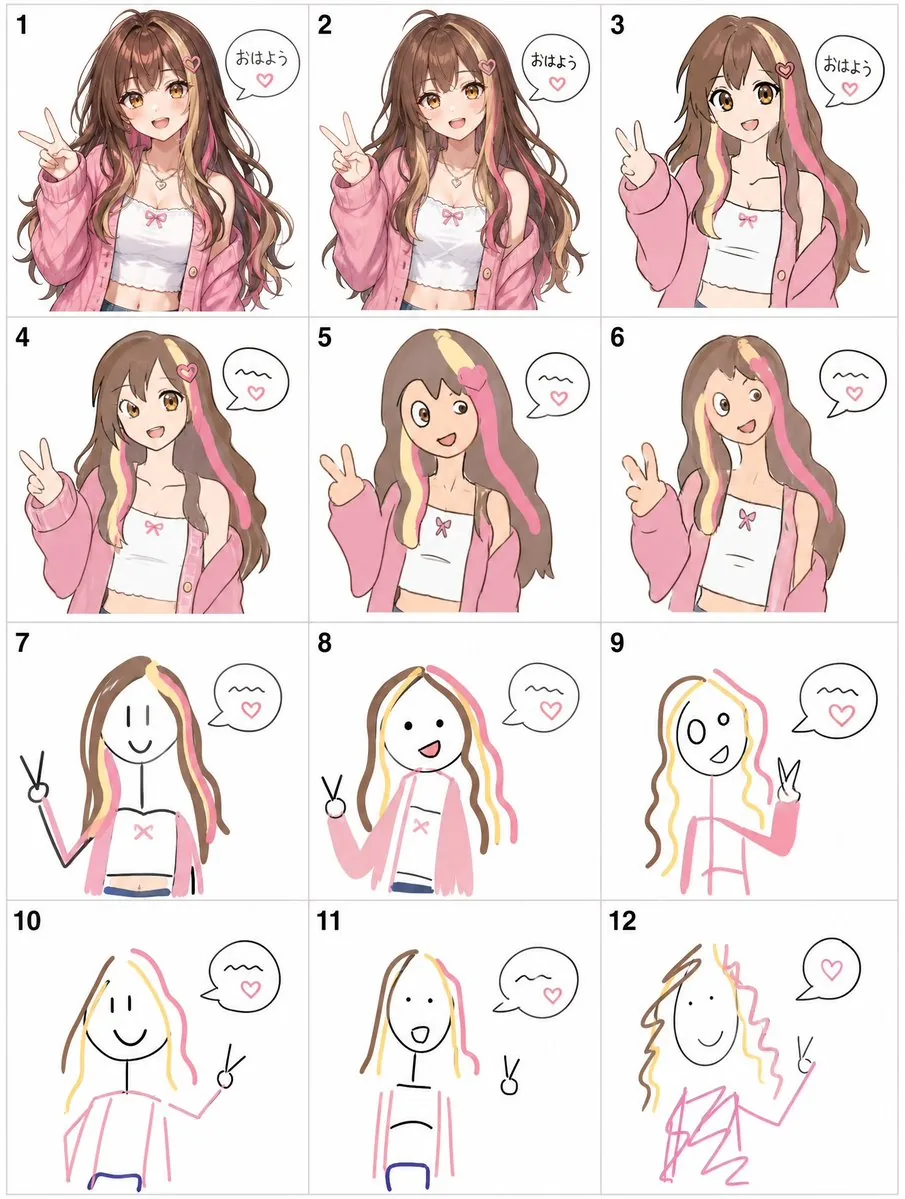
How to use this AI Image prompt template
 1
1Copy the prompt — grab this template’s prompt and negative prompt.  2
2Pick a model — choose a recommended AI model for the best match.  3
3Generate — open the studio with one click and create your result.
Related templates
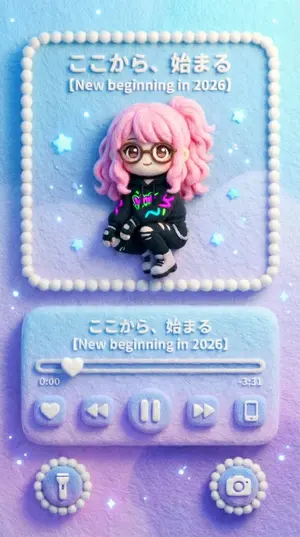
Felted Wool Smartphone Lock Screen Music Player - Nano Banana Pro AI Prompt for App / Web Design
###(スマホのロック画面 × 羊毛フェルト音楽プレイヤー) スマートフォンのロック画面に表示される音楽プレイヤーUIを再現したビジュアル。 画面比率は縦長(スマホ画面比率)、正面から見たフラットな構図。 全体は羊毛フェルト/ニードルフェルトで作られたような 立体感のある手作り質感。 UI・文字・アイコン・枠線まですべてフェルト素材。 画面構成(ロック画面レイアウト) 上部:アルバムアート表示エリア ロック画面中央上には、 iOS / Android のロック画面音楽プレイヤーのような 正方形に近いアルバムアート表示枠が配置されている。 このアルバムアート部分は【入力画像】これです。 差し替える画像の内容・画風は自由 (写真、イラスト、街並み、キャラクターなど)。 ただし、最終的な出力では すべて羊毛フェルト・フェルト刺繍風に再変換される。 ・輪郭はややぼかされ ・色は柔らかく混ざり ・繊維の凹凸が見える 元画像のスタイル差は残さず、 質感だけを完全に統一する。 中央:音楽プレイヤーUI アルバムアートの下には スマホロック画面特有の 音楽プレイヤー操作エリア。 ・曲タイトル表示 ・アーティスト名表示 ・再生バー(進行状況) ・再生 / 一時停止ボタン ・前へ / 次へボタン すべてが 丸みのあるフェルトボタンとして配置されている。 再生バー上のテキストは 「ここから、始まる (再生バーテキスト)」 曲名・シリーズ名部分は 「【New beginning in 2026】 (曲名)」 時間表示: 0:00 / -3:31 文字も数字も 刺繍やフェルトで縫われたような質感。 下部:ロック画面風ショートカット 画面下部には ロック画面にあるような 丸いショートカットアイコン。 ・ライト(懐中電灯) ・カメラ などが ふわふわしたフェルト製アイコンとして左右に配置される。 雰囲気・色・光 背景の自動カラーマッチングルール(重要) アルバムアート【入力画像】の 主な色調・雰囲気・明度を自動的に解析し、 画面全体の背景カラーに反映させる。 音楽プレイヤーUI(アルバム表示・操作部分)以外の 背景エリア全体は、 アルバムアートと色の世界観を共有する。 背景表現は以下のいずれか、または組み合わせ: ・アルバムアートの主色を使った単色フェルト背景 ・アルバムアートの色を抽出したやさしいグラデーション ・アルバムアートの背景を抽象化・簡略化した フェルト調の派生パターン 背景はあくまで控えめで、 プレイヤーUIとアルバムアートを邪魔しない。 ただし色の統一感によって、 画面全体が1つのアルバム世界観として成立する。 どの配色パターンでも、 背景素材は必ず 羊毛フェルト/ニードルフェルトの質感を保持する。 背景表現は以下のいずれか、または組み合わせ: ・アルバムアートの主色を使った単色フェルト背景 ・アルバムアートの色を抽出したやさしいグラデーション ・アルバムアートの背景を抽象化・簡略化した フェルト調の派生パターン 背景はあくまで控えめで、プレイヤーUIとアルバムアートを邪魔しない。 ただし色の統一感によって、画面全体が1つのアルバム世界観として成立する。 どの配色パターンでも、背景素材は必ず羊毛フェルト/ニードルフェルトの質感を保持する。 小さな光の粒(やさしい点光)が ロック画面の装飾として散りばめられている。 光は 夜のスマホ画面のように控えめで柔らかい。 全体の印象は ・かわいい ・やさしい ・静か ・触れたくなる **「フェルトでできたスマホロック画面」**という世界観。40:Te28,### (Smartphone Lock Screen × Felted Wool Music Player) Visual representation of a music player UI displayed on a smartphone lock screen. The aspect ratio is vertical (smartphone screen ratio), with a flat composition viewed from the front. The entire image has a three-dimensional, handmade texture, as if made from felted wool/needle felting. All UI elements, text, icons, and borders are made of felt material. Screen Composition (Lock Screen Layout) Top: Album Art Display Area A square-like album art display frame, similar to the music player on an iOS / Android lock screen, is placed in the upper center of the lock screen. This album art section is the [Input Image]. The content and style of the replacement image are free (photos, illustrations, cityscapes, characters, etc.). However, the final output will be completely re-rendered in a felted wool/felt embroidery style. - Outlines are slightly blurred - Colors are softly blended - Fiber unevenness is visible The style differences of the original image are not retained; only the texture is completely unified. Center: Music Player UI Below the album art is the music player control area specific to smartphone lock screens. - Song title display - Artist name display - Playback bar (progress) - Play / Pause button - Previous / Next button All are arranged as rounded felt buttons. The text on the playback bar is "ここから、始まる (playback bar text)" The song title/series name section is "【New beginning in 2026】 (song title)" Time display: 0:00 / -3:31 Both text and numbers have a texture as if embroidered or sewn with felt. Bottom: Lock Screen Shortcuts At the bottom of the screen are round shortcut icons, like those on a lock screen. - Flashlight - Camera These are placed on the left and right as fluffy felt icons. Atmosphere, Color, and Light Automatic Color Matching Rule (Important) The main color tone, atmosphere, and brightness of the album art [Input Image] are automatically analyzed and reflected in the overall background color of the screen. The background area, excluding the music player UI (album display/control part), shares the color world view of the album art. Background expression is one of the following, or a combination: - Solid felt background using the main color of the album art - Gentle gradient extracted from the album art colors - Abstracted/simplified felt pattern derived from the album art background The background is kept subtle and does not interfere with the player UI and album art. However, the color consistency ensures that the entire screen forms a single album world view. Regardless of the color pattern, the
Event Photo Synthesis Illustration
Create a creative image of Event Photo Synthesis Illustration. Style: photorealistic. Composition: balanced and well-framed. Lighting: natural with cinematic mood. Category: photography. Reference: event-photo-synthesis-illustration-24284.

Humorous Caricature of a Professional
Create a creative image of Humorous Caricature Of A Professional. Style: photorealistic. Composition: balanced and well-framed. Lighting: natural with cinematic mood. Category: photography. Reference: humorous-caricature-of-a-professional-10707.
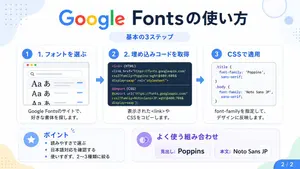
Google Fonts Japanese Tutorial Infographic
{"type":"Japanese infographic","topic":"How to use Google Fonts","style":"clean modern flat design, white background, soft pastel blue and mint corner blobs, rounded cards with subtle shadows, tech tutorial aesthetic, crisp vector typography and UI illustrations","canvas":{"aspect_ratio":"16:9"},"headline":{"main":"Google Fontsの使い方","sub":"基本の3ステップ"},"layout":{"sections":[{"title":"1. フォントを選ぶ","position":"left","count":1,"labels":["1. フォントを選ぶ"],"card_style":"rounded white panel with light blue border/shadow","icon":"blue numbered circle with 1","illustration":"browser window showing a font search interface, 3 visible font preview rows with large Aa あ samples, a search bar at top, small colored window buttons, light gray interface lines and blue accent dashes","body_text":"Google Fontsのサイトで、好きな書体を探します。"},{"title":"2. 埋め込みコードを取得","position":"center","count":1,"labels":["2. 埋め込みコードを取得"],"card_style":"rounded white panel with light blue border/shadow","icon":"blue numbered circle with 2","illustration":"dark code panel with two labeled code examples separated by a thin divider","code_blocks":{"count":2,"labels":["<link> (HTML)","@import (CSS)"],"content":["<link href=\"https://fonts.googleapis.com/css2?family=Poppins:wght@400;600&display=swap\" rel=\"stylesheet\">","@import url('https://fonts.googleapis.com/css2?family=Noto+Sans+JP:wght@400;700&display=swap');"]},"body_text":"表示された<link>やCSSをコピーします。"},{"title":"3. CSSで適用","position":"right","count":1,"labels":["3. CSSで適用"],"card_style":"rounded white panel with light blue border/shadow","icon":"blue numbered circle with 3","illustration":"white code card containing CSS with two selectors and font-family rules","code_blocks":{"count":2,"labels":[".title","body"],"content":[".title { font-family: 'Poppins', sans-serif; }","body { font-family: 'Noto Sans JP', sans-serif; }"]},"body_text":"font-familyを指定して、デザインに反映します。"},{"title":"ポイント","position":"bottom-left","count":3,"labels":["読みやすさで選ぶ","日本語対応を確認する","使いすぎず、2〜3種類に絞る"],"card_style":"rounded white panel with pale blue tint","icon":"blue star in a circle","body_format":"bullet list"},{"title":"よく使う組み合わせ","position":"bottom-center-right","count":2,"labels":["見出し: Poppins","本文: Noto Sans JP"],"card_style":"rounded white panel with pale lavender tint","icon":"purple linked-rings symbol","body_format":"two pill-shaped example boxes"}],"connectors":{"count":2,"style":"large blue right-pointing arrows between the 3 top cards"},"pagination":{"text":"2 / 2","position":"bottom-right","style":"blue rounded corner tab"}},"text_language":"Japanese","color_palette":{"primary_blue":"#2f80ff","navy":"#0f2b5b","google_colors":["#4285F4","#DB4437","#F4B400","#0F9D58"],"lavender":"#8b6cff","background":"#ffffff"}}3a:Tbd9,{"type":"Japanese infographic","topic":"How to use Google Fonts","style":"clean modern flat design, white background, soft pastel blue and mint corner blobs, rounded cards with subtle shadows, tech tutorial aesthetic, crisp vector typography and UI illustrations","canvas":{"aspect_ratio"

4-Panel Animal Infographic Grid
{ "type": "{argument name=\"layout style\" default=\"2x2 grid infographic\"}", "panels": [ { "position": "top-left", "title": "{argument name=\"animal one\" default=\"ヒマラヤマーモット\"}", "image_description": "Himalayan marmot sitting on rocks with a snowy mountain background", "text_content": "Detailed biological facts including distribution, habitat, diet, behavior, sociality, hibernation, and characteristics", "icon_count": 4, "icons": [ {"color": "blue", "symbol": "mountain", "label": "高山性"}, {"color": "brown", "symbol": "cave", "label": "巣穴生活"}, {"color": "yellow", "symbol": "sun", "label": "昼行性"}, {"color": "blue", "symbol": "snowflake", "label": "長期冬眠"} ] }, { "position": "top-right", "title": "{argument name=\"animal two\" default=\"ウォンバット\"}", "image_description": "Wombat standing on dirt ground", "text_content": "Detailed biological facts including distribution, habitat, diet, behavior, digging ability, excretion, defense, and reproduction", "icon_count": 4, "icons": [ {"color": "purple", "symbol": "moon", "label": "夜行性"}, {"color": "brown", "symbol": "digging animal", "label": "穴掘り名人"}, {"color": "green", "symbol": "leaf", "label": "草食"}, {"color": "brown", "symbol": "acorn", "label": "有袋類"} ] }, { "position": "bottom-left", "title": "{argument name=\"animal three\" default=\"レッサーパンダ\"}", "image_description": "Red panda resting on a mossy tree branch", "text_content": "Detailed biological facts including distribution, habitat, diet, behavior, physical characteristics, sociality, conservation, and charm", "icon_count": 4, "icons": [ {"color": "green", "symbol": "tree", "label": "樹上生活"}, {"color": "green", "symbol": "bamboo", "label": "竹を食べる"}, {"color": "orange", "symbol": "tail", "label": "長い尾"}, {"color": "green", "symbol": "mountain", "label": "山地森林"} ] }, { "position": "bottom-right", "title": "{argument name=\"animal four\" default=\"ハイラックス\"}", "image_description": "Rock hyrax standing on a rocky outcrop", "text_content": "Detailed biological facts including distribution, habitat, diet, behavior, sociality, mobility, taxonomy, and characteristics", "icon_count": 4, "icons": [ {"color": "grey", "symbol": "rock", "label": "岩場適応"}, {"color": "purple", "symbol": "group of people", "label": "群れ生活"}, {"color": "yellow", "symbol": "sun", "label": "昼行性"}, {"color": "orange", "symbol": "sun", "label": "日光浴"} ] } ], "styling": { "layout": "4 equal quadrants separated by white borders", "text_panel": "Semi-transparent white vertical rectangle on the right side of each quadrant", "typography": "Large bold Japanese title at the top left of each quadrant, dense informational text in the white panel", "icon_style": "Row of 4 circular colored icons with white silhouettes and black text labels placed at the bottom edge of each quadrant" } }

Jon Jones vs Poatan Care Bears Style
Create a creative image of Jon Jones Vs Poatan Care Bears Style. Style: photorealistic. Composition: balanced and well-framed. Lighting: natural with cinematic mood. Category: photography. Reference: jon-jones-vs-poatan-care-bears-style-15591.
Explore more prompts
Browse more AI image and video prompts by category.
FAQ
- Why does the prompt specify natural lighting for this Visual Telephone Game Grid?
- Natural light with a cinematic mood adds realistic shadows and highlights that make the grid cells feel like physical cards rather than flat graphics.
- How does the reference visual-telephone-game-grid-20512 influence the output?
- It anchors the image to a precise grid structure optimized for sequential visual prompts, ensuring the telephone-game flow remains clear in the photorealistic render.
- Is the Visual Telephone Game Grid prompt free to use?
- Yes, this prompt is completely free on AI Pin Maker and you can copy it directly with no signup or payment required.
- How do I use the Visual Telephone Game Grid prompt to generate an image or video?
- Copy the prompt, tweak the subject or style to fit your idea, then paste it into AI Pin Maker and generate your image or video in one click.
- Can I change the Visual Telephone Game Grid prompt into my own version?
- Absolutely, just replace the subject, style, or parameters in AI Pin Maker to make the prompt entirely your own.