
Text to Image
Bad MS Paint Cat Redraw — AI Image Prompt
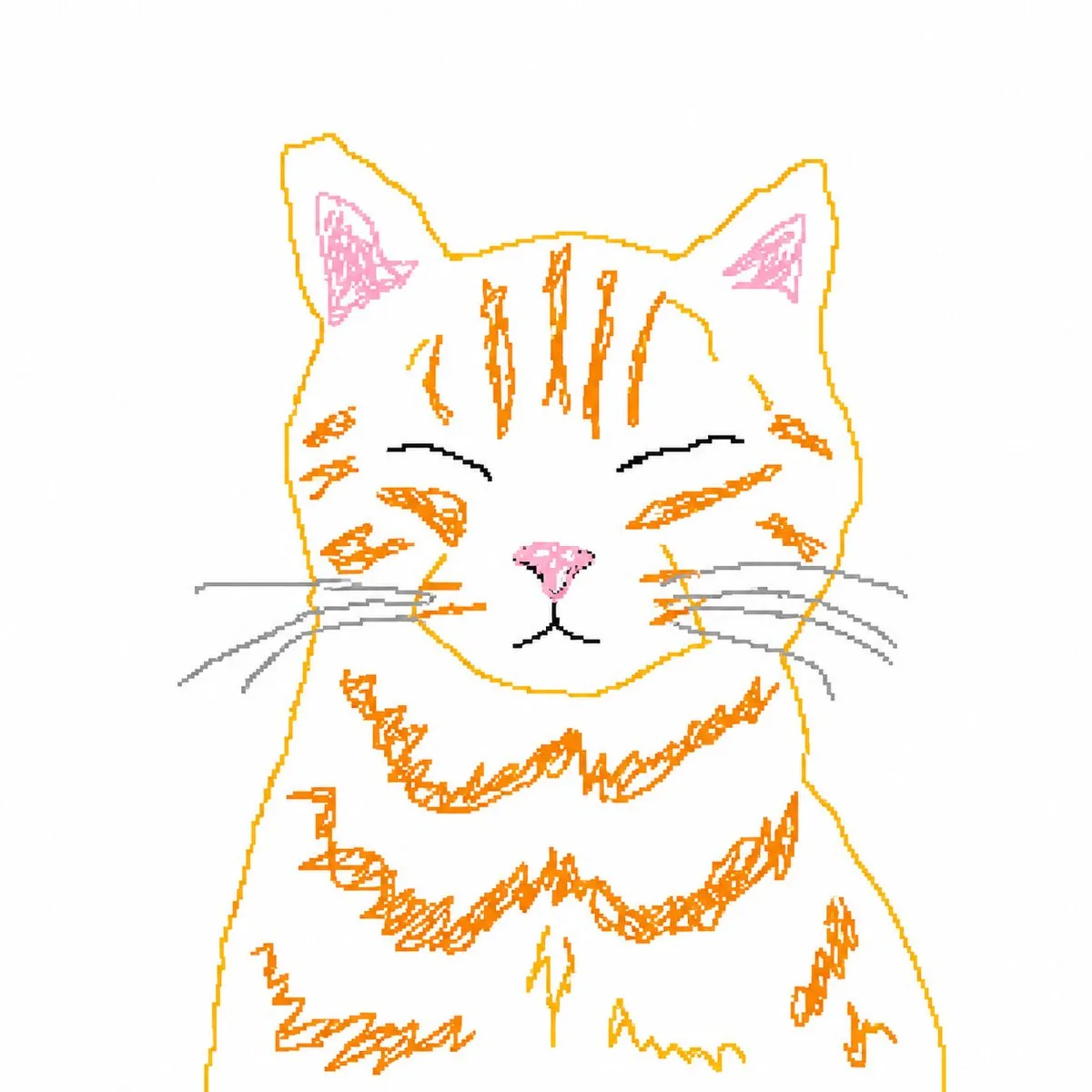
This prompt turns a reference cat photo into a rough, intentionally low-skill mouse-drawn MS Paint doodle for meme-style edits and playful image transformations.
Prompt
Create a creative image of Bad Ms Paint Cat Redraw. Style: photorealistic. Composition: balanced and well-framed. Lighting: natural with cinematic mood. Category: photography. Reference: bad-ms-paint-cat-redraw-17384.
Prompt breakdown
- Subject
- Bad MS Paint cat, a crude feline sketch redrawn creatively
- Style
- photorealistic
- Lighting
- natural with cinematic mood
- Composition
- balanced and well-framed
- Mood
- cinematic
Remix ideas
- Retain jagged MS Paint-style ear edges while rendering photorealistic whiskers
- Place the cat on a plain Windows 95 desktop background to nod at the original software
- Shift focus to an extreme close-up of the cat's mismatched eyes for added awkward realism
Reference images
How to use this AI Image prompt template
 1
1Copy the prompt — grab this template’s prompt and negative prompt.  2
2Pick a model — choose a recommended AI model for the best match.  3
3Generate — open the studio with one click and create your result.
Related templates

Hiking Photo to Marker Sketch
Create a creative image of Hiking Photo To Marker Sketch. Style: photorealistic. Composition: balanced and well-framed. Lighting: natural with cinematic mood. Category: photography. Reference: hiking-photo-to-marker-sketch-17380.

Turn children’s drawings into comic-style characters
Create a anime image of Turn Childrens Drawings Into Comic Style Characters. Style: photorealistic. Composition: balanced and well-framed. Lighting: natural with cinematic mood. Category: anime. Reference: turn-childrens-drawings-into-comic-style-characters-347.
Vintage Photo to Graphite Sketch
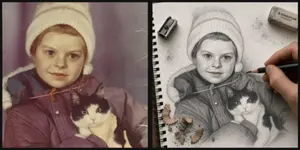
Create a realistic side-by-side comparison image showing a meaningful childhood photo being transformed into a hand-drawn graphite sketch. Canvas: wide horizontal 2-panel layout with a thick black vertical divider and thin dark border, like a before-and-after social media post. Left panel: a faded vintage color photograph with muted purple-brown tones, light scratches, and aged film texture. Show a small child wearing a cream knit winter hat and a dark puffy coat (child subject) holding a black-and-white rescue cat with bright eyes (pet). The child's face is hidden by a centered plain beige square privacy block. Right panel: the same scene reimagined as an ultra-detailed 3D graphite pencil sketch on textured white spiral notebook paper, viewed from above at a slight angle. The notebook has black spiral binding along the left edge, visible paper grain, subtle fibers, smudges, graphite dust, and eraser crumbs. Show a realistic adult hand actively drawing with a dark pencil near the child's shoulder, making the drawing feel unfinished and in progress. Include exactly 3 drawing tools or debris groups around the sketch: 1 metal pencil sharpener near the upper left, 1 gray STAEDTLER-style eraser near the upper right with small graphite smudges, and 1 cluster of pencil shavings near the lower left. The sketch should preserve the winter hat, coat, and cat pose from the photo, with the cat's face carefully rendered and expressive. The child's face in the sketch is also hidden by a centered plain light gray square privacy block. Style: photorealistic mixed-media transformation, high detail, tactile paper texture, soft natural lighting, shallow shadows, no extra text except the small eraser branding. Use warm nostalgic and sentimental (overall mood).

Hand-Drawn Sketch Illustration from Reference Image - Nano Banana Pro AI Prompt for Illustration
Use the uploaded image as your main reference point. Keep the same pose, facial features, proportions, and composition of the person. Turn the image into a hand-drawn illustration on lined notepad paper. The character should look like a detailed drawing in colored pencil and ink with cross-hatching and shading of the sketch. Add comic book-style drawings and notes around the character, such as arrows, doodles, “WOW”, “COOL!”and design notes. Circle the character with the smooth red-yellow glow of the sketch. Keep the concentrated composition of the portrait and the proportions of the whole body as in the original photo.The style should be similar to a conceptual drawing from a designer sketchbook: playful doodles, rough lines, warm tones, high detail. concept art for a sketchbook, drawings of characters on sheets of paper, illustrations with colored pencils, a background made of paper for a notebook, design notes made by hand You can choose the aspect ratio depending on the artificial intelligence or design you are using.3f:T415,

Photo to Manga Art Transformation
Create a anime image of Photo To Manga Art Transformation. Style: photorealistic. Composition: balanced and well-framed. Lighting: natural with cinematic mood. Category: anime. Reference: photo-to-manga-art-transformation-24416.

3D Wireframe Illustration Transformation
Create a cinematic image of 3d Wireframe Illustration Transformation. Style: photorealistic. Composition: balanced and well-framed. Lighting: natural with cinematic mood. Category: cinematic-video. Reference: 3d-wireframe-illustration-transformation-19273.
Explore more prompts
Browse more AI image and video prompts by category.
FAQ
- How does the prompt handle the 'bad MS Paint' origins?
- It starts from the simplistic cat doodle in reference bad-ms-paint-cat-redraw-17384 and overlays photorealistic textures without erasing the uneven lines and flat fills.
- Why choose natural cinematic lighting for this redraw?
- It adds depth and shadows to the otherwise two-dimensional MS Paint cat, making the photorealistic version feel like a real photographed moment.
- Is the Bad MS Paint Cat Redraw prompt free to use?
- Yes, this prompt is completely free on AI Pin Maker and you can copy it directly with no signup or payment required.
- How do I use the Bad MS Paint Cat Redraw prompt to generate an image or video?
- Copy the prompt, tweak the subject or style to fit your idea, then paste it into AI Pin Maker and generate your image or video in one click.
- Can I change the Bad MS Paint Cat Redraw prompt into my own version?
- Absolutely, just replace the subject, style, or parameters in AI Pin Maker to make the prompt entirely your own.