
Text to Image
Hand-Drawn Sketch Illustration from Reference Image - Nano Banana Pro AI Prompt for Illustration — AI Image Prompt
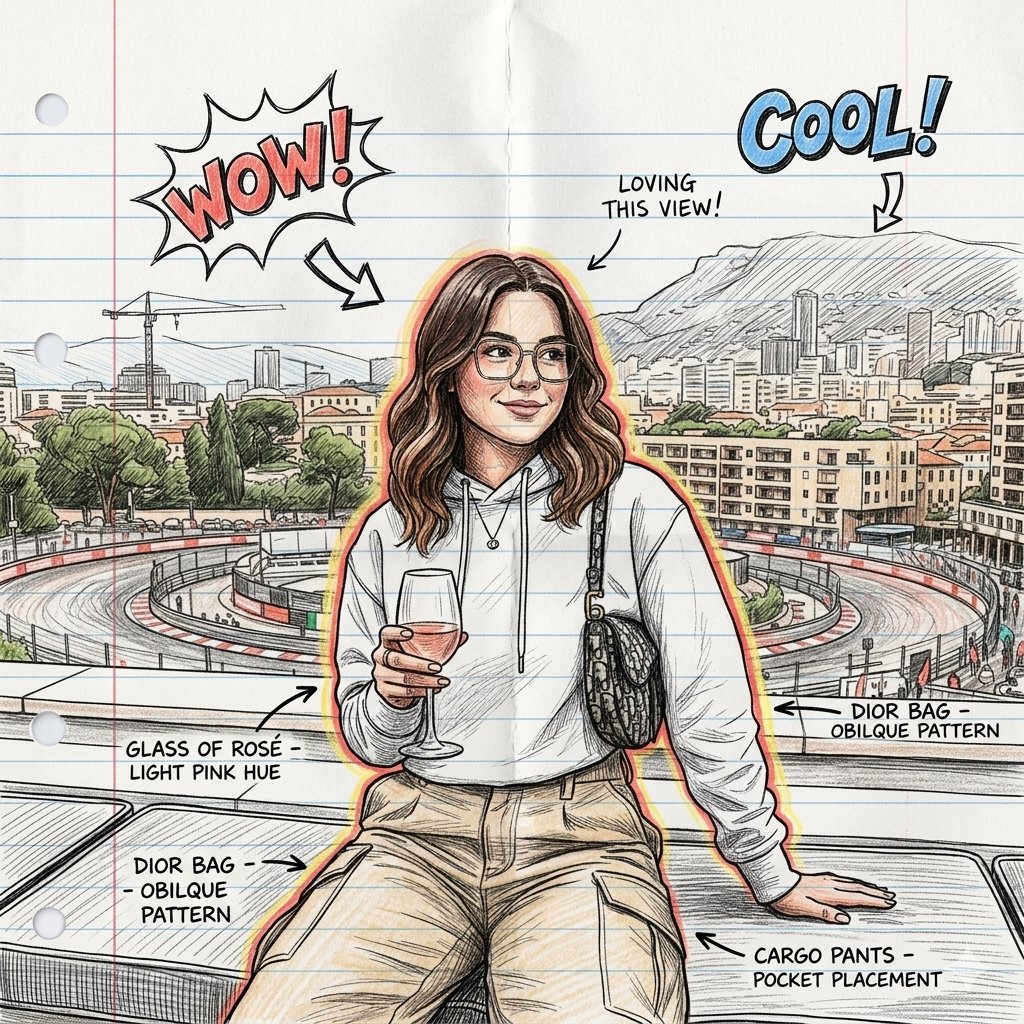
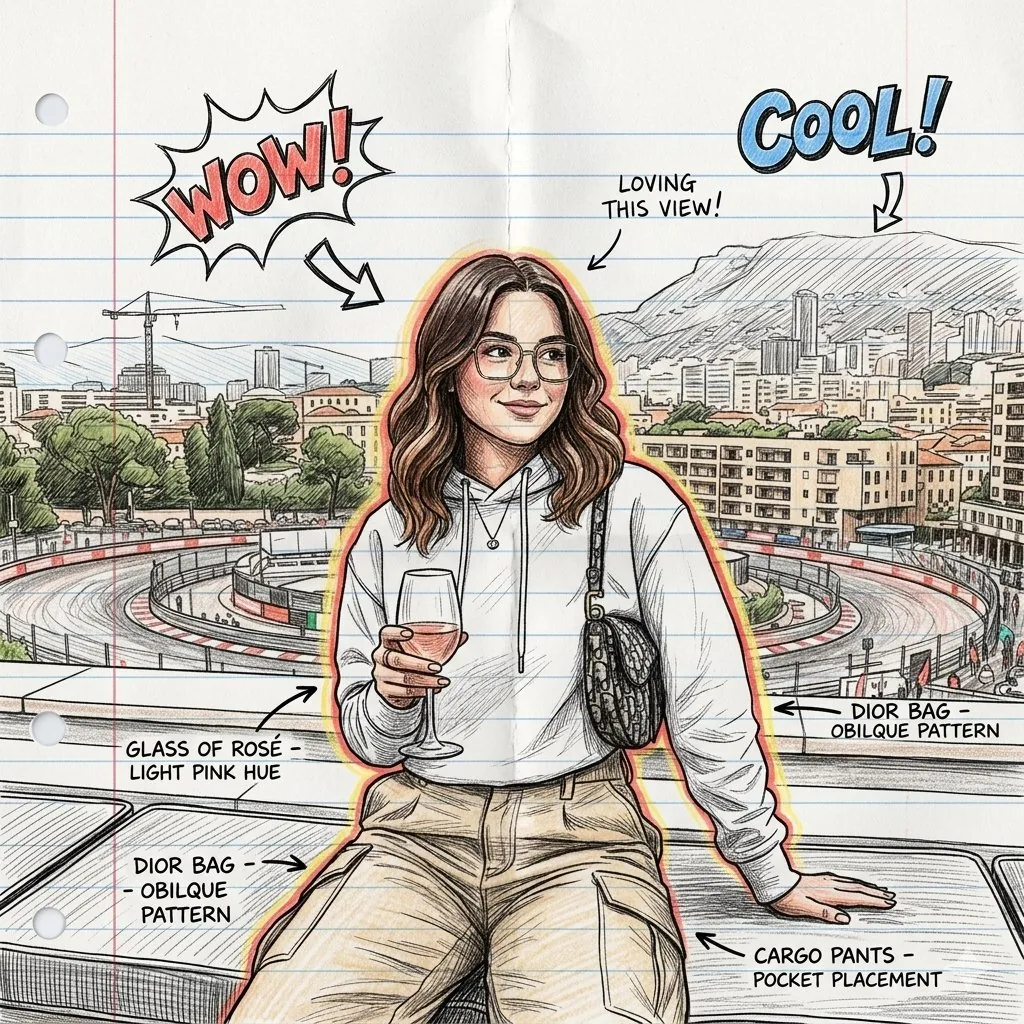
A prompt for Gemini Nano Banana 2 to transform an uploaded image into a detailed, hand-drawn illustration on lined notepad paper, using colored pencil and ink with comic book-style annotations and doodles.
Prompt
Use the uploaded image as your main reference point. Keep the same pose, facial features, proportions, and composition of the person. Turn the image into a hand-drawn illustration on lined notepad paper. The character should look like a detailed drawing in colored pencil and ink with cross-hatching and shading of the sketch. Add comic book-style drawings and notes around the character, such as arrows, doodles, “WOW”, “COOL!”and design notes. Circle the character with the smooth red-yellow glow of the sketch. Keep the concentrated composition of the portrait and the proportions of the whole body as in the original photo.The style should be similar to a conceptual drawing from a designer sketchbook: playful doodles, rough lines, warm tones, high detail. concept art for a sketchbook, drawings of characters on sheets of paper, illustrations with colored pencils, a background made of paper for a notebook, design notes made by hand You can choose the aspect ratio depending on the artificial intelligence or design you are using.3f:T415,
Prompt breakdown
- Subject
- person from uploaded reference image kept in original pose and proportions as colored pencil and ink drawing
- Style
- hand-drawn illustration on lined notepad paper with cross-hatching, comic book doodles, arrows, and handwritten notes like “WOW” and “COOL!”
- Lighting
- smooth red-yellow glow circling the character
- Composition
- concentrated portrait framing with added surrounding sketches and design notes on paper background
- Mood
- playful conceptual sketchbook energy with rough lines and warm tones
Remix ideas
- Swap the red-yellow glow for a neon blue outline to change the focal energy
- Replace generic notes with character-specific measurements or trait labels
- Change the lined notepad to graph paper for a more technical design-sketch look
Reference images
How to use this AI Image prompt template
 1
1Copy the prompt — grab this template’s prompt and negative prompt.  2
2Pick a model — choose a recommended AI model for the best match.  3
3Generate — open the studio with one click and create your result.
Related templates
Ink Drawing Style Transfer Prompt
{ "design_system": { "metadata": { "style_name": "Cozy Storybook Illustration", "target_audience": "Children / Family", "reference_source": "Uploaded Image", "version": "3.0" }, "visual_parameters": { "medium": { "primary": "Colored Pencil", "secondary": "Watercolor Wash (Variation only)", "application": "Hand-drawn", "texture": { "type": "Visible pencil strokes", "quality": "Slightly rough outlines", "finish": "Non-realistic / No photo texture" } }, "line_work": { "style": "Clean line art", "weight": "Slightly rough/organic", "clarity": "High" }, "color_theory": { "base_tone": "Warm and friendly", "palette_type": "Vibrant Pastel", "adjustments": { "brightness": "Increased / High-key", "saturation": "Enhanced but natural", "contrast": "Soft" } }, "lighting_and_shading": { "shadows": "Minimal", "highlights": "Soft", "rendering": "Flat yet detailed", "gradients": "Subtle watercolor layers (Variation only)" } }, "subject_geometry": { "anatomy": { "proportions": "Semi-cartoon realistic", "scale": "Storybook style" }, "facial_features": { "eyes": "Dot style", "mouth": "Small smile", "complexity": "Simple / Minimalist" } }, "atmosphere": { "mood": [ "Cozy", "Cheerful", "Warm", "Friendly" ], "genre_tags": [ "Children's Book", "Lifestyle Sketch", "Storybook Illustration" ] } }, "generation_configs": { "negative_prompt_tokens": [ "realism", "photorealistic", "photo texture", "dark colors", "complex shading", "3d render" ], "prompt_variations": [ { "id": "PROMPT_001", "variant_name": "Textured Colored Pencil", "focus": "Texture and Stroke", "full_text": "Illustration style: hand-drawn colored pencil illustration, clean line art with slightly rough pencil outlines, soft pastel coloring with increased brightness, lighter and more vivid color tones, enhanced saturation while staying natural, visible pencil strokes and gentle shading texture, warm and friendly tone, semi-cartoon realistic proportions, simple facial features with dot eyes and small smiles, flat yet detailed coloring, minimal shadows, soft highlights, storybook illustration feel, cozy and cheerful atmosphere, vibrant yet soft color palette, children-book / lifestyle sketch style, high clarity, no realism, no photo texture" }, { "id": "PROMPT_002", "variant_name": "Mixed Media Watercolor", "focus": "Wash and Gradient", "full_text": "Illustration style: hand-drawn colored pencil illustration, clean line art with slightly rough pencil outlines, soft pastel coloring with increased brightness, lighter and more vivid color tones, enhanced saturation while staying natural, visible pencil strokes and gentle shading texture, warm and friendly tone, semi-cartoon realistic proportions, simple facial features with dot eyes and small smiles, flat yet detailed coloring, minimal shadows, soft highlights, storybook illustration feel, cozy and cheerful atmosphere, vibrant yet soft color palette, children-book / lifestyle sketch style, high clarity, no realism, no photo texture (full text 2)" } ] } }

Pale Watercolor Line Art Transformation
Create a cinematic image of Pale Watercolor Line Art Transformation. Style: photorealistic. Composition: balanced and well-framed. Lighting: natural with cinematic mood. Category: cinematic-video. Reference: pale-watercolor-line-art-transformation-18151.

Nano Banana Pro torn paper style-switching edit prompt - Nano Banana Pro AI Prompt for Social Media Post
task: "edit-image: add widened torn-paper layered effect" base_image: use_reference_image: true preserve_everything: - character identity - facial features and expression - hairstyle and anatomy - outfit design and colors - background, lighting, composition - overall art style rules: - Only modify the torn-paper interior areas. - Do not change pose, anatomy, proportions, clothing details, shading, or scene elements. effects: - effect: "torn-paper-reveal" placement: "across chest height" description: - Add a wide, natural horizontal tear across the chest area. - The torn interior uses the style defined in `interior_style`. - effect: "torn-paper-reveal" placement: "lower abdomen height" description: - Add a wide horizontal tear across the lower abdomen. - The torn interior uses the style defined in `interior_style`. interior_style: mode: line-art (画風モード) style_settings: line-art: palette: "monochrome" line_quality: "clean, crisp" paper: "notebook paper with subtle ruled lines" sumi-e: palette: "black ink tones" brush_texture: "soft bleeding edges" paper: "plain textured paper" figure-render: material: "PVC-like" shading: "semi-realistic highlights" paper: "plain smooth surface" colored-pencil: stroke_texture: "visible pencil grain" palette: "soft layered hues" paper: "rough sketchbook paper" watercolor: palette: "soft transparent pigments" blending: "smooth bleeding" edges: "soft contours" paper: "watercolor paper texture" pencil-drawing: graphite_texture: "visible pencil grain" shading: "smooth gradients" line_quality: "mixed sharp and soft" tone: "gray-scale" paper: "notebook paper with faint ruled lines"3f:T770,ta

Hiking Photo to Marker Sketch
Create a creative image of Hiking Photo To Marker Sketch. Style: photorealistic. Composition: balanced and well-framed. Lighting: natural with cinematic mood. Category: photography. Reference: hiking-photo-to-marker-sketch-17380.

Turn children’s drawings into comic-style characters
Create a anime image of Turn Childrens Drawings Into Comic Style Characters. Style: photorealistic. Composition: balanced and well-framed. Lighting: natural with cinematic mood. Category: anime. Reference: turn-childrens-drawings-into-comic-style-characters-347.

Minimalist Hand-Drawn Children Illustration
Create a creative image of Minimalist Hand Drawn Children Illustration. Style: photorealistic. Composition: balanced and well-framed. Lighting: natural with cinematic mood. Category: photography. Reference: minimalist-hand-drawn-children-illustration-21281.
Explore more prompts
Browse more AI image and video prompts by category.
FAQ
- Will the AI keep the exact body proportions from my reference photo?
- Yes, the prompt explicitly instructs the model to maintain the original pose, facial features, and full-body proportions while converting everything else to the sketch style.
- Can I change the doodle texts to match my own character concept?
- Absolutely, just replace the example words like “WOW” and “COOL!” in the prompt with your own notes or arrows before generating.
- Is the Hand-Drawn Sketch Illustration from Reference Image - Nano Banana Pro AI Prompt for Illustration prompt free to use?
- Yes, this prompt is completely free on AI Pin Maker and you can copy it directly with no signup or payment required.
- How do I use the Hand-Drawn Sketch Illustration from Reference Image - Nano Banana Pro AI Prompt for Illustration prompt to generate an image or video?
- Copy the prompt, tweak the subject or style to fit your idea, then paste it into AI Pin Maker and generate your image or video in one click.
- Can I change the Hand-Drawn Sketch Illustration from Reference Image - Nano Banana Pro AI Prompt for Illustration prompt into my own version?
- Absolutely, just replace the subject, style, or parameters in AI Pin Maker to make the prompt entirely your own.