
Text to Image
Wedding Video Camera Lens Writing — AI Image Prompt
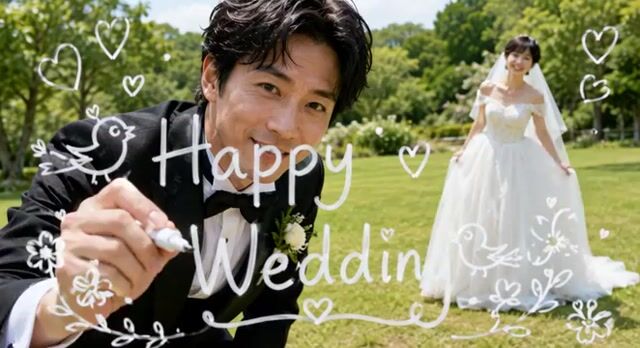
A cinematic video prompt for Grok Imagine to animate a wedding scene where the groom writes on the lens and smiles, using an image as a fixed end frame.
Prompt
Use the attached image as the end frame and make a video of 6-seconds.
The groom finishes writing “Happy Wedding” of “g” on the camera lens, then looks directly into the camera and smiles gently. The bride stays in the same position, smiling while softly swaying her dress. The camera remains completely locked off, with no pan, tilt, zoom, or camera movement.
Do not animate or move the white text or illustrations. Fully preserve the art style of the attached image. Do not add, remove, or alter any elements from the attached image.
Prompt breakdown
- Subject
- Groom completing “Happy Wedding” writing on lens then smiling gently, bride smiling and softly swaying her dress
- Style
- Fully preserve attached image art style with no animation or alteration of white text or illustrations
- Composition
- Completely locked-off camera, no pan tilt zoom or movement throughout the 6 seconds
- Mood
- Gentle celebratory smiles in a wedding moment
Remix ideas
- Shift the groom’s writing stroke so the “g” finishes at the 3-second mark instead
- Increase the bride’s dress sway amplitude while keeping her upper body and smile fixed
- Add a faint lens reflection only on the wet ink of the final letter without moving existing text
How to use this AI Image prompt template
 1
1Copy the prompt — grab this template’s prompt and negative prompt.  2
2Pick a model — choose a recommended AI model for the best match.  3
3Generate — open the studio with one click and create your result.
Related templates
Dynamic Hair and Lip Color Transition
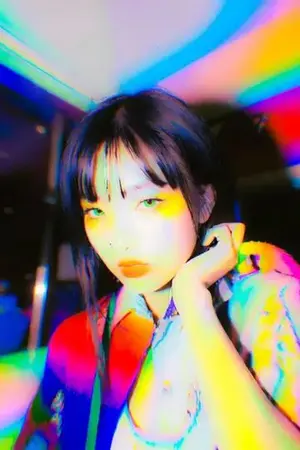
Create a creative image of Dynamic Hair And Lip Color Transition. Style: photorealistic. Composition: balanced and well-framed. Lighting: natural with cinematic mood. Category: photography. Reference: dynamic-hair-and-lip-color-transition-4858.
Emotional Photo Mosaic Memory Reveal
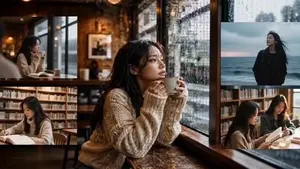
Reference image: cozy cafe woman holding coffee by a rainy window. The video opens with a collection of realistic memory photographs. Photo 1: The woman quietly drinking coffee by a rainy cafe window. Photo 2: Reading a book in a small bookstore. Photo 3: Walking beside the ocean on a cloudy day. Photo 4: Looking at city lights at night. Photo 5: Smiling naturally during an everyday moment. Each memory appears for a brief moment like a collection of personal photographs. The camera slowly pulls backward. The photographs begin floating in space. More and more photographs appear. Hundreds. Then thousands. Every photograph contains a different realistic daily-life scene. Different adult East Asian women. Different faces. Different hairstyles. Different clothing. Coffee shops. Rainy streets. Train stations. Bookstores. Seaside walks. City nights. Travel moments. Life memories. The photographs swirl together like puzzle pieces. The camera continues pulling back. The photographs gradually organize themselves into a giant photomosaic artwork. The final photomosaic perfectly recreates the original cafe image of the woman holding coffee by the rainy window. Epic emotional reveal. Ultra realistic photography. No CGI appearance. No cartoon. No illustration. Natural camera movement. Documentary realism. Emotional storytelling. 9:16 vertical. Duration 10 seconds. Duration: 15s | Aspect Ratio: 16:9
Character Switch Walking Animation
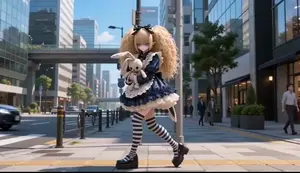
Create a anime video of Character Switch Walking Animation. Style: photorealistic. Composition: balanced and well-framed. Lighting: natural with cinematic mood. Category: anime. Reference: character-switch-walking-animation-5390.
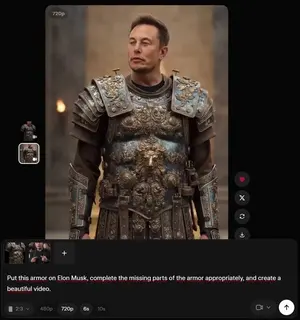
Grok Imagine armor video generation prompt
Put this armor on Elon Musk, complete the missing parts of the armor appropriately, and create a beautiful video.
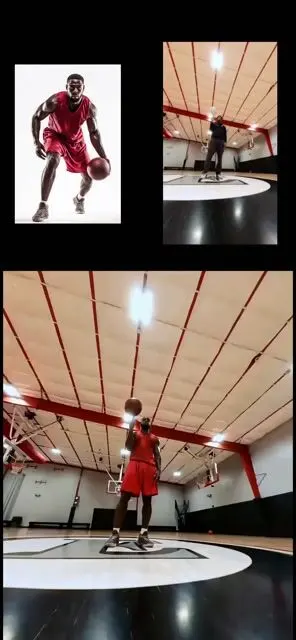
Character Replacement and Consistency
Create a anime video of Character Replacement And Consistency. Style: photorealistic. Composition: balanced and well-framed. Lighting: natural with cinematic mood. Category: anime. Reference: character-replacement-and-consistency-533.
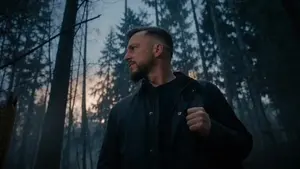
Werewolf Transformation VFX Shot
Create a cinematic video of Werewolf Transformation Vfx Shot. Style: photorealistic. Composition: balanced and well-framed. Lighting: natural with cinematic mood. Category: cinematic-video. Reference: werewolf-transformation-vfx-shot-4114.
Explore more prompts
Browse more AI image and video prompts by category.
FAQ
- Why must the white text stay completely static?
- The prompt protects the attached image’s overlaid “Happy Wedding” lettering and any illustrations from animation to keep the original artwork untouched as the end frame.
- How does the 6-second length affect the action timing?
- The groom’s lens writing and smile happen within the short duration, with the bride’s dress movement kept minimal and continuous so the locked camera feels like a live photograph coming to life.
- Is the Wedding Video Camera Lens Writing prompt free to use?
- Yes, this prompt is completely free on AI Pin Maker and you can copy it directly with no signup or payment required.
- How do I use the Wedding Video Camera Lens Writing prompt to generate an image or video?
- Copy the prompt, tweak the subject or style to fit your idea, then paste it into AI Pin Maker and generate your image or video in one click.
- Can I change the Wedding Video Camera Lens Writing prompt into my own version?
- Absolutely, just replace the subject, style, or parameters in AI Pin Maker to make the prompt entirely your own.