
Text to Video
Character Replacement and Consistency — AI Video Prompt
A complex prompt instructing Seedance 2.0 to replace a character in an existing video with a basketball player from a reference image, ensuring consistent body proportions, facial features, and athletic build throughout the sequence, while maintaining complex camera moves.
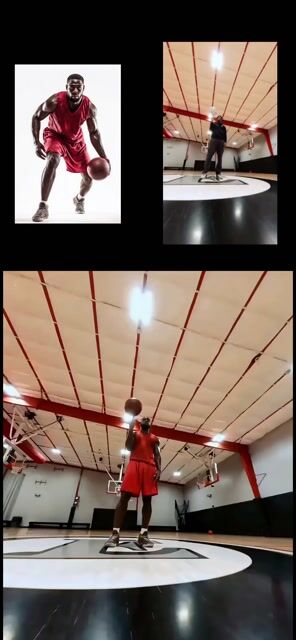
Prompt
Create a anime video of Character Replacement And Consistency. Style: photorealistic. Composition: balanced and well-framed. Lighting: natural with cinematic mood. Category: anime. Reference: character-replacement-and-consistency-533.
Prompt breakdown
- Subject
- Character Replacement And Consistency in an anime video
- Style
- photorealistic anime
- Lighting
- natural with cinematic mood
- Composition
- balanced and well-framed
- Mood
- cinematic
Remix ideas
- Swap the 533 reference for a secondary character model to test how well photorealistic skin tones carry over during replacement
- Tighten the natural lighting to side-angle keys so replacement seams become more visible under cinematic shadows
- Shift composition to a slow orbiting shot that forces the model to maintain consistency across changing angles and depths
Reference images

How to use this AI Video prompt template
 1
1Copy the prompt — grab this template’s prompt and negative prompt.  2
2Pick a model — choose a recommended AI model for the best match.  3
3Generate — open the studio with one click and create your result.
Related templates

Animation transfer and camera tracking prompt
Create a creative video of Animation Transfer And Camera Tracking Prompt. Style: photorealistic. Composition: balanced and well-framed. Lighting: natural with cinematic mood. Category: cinematic-video. Reference: animation-transfer-and-camera-tracking-prompt-3825.
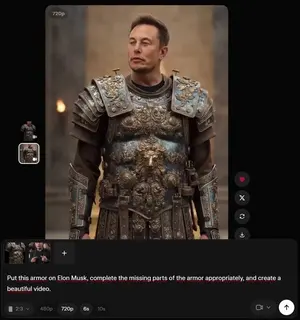
Grok Imagine armor video generation prompt
Put this armor on Elon Musk, complete the missing parts of the armor appropriately, and create a beautiful video.
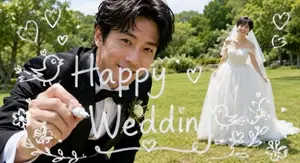
Wedding Video Camera Lens Writing
Use the attached image as the end frame and make a video of 6-seconds. The groom finishes writing “Happy Wedding” of “g” on the camera lens, then looks directly into the camera and smiles gently. The bride stays in the same position, smiling while softly swaying her dress. The camera remains completely locked off, with no pan, tilt, zoom, or camera movement. Do not animate or move the white text or illustrations. Fully preserve the art style of the attached image. Do not add, remove, or alter any elements from the attached image.
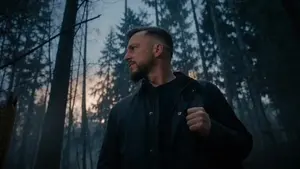
Werewolf Transformation VFX Shot
Create a cinematic video of Werewolf Transformation Vfx Shot. Style: photorealistic. Composition: balanced and well-framed. Lighting: natural with cinematic mood. Category: cinematic-video. Reference: werewolf-transformation-vfx-shot-4114.
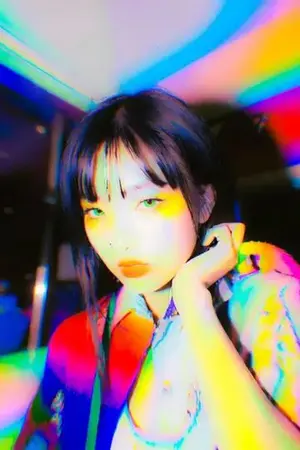
Dynamic Hair and Lip Color Transition
Create a creative image of Dynamic Hair And Lip Color Transition. Style: photorealistic. Composition: balanced and well-framed. Lighting: natural with cinematic mood. Category: photography. Reference: dynamic-hair-and-lip-color-transition-4858.

Surreal environment transition animation
Create a creative video of Surreal Environment Transition Animation. Style: photorealistic. Composition: balanced and well-framed. Lighting: natural with cinematic mood. Category: cinematic-video. Reference: surreal-environment-transition-animation-3604.
Explore more prompts
Browse more AI image and video prompts by category.
FAQ
- How does the photorealistic style affect character consistency in this anime video?
- It forces the generator to preserve realistic subsurface scattering and specular highlights on skin and eyes, making identity drift during replacement far more noticeable than in standard anime shading.
- What role does the reference code play in the prompt?
- The 533 identifier acts as a fixed anchor so the model can track the original character's proportions, facial landmarks, and lighting response while swapping in new elements without breaking continuity.
- Is the Character Replacement and Consistency prompt free to use?
- Yes, this prompt is completely free on AI Pin Maker and you can copy it directly with no signup or payment required.
- How do I use the Character Replacement and Consistency prompt to generate an image or video?
- Copy the prompt, tweak the subject or style to fit your idea, then paste it into AI Pin Maker and generate your image or video in one click.
- Can I change the Character Replacement and Consistency prompt into my own version?
- Absolutely, just replace the subject, style, or parameters in AI Pin Maker to make the prompt entirely your own.