
Text to Image
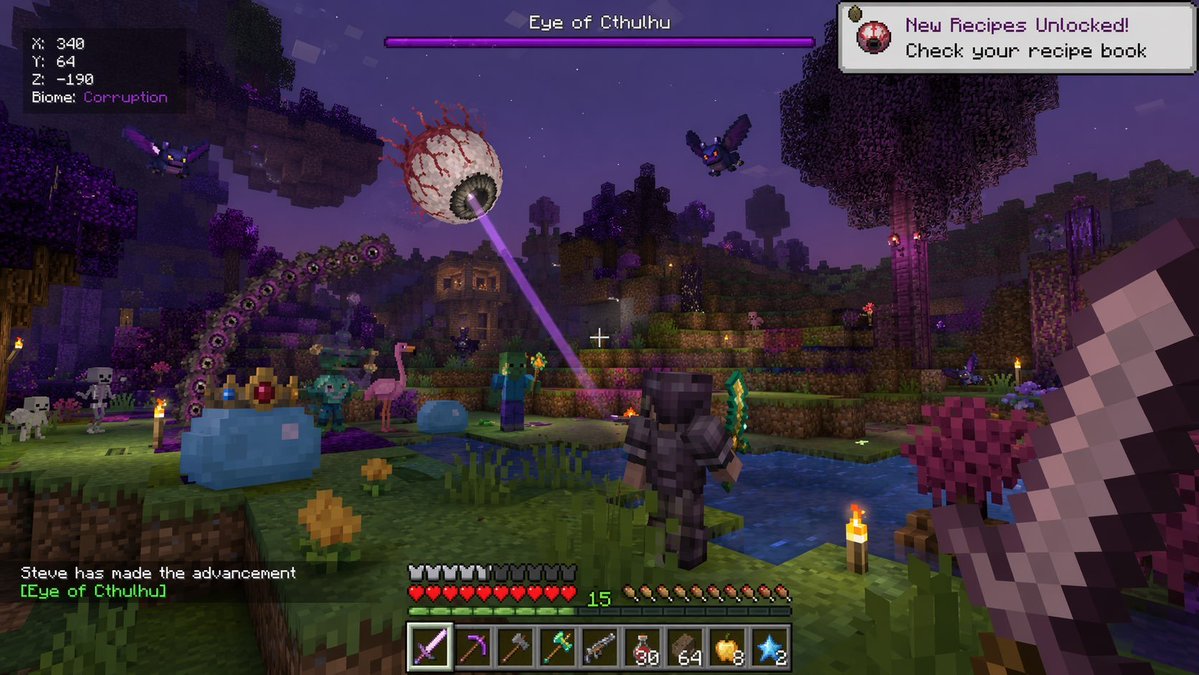
Voxel Survival Game Boss Fight HUD — AI Image Prompt
Generates a first-person screenshot of a blocky voxel game featuring a crossover boss fight and detailed UI overlays.
Prompt
{
  "type": "first-person video game screenshot",
  "setting": "blocky voxel world at night, purple corrupted biome with dark water and glowing torches",
  "entities": [
    "1 giant floating eyeball boss shooting a purple laser",
    "1 giant blue slime boss wearing a golden crown",
    "1 giant purple segmented worm monster",
    "1 player character in dark armor holding a green sword",
    "2 flying purple bat monsters",
    "2 blocky zombies",
    "2 blocky skeletons",
    "1 pink flamingo",
    "1 small blue slime"
  ],
  "perspective": "first-person, holding a large pixelated sword on the right side, white crosshair in center",
  "ui_elements": [
    {
      "position": "top-left",
      "text": "X: 340\nY: 64\nZ: -190\nBiome: {argument name=\"biome\" default=\"Corruption\"}"
    },
    {
      "position": "top-center",
      "text": "{argument name=\"boss name\" default=\"Eye of Cthulhu\"}",
      "description": "purple boss health bar"
    },
    {
      "position": "top-right",
      "text": "New Recipes Unlocked! Check your recipe book",
      "icon": "small floating eyeball"
    },
    {
      "position": "bottom-left",
      "text": "{argument name=\"player name\" default=\"Steve\"} has made the advancement [{argument name=\"boss name\" default=\"Eye of Cthulhu\"}]"
    },
    {
      "position": "bottom-center",
      "description": "HUD with 10 red hearts, 10 hunger drumsticks, green experience number 15, and a 9-slot hotbar",
      "hotbar_items": [
        "purple sword",
        "pickaxe",
        "axe",
        "green weapon",
        "gun",
        "30 red potions",
        "64 brown blocks",
        "8 golden apples",
        "2 blue stars"
      ]
    }
  ]
}Prompt breakdown
- Subject
- Giant floating eyeball boss, crowned blue slime, purple segmented worm, player in dark armor with green sword, bats, zombies, skeletons, pink flamingo and small blue slime in a corrupted voxel setting
- Style
- First-person video game screenshot with pixelated voxel blocks and retro Minecraft-style UI overlays
- Lighting
- Night scene lit by scattered glowing torches against dark water and purple corrupted terrain
- Composition
- First-person view with large pixelated sword on the right edge, centered white crosshair, and layered UI panels at all four screen corners
- Mood
- Chaotic multi-boss survival encounter with on-screen notifications and crowded enemy roster
Remix ideas
- Swap the pink flamingo for a third flying bat to tighten the enemy roster
- Replace the green sword in the hotbar with a stack of 64 arrows and change the held weapon to a bow
- Alter the biome text to 'Crimson' and tint the water red while keeping the Eye of Cthulhu laser purple
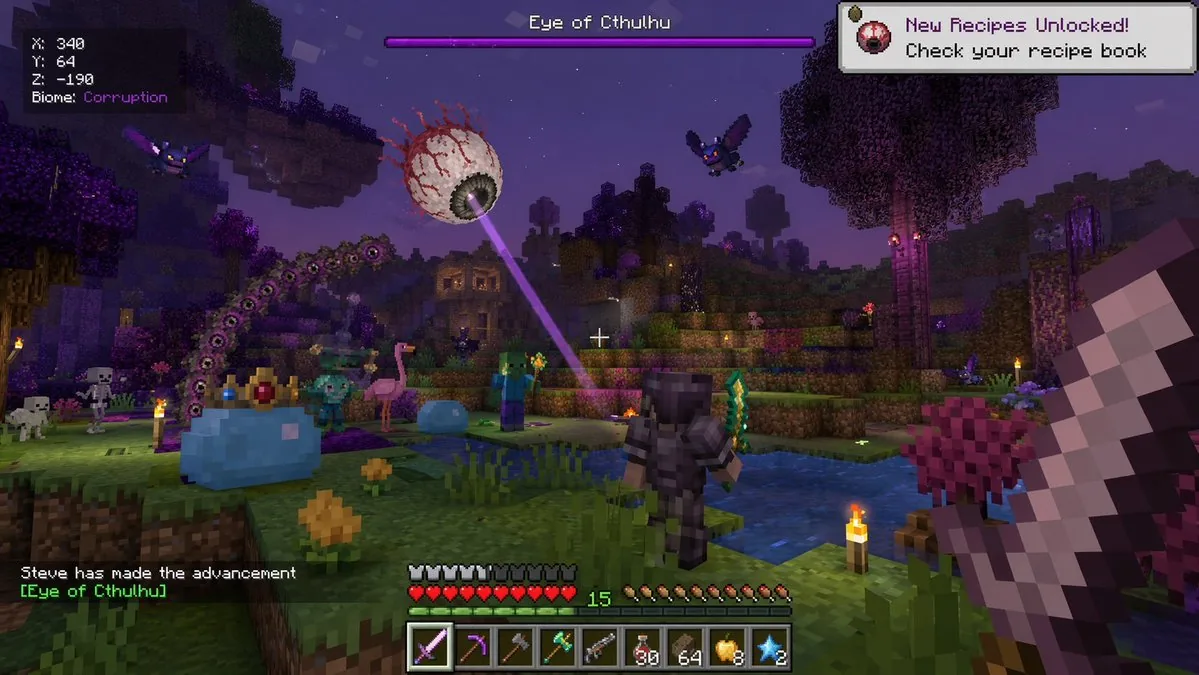
Reference images
How to use this AI Image prompt template
 1
1Copy the prompt — grab this template’s prompt and negative prompt.  2
2Pick a model — choose a recommended AI model for the best match.  3
3Generate — open the studio with one click and create your result.
Related templates
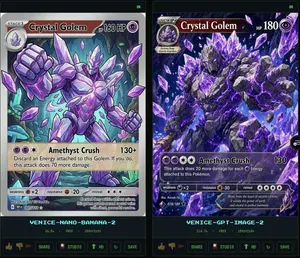
Crystal Golem Card Comparison UI
Goal: Create a dark comparison screenshot showing two fantasy trading-card designs side by side, as if from an image generation benchmark UI. Canvas: Landscape 16:9 composition, black/dark charcoal background with thin neon-green outlines. Two tall vertical panels fill the frame, left and right, separated by a narrow gap. Each panel contains one collectible monster card preview above a small status/control area. Layout: Use exactly 2 main panels. The left panel is labeled at the bottom in cyan pixel text “VENICE-NANO-BANANA-2”; the right panel is labeled “VENICE-GPT-IMAGE-2”. Each panel has a tiny green “OK” indicator in its top-right corner. Under each label, show a small metadata row with time, “FREE”, and “1500x2100”. At the very bottom of each panel, include a row of small UI buttons/icons: thumbs up, thumbs down, red flag, “SHARE”, “STUDIO”, “HD” with an up-arrow, a refresh icon, and “SAVE”. Subject: Both cards depict the same Pokémon-inspired character, Crystal Golem (character name), a massive humanoid golem made of jagged gray stone and glowing purple amethyst crystals, with violet energy cracks, crystal spikes, clenched fists, and floating crystal shards. The card type uses a purple psychic/eye symbol. Make the cards look like polished fantasy trading cards, but not an exact copy of any real copyrighted card template. Left card details: A Stage 1 card with a silver-gray border and slightly older illustrated-card look. Header text reads “STAGE 1”, Crystal Golem (card title), and “HP 160 HP”. Include a small circular evolution portrait at top left. The artwork shows the golem from the waist up inside an underground crystal cavern with teal mushrooms and glowing green cave lights, one fist raised toward the viewer, many purple crystal shards floating around. Use clean anime/comic line art, pale lavender highlights, and a holographic sheen. Attack area contains exactly 1 attack: “Amethyst Crush” with damage “130+”. Attack text: “Discard an Energy attached to this Golem. If you do, this attack does 70 more damage.” Bottom stats show weakness “×2”, resistance “-20”, and retreat with three star/colorless symbols. Include tiny illustrator/collector text and a short flavor line near the bottom. Right card details: A Stage 2 card with a darker, more cinematic high-detail look and a black/purple border. Header text reads “STAGE 2”, Crystal Golem (card title), and “HP 180”. Include a small evolution box at upper left reading “Evolves from Quartz Guardian”. The artwork fills more of the card and shows the golem lunging forward through an explosive cavern of purple crystals, with one huge open hand reaching toward the viewer, intense glowing violet eyes, black rock texture, luminous amethyst veins, and many floating crystal shards. Attack area contains exactly 1 attack: “Amethyst Crush” with damage “130”. Attack text: “This attack does 20 more damage for each Energy attached to this Pokémon.” Bottom stats show weakness “×2”, resistance “-30”, and retreat with four star/colorless symbols. Add tiny illustrator/collector text and a flavor quote: “Born from the heart of ancient caverns, it wields the power of earth and crystal in perfect harmony.” Visual style: High-contrast digital art, glossy trading-card foil effects, purple crystal magic, dark cave backgrounds, sharp details, cyan pixel UI labels, neon green UI outlines. The left card should appear cleaner and more cartoon/anime, while the right card should appear more dramatic, dense, and rendered. Constraints: Include exactly 2 card panels and exactly 1 trading card in each panel. Include exactly 1 attack on each card. Preserve all visible English labels named above. Do not add extra cards, characters, logos, watermarks, or real brand names.38:Tf6a,Goal: Create a dark comparison screenshot showing two fantasy trading-card designs side by side,

Pixel Mosaic Jungle Parrot
A pixel-art style mosaic illustration of a tropical parrot perched on a short brown branch in the middle of dense jungle foliage, created as if assembled from a tight uniform square grid of tiny colored tiles with thin dark outlines around every square. The single bird is shown in side profile facing right, with a large curved black beak, a pale cream face, a bright red-orange forehead and throat, a vivid yellow neck, a bright green body, and long wings and tail feathers in saturated blue and cyan. The parrot is centered vertically and slightly left of center, standing upright on the branch, with the tail extending downward. Surround the bird with lush layered leaves in many shades of green, from deep forest green to lime, filling the entire frame with no sky visible. Use strong contrast, crisp black contouring, and a glowing light green area behind the parrot to separate it from the darker foliage. The overall image should look like retro pixel art or stained-glass mosaic, highly detailed, colorful, square format, and edge-to-edge tiled texture.

Faux Pixel Raven in Wheat Field
A stylized faux-pixel-art landscape illustration of a single black raven (bird species) standing in profile in a golden wheat field, facing right. The image should look like retro pixel art at first glance when viewed zoomed out, but not be perfectly grid-aligned or true sprite-based pixel art; instead it should feel like painterly image-generation imitating pixel art, with soft inconsistencies in the block shapes and edges. Place the bird large in the foreground, slightly left of center, with glossy near-black feathers shaded in deep navy and indigo, a dark beak, and one small amber-brown eye visible. Surround it with tall yellow-gold grasses and exactly 9 visible small purple wildflower blossoms scattered in the foreground. In the midground, show a broad rural plain with patchy fields and a dark green tree line including a few tall narrow conifers on the right. In the distance, add a low mountain range in muted blue-violet tones. Above, create a bright soft blue (sky color) sky filled with large chunky cumulus clouds and a few smaller cloud bands, all rendered in limited-color dithered blocks. Use a warm late-afternoon palette with gold, blue, lavender, and dark charcoal, strong atmospheric depth, and a calm pastoral mood. Full-frame composition, landscape orientation, thin black border around the entire image, crisp blocky edges, retro game background aesthetic, highly detailed but simple, no text, no UI, no extra animals.
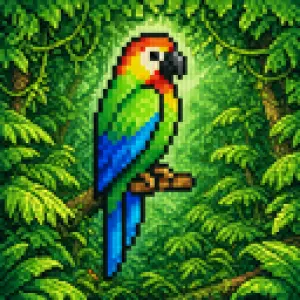
Blurry Retro Pixel Parrot Jungle
A retro pixel-art style illustration of a tropical parrot perched on a short brown branch in the center of a dense jungle. The bird is shown in side profile facing right, with a bright green body, a vivid blue wing and long blue tail feathers, a yellow chest, an orange-red head and neck, a white facial patch around the eye, and a large curved black beak. The parrot is the single main subject, centered and enlarged, outlined with dark pixel edges. Surround it with thick rainforest foliage filling the entire frame: layered green leaves, twisting vines, and partial tree trunks on both sides, with 2 visible trunks and many overlapping leaf clusters. Add a soft glowing light halo behind the parrot to separate it from the darker forest background. Use a square composition, saturated colors, classic 16-bit game sprite aesthetics, chunky visible pixels, low-resolution grid-based rendering, and intentionally soft, blurry pixel edges rather than crisp modern pixel art. The mood is lush, vibrant, and nostalgic, like a tropical scene from an old video game.

Pixel Art Dragon Castle
A detailed retro fantasy pixel art scene of a massive medieval stone castle perched on a steep rocky hill, viewed from a slight low angle, with a winding dirt path leading up to the gate. The castle has many cylindrical towers and connecting walls, exactly 9 visible towers with red-orange conical roofs, several small red flags fluttering from the tallest spires, and weathered gray stone masonry. A huge red dragon is coiled around the tallest central tower, with its long body wrapped around the stone, claws gripping the battlements, horned head leaning forward near the top, and one large batlike wing spread open on the right side. Surround the hill with dense dark-green pine trees and rocky outcrops, with distant blue mountains on the horizon. Place the castle against a bright daytime sky in saturated blue with large fluffy white cumulus clouds. Render in classic 16-bit inspired pixel art with crisp sprite-like shapes, visible pixel texture, rich contrast, adventurous fantasy game cover composition, centered subject, and a square frame.

Voxel Survival Game Boss Fight UI
{ "type": "voxel video game screenshot", "style": "crossover between Minecraft and Terraria", "environment": "nighttime blocky landscape, purple-tinted corruption biome, water pools, trees", "first_person_view": "holding a large blocky sword on the right side of the screen", "entities": { "boss": "giant floating eyeball with red veins shooting a purple laser", "player_avatar": "character in dark armor holding a green sword, viewed from behind", "mobs": [ "1 giant crowned blue slime", "1 small blue slime", "2 zombies", "2 skeletons", "2 purple bats", "1 pink flamingo" ] }, "user_interface": { "boss_bar": "top center, purple bar, text '{argument name=\"boss name\" default=\"Eye of Cthulhu\"}'", "coordinates": "top left, text 'X: 340 Y: 64 Z: -190 Biome: {argument name=\"biome name\" default=\"Corruption\"}'", "notification": "top right, white box, text '{argument name=\"notification text\" default=\"New Recipes Unlocked! Check your recipe book\"}'", "chat": "bottom left, text 'Steve has made the advancement [{argument name=\"advancement name\" default=\"Eye of Cthulhu\"}]'", "status_bars": "bottom center, 10 red hearts, 10 hunger icons, green XP bar showing level 15", "hotbar": "bottom center, 9 slots containing: purple sword, pickaxe, axe, green tool, gun, 30 red potions, 64 brown blocks, 8 golden apples, 2 blue stars" } }
Explore more prompts
Browse more AI image and video prompts by category.
FAQ
- Why does the HUD show both an 'Eye of Cthulhu' boss bar and a Minecraft-style advancement toast?
- The prompt deliberately mixes Terraria boss names with Minecraft UI elements like coordinates, hearts, hunger bars and recipe unlocks to create a hybrid voxel survival screenshot.
- How can I adjust the hotbar items for a different playstyle?
- Edit the hotbar_items array to swap the 30 red potions and 8 golden apples for building blocks or arrows while keeping the 9-slot layout and green experience number.
- Is the Voxel Survival Game Boss Fight HUD prompt free to use?
- Yes, this prompt is completely free on AI Pin Maker and you can copy it directly with no signup or payment required.
- How do I use the Voxel Survival Game Boss Fight HUD prompt to generate an image or video?
- Copy the prompt, tweak the subject or style to fit your idea, then paste it into AI Pin Maker and generate your image or video in one click.
- Can I change the Voxel Survival Game Boss Fight HUD prompt into my own version?
- Absolutely, just replace the subject, style, or parameters in AI Pin Maker to make the prompt entirely your own.