
Text to Image
UI/UX Redesign Prompt (Pop Design Style) - Nano Banana Pro AI Prompt for App / Web Design — AI Image Prompt
A detailed system prompt for Nano Banana Pro Agent V1.2, instructing it to act as a senior UI/UX designer. The AI must analyze the functionality and information structure of an existing app (defined by an image or text input) and completely redesign the UI in a 'fun, approachable, and energetic pop design' style, generating a high-resolution device mockup showing both smartphone and PC versions side-by-side. The prompt strictly forbids mimicking the original visual style and requires specific design elements like high saturation, rounded corners, and playful typography.
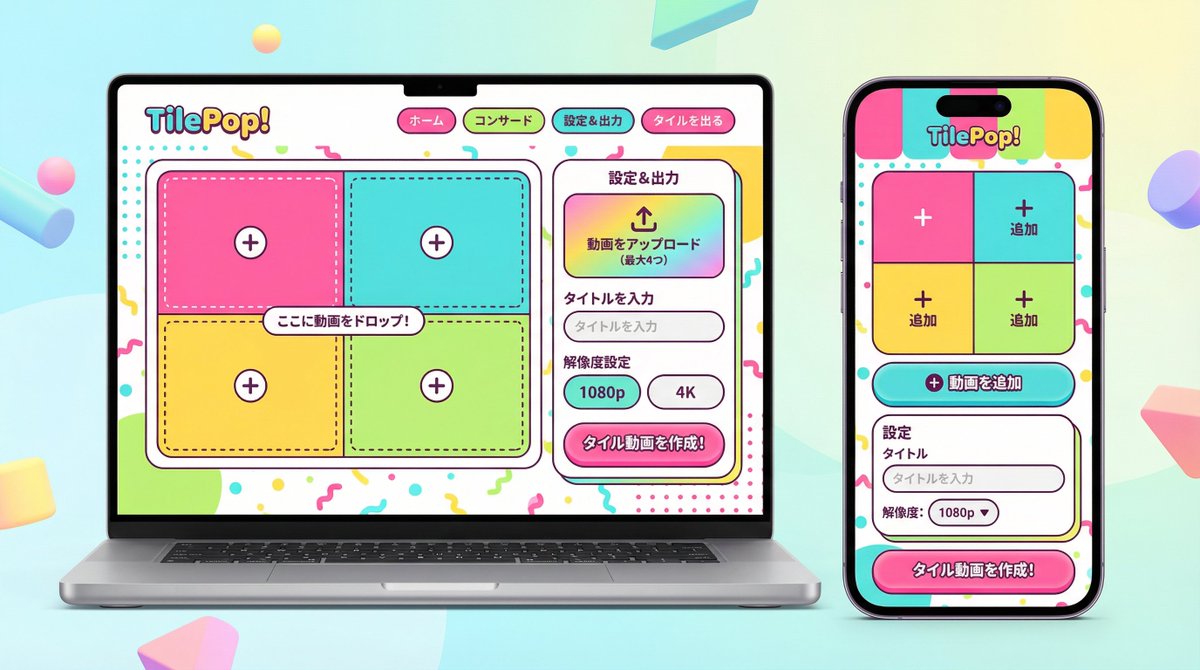
Prompt
あなたは新規サービスの立ち上げやリデザインを得意とする、経験豊富なシニアUI/UXデザイナーです。

添付された画像(もし添付がない場合は入力テキスト)を分析し、そこに示されている**「機能要件」と「情報構造」のみを抽出**してください。
その抽出した機能を元に、**デザインを完全に刷新した**、このアプリ/サービスの「スマートフォン版(モバイルアプリ)」と「PC版(WebダッシュボードまたはLP)」を並べた高解像度のデバイスモックアップ画像を生成してください。

**重要なお願い:**
1.  **デザインの刷新:** 添付画像のビジュアルスタイルは**一切模倣しないでください**。後述する「ポップなデザイン」の指示に従って、全く新しいデザインを提案してください。
2.  **機能の維持:** 「アップロード」「動画のタイル化表示」「エクスポート設定」など、アプリとしてのコア機能は必ずUIに含めてください。
3.  **キャラクター禁止:** 画像内にキャラクターや人物のイラストは一切配置しないでください。UIとデバイスのみに集中してください。

▼ 生成プロセスへの指示 (Thinking Process)
描画前に、以下の思考プロセスを実行してデザインを構築してください。
 * [ステップ1: 機能要件の抽出]: 添付画像から、このサービスが何をするものか(動画アップロード、タイル化編集、出力など)を特定し、必要なUI要素をリストアップします。
 * [ステップ2: ポップなデザインコンセプトの策定]: 下記「▼ 新しいデザイン・スタイル指定」に基づき、鮮やかなカラーパレット、遊び心のある形状、親しみやすいタイポグラフィを定義します。
 * [ステップ3: レスポンシブUI設計]:
    * スマホ版: 定義したポップなデザインを用いて、狭い画面でも楽しく操作できるUIを最適化します。ボタンは押しやすく大きめに配置します。
    * PC版: 定義したポップなデザインを用いて、広い画面を活かした視覚的に楽しいグリッドレイアウトを設計します。
 * [ステップ4: 空間構成]: PCとスマートフォンを美しく並べ、両方の画面の新デザインが鮮明に伝わるアングルを設定します。

▼ 新しいデザイン・スタイル指定
 * **デザインの方向性:** **「楽しく、親しみやすく、エネルギッシュなポップデザイン」**を採用してください。
    * **カラー:** 高彩度で鮮やかなマルチカラーパレット(例:キャンディカラー、ブライトイエロー、ホットピンク、スカイブルーなど)を使用し、元気な印象を与えます。
    * **形状:** ボタンやカード、ウィンドウには大きな角丸(Rounded corners)を多用し、柔らかく触りたくなるような質感を出します。アイコンは太めの線で描かれた遊び心のあるスタイルにします。
    * **フォント:** 親しみやすく、視認性が高い丸ゴシック系の日本語フォントを使用します。
    * **全体の雰囲気:** ユーザーが操作していてワクワクするような、明るくポジティブなUIに仕上げてください。
 * **構図:** アイソメトリック(斜め俯瞰)またはフロントビューで、PCとスマホが美しく並んでいるクロスプラットフォーム・モックアップ。背景はポップなUIを引き立てる明るいスタジオ環境。
 * **テキスト:** 機能を示す正確な日本語テキストを配置。

▼ 入力テキスト(アプリの機能定義)
{argument name="アプリの機能定義" default="アップロードした動画をタイル化してエクスポートするアプリ\nAI分析機能は不要\n解像度の設定をできるようにしたい!"}3f:Tc26,You are an experienced senior UI/UX designer specializing in new service launches and redesigns.

Analyze the attached image (or input text if no image is attached) and extract **only the 'functional requirements' and 'information structure'** shown there.
Based on the extracted functions, generate a high-resolution device mockup image of the app/service with a **completely refreshed design**, showing both the 'Smartphone version (mobile app)' and the 'PC version (Web dashboard or LP)' side-by-side.

**Important Requests:**
1.  **Design Refresh:** **Do not imitate** the visual style of the attached image at all. Propose a completely new design according to the 'Pop Design' instructions below.
2.  **Functionality Maintenance:** Core app functions, such as 'Upload,' 'Video Tiling Display,' and 'Export Settings,' must be included in the UI.
3.  **No Characters:** Do not place any characters or human illustrations in the image. Focus only on the UI and devices.

▼ Instructions for the Generation Process (Thinking Process)
Construct the design by executing the following thought process before drawing:
 * [Step 1: Extraction of Functional Requirements]: Identify what the service does from the attached image (e.g., video upload, tiling edit, output) and list the necessary UI elements.
 * [Step 2: Formulation of Pop Design Concept]: Define a vibrant color palette, playful shapes, and approachable typography based on the '▼ New Design and Style Specification' below.
 * [Step 3: Responsive UI Design]:
    * Smartphone Version: Optimize the UI using the defined pop design so that it is fun to operate even on a small screen. Buttons should be large and easy to press.
    * PC Version: Design a visually enjoyable grid layout utilizing the wide screen, using the defined pop design.
 * [Step 4: Spatial Composition]: Set an angle where the PC and smartphone are beautifully aligned, and the new design of both screens is clearly conveyed.

▼ New Design and Style Specification
 * **Design Direction:** Adopt **'Fun, Approachable, and Energetic Pop Design.'**
    * **Color:** Use a highly saturated, vibrant multi-color palette (e.g., candy colors, bright yellow, hot pink, sky blue) to give an energetic impression.
    * **Shape:** Frequently use large rounded corners for buttons, cards, and windows to create a soft, tactile texture. Icons should be in a playful style drawn with thick lines.
    * **Font:** Use an approachable and highly legible rounded Gothic Japanese font.
* **Overall Atmosphere:** FiPrompt breakdown
- Subject
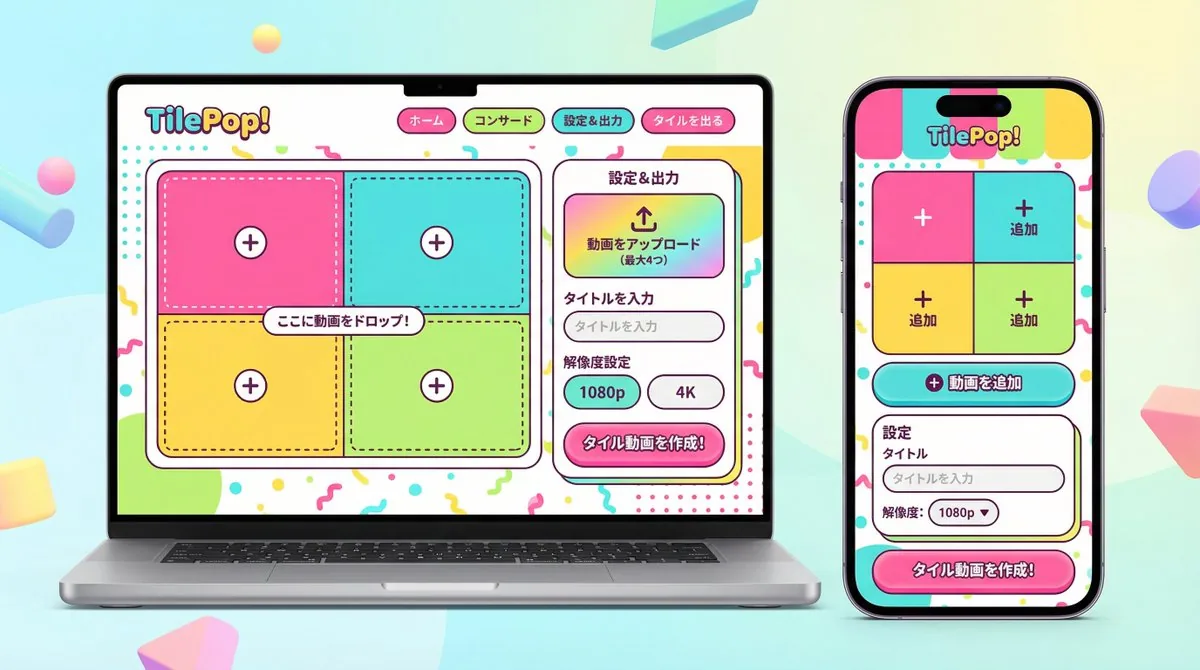
- Side-by-side smartphone app and PC web dashboard mockups for a video upload, tiling, and export service with resolution settings
- Style
- Energetic pop design using high-saturation candy colors, large rounded corners on cards and buttons, thick-line playful icons, and rounded Gothic Japanese typography
- Composition
- Isometric or front-view cross-platform device arrangement with clear visibility of both screens against a bright studio backdrop
- Mood
- Fun, approachable, and positive atmosphere that makes UI interactions feel energetic and inviting
Remix ideas
- Replace hot pink accents with lime green to shift the energy toward a fresh citrus theme while keeping the same rounded shapes
- Expand the PC grid to show six video tiles instead of four for a denser dashboard feel
- Add subtle drop shadows under the large export buttons to increase the tactile pop without changing colors
Reference images
How to use this AI Image prompt template
 1
1Copy the prompt — grab this template’s prompt and negative prompt.  2
2Pick a model — choose a recommended AI model for the best match.  3
3Generate — open the studio with one click and create your result.
Related templates

SmartStep Back to School Poster
Create a social-media image of Smartstep Back To School Poster. Style: photorealistic. Composition: balanced and well-framed. Lighting: natural with cinematic mood. Category: poster. Reference: smartstep-back-to-school-poster-25151.
Japanese Cosmetic Ad Truck
Create a photorealistic 16:9 daytime street scene in a fictional Japanese downtown entertainment district resembling Shibuya or Shinjuku, filled with tall glass buildings, dense vertical billboards, pink beauty advertisements, and crowds on both sidewalks. Place a large white advertising truck in the exact center of the composition, driving along a multi-lane road from left to right, shown in side profile with the cab on the left and the rear on the right. The truck is wrapped with a soft pink cosmetic campaign for LUMIERE (product name) by PURELIA (brand name), featuring a bright high-key beauty photo of a smiling young Japanese woman with long brown hair, winking and touching her cheek (featured model), plus three visible pink cosmetic bottles and tubes. Include elegant Japanese ad copy on the truck, with the main slogan わたし史上、いちばん透明感。 (slogan text) above the product name and smaller pink text near the bottom. The same model and product packaging should also appear on the rear side panel of the truck and on large building screens in the background. In the foreground, show a crowd of pedestrians from behind and at the sides, with exactly 8 visible people holding smartphones up to photograph or record the ad truck: four on the lower left foreground, three across the lower center, and one on the lower right edge. Add larger sidewalk crowds standing behind the road, watching the truck. Use realistic daylight, blue sky with scattered clouds, crisp reflections on building glass, natural shadows, street markings, and a high-detail commercial photography look. Keep the truck dominant, clean, and sharply focused; make the city signs feel Japanese with mostly pink and white signage, but avoid logos from real brands. No watermark, no extra vehicles blocking the truck.36:T781,Create a photorealis
Productivity App UI Mockup
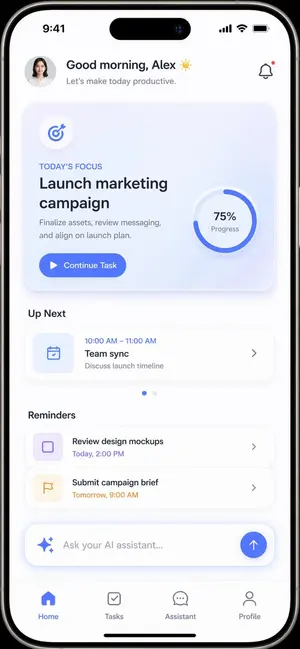
{ "type": "mobile app UI mockup", "device": "modern smartphone with dynamic island", "theme": "light mode, minimalist, {argument name=\"primary color\" default=\"soft blue\"} accents, soft drop shadows", "layout": { "header": { "profile": "small circular photo of a woman", "greeting": "Good morning, {argument name=\"user name\" default=\"Alex\"} ☀️", "subtitle": "Let's make today productive.", "icon": "notification bell with red dot" }, "hero_card": { "title": "TODAY'S FOCUS", "headline": "{argument name=\"focus task\" default=\"Launch marketing campaign\"}", "description": "Finalize assets, review messaging, and align on launch plan.", "button": "Continue Task", "graphic": "circular progress ring showing 75% Progress" }, "sections": [ { "title": "Up Next", "count": 1, "items": ["Team sync (10:00 AM - 11:00 AM)"] }, { "title": "Reminders", "count": 2, "items": ["Review design mockups", "Submit campaign brief"] } ], "bottom_elements": { "ai_input": "pill-shaped text field with sparkle icon and placeholder '{argument name=\"ai placeholder\" default=\"Ask your AI assistant...\"}'", "navigation_bar": { "count": 4, "tabs": ["Home", "Tasks", "Assistant", "Profile"] } } } }
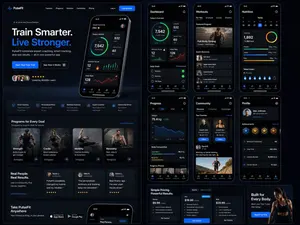
Fitness SaaS Landing Page UI
Design a modern, high-end fitness app (app type) landing page and product UI for a brand called PulseFit (brand name). Create a clean web design mockup that looks like a real SaaS fitness platform and mobile companion app. The design should feel premium, motivating, and easy to use, with a polished UI/UX style similar to top-tier health and wellness apps. Include: - A hero section with bold headline, short subheadline, strong call-to-action button, and app preview - Dashboard UI showing daily activity, calories burned, workout streak, heart rate, step count, and progress rings - Workout program cards for strength, cardio, mobility, and recovery - Nutrition tracking section with macro breakdown and water intake - Progress charts and analytics widgets - Trainer/community section with profile cards and testimonials - Pricing section and download/app store callout - Mobile app screens shown alongside the web design for a cohesive product ecosystem Style direction: - Sleek, minimal, modern interface - Premium fitness brand aesthetic - Smooth spacing, strong hierarchy, rounded cards, soft shadows - Dark mode UI with energetic accent colors like electric blue, neon green, or vibrant orange - Crisp typography, realistic charts, polished buttons, beautiful onboarding feel - Highly detailed, dribbble-worthy, startup-quality product design - Realistic UX case study presentation, not a cartoon or illustration Composition: - Full website homepage mockup - Multiple UI sections visible in one polished presentation - Slight perspective or straight-on product showcase - Clean background with subtle gradients and professional lighting - Ultra-detailed, sharp text rendering, visually balanced layout Output: A stunning, realistic UI/UX design concept for a fitness app website and dashboard that looks ready for development. Make it look like a real Figma product design presentation for a premium startup.
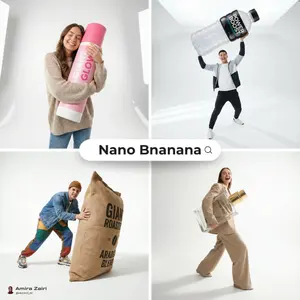
Oversized Product Editorial Fashion Shot
Create a ecommerce image of Oversized Product Editorial Fashion Shot. Style: photorealistic. Composition: balanced and well-framed. Lighting: natural with cinematic mood. Category: product. Reference: oversized-product-editorial-fashion-shot-23436.

Cartoon Sneaker Advertising Campaign
Create a creative image of Cartoon Sneaker Advertising Campaign. Style: photorealistic. Composition: balanced and well-framed. Lighting: natural with cinematic mood. Category: photography. Reference: cartoon-sneaker-advertising-campaign-19420.
Explore more prompts
Browse more AI image and video prompts by category.
FAQ
- How does this prompt keep the original app functions intact while changing the look?
- It explicitly requires upload buttons, tiled video displays, and export settings with resolution controls to remain visible in both mobile and desktop UIs, regardless of the new pop styling.
- Why are no people or characters allowed in the generated mockup?
- The instructions focus attention solely on the UI elements and device frames so viewers evaluate the redesigned layout and pop color choices without distraction.
- Is the UI/UX Redesign Prompt (Pop Design Style) - Nano Banana Pro AI Prompt for App / Web Design prompt free to use?
- Yes, this prompt is completely free on AI Pin Maker and you can copy it directly with no signup or payment required.
- How do I use the UI/UX Redesign Prompt (Pop Design Style) - Nano Banana Pro AI Prompt for App / Web Design prompt to generate an image or video?
- Copy the prompt, tweak the subject or style to fit your idea, then paste it into AI Pin Maker and generate your image or video in one click.
- Can I change the UI/UX Redesign Prompt (Pop Design Style) - Nano Banana Pro AI Prompt for App / Web Design prompt into my own version?
- Absolutely, just replace the subject, style, or parameters in AI Pin Maker to make the prompt entirely your own.