
Text to Image
Microsoft PowerWordEx Logo Mockup — AI Image Prompt
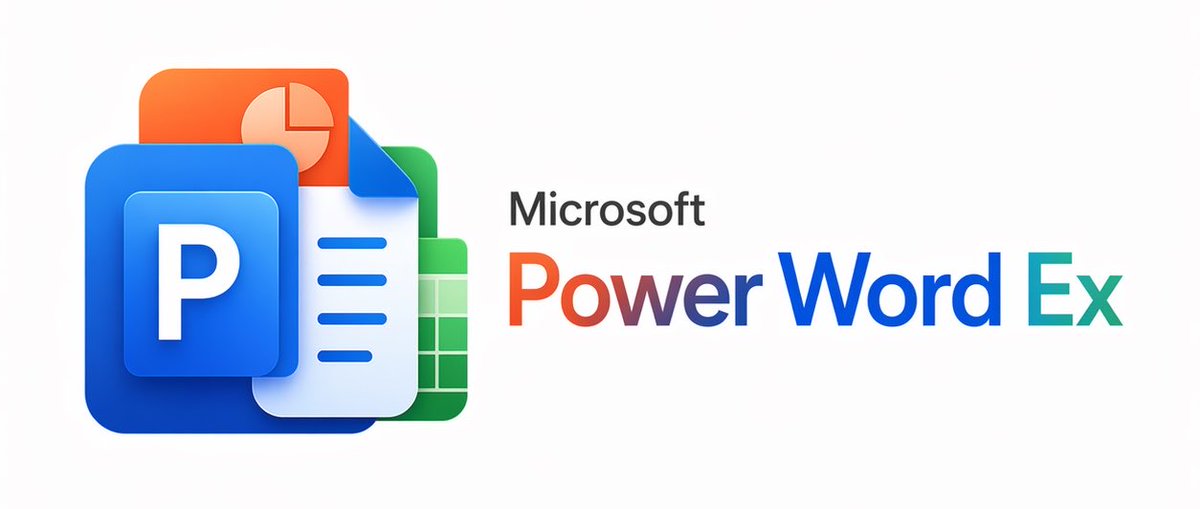
A polished hybrid Microsoft Office-style branding image combining four app icons with a custom product wordmark, suitable for logo concepts and parody software branding.
Prompt
A clean minimalist tech logo composition on a light gray background, wide horizontal layout. On the left, show a stacked cluster of 4 overlapping Microsoft Office-style app icons with soft gradients, rounded corners, subtle depth, and glossy modern vector shading. The front icon is a large blue square tile with a smaller raised blue panel containing a bold white capital P. Behind and slightly above it, place an orange presentation icon with a white pie-chart symbol. Behind the blue icon to the right, place a white document page icon with a folded blue corner and 4 horizontal blue text lines. At the back on the right, place a green spreadsheet icon with a white grid. Arrange the 4 icons so they overlap tightly and read as a unified hybrid Office app mark. On the right side, place the product name in a clean sans-serif font: small black text reading Microsoft above a large multicolor wordmark reading {argument name="headline text" default="PowerWordEx"}. Color the word in segmented Microsoft-style hues: warm orange-red for Power, deep blue for Word, and teal-green for Ex. Center the whole composition vertically, keep generous whitespace, and render it as polished corporate branding mockup, crisp vector illustration, soft shadowing, no extra objects.Prompt breakdown
- Subject
- stacked cluster of 4 overlapping Microsoft Office-style app icons with front blue tile and white P, orange pie-chart behind, white document with folded blue corner and 4 text lines, green spreadsheet grid at back, plus Microsoft PowerWordEx wordmark
- Style
- clean minimalist tech logo, crisp vector illustration, polished corporate branding mockup with soft gradients and rounded corners
- Lighting
- soft gradients, glossy modern vector shading, subtle depth, soft shadowing
- Composition
- wide horizontal layout, icons tightly overlapped on left and text on right, centered vertically with generous whitespace on light gray background
- Mood
- professional modern corporate
Remix ideas
- Change the front blue icon's white capital P to another letter while keeping the raised panel and glossy shading
- Alter the wordmark segmentation by shifting teal-green from Ex to another segment or testing different Microsoft-style hues
- Increase icon overlap density by moving the green spreadsheet further behind the white document or adding slight vertical offset to the orange tile
Reference images
How to use this AI Image prompt template
 1
1Copy the prompt — grab this template’s prompt and negative prompt.  2
2Pick a model — choose a recommended AI model for the best match.  3
3Generate — open the studio with one click and create your result.
Related templates
Minimalist Word-as-Object Logo Design
A minimalist logo design where the word "WORD (word)" is transformed into a physical object related to its meaning. The letters are subtly reshaped to form the silhouette of the object while remaining readable. Clean white background, monochrome black design, balanced composition, modern branding style, flat graphic aesthetic, even lighting, high contrast.
Japanese Eel Derby Logo
Create a bold Japanese logo on a clean light gray background for a fictional racing-themed eel character brand. The main text should be large stylized katakana/kanji reading ウナ娘 (main logo text), with a smaller subtitle banner below reading ヌルヌルダービー (subtitle text). Integrate exactly 2 eel illustrations into the lettering: one dark navy eel curling over the top left of the first character with a cute smiling face and pale belly markings, and one second eel forming a sweeping curl around the right side of the final character. Use a vivid aquatic palette with deep cobalt blue, electric blue, cyan, teal, white highlights, and metallic gold edging. The lettering should have thick white inner borders, gold outer trim, subtle drop shadows, and a glossy high-energy arcade mascot style. Add dynamic water splash effects around the bottom left and lower right, flowing wave ribbons beneath the text, exactly 6 gold star-shaped sparkles scattered around the logo, and exactly 4 small blue diamond-like sparkle accents near the center and top. Behind the subtitle, include a blue-and-white checkered racing flag pattern stretching horizontally. The overall composition should feel playful, premium, and fast-paced, combining marine motifs with horse-racing or derby energy, rendered as crisp vector-like logo art with polished gradients and strong sticker-style outlines.37:T5a5,Create a bold
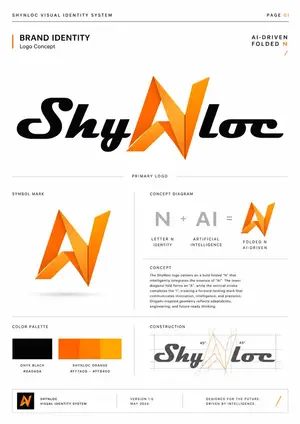
Shynloc Visual Identity Board
{"type":"clean corporate visual identity system presentation board","style":"premium minimalist brand guideline page, white background, thin light-gray divider lines, precise grid layout, editorial typography, black and vivid orange accents, subtle shadows, InDesign-style brand manual, high resolution","brand":{"name":"{argument name=\"brand name\" default=\"Shynloc\"}","system title":"{argument name=\"system title\" default=\"SHYNLOC VISUAL IDENTITY SYSTEM\"}","page label":"PAGE 01","theme":"AI-driven folded N logo concept"},"layout":{"canvas":"portrait A4 brand guideline sheet with generous margins","top bar":{"count":3,"items":["left header text: SHYNLOC VISUAL IDENTITY SYSTEM","thin horizontal rule across the page","right page marker: PAGE 01 with 01 in orange"]},"hero section":{"position":"upper half","title":"BRAND IDENTITY","subtitle":"Logo Concept","right tagline":"AI-DRIVEN FOLDED N with a small orange slash mark","main logo":"large centered primary wordmark reading {argument name=\"primary logo text\" default=\"ShyNloc\"}; black italic rounded script letters, with the central N replaced by a sharp origami folded orange symbol; the folded N uses angular facets, gradients from deep orange to golden yellow, and crisp triangular planes"},"sections":[{"title":"PRIMARY LOGO","position":"center divider label above lower content","count":1,"labels":["large primary ShyNloc wordmark"]},{"title":"SYMBOL MARK","position":"lower left large panel","count":1,"labels":["standalone folded orange N mark with subtle gray shadow"]},{"title":"CONCEPT DIAGRAM","position":"lower right upper panel","count":3,"labels":["gray letter N labeled LETTER N IDENTITY","gray AI labeled ARTIFICIAL INTELLIGENCE","orange folded N symbol labeled FOLDED N AI-DRIVEN"],"diagram text":"N + AI = folded N symbol"},{"title":"CONCEPT","position":"beneath concept diagram","count":1,"labels":["paragraph explaining the logo concept"]},{"title":"COLOR PALETTE","position":"bottom left panel","count":2,"labels":["Onyx Black #0A0A0A","Shynloc Orange gradient #FF7A00 – #FFB400"],"swatches":"one black rectangle and one orange gradient rectangle divided into warm orange bands"},{"title":"CONSTRUCTION","position":"bottom right panel","count":1,"labels":["geometric construction drawing of the ShyNloc logo"],"details":"gray wordmark overlaid with orange construction lines on the folded N, dotted guides, bounding boxes, diagonal guide lines, and two 45° angle labels"}],"footer":{"count":4,"items":["small black square containing orange folded N icon","text block: SHYNLOC VISUAL IDENTITY SYSTEM","text block: VERSION 1.0 / MAY 2024","text block: DESIGNED FOR THE FUTURE. DRIVEN BY INTELLIGENCE. with orange slash at far right"]}},"typography":{"headings":"uppercase geometric sans serif, wide tracking","body":"small condensed sans serif, precise corporate guideline copy","wordmark":"custom bold italic rounded script for the black letters"},"colors":{"background":"warm white","primary black":"{argument name=\"black color hex\" default=\"#0A0A0A\"}","primary orange":"{argument name=\"orange color hex\" default=\"#FF7A00\"}","gold highlight":"#FFB400","divider gray":"#D8D8D8","diagram gray":"#B8B8B8"},"concept paragraph":"The Shynloc logo centers on a bold folded N that intelligently integrates the essence of AI. The lower diagonal fold forms an A, while the vertical stroke completes the I, creating a forward-looking mark that communicates innovation, intelligence, and precision. Origami-inspired geometry reflects adaptability, engineering, and future-ready thinking.","rendering notes":"make all text crisp and legible, align everything to a strict grid, use subtle orange gradient facets on the folded N, keep the page uncluttered and luxurious, no mockup perspective, flat front-facing presentation board"}39:
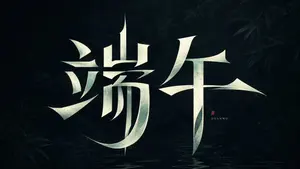
Modern Heterogeneous Chinese Font Design
Create a creative image of Modern Heterogeneous Chinese Font Design. Style: photorealistic. Composition: balanced and well-framed. Lighting: natural with cinematic mood. Category: photography. Reference: modern-heterogeneous-chinese-font-design-23959.
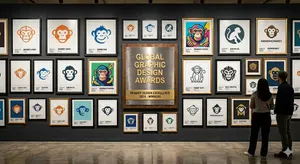
Logo Design Wall Generation Prompt for Monkey Theme
Create a creative image of Logo Design Wall Generation Prompt For Monkey Theme. Style: photorealistic. Composition: balanced and well-framed. Lighting: natural with cinematic mood. Category: photography. Reference: logo-design-wall-generation-prompt-for-monkey-theme-11446.
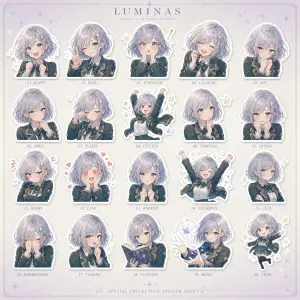
Luxury Bonbon Drop Stamp Seal
Create a fashion image of Luxury Bonbon Drop Stamp Seal. Style: photorealistic. Composition: balanced and well-framed. Lighting: natural with cinematic mood. Category: photography. Reference: luxury-bonbon-drop-stamp-seal-17863.
Explore more prompts
Browse more AI image and video prompts by category.
FAQ
- How do I swap PowerWordEx for a different product name?
- Edit the headline text argument default value from PowerWordEx while preserving the exact color instructions for warm orange-red Power, deep blue Word, and teal-green Ex segments.
- Why do the icons need this exact overlap order?
- The specified stacking with blue P tile in front, orange slightly above, white document to the right behind it, and green at the back right creates the unified hybrid Office app mark described.
- Is the Microsoft PowerWordEx Logo Mockup prompt free to use?
- Yes, this prompt is completely free on AI Pin Maker and you can copy it directly with no signup or payment required.
- How do I use the Microsoft PowerWordEx Logo Mockup prompt to generate an image or video?
- Copy the prompt, tweak the subject or style to fit your idea, then paste it into AI Pin Maker and generate your image or video in one click.
- Can I change the Microsoft PowerWordEx Logo Mockup prompt into my own version?
- Absolutely, just replace the subject, style, or parameters in AI Pin Maker to make the prompt entirely your own.