
Prompt Library
Free Logo & Icon Prompts
The Logo & Icon category collects 67 free, copy-ready AI prompts for image. Swap the subject, style, or parameters and generate in AI Pin Maker in one click.
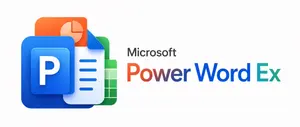
Microsoft PowerWordEx Logo Mockup
A clean minimalist tech logo composition on a light gray background, wide horizontal layout. On the left, show a stacked cluster of 4 overlapping Microsoft Office-style app icons with soft gradients, rounded corners, subtle depth, and glossy modern vector shading. The front icon is a large blue square tile with a smaller raised blue panel containing a bold white capital P. Behind and slightly above it, place an orange presentation icon with a white pie-chart symbol. Behind the blue icon to the right, place a white document page icon with a folded blue corner and 4 horizontal blue text lines. At the back on the right, place a green spreadsheet icon with a white grid. Arrange the 4 icons so they overlap tightly and read as a unified hybrid Office app mark. On the right side, place the product name in a clean sans-serif font: small black text reading Microsoft above a large multicolor wordmark reading PowerWordEx (headline text). Color the word in segmented Microsoft-style hues: warm orange-red for Power, deep blue for Word, and teal-green for Ex. Center the whole composition vertically, keep generous whitespace, and render it as polished corporate branding mockup, crisp vector illustration, soft shadowing, no extra objects.
Ultra-Realistic 3D Render of a Furry Logo
Create a creative image of Ultra Realistic 3d Render Of A Furry Logo. Style: photorealistic. Composition: balanced and well-framed. Lighting: natural with cinematic mood. Category: photography. Reference: ultra-realistic-3d-render-of-a-furry-logo-9332.
Cinematic 3D logo with auto-assigned texture
Create a cinematic image of Cinematic 3d Logo With Auto Assigned Texture. Style: photorealistic. Composition: balanced and well-framed. Lighting: natural with cinematic mood. Category: cinematic-video. Reference: cinematic-3d-logo-with-auto-assigned-texture-479.
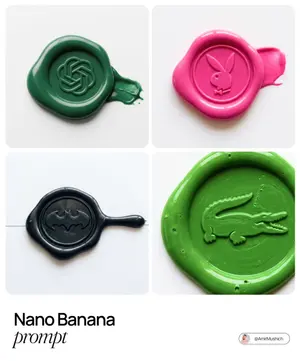
Tactile Wax Seal Logos
Create a creative image of Tactile Wax Seal Logos. Style: photorealistic. Composition: balanced and well-framed. Lighting: natural with cinematic mood. Category: photography. Reference: tactile-wax-seal-logos-1531.
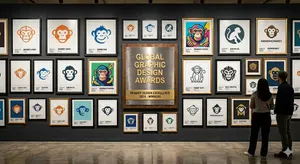
Logo Design Wall Generation Prompt for Monkey Theme
Create a creative image of Logo Design Wall Generation Prompt For Monkey Theme. Style: photorealistic. Composition: balanced and well-framed. Lighting: natural with cinematic mood. Category: photography. Reference: logo-design-wall-generation-prompt-for-monkey-theme-11446.
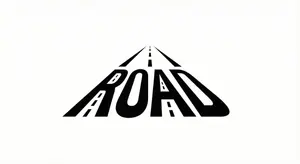
Minimalist Word-as-Object Logo Design
A minimalist logo design where the word "WORD (word)" is transformed into a physical object related to its meaning. The letters are subtly reshaped to form the silhouette of the object while remaining readable. Clean white background, monochrome black design, balanced composition, modern branding style, flat graphic aesthetic, even lighting, high contrast.
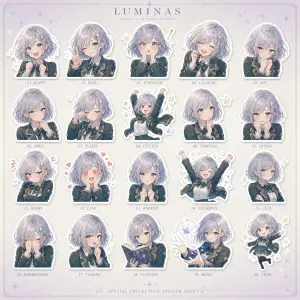
Luxury Bonbon Drop Stamp Seal
Create a fashion image of Luxury Bonbon Drop Stamp Seal. Style: photorealistic. Composition: balanced and well-framed. Lighting: natural with cinematic mood. Category: photography. Reference: luxury-bonbon-drop-stamp-seal-17863.

Gothic VTuber Logo Grid
{ "type": "VTuber logo design concepts", "theme": "{argument name=\"main theme\" default=\"gothic dark fantasy\"}", "background": "{argument name=\"background color\" default=\"pitch black\"}", "layout": "2x3 grid containing 6 distinct logo designs", "logos": [ { "position": "top-left", "main_text": "{argument name=\"logo 1 main text\" default=\"魔界のメシア\"}", "sub_text": ["魔界の観測者", "MAKAI NO KANSOKUSHA"], "colors": ["purple", "silver"], "motifs": ["horns", "glowing purple eye", "bat wings"] }, { "position": "top-center", "main_text": "{argument name=\"logo 2 main text\" default=\"深淵プレシア\"}", "sub_text": ["Shinen Lucia", "魔界の断罪者"], "colors": ["red", "black", "gold"], "motifs": ["chains", "demonic spikes", "glowing red runes"] }, { "position": "top-right", "main_text": "{argument name=\"logo 3 main text\" default=\"夢喰いメフィ\"}", "sub_text": ["まかいのゆめくい"], "colors": ["pink", "purple"], "motifs": ["skull with crown", "bat wings", "sparkles"] }, { "position": "bottom-left", "main_text": "蒼影カナタ", "sub_text": ["魔界の影詩人", "- AOKAGE KANATA -"], "colors": ["blue", "silver"], "motifs": ["large central eye", "silver bat wings", "gothic architecture"] }, { "position": "bottom-center", "main_text": "黄昏ベリアル", "sub_text": ["Tasogare Belial", "魔界の王子"], "colors": ["gold", "purple"], "motifs": ["crown", "bat wings", "hanging gems"] }, { "position": "bottom-right", "main_text": "禍朧シオン", "sub_text": ["魔界の記憶屋", "- MAGATSU SHION -"], "colors": ["silver", "purple", "black"], "motifs": ["crescent moon", "glowing purple flame", "chains", "dark smoke"] } ] }
Retro 1980s-1990s Computer Graphics Logo Redesign - Nano Banana Pro AI Prompt for App / Web Design
Act as a Digital Archaeologist and Retro Visual Designer specializing in 1980s-1990s Computer Graphics Aesthetics. PHASE 1: HISTORICAL CONTEXT Autonomously research the brand's modern logo and visual identity. Mentally transport this contemporary design back to the 1980s-1990s era of personal computing. Deconstruct the logo into geometric primitives that would have been technically feasible on early computer systems (squares, circles, simple gradients, limited color palettes). PHASE 2: LOGO REINTERPRETATION Redesign the [GROK (logo name)] logo as if it was created for MS-DOS, Windows 3.1, or early Macintosh systems. Rules: - Simplify complex gradients to solid fills or basic two-tone transitions - Convert modern sans-serifs to bitmap/pixelated typography - Reduce color complexity to 4-16 vibrant colors maximum - Add retro geometric elements: concentric squares, stepped borders, blocky shadows - Maintain brand recognition while applying 80s/90s design constraints PHASE 3: PIXEL STRUCTURE The logo must display visible digital pixelation characteristics: - Visible RGB subpixel grid (red, green, blue dots arranged in tight clusters) - Horizontal scanline pattern across the entire composition - Black grid separating luminous colored pixels - Chromatic aberration at high-contrast edges - Electron beam bloom around bright elements creating soft glow halos PHASE 4: VISUAL TREATMENT - Background: Pure black (#000000) with subtle digital noise/grain - Logo colors: Oversaturated, glowing, with visible RGB subpixel separation - Text rendering: Chunky bitmap font with visible pixel stepping - Surface texture: Moiré patterns, slight dust particles floating in space PHASE 5: LUMINOSITY & ATMOSPHERE - Light behavior: Emissive glow from within the pixels themselves - Bloom effect: Soft white halo around peak brightness areas - Color bleed: Slight RGB fringing where bright colors meet black background - Ambient: Complete darkness surrounding the glowing logo - Luminance falloff: Edges slightly dimmer than center (vignette effect) PHASE 6: COMPOSITION - Framing: Tight crop on logo, filling 60-70% of frame - Alignment: Perfect center, logo floating on pure black void - Focus: Sharp on pixel grid structure with shallow depth revealing slight curvature TECH SPECS: - Macro photography perspective at f/4 aperture - ISO 400 sensitivity to capture luminous glow - Color space: sRGB with boosted saturation (+30%) - Resolution: High detail showing individual pixel structure - Grain: Analog film grain overlay (ISO 800 equivalent) for vintage feel - No modern post-processing or sharpening CRITICAL DIRECTIVES: - Logo appears as PURE DIGITAL GRAPHIC floating in void—NOT displayed on any physical device - NO bezels, NO frames, NO hardware, NO screens visible - The aesthetic is "1987-1995 computer graphics" NOT "photo of old technology" - Log3f:

Logo Integration and Marker Overlay
Create a creative image of Logo Integration And Marker Overlay. Style: photorealistic. Composition: balanced and well-framed. Lighting: natural with cinematic mood. Category: photography. Reference: logo-integration-and-marker-overlay-25374.
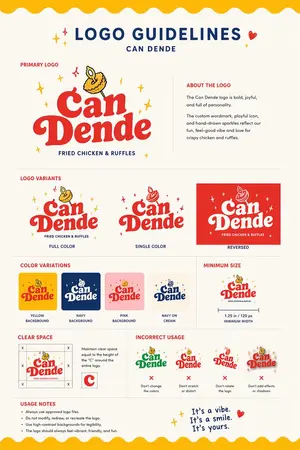
Restaurant Logo Guidelines Board
Using the provided reference image as the brand inspiration, transform the fried chicken burger and waffle fries meal into a polished one-page logo guidelines board for a restaurant brand named Can Dende (brand name). Create a cheerful, modern fast-casual identity derived from the food in the reference: turn the crispy fried topping into a playful mascot/icon above the wordmark, and build a bold custom logo in a warm palette inspired by the photo. Design the output as a clean editorial brand sheet on an off-white background with navy and red typography, yellow scalloped borders at the top and bottom, and small sparkle doodles. Include these exact sections and counts: 1 main header reading "LOGO GUIDELINES" with the brand name beneath it; 1 "PRIMARY LOGO" section with the main logo and an "ABOUT THE LOGO" text block; 1 "LOGO VARIANTS" section with 3 variants labeled "FULL COLOR", "SINGLE COLOR", and "REVERSED"; 1 "COLOR VARIATIONS" section with 4 tiles labeled "YELLOW BACKGROUND", "NAVY BACKGROUND", "PINK BACKGROUND", and "NAVY ON CREAM"; 1 "MINIMUM SIZE" section showing the logo with a width guide and the text "1.25 in / 120 px MINIMUM WIDTH"; 1 "CLEAR SPACE" section with a spacing diagram based on the height of the letter C; 1 "INCORRECT USAGE" section with 4 wrong examples labeled "Don't change the colors", "Don't stretch or distort", "Don't rotate the logo", and "Don't add effects or shadows"; 1 "USAGE NOTES" section with 4 bullet points; and a handwritten-style closing tagline at bottom right that says It's a vibe. It's a smile. It's yours. (tagline text). Keep the composition crisp, print-ready, highly legible, and presentation-quality, like a real branding deliverable for a restaurant.

Cute Gamelist App Logo Mockup
Create a clean flat vector app logo presentation on a dark UI background. Center a large rounded-rectangle preview card in warm light beige. Inside the card, place a cute minimalist gaming logo: on the left, a stylized handheld game console icon drawn as a rounded rectangular device stacked over 2 visible offset layers like pages or cards, with a small ribbon bookmark hanging from the bottom edge. The console body is coral red with cream screen details, thin dark brown outlines, and tiny dark brown controller symbols: 1 cross-shaped D-pad on the left, 4 small circular buttons on the right, plus 4 tiny decorative dots in the center forming a smiling playful face impression. To the right of the icon, place the lowercase brand wordmark gamelist (brand name) in thick rounded geometric sans-serif letters, colored coral red to match the icon. Keep the spacing balanced so the icon and text read as one cohesive modern startup logo. Use a soft, friendly, vector-only aesthetic with no gradients, no photorealism, no texture, and high SVG-friendly simplicity. The palette should be limited to 4 colors: coral red (primary color), cream, dark brown, and warm light beige. Show 4 small vertical thumbnail variations aligned along the right side of the dark interface, each showing the same logo on slightly different light neutral backgrounds. Add subtle UI framing only: a circular gray Edit button at bottom left of the large preview card, a circular gray share/upload button at bottom right of the card, and small monochrome action icons below the card on the dark background. Overall composition should look like a screenshot of an AI image generation result showcasing an app logo concept.
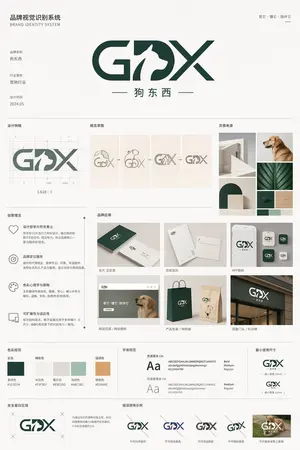
Pet Brand Identity System Board
{"type":"brand identity system board","brand":{"name":"{argument name=\"brand name\" default=\"狗东西\"}","english_mark":"{argument name=\"logo letters\" default=\"GDX\"}","industry":"{argument name=\"industry\" default=\"宠物行业\"}","date":"{argument name=\"date\" default=\"2024.05\"}","tagline":"爱它・懂它・陪伴它"},"style":{"overall":"minimalist premium corporate presentation, clean Swiss-inspired layout, large white margins, light gray divider lines, muted neutral background","palette":"deep forest green and warm off-white with small accent swatches","mood":"modern, trustworthy, pet-friendly, refined"},"canvas":{"aspect_ratio":"3:4 vertical","background":"soft warm white"},"header":{"left_title_cn":"品牌视觉识别系统","left_title_en":"BRAND IDENTITY SYSTEM","right_tagline":"爱它・懂它・陪伴它","center_logo":"large custom GDX wordmark with a white dog silhouette integrated into the middle of the logo, bold geometric curves and diagonal strokes, dark green","center_subtitle":"狗东西"},"layout":{"sections":[{"title":"基础信息","position":"upper left","count":3,"labels":["品牌名称","行业属性","设计时间"]},{"title":"设计网格","position":"mid upper left","count":1,"labels":["logo construction grid with ratio 1.618:1"]},{"title":"概念草图","position":"mid upper center","count":4,"labels":["dog head and letters sketch","outline refinement","intermediate combined mark","final simplified mark"]},{"title":"灵感来源","position":"mid upper right","count":6,"labels":["minimal white architectural arch","golden retriever profile photo","curved arch block composition","green leaf close-up","dark green material square","light wood texture square"]},{"title":"创意理念","position":"middle left","count":4,"labels":["设计哲学与符号意义","品牌定位服务","色彩心理学与策略","可扩展性与适应性"]},{"title":"品牌应用","position":"middle center to right","count":7,"labels":["名片 正反面","信纸信封","APP图标","网站首页 / 网站图标","产品包装 / 购物袋","店面门头 / 标识牌","mobile app icon variants"]},{"title":"色彩规范","position":"lower middle left","count":5,"labels":["主色","辅助色","暖灰色","浅绿色","强调色"]},{"title":"字体规范","position":"lower middle center","count":2,"labels":["思源黑体 CN","思源柔黑体 CN"]},{"title":"最小使用尺寸","position":"lower middle right","count":2,"labels":["horizontal logo minimum size","stacked logo minimum size"]},{"title":"安全留白区域","position":"bottom left","count":1,"labels":["clear space diagram around logo"]},{"title":"错误使用示例","position":"bottom center to right","count":5,"labels":["do not distort","do not change colors","do not add effects","do not stretch vertically","do not place on busy photo background"]}],"grid":"strict multi-column editorial board with thin dividing rules and consistent spacing"},"logo_design":{"form":"GDX lettermark","integration":"negative-space dog silhouette embedded between G and X, reading as the letter D while showing a standing dog profile facing right","color":"dark green","subtitle":"Chinese brand name centered below with thin horizontal lines on both sides"},"color_swatches":[{"name":"墨绿色","hex":"#1E3D34"},{"name":"米白色","hex":"#F5F3EF"},{"name":"暖灰色","hex":"#E5E2DB"},{"name":"浅绿色","hex":"#A8C5B1"},{"name":"暖橙色","hex":"#E0A86E"}],"applications":{"mockups":7,"details":"business card set, stationery set, smartphone app icon screen, website hero with dog photo, dark green and kraft shopping bags, storefront signage, grouped square app icon variations"},"typography":{"families":["思源黑体 CN","思源柔黑体 CN"],"weights":["Bold","Medium","Regular"]},"rendering":"high-resolution graphic design presentation board, flat front-facing view, crisp vector logo, realistic mockup inserts, subtle shadows only inside product mockups, no perspective distortion"}
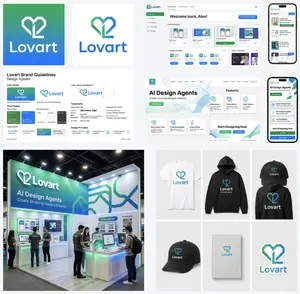
Multi-Step Design Generation for 'Lovart' Brand Identity
Create a creative image of Multi Step Design Generation For Lovart Brand Identity. Style: photorealistic. Composition: balanced and well-framed. Lighting: natural with cinematic mood. Category: photography. Reference: multi-step-design-generation-for-lovart-brand-identity-9639.
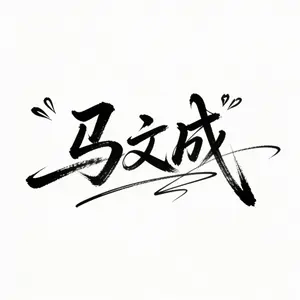
Ma Wencheng Artistic Signature Design
艺术大师级签名字体设计:马文成 (名字):字体飘逸,奔放,流畅而又磅薄大气,仿名星签名草书,钢笔字效果,粗细有致,文字之间有连笔,有装饰线条。签名艺术感极强,干净的白色背景,无水印,大面积留白,适用于签名。
Vector Cyberpunk Logo Art
Create a creative image of Vector Cyberpunk Logo Art. Style: photorealistic. Composition: balanced and well-framed. Lighting: natural with cinematic mood. Category: photography. Reference: vector-cyberpunk-logo-art-20180.
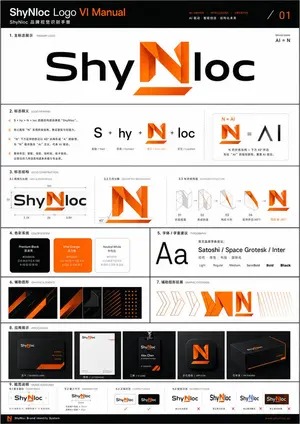
Professional Logo VI Design Manual
Create a creative image of Professional Logo Vi Design Manual. Style: photorealistic. Composition: balanced and well-framed. Lighting: natural with cinematic mood. Category: photography. Reference: professional-logo-vi-design-manual-18072.

AI Cosplay Expo Logo Guide Sheet
Goal: Create a clean black-and-white logo guide and usage sheet for AI COSPLAY EXPO 2026 (event name), presented as a professional brand identity document. Canvas: Portrait A4-style page, white background, thin light-gray divider lines, generous margins, crisp monochrome vector look. Use bold futuristic techno sans-serif typography, all caps, high contrast black ink. Header: Top-left title reads “AI COSPLAY EXPO 2026” with small subtitle “INTERNATIONAL EVENT” underneath. Top-right small label reads “LOGO GUIDE & USAGE SHEET”. A thin horizontal rule separates the header from the main content. Core logo design: The symbol is a black silhouette of a cute anime-style twin-tail cosplay girl standing inside four broken corner brackets, with a small diamond sparkle below. Combine it with bold text “AI COSPLAY EXPO” and large stacked numerals “2026”, plus the small tagline “- INTERNATIONAL EVENT -” and credit line “produced by AI lady collection (producer name)”. Layout: Divide the page into exactly 7 numbered brand-guide sections using small black square number badges and thin gray rules. Sections: 1. “PRIMARY LOGO – HORIZONTAL”: large horizontal lockup. Symbol on the left, text on the right: “AI COSPLAY EXPO” above huge “2026”, tagline “- INTERNATIONAL EVENT -”, and credit “produced by AI lady collection”. 2. “STACKED LOGO”: vertical centered lockup. Symbol on top, “AI COSPLAY EXPO” stacked in three lines, large “2026”, tagline, and producer credit below. 3. “SYMBOL MARK”: standalone large silhouette symbol only. 4. “MONOCHROME VARIATIONS”: show exactly 4 logo variations: black horizontal logo, gray/outline horizontal logo, black stacked logo, gray/outline stacked logo. 5. “INVERTED (WHITE ON BLACK)”: black rectangle containing exactly 2 white reversed logos: one horizontal logo at top and one stacked logo below. 6. “CLEAR SPACE / MINIMUM SIZE”: left side shows the horizontal logo inside a dotted clear-space box with “A” spacing markers on the top, left, right, and bottom; right side shows exactly 2 minimum-size examples: “MINIMUM SIZE (PRINT)” with width label “25mm / 0.98 in”, and “MINIMUM SIZE (DIGITAL)” with width label “32px”. 7. “USAGE EXAMPLES”: show exactly 4 simple outline icons with labels: globe icon labeled “INTERNATIONAL APPAREL”, ticket icon labeled “EVENTS & TICKETING”, open book icon labeled “MAGAZINE & EDITORIAL”, and medal badge icon labeled “STAFF & EXHIBITOR”. Footer: Bottom strip divided into three columns. Left column title “ORGANIZER TEXT EXAMPLES” with two Japanese-style text lines: “主催: AI lady collection” and “公式 SNS: AI lady collection”. Center column contains a small stacked version of the logo. Right column title “CREDIT LINE” with the line “produced by AI lady collection”. Visual style: Minimal Swiss grid meets Japanese event-brand manual, precise alignment, thin gray separators, no color except black, white, and light gray. Make all text legible, sharp, and print-ready. Avoid extra sections, extra icons, watermarks, gradients, shadows, or decorative backgrounds.38:Tcae,Goal: Create a clean black-and-white logo guide and usage sheet for AI COSPLAY EXPO 2026 (event name), presented
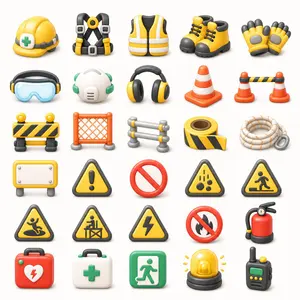
3D Construction Safety Icon Set
{"type":"3D construction and safety equipment icon set","format":"transparent background PNG asset sheet","style":"cute glossy 3D clay-render icons, rounded edges, soft studio lighting, subtle ambient occlusion, clean toy-like proportions, high-detail but simple shapes, consistent scale, front-facing three-quarter view","color palette":"bright safety yellow, orange, black, white, gray, green, and red accents","layout":{"grid":"7 rows by 5 columns","total icon count":35,"spacing":"evenly spaced with generous white/transparent negative space, no text labels, no borders","icons":[{"position":"row 1 column 1","description":"yellow construction hard hat with gray strap and green medical cross badge"},{"position":"row 1 column 2","description":"black and yellow fall-arrest safety harness with gray buckles and central yellow ring"},{"position":"row 1 column 3","description":"yellow high-visibility safety vest with white reflective stripes and black arm openings"},{"position":"row 1 column 4","description":"pair of yellow work boots with black toes, soles, collars, and laces"},{"position":"row 1 column 5","description":"pair of yellow protective work gloves with black fingertips and gray padded palms"},{"position":"row 2 column 1","description":"blue transparent safety goggles with black and yellow earmuff-like side pieces"},{"position":"row 2 column 2","description":"white respirator mask with green elastic straps and side filters"},{"position":"row 2 column 3","description":"black and yellow over-ear hearing protection headphones"},{"position":"row 2 column 4","description":"single orange traffic cone with two white reflective bands"},{"position":"row 2 column 5","description":"two small orange traffic cones connected by a black-and-yellow striped barrier bar"},{"position":"row 3 column 1","description":"portable black-and-yellow striped road barricade with two round yellow warning lights on top"},{"position":"row 3 column 2","description":"orange plastic mesh safety fence panel with gray feet"},{"position":"row 3 column 3","description":"small gray metal crowd-control barrier with yellow connector caps"},{"position":"row 3 column 4","description":"roll of black-and-yellow caution tape with loose strip extended"},{"position":"row 3 column 5","description":"coiled white safety rope with orange flecks and a gray carabiner"},{"position":"row 4 column 1","description":"blank rectangular yellow warning signboard on gray legs with white center panel and screw heads"},{"position":"row 4 column 2","description":"yellow triangular caution sign with black border and exclamation mark"},{"position":"row 4 column 3","description":"red prohibition symbol, empty no-entry circle with diagonal slash"},{"position":"row 4 column 4","description":"yellow triangular falling objects hazard sign with black border and falling rocks icon"},{"position":"row 4 column 5","description":"yellow triangular pedestrian construction crossing warning sign with black border"},{"position":"row 5 column 1","description":"yellow triangular slippery surface warning sign with black border and person slipping icon"},{"position":"row 5 column 2","description":"yellow triangular construction worker barrier warning sign with black border"},{"position":"row 5 column 3","description":"yellow triangular electrical hazard warning sign with black border and lightning bolt"},{"position":"row 5 column 4","description":"red no-fire prohibition sign with black flame crossed by a red slash"},{"position":"row 5 column 5","description":"red fire extinguisher with black hose, pressure gauge, yellow nozzle detail, and dark base"},{"position":"row 6 column 1","description":"red emergency first aid kit case with handle, green latches, white heart emblem, and red lightning bolt"},{"position":"row 6 column 2","description":"white medical first aid kit case with handle, green latches, and green cross"},{"position":"row 6 column 3","description":"green emergency exit sign icon with white running figure and door arrow"},{"position":"row 6 column 4","description":"yellow rotating warning beacon light on black base with small yellow rays"},{"position":"row 6 column 5","description":"black handheld walkie-talkie with green display, yellow buttons, and antenna"}],"canvas":"square composition, centered asset sheet, transparent background or pure white preview background","rendering":"crisp edges, soft shadows directly under each item, consistent material roughness, no typography, no watermark"},"customization":{"theme":"{argument name=\"icon theme\" default=\"construction and safety equipment\"}","primary color":"{argument name=\"primary safety color\" default=\"yellow\"}","secondary color":"{argument name=\"secondary safety color\" default=\"orange\"}","background":"{argument name=\"background\" default=\"transparent PNG\"}","icon style":"{argument name=\"icon style\" default=\"cute glossy 3D clay-render\"}"}}
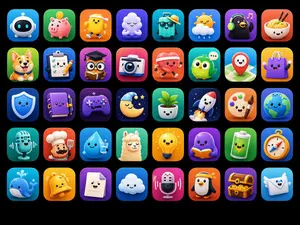
Cute 3D App Mascot Icon Grid
Goal: Create a polished app-store mascot icon showcase featuring 40 (icon count) unique cute 3D mascot icons, designed as ASO-friendly mobile app icon concepts. Canvas: Horizontal 4:3 image on a pure black background, with a neat grid of rounded-square app icons. Use exactly 5 rows and 8 columns, evenly spaced with consistent margins. Each tile is a glossy rounded square with a soft gradient background, subtle inner glow, and soft drop shadow. No text, no labels, no watermark. Visual style: High-end 3D clay/toy mascot style, kawaii expressions, big friendly eyes, tiny smiles, smooth rounded shapes, vibrant saturated colors, app icon lighting, soft studio shadows, crisp edges, premium iOS icon aesthetic. Every icon should feel like a distinct standalone app mascot. Icon grid details: Include exactly 40 discrete icons, arranged left to right, top to bottom: 1. white robot head mascot on blue gradient 2. pink piggy bank with coin on green gradient 3. smiling yellow character wearing a sun visor on orange gradient 4. sleepy white cloud hugging itself on purple gradient 5. turquoise travel suitcase wearing sunglasses and a straw hat on teal gradient 6. cute sun partly behind a cloud with raindrops on blue gradient 7. black penguin or bird wearing green headphones with music notes on purple gradient 8. smiling bowl of noodles with chopsticks on red-orange gradient 9. happy corgi dog on green gradient 10. checklist clipboard with pencil on blue gradient 11. graduation cap over a document/card silhouette on purple-pink gradient 12. cute instant camera on pink-red gradient 13. red heart character running with headphones on orange-red gradient 14. green owl with chat bubble on teal gradient 15. red map pin mascot on map background on cyan gradient 16. purple shopping bag mascot on yellow gradient 17. blue shield mascot on deep blue gradient 18. purple notebook mascot with pen on violet gradient 19. purple game controller mascot on dark purple gradient 20. sleeping crescent moon with nightcap, stars, and dark night background 21. smiling potted plant in white pot on green gradient 22. white rocket launching on navy starry gradient 23. painter palette mascot with paintbrush on orange gradient 24. smiling Earth globe on blue gradient 25. vintage microphone mascot on teal gradient 26. chef mascot with white chef hat and spatula on red-orange gradient 27. smiling water droplet holding a glass of water on cyan gradient 28. fluffy llama or alpaca mascot on green gradient 29. glowing yellow lightbulb mascot on yellow-orange gradient 30. purple octopus or blob reading an orange book on violet gradient 31. green battery mascot with lightning symbol on green gradient 32. compass mascot on blue-orange gradient 33. blue whale mascot with water splash on cyan gradient 34. yellow bell mascot on orange gradient 35. smiling white document/page mascot on purple gradient 36. happy white cloud mascot on blue gradient 37. pink microphone mascot with sound waves on magenta gradient 38. penguin mascot wearing a yellow visor on orange gradient 39. treasure chest full of gold coins on purple gradient 40. smiling envelope mascot with wings on light blue gradient Constraints: Keep all icons consistent in size and visual quality; use charming rounded toy-like geometry; ensure each mascot has a simple cute face where appropriate; preserve the exact 5-by-8 layout and exactly 40 icons.
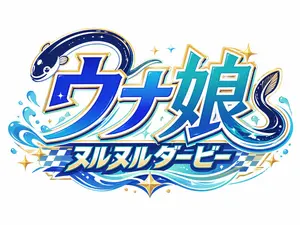
Japanese Eel Derby Logo
Create a bold Japanese logo on a clean light gray background for a fictional racing-themed eel character brand. The main text should be large stylized katakana/kanji reading ウナ娘 (main logo text), with a smaller subtitle banner below reading ヌルヌルダービー (subtitle text). Integrate exactly 2 eel illustrations into the lettering: one dark navy eel curling over the top left of the first character with a cute smiling face and pale belly markings, and one second eel forming a sweeping curl around the right side of the final character. Use a vivid aquatic palette with deep cobalt blue, electric blue, cyan, teal, white highlights, and metallic gold edging. The lettering should have thick white inner borders, gold outer trim, subtle drop shadows, and a glossy high-energy arcade mascot style. Add dynamic water splash effects around the bottom left and lower right, flowing wave ribbons beneath the text, exactly 6 gold star-shaped sparkles scattered around the logo, and exactly 4 small blue diamond-like sparkle accents near the center and top. Behind the subtitle, include a blue-and-white checkered racing flag pattern stretching horizontally. The overall composition should feel playful, premium, and fast-paced, combining marine motifs with horse-racing or derby energy, rendered as crisp vector-like logo art with polished gradients and strong sticker-style outlines.37:T5a5,Create a bold

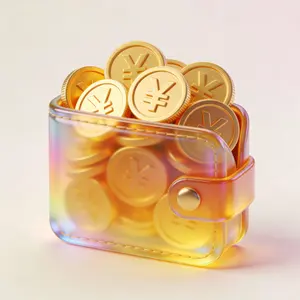
3D Glass Wallet and Coins Icon
UI图标,钱包里面装满了金币,一堆金币,金币上面是人民币 (货币类型)符号,3D效果,玻璃质感,柔和的金色渐变,半透明材质光晕效果,浅色背景衬托色彩流动,3D渲染风格,画面充满呼吸感

Royal Golden Cobra Emblem
Create a dark luxury heraldic emblem featuring a royal cobra (animal subject) centered on a wide horizontal canvas. The cobra faces forward with its hood fully spread, coiled body at the bottom, glossy black scales edged in reflective metallic gold, a golden segmented belly, intense glowing eyes, and a black forked tongue. Place exactly 1 ornate gold crown on the cobra's head and exactly 1 small black-and-gold shield crest below the neck, showing a tiny crowned cobra symbol. Surround the cobra with an elaborate symmetrical baroque frame: exactly 1 large circular gold arch behind the head, 2 mirrored large gold acanthus-leaf flourishes at the lower left and lower right, 2 mirrored vertical side ornaments with black diamond gemstones, and 4 ornate gold corner decorations connected by a thin rectangular gold border. Use a black, metallic gold, and deep bronze (color palette) palette with high contrast, polished 3D metal rendering, dramatic rim lighting, sparkling gold dust accents, and a dark textured damask background. The mood should be regal, dangerous, and opulent (mood). Make the composition perfectly centered and symmetrical, ultra-detailed, sharp, cinematic, premium fantasy insignia style, with no text, no watermark, and no extra animals.
FAQ
- Are Logo & Icon prompts free?
- Yes, every Logo & Icon prompt on AI Pin Maker is free and ready to copy with one click, with no sign-up or payment required.
- How do I use Logo & Icon prompts?
- Copy the prompt, tweak the subject, style, or parameters to fit your idea, then paste it into AI Pin Maker and generate your image in one click.
- What can I create with Logo & Icon prompts?
- With these prompts you can produce polished, share-ready visuals on AI Pin Maker, from posters and social posts to detailed concept art and product shots.