
Text to Image
Abstract Chaos Character Art — AI Image Prompt
A highly detailed structured prompt that transforms a character image into abstract art composed of notes and symbols.
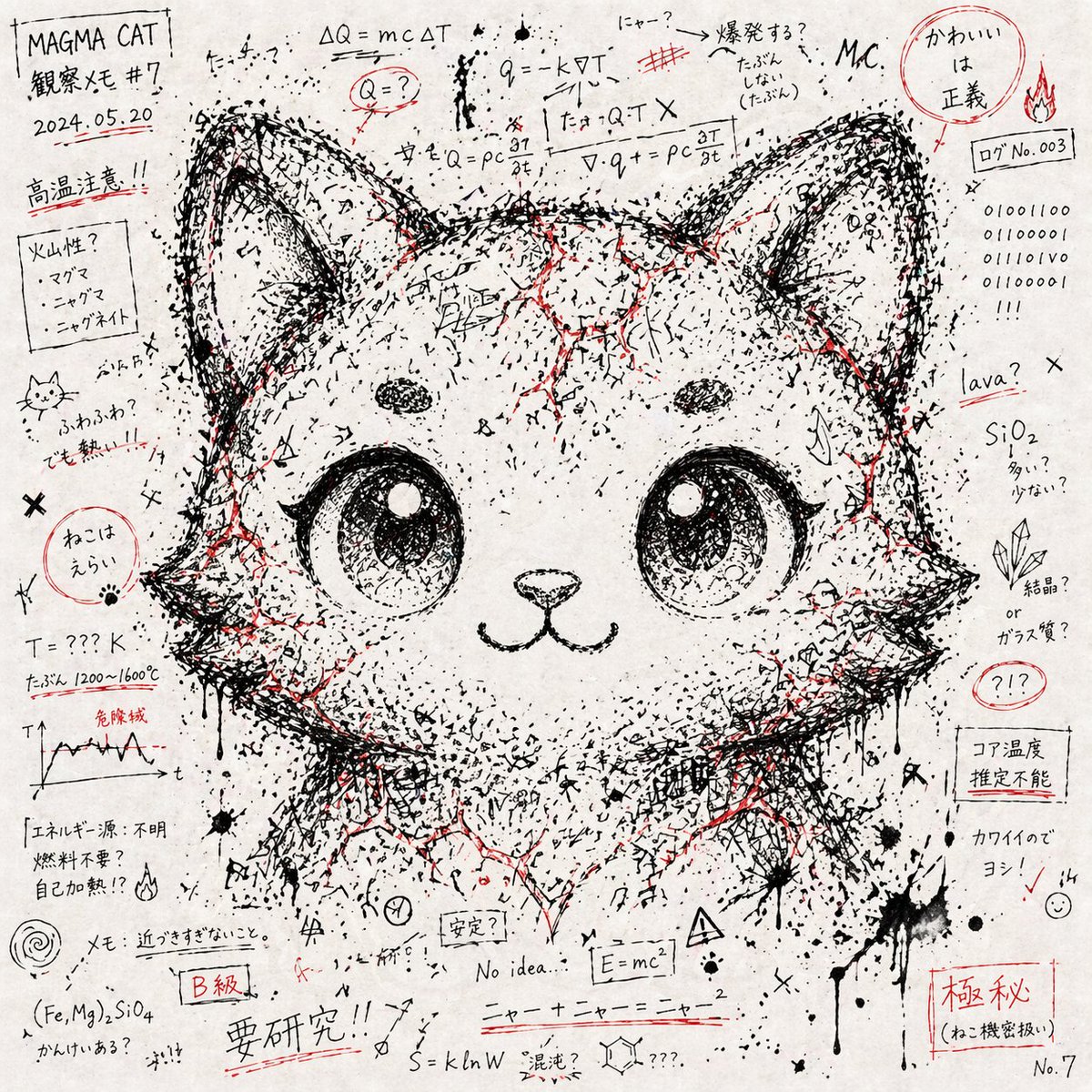
Prompt
Create a anime image of Abstract Chaos Character Art. Style: photorealistic. Composition: balanced and well-framed. Lighting: natural with cinematic mood. Category: anime. Reference: abstract-chaos-character-art-14363.
Prompt breakdown
- Subject
- Abstract Chaos Character Art rendered as an anime figure with fragmented, swirling abstract elements
- Style
- Photorealistic anime illustration
- Lighting
- Natural lighting combined with cinematic mood
- Composition
- Balanced and well-framed arrangement
- Mood
- Cinematic with underlying chaos
Remix ideas
- Introduce more organic textures like cracked surfaces or ethereal smoke to heighten the abstract chaos
- Adjust the anime features to include glowing eyes or distorted proportions for added surrealism
- Experiment with cooler color tones in the lighting to shift the cinematic mood toward mystery
Reference images
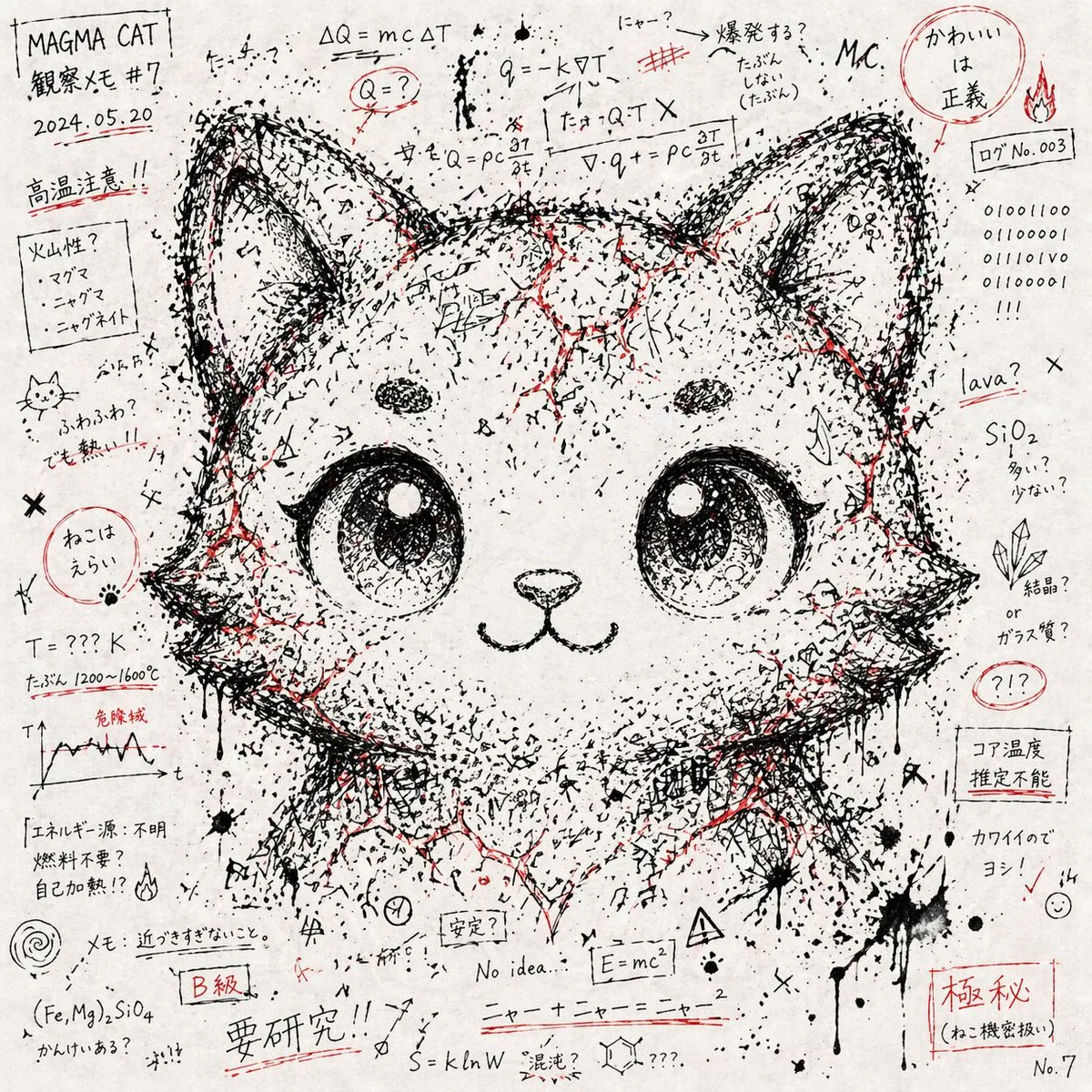
How to use this AI Image prompt template
 1
1Copy the prompt — grab this template’s prompt and negative prompt.  2
2Pick a model — choose a recommended AI model for the best match.  3
3Generate — open the studio with one click and create your result.
Related templates

Minimal Black Ink Illustration Blueprint Prompt
Create a creative image of Minimal Black Ink Illustration Blueprint Prompt. Style: photorealistic. Composition: balanced and well-framed. Lighting: natural with cinematic mood. Category: photography. Reference: minimal-black-ink-illustration-blueprint-prompt-2891.

Printable Paint by Numbers Generator
Create a professional high-resolution paint-by-numbers template from the provided image as a single PNG only. Use an A4 portrait ratio canvas (canvas size) at 300 DPI with a pure white background. The main artwork must be a clean black-and-white line drawing containing only black outlines, black numbers, and white unfilled paintable areas. Do not create a PDF, document, mockup, multi-page layout, or colored version. Do not use color, gray, shading, texture, gradients, transparency, or pre-filled areas in the main artwork. Analyze the original image and choose the number of colors adaptively based on image complexity, from 1 to a maximum of 14 colors (color count). If the image has only 1–2 important colors, use only 1–2 colors; for simple images use 3–6 colors; for medium complexity use 7–10 colors; for complex, photographic, or highly detailed images use 11–14 colors. Do not force unnecessary colors. Assign each selected color one unique number and merge similar shades unless separation is essential for recognition. Convert the image into simplified, fully closed, easy-to-paint regions while preserving the recognizable composition, main objects, characters, text, logos, foreground, background, and key details. Every paintable white region must contain the correct black number, centered clearly inside the matching area, readable, upright, and not touching outlines. Large black or dark areas from the original must remain white paintable regions with the correct number, not filled black. Only tiny permanent black line details, such as mouth lines, nostrils, pupils, eyelashes, seams, or small decorative strokes, may remain unnumbered. At the bottom of the same PNG, add a neat legend section with the heading “Instructions”, the sentence “Paint the areas with the matching colors.”, and a list of every used number with a small color swatch and the English color name. Color swatches may appear only in the legend. Ensure the numbering exactly matches the legend, every paintable area is numbered, all regions are closed, and the final result is clean, professional, print-ready, and recognizable as the original image.3b:T8a9,Create a p

Ink Sketchbook Zine Illustration
Transform any provided reference photo into a vertical 4:5 (aspect ratio) stylized ink-drawn sketchbook illustration. Use the person, outfit, pose, accessories, pet, objects, mood, and overall character from the reference photo as the main subject. Do not copy fixed clothing or fixed phrases from previous examples. Adapt all visual details to the new reference image. Create a high-detail black ink and fineliner illustration on a white sketchbook page. The drawing should fill almost the entire frame, with no fabric element, no colored cloth, and no extra textile foreground. Composition: - one main full-body or main portrait illustration based on the reference photo; - 1-3 additional smaller sketch studies inspired by the same subject, such as side view, back view, close-up portrait, accessory detail, pet/object detail, or gesture pose; - small hand-drawn decorative elements around the subject: hearts, stars, sparkles, arrows, leaves, dots, mood symbols, tiny doodles; - balanced but dense sketchbook layout, editorial zine feeling. All handwritten text must be in Russian (language) only. The text should be random, natural, and relevant to the mood, outfit, season, activity, personality, or atmosphere of the reference photo. Do not repeat the same phrases every time. Art style: expressive handmade sketchbook aesthetic, nostalgic indie zine warmth, high-detail manga-influenced editorial line art, rich black India ink, fineliner, marker and brush-pen hatching, cross-hatching, varied pen nib strokes, subtle ink bleed, visible sketch construction lines. Render textures from the reference carefully: fabric folds, hair, accessories, shoes, bags, jewelry, pets, objects, skin shadows, material surfaces, and distinctive silhouette. Camera and format: vertical 4:5 format, close-up overhead flatlay photo of a white sketchbook page, slightly tilted top-down angle around 20 degrees, centered composition, drawing filling the screen, visible paper grain and sketchbook edge. Lighting: soft natural diffused morning daylight (lighting) from a window, even cool-key illumination, subtle diagonal page shadow, gentle softbox fill, neutral whites, deep blacks. Image quality: high-resolution print-quality output, 300 DPI, ultra-crisp ink detail, slight warm tone adjustment, contrast +15, clarity +10, subtle vignette, selective sharpening on ink strokes, minimal noise reduction to preserve paper texture. Final look: contemporary sketchbook photography meets editorial zine illustration, clean, polished, high-fidelity, suitable for print and portfolio presentation.

Photo to Manga Art Transformation
Create a anime image of Photo To Manga Art Transformation. Style: photorealistic. Composition: balanced and well-framed. Lighting: natural with cinematic mood. Category: anime. Reference: photo-to-manga-art-transformation-24416.

3D Wireframe Illustration Transformation
Create a cinematic image of 3d Wireframe Illustration Transformation. Style: photorealistic. Composition: balanced and well-framed. Lighting: natural with cinematic mood. Category: cinematic-video. Reference: 3d-wireframe-illustration-transformation-19273.

Raden Lacquerware Style Transformation
Create a cinematic image of Raden Lacquerware Style Transformation. Style: photorealistic. Composition: balanced and well-framed. Lighting: natural with cinematic mood. Category: cinematic-video. Reference: raden-lacquerware-style-transformation-18822.
Explore more prompts
Browse more AI image and video prompts by category.
FAQ
- Why combine photorealism with anime in this abstract chaos concept?
- The photorealistic approach adds depth and realism to the chaotic abstract forms, making the anime character's surreal design more immersive and believable.
- How does the balanced composition handle the chaotic subject?
- By framing the character centrally with evenly distributed abstract elements, it prevents visual overload while emphasizing the theme of controlled chaos.
- Is the Abstract Chaos Character Art prompt free to use?
- Yes, this prompt is completely free on AI Pin Maker and you can copy it directly with no signup or payment required.
- How do I use the Abstract Chaos Character Art prompt to generate an image or video?
- Copy the prompt, tweak the subject or style to fit your idea, then paste it into AI Pin Maker and generate your image or video in one click.
- Can I change the Abstract Chaos Character Art prompt into my own version?
- Absolutely, just replace the subject, style, or parameters in AI Pin Maker to make the prompt entirely your own.