
Text to Image
Stylized Tech Illustration Template — AI Image Prompt
A template prompt for generating stylized product or technology illustrations, ideal for SaaS visuals or landing pages. It uses an isometric or 3D-inspired style, smooth surfaces, glowing accents, and a clean, modern aesthetic.
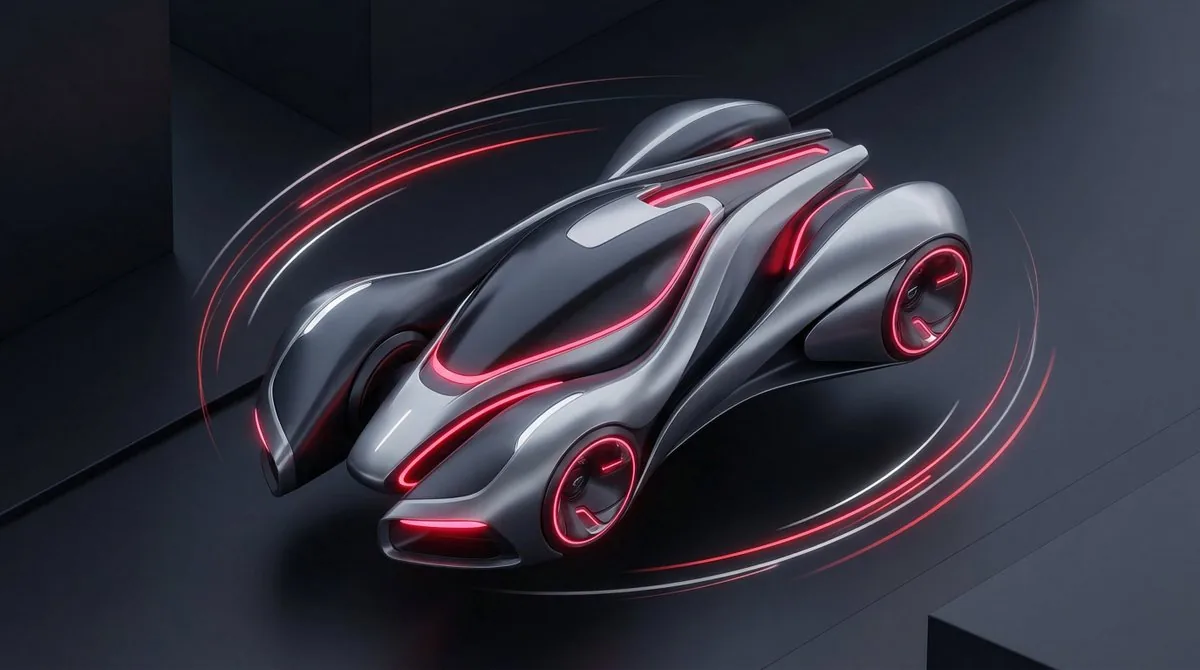
Prompt
Create a creative image of Stylized Tech Illustration Template. Style: photorealistic. Composition: balanced and well-framed. Lighting: natural with cinematic mood. Category: photography. Reference: stylized-tech-illustration-template-8777.
Prompt breakdown
- Subject
- Stylized Tech Illustration Template rendered creatively
- Style
- Photorealistic
- Lighting
- Natural with cinematic mood
- Composition
- Balanced and well-framed
- Mood
- Cinematic
Remix ideas
- Swap the template's placeholder graphics for glowing circuit traces while keeping photorealistic rendering
- Shift the cinematic lighting to a low-angle side light to emphasize texture on the illustration surface
- Introduce a shallow depth-of-field blur on the outer edges to draw focus tighter to the central template elements
Reference images
How to use this AI Image prompt template
 1
1Copy the prompt — grab this template’s prompt and negative prompt.  2
2Pick a model — choose a recommended AI model for the best match.  3
3Generate — open the studio with one click and create your result.
Related templates

Soft UI Style Illustration Generator
Soft minimal illustration of [SUBJECT] (subject), rounded shapes, gentle gradients, calming tones, modern UI illustration style, friendly, clean, and contemporary.
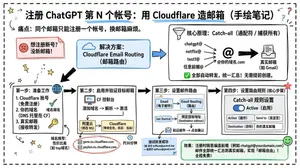
Cloudflare Catch-All Email Routing Infographic
Goal: Create a landscape hand-drawn notebook-style Chinese infographic explaining how to register multiple ChatGPT accounts by using Cloudflare Email Routing to create catch-all mailbox aliases. Canvas: Wide 16:9 whiteboard page, clean off-white background, surrounded by a thick black dashed rounded border. Use a casual marker-and-pen sketch style with slightly imperfect lines, doodle arrows, stars, question marks, pins, and small expressive icons. Title and intro: At the top center, write the bold headline 注册 ChatGPT 第 N 个账号:用 Cloudflare 造邮箱(手绘笔记) (headline text). Underline “Cloudflare” in blue. Beneath it on the left, write the pain point line: “痛点:同个邮箱只能注册一个账号,换邮箱麻烦。” Add a small curved arrow doodle and star near the title. Main layout: Use exactly 7 main content boxes/cards plus decorative doodles. Arrange them left-to-right as a process with bold black arrows connecting sections. The 7 cards are: 1 pain card, 1 solution card, 1 core-principle card, and 4 numbered step cards. Card 1, pain card: A red outlined sticky-note box on the upper left with a sad red face icon. Text: “想注册新号?没新邮箱!” Make it look like a folded-corner note. Card 2, solution card: A blue rounded rectangle in the upper middle with a blue cloud icon. Text: “解决方案:Cloudflare Email Routing(邮箱路由)”. Put a blue arrow pointing toward the core principle box. Card 3, core principle card: A large black-outlined rounded rectangle in the upper right. Header text: “核心原理:Catch-all(通配符 / 捕获所有)”. Include a funnel icon. Show exactly 4 example incoming aliases on the left: “chatgpt@”, “netflix@”, “test1@”, and “任意前缀@”. Draw arrows from all four into a large “@” symbol and “@你的域名.com”, then a thick black arrow to a mailbox icon labeled “真实邮箱(如 Gmail)”. Bottom line with green check icon: “全部自动转发,统一汇总!无需提前创建。” Step cards along the bottom: Use exactly 4 numbered boxes. Step 1 card, bottom left: Title “第一步:准备工作”. Include exactly 3 numbered requirements: “1. Cloudflare 账号(免费注册)”, “2. 你的域名(DNS 托管在 CF)”, “3. 真实邮箱(接收转发)”. Add a globe icon, a green check mark, and a yellow key icon. Below it add small text: “域名推荐:性价比高(如 top域名)”. Step 2 card, bottom center-left: Title “第二步:启用并验证目标邮箱”. Include a small computer icon labeled “CF 控制台”. Text flow: “添加域名 → 解析 → 激活”. Draw an arrow down to a mini DNS nameserver panel with two columns: left “阿里云(修改 NS)”, right “Cloudflare(等待生效,状态:活动)”. Beneath the card, draw a red circled nameserver list with exactly 2 entries: “gene.ns.cloudflare.com” and “peyton.ns.cloudflare.com”. Add a small clock icon and text “约30分钟”. Step 3 card, bottom center-right: Title “第三步:设置邮件路由”. Show a mini Cloudflare UI mockup with exactly 2 top tabs/boxes: “Email(电子邮件)” and “Email Routing(路由)”. Include a small “Get Started” button pointing to “绑定目标地址(Destination address)”. At the bottom add an envelope icon and text: “验证邮件 → 点击确认”. Under this card place a small blue status note titled “测试转发成功” with two arrow lines showing an alias forwarding to a Gmail address. Step 4 card, bottom right: Title “第四步:设置路由规则(核心步骤)”. Show a UI panel titled “Catch-all 规则设置”. Include a blue toggle switch labeled “Active(启用)”. Include a two-row table with headers and values: row 1 “Action(操作)” to “Send to(发送至)”; row 2 “Destination(目标)” to “你的真实邮箱”. Add a red star near the corner. Final result box: At the bottom right below Step 4, add a green rounded rectangle with a smiling face icon. Text: “效果:注册时随意编造前缀(例如 chatgpt@yourdomain.com)邮件全部统一汇总到真实邮箱,实现「邮箱自由」!全程免费!” Visual style: Handwritten Chinese typography, thick black marker outlines, simple vector doodles, blue/red/green/yellow accent colors, informal classroom note-taking feel. Keep all arrows bold and directional, with minor sketchy imperfections. Constraints: Keep the entire infographic in Chinese as specified, use no photorealism, no 3D rendering, no watermark, no extra sections beyond the 7 cards and final result box, and make the text legible.3b:T12a5,Goal: Create a landscape hand-drawn notebook-style Chinese infographic explaining how to register multiple ChatGPT accounts by using Cloudflare Email Routing to create catch-all mailbox aliases. Canvas: Wide 16:9 whiteboard page, clean off-white background, surrounded by a thick black dashed rounded border. Use a casual marker-and-pen sketch style with slightly imperfect lines, doodle arrows, stars, question marks, pins, and small expressive icons. Title and intro: At the top center, write the bold headline 注册 ChatGPT 第 N 个账号:用 Cloudflare 造邮箱(手绘笔记) (headline text). Underline “Cloudflare” in blue. Beneath it on the left, write the pain point line: “痛点:同个邮箱只能注册一个账号,换邮箱麻烦。” Add a small curved arrow doodle and star near the title. Main layout: Use exactly 7 main content boxes/cards plus deco
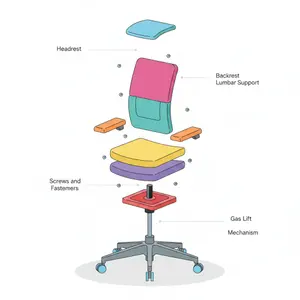
Minimalist Exploded View Industrial Design Diagram - Nano Banana Pro AI Prompt for Infographic / Edu Visual
{ "prompt": { "objective": "Create a colorful minimalist exploded view of a chair with clearly labeled parts", "style": "minimalist, modern industrial design, flat yet slightly 3D, clean lines, soft shadows", "composition": "chair centered in frame, all components separated vertically in an exploded view, evenly spaced, balanced layout", "subject": { "type": "chair", "chair_style": "modern ergonomic chair", "parts": [ "Headrest", "Backrest", "Lumbar Support", "Seat Cushion", "Seat Base", "Armrests", "Armrest Pads", "Gas Lift Cylinder", "Tilt Mechanism", "Five-Star Base", "Caster Wheels", "Screws and Fasteners" ], "labels": "clear part names placed beside each component, thin connector lines, clean sans-serif font" }, "colors": "bright yet soft colors for each part, pastel and vibrant mix, each component in a different color, white or very light background", "lighting": "soft studio lighting, gentle shadows under each floating part", "camera": { "angle": "slight isometric view for depth", "focus": "all parts sharp and readable" }, "extra": "educational product diagram look, no clutter, modern design presentation, Instagram-friendly composition" }, "size": "1024x1024", "format": "png", "style_transfer": false }

Pixel art game concept prompt
Create a game image of Pixel Art Game Concept Prompt. Style: photorealistic. Composition: balanced and well-framed. Lighting: natural with cinematic mood. Category: illustration. Reference: pixel-art-game-concept-prompt-15922.
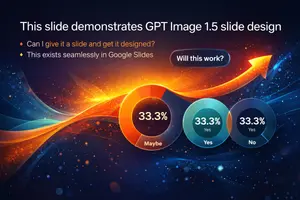
Visually Stunning Slide Generation from Content
Create a infographic image of Visually Stunning Slide Generation From Content. Style: photorealistic. Composition: balanced and well-framed. Lighting: natural with cinematic mood. Category: illustration. Reference: visually-stunning-slide-generation-from-content-1776.

Japanese Branding Strategy Infographic
{"type":"Japanese branding infographic","style":{"visual":"clean corporate flat design, website-brand-consistent explainer graphic, teal and dark navy color palette, soft off-white background, thin mint-green outlines, rounded cards, minimal vector icons, generous spacing, editorial layout","mood":"professional, trustworthy, educational, easy to understand"},"canvas":{"aspect_ratio":"16:9","background":"light warm gray"},"header":{"badge":{"text":"まとめ","shape":"rounded hexagon badge","color":"teal"},"title":"記憶のショートカットを作る戦い"},"intro":{"position":"below header","shape":"large rounded rectangle","text":"『ブランディングの科学 独自のブランド資産構築篇』を読み解くと、ブランディングとは決してポエムや雰囲気作りではなく、『消費者の記憶の構造を理解し、購買という行為の摩擦を極限まで減らすための科学』であることが分かります。","emphasis":"the quoted sentence in teal and slightly bolder"},"layout":{"sections":[{"title":"1","position":"left middle","count":3,"labels":["バラバラな施策","ブリッジ(つなぐ)","アンカー(記憶に定着)"],"heading":"ブリッジとアンカーを機能させ、すべての活動を資産に変える。","graphics":{"icon_count":5,"icons":["speech bubble with card","brochure or folded leaflet","display stand or signboard","suspension bridge","anchor with small waves"],"connector":"dotted line connecting the sequence toward bridge and anchor"},"footer":"一貫した独自のブランド資産が、あらゆる施策をつなぎ、消費者の記憶という海にしっかりと錨を下ろします。"},{"title":"2","position":"center middle","count":5,"labels":["ギフト","お土産","自分へのご褒美","出張","家族旅行"],"heading":"狭いポジショニングに逃げず、CEP(思い出すきっかけ)の数を愚直に増やす。","graphics":{"center":"teal filled circle labeled ブランド","outer_icon_count":5,"outer_icons":["gift box","shopping bag","sparkles in circle","briefcase","group of people"],"extra_icon":"coffee cup at left as daily-use cue","connector":"dotted radial lines from center brand circle to each surrounding cue"},"footer":"CEPの数=思い出す入口の数。多くのシーンで思い出してもらえるブランドが、市場シェアを拡大します。"},{"title":"3","position":"right middle","count":3,"labels":["5秒","独自のブランド資産(視覚的・感覚的シグナル)","色・形・ロゴ"],"heading":"5秒で選ばれるための『独自のブランド資産(視覚的・感覚的シグナル)』を研ぎ澄ます。","graphics":{"icon_count":4,"icons":["stopwatch with large text たった5秒","eye symbol","bottle on shelf","two cartons or packaged products on shelf"],"accent":"short motion lines around stopwatch and eye"},"footer":"遠くからでも一瞬で認識される『色』『形』『ロゴ』といった強烈なシグナルが、わずか数秒の勝負を制します。"}],"bottom_band":{"count":2,"left_block":{"graphics":"waist-up illustration of a thinking businessman in suit, hand on chin, simplified flat vector style","text":"『良いものを作れば売れる』という時代はとうの昔に終わり、今は『思い出され、すぐに見つけられるものが売れる』時代です。 自社のブランドは、お客様の記憶の中でどんな『入り口』を持ち、どんな『記号』で認識されているのか。"},"right_block":{"graphics":"circular badge containing an open book icon","text":"ローカルビジネスを一段上のステージへ引き上げるためのバイブルとして、手元に置いておきたい一冊です。 ぜひ、自社のブランド資産を棚卸しするきっかけにしてみてください。"}}},"typography":{"language":"Japanese","title_weight":"bold heavy sans-serif","body_weight":"clean sans-serif","number_badges":"white numerals inside teal circles"},"composition":{"grid":"three evenly spaced rounded cards across the middle row, with a full-width intro panel above and a full-width concluding panel below","alignment":"balanced, centered, spacious","shadow":"very subtle or none"}}3c:T10cd,{"type":"Japanese branding infographic","style":{"visual":"clean corporate flat design, website-brand-consistent explainer graphic, teal and dark navy color palette, soft off-white background, thin mint-green outlines, rounded cards, minimal vector icons, generous spacing, editorial layout","mood":"professional, trustworthy, educational, easy to understand"},"canvas":{"aspect_ratio":"16:9","background":"light warm gray"},"header":{"badge":{"text":"まとめ","shape":"rounded hexagon badge","color":"teal"},"title":"記憶のショートカットを作る戦い"},"intro":{"position":"below header","shape":"large rounded rectangle","text":"『ブランディングの科学 独自のブランド資産構築篇』を読み解くと、ブランディングとは決してポエムや雰囲気作りではなく、『消費者の記憶の構造を理解し、購買という行為の摩擦を極限まで減らすための科学』であることが分かります。","emphasis":"the quoted sentence in teal and slightly bolder"},"layout":{"sections":[{"title":"1","position":"left middle","count":3,"labels":["バラバラな施策","ブリッジ(つなぐ)","アンカー(記憶に定着)"],"heading":"ブリッジとアンカーを機能させ、すべての活動を資産に変える。","graphics":{"icon_count":5,"icons":["speech bubble with card","brochure or folded leaflet","display stand or signboard","suspension bridge","anchor with small waves"],"connector":"dotted line connecting the sequence toward bridge and anchor"},"footer":"一貫した独自のブランド資産が、あらゆる施策をつなぎ、消費者の記憶という海にしっかりと錨を下ろします。"},{"title":"2","position":"center midd
Explore more prompts
Browse more AI image and video prompts by category.
FAQ
- How does the photorealistic style affect the final tech template?
- It converts flat illustration concepts into believable photographed objects, making the template more versatile for mockups and client presentations.
- Can the reference code be changed for new variations?
- Yes, replacing stylized-tech-illustration-template-8777 with a new identifier keeps the same balanced composition and lighting while generating fresh template layouts.
- Is the Stylized Tech Illustration Template prompt free to use?
- Yes, this prompt is completely free on AI Pin Maker and you can copy it directly with no signup or payment required.
- How do I use the Stylized Tech Illustration Template prompt to generate an image or video?
- Copy the prompt, tweak the subject or style to fit your idea, then paste it into AI Pin Maker and generate your image or video in one click.
- Can I change the Stylized Tech Illustration Template prompt into my own version?
- Absolutely, just replace the subject, style, or parameters in AI Pin Maker to make the prompt entirely your own.