
Text to Image
Pixar-Style Chibi Character Prompt — AI Image Prompt
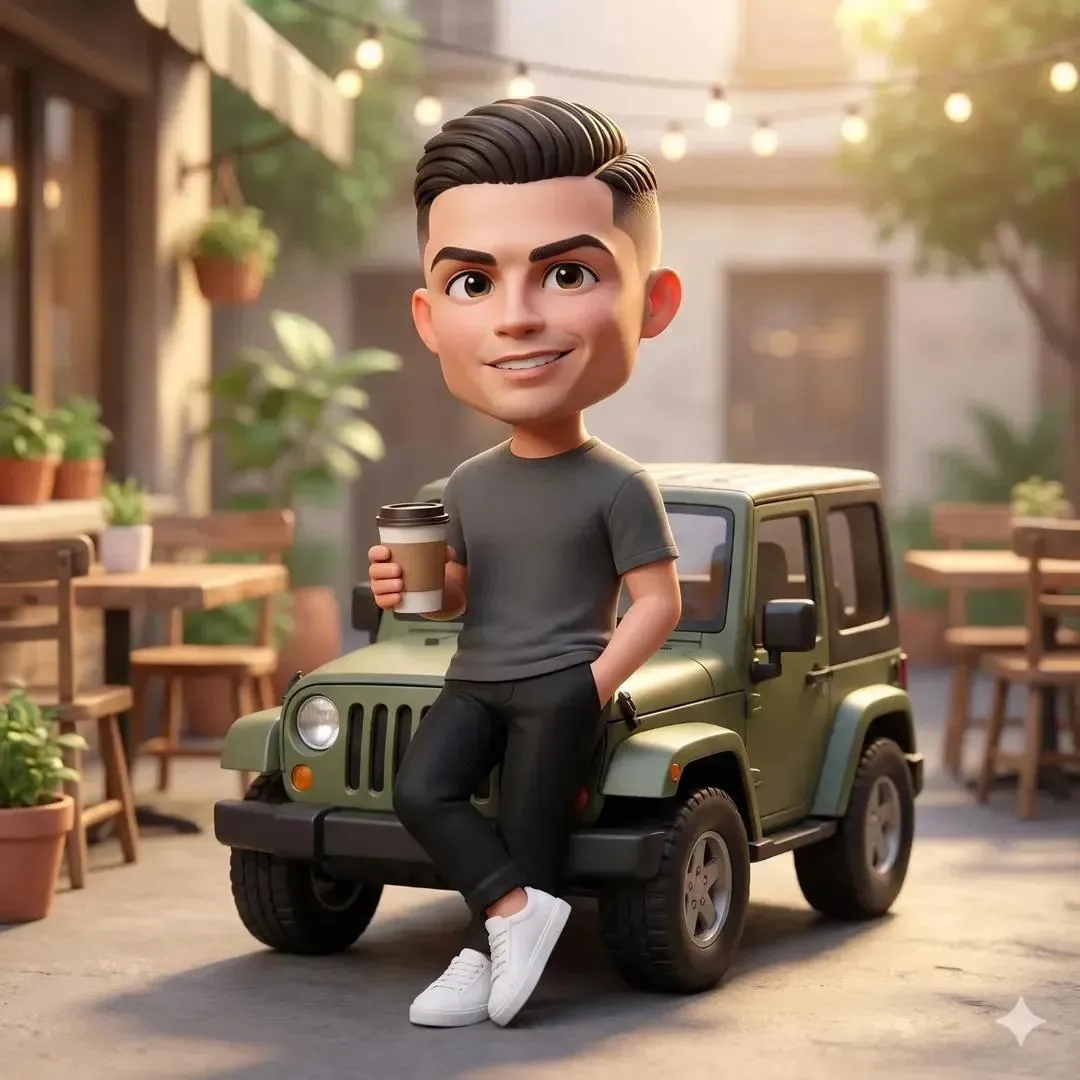
A detailed prompt for generating a cute, ultra-detailed 3D chibi character in the style of Pixar, set in a cozy outdoor café courtyard during golden hour.
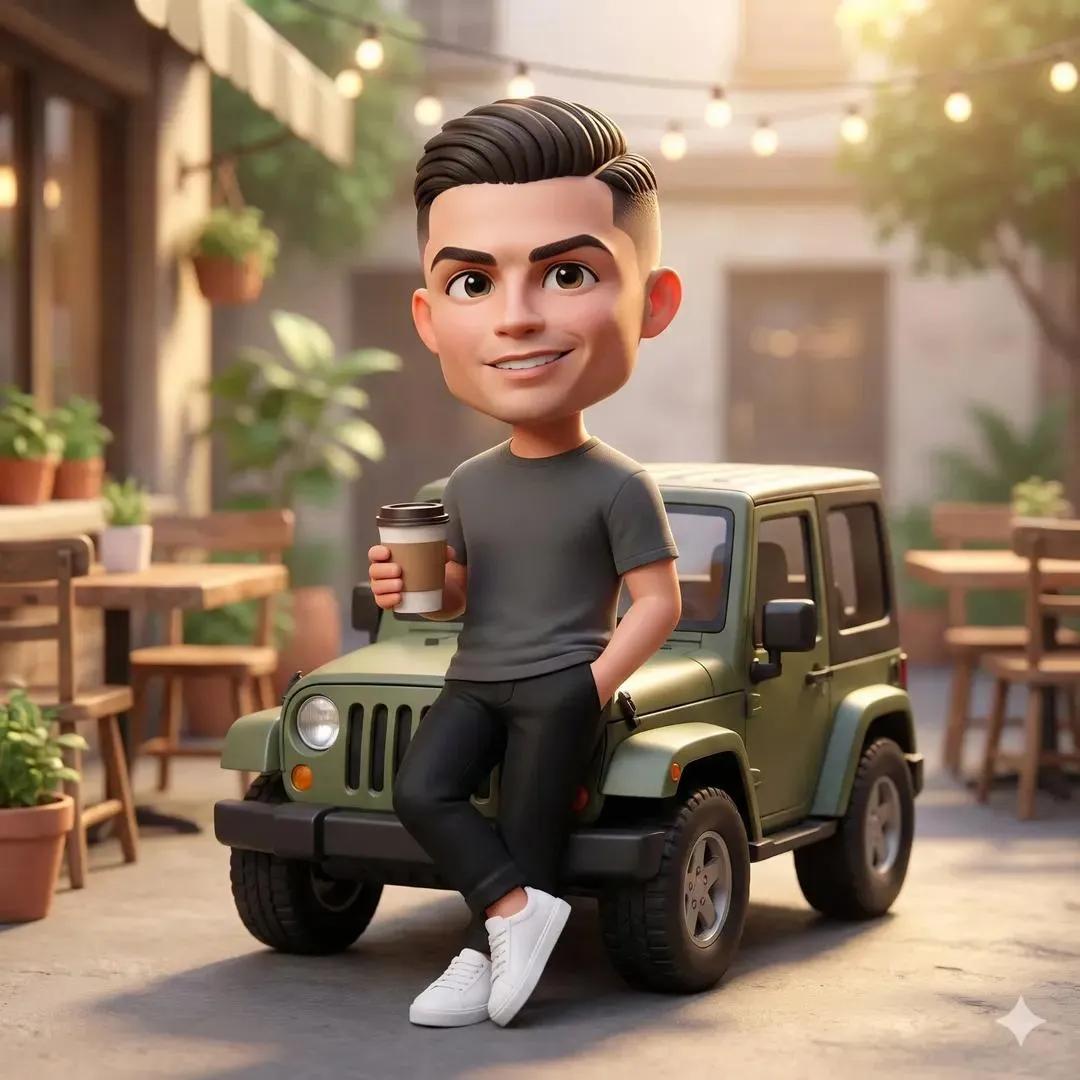
Prompt
Create a anime image of Pixar Style Chibi Character Prompt. Style: photorealistic. Composition: balanced and well-framed. Lighting: natural with cinematic mood. Category: anime. Reference: pixar-style-chibi-character-prompt-8293.
Prompt breakdown
- Subject
- Pixar Style Chibi Character in anime image
- Style
- photorealistic
- Lighting
- natural with cinematic mood
- Composition
- balanced and well-framed
- Mood
- cinematic
Remix ideas
- Add faint Pixar film props like a floating lamp in the background to reinforce the source influence
- Tighten the frame to a medium shot that emphasizes oversized chibi head and eyes under the same natural light
- Introduce subtle skin pore details and fabric weave for stronger photorealism while keeping anime line hints
Reference images
How to use this AI Image prompt template
 1
1Copy the prompt — grab this template’s prompt and negative prompt.  2
2Pick a model — choose a recommended AI model for the best match.  3
3Generate — open the studio with one click and create your result.
Related templates

Pixar Cat Desk Storyboard
Goal: Create a Pixar-style 3D animated storyboard sheet as one single image showing a warm, cozy home-office scene with a young woman and a chubby golden-orange cat interacting around a desk. Canvas: Wide cinematic storyboard sheet, approximately 16:9, divided into a clean 2x3 grid of exactly six separate film-still panels. Use thin white gutters between panels, no captions, no dialogue, no logos, no watermark. Visual style: High-quality Pixar-like 3D animation, soft rounded character design, expressive cat face, realistic fluffy fur, warm golden-hour lighting, shallow depth of field, cinematic composition, cozy domestic atmosphere, polished animation stills. The room has sunlit windows, bookshelves, plants, desk lamp, laptop, wooden desk, and a ceramic mug. Characters: A young adult woman with messy curly brown hair in a loose bun, wearing an oversized cream cable-knit sweater; her face is intentionally covered by a flat brown rectangular privacy block in every panel where it appears. A plump golden-orange British Shorthair-like cat with cream muzzle and belly, short legs, round face, folded-looking rounded ears, fluffy tail, and slightly grumpy but cute expressions. The cat is golden-orange (cat color); the woman wears cream (sweater color). Panel layout, exactly six panels: 1. Top-left panel: Side view of the woman typing on a laptop at the desk while the orange cat stands on the desktop beside her, looking toward her hands. Warm sunlight from the window behind them; bookshelves in the background. 2. Top-right panel: The cat sits proudly on the laptop keyboard in front of the screen, facing forward with a smug expression, while the woman sits beside it with arms folded or resting on the table. A mug is visible on the right. 3. Middle-left panel: The woman gently lifts the cat under its front legs from the desk, holding it up at chest height. The cat dangles with a displeased, stiff posture; laptop and mug remain on the desk. 4. Middle-right panel: Tight dramatic close-up composition split by the panel crop: the woman’s face area at left is mostly hidden by a large vertical brown privacy rectangle, and the cat’s face fills the right side in an extreme close-up with narrowed eyes and an annoyed expression. 5. Bottom-left panel: Intimate close-up of the woman leaning close to the cat, nuzzling or kissing its head while holding it near her face. The cat’s eyes are closed, soft and resigned; the woman’s face is again obscured by a brown rectangular block. 6. Bottom-right panel: The cat is back on the wooden desk near the laptop and mug, reaching one paw toward or onto the mug with a mischievous grumpy stare, while the woman is partly visible at the right with her face covered by a brown rectangle. Privacy blocks: Add exactly six flat opaque brown rectangular face-censor blocks: one on the woman’s face in each of the six panels, including one large vertical block in the middle-right close-up panel. Match the warm brown tone of the scene, with no blur or pixelation. Constraints: Maintain the exact 2x3 storyboard grid and exactly six panels; keep all panels visually consistent as the same room, same woman, same cat, same desk setup. Do not add text, speech bubbles, extra panels, subtitles, or visible brand marks. Make the cat’s expression the main emotional focus, progressing from curious to smug, annoyed, affectionate, and mischievous.38:Td87,Goal
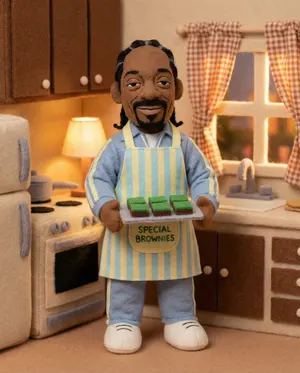
Felt toy character prompt for Nano Banana Pro
Create a anime image of Felt Toy Character Prompt For Nano Banana Pro. Style: photorealistic. Composition: balanced and well-framed. Lighting: natural with cinematic mood. Category: anime. Reference: felt-toy-character-prompt-for-nano-banana-pro-720.
3D Anthropomorphic Snow Leopard Streetwear
Create a creative image of 3d Anthropomorphic Snow Leopard Streetwear. Style: photorealistic. Composition: balanced and well-framed. Lighting: natural with cinematic mood. Category: photography. Reference: 3d-anthropomorphic-snow-leopard-streetwear-10135.

8K 3D Illustration of Anthropomorphic Bees (Gym and Relaxing) - Nano Banana Pro AI Prompt for Social Media Post
{ "master_prompt": { "global_settings": { "resolution": "8K", "aspect_ratio": "3:4", "render_style": "high-end AI-generated 3D illustration", "image_quality": "ultra-sharp, cinematic depth, physically based rendering", "lighting_quality": "soft global illumination with realistic shadows", "focus": "extreme detail clarity, shallow depth of field where applicable" }, "module_1": { "scene_identity": "Bee lifting weights in nature", "subject": { "type": "anthropomorphic bee", "body": "fuzzy yellow and black striped body", "eyes": "large glossy black eyes", "antennae": "two thin black curved antennae", "wings": "semi-transparent wings with visible vein patterns", "expression": "neutral to slightly cheerful" }, "pose_action": { "stance": "standing upright on two legs", "arms": "both arms raised holding a barbell", "object_interaction": "holding a metal barbell with circular weight plates on both ends" }, "environment": { "setting": "outdoor natural environment", "ground": "small dirt path or rock surface", "surroundings": "flowers on both sides", "background": "blurred trees and foliage" }, "lighting": { "type": "soft natural daylight", "direction": "top-center glow", "effects": "light haze and floating particles" }, "color_palette": { "dominant_colors": ["yellow", "black", "green", "orange"], "accent_colors": ["soft pink", "warm brown"] }, "camera": { "angle": "eye-level", "framing": "full body centered", "depth_of_field": "foreground sharp, background softly blurred" } }, "module_2": { "scene_identity": "Relaxed bee on chair with soda can", "subject": { "type": "anthropomorphic bee", "body": "dense fuzzy yellow and black stripes", "eyes": "hidden behind oversized black sunglasses", "antennae": "two black antennae extending upward" }, "pose_action": { "posture": "reclining", "legs": "one leg crossed over the other", "arms": "one arm resting on chair, other holding a can" }, "objects": { "chair": "wooden lounge chair with yellow fabric seat and backrest", "drink_can": "blue soda can with visible Pepsi (drink brand) logo", "sunglasses": "large glossy black frames" }, "environment": { "setting": "studio-style minimal background", "background_color": "light neutral gray", "surface": "smooth floor" }, "lighting": { "type": "soft studio lighting", "shadow": "subtle shadow beneath chair" }, "color_palette": { "dominant_colors": ["yellow", "blue", "black", "wood brown"]
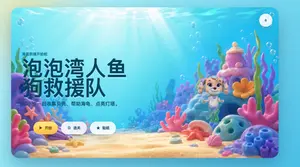
Cute Mermaid Puppy Undersea Game Start Screen
A bright, whimsical 3D underwater game start screen in a rounded-rectangle app window, designed like a polished children's casual game landing page. The scene is a colorful seabed with warm sun rays streaming down through clear turquoise water, soft floating bubbles throughout, and a sandy ocean floor covered with pastel coral and shells. On the left side, large bold Chinese title text dominates the composition: “泡泡湾人鱼狗救援队”, with a smaller line above it reading “海底救援开始啦” and a subtitle below reading “和小汪一起收集贝壳、帮助海龟、点亮灯塔。” Keep all text in clean modern UI typography, with the title in very large dark navy characters. On the right side, place a cute mermaid puppy character inspired by a preschool adventure cartoon style: a small smiling puppy with cream and light tan fur, big violet eyes, floppy ears decorated with teal accessories, a tiny purple shell necklace, and a mint-green mermaid tail, floating upright in the water. Surround the character with a magical coral reef environment containing exactly 10 prominent foreground and midground sea elements: 1 purple rock arch on the far left, 1 pink starfish attached to the left coral, 1 lavender clam shell near the bottom left, 1 large pink branching coral in the center foreground, 1 pink shell near the bottom right, 1 orange starfish on the sand near center-right, 1 blue porous rock on the right foreground, 1 cluster of blue tube coral at the far right, 1 tall pink-and-purple coral tower behind the character, and 1 orange flower-shaped coral beside the tower. Use a soft pastel palette of aqua, cyan, pink, lavender, peach, and coral orange, with glossy toy-like materials and gentle depth of field. Add three rounded UI buttons aligned horizontally near the bottom left-center: a yellow primary button labeled “开始” with a play icon, a white secondary button labeled “选关” with a circular target icon, and a white secondary button labeled “贴纸” with a star icon. Also add one small circular settings button with a gear icon in the top-right corner. Overall style: premium children’s mobile game splash screen, playful, comforting, cinematic lighting, high-end 3D illustration, friendly and inviting.3a:T8e5,A bright, whimsical 3D underwater game start screen in a rounded-rectangle app window, designed like a

Magical Seed Packet Diorama
Epic 3D scene: a weathered seed packet lying open on a potting bench, its promise erupting into the garden it describes. The illustration on the front becomes real. [PLANT / FLOWER] (plant type) growing at full scale from the paper, roots visible through the packet's base pushing into soil below. [DETAIL 1] (detail left) in full bloom at one corner. [DETAIL 2] (detail right) mid-growth at the other, not yet what it will be. Tiny insects that belong to this plant, [BEE / BUTTERFLY / BEETLE] (insect type), hovering at correct scale. The written instructions on the back become garden calendar, "sow in spring" manifests as actual spring light. "full sun" manifests as a single shaft of it, hitting the tallest bloom perfectly. Scattered seeds between packet and soil each showing their germination stage, split coat, first root, first shoot, first leaf. The packet's torn top edge becomes a treeline. Potting bench surface with soil scatter and water droplets. Tilt-shift depth of field, greenhouse morning light, the packet as the garden it always intended.
Explore more prompts
Browse more AI image and video prompts by category.
FAQ
- How does photorealism change the typical chibi look here?
- It replaces flat cel-shading with real-world textures and depth, making the exaggerated features feel solid and lit rather than cartoon-flat.
- What reference does the code pixar-style-chibi-character-prompt-8293 provide?
- It tags the exact hybrid parameters so future generations stay consistent with this photorealistic Pixar-chibi anime blend.
- Is the Pixar-Style Chibi Character Prompt prompt free to use?
- Yes, this prompt is completely free on AI Pin Maker and you can copy it directly with no signup or payment required.
- How do I use the Pixar-Style Chibi Character Prompt prompt to generate an image or video?
- Copy the prompt, tweak the subject or style to fit your idea, then paste it into AI Pin Maker and generate your image or video in one click.
- Can I change the Pixar-Style Chibi Character Prompt prompt into my own version?
- Absolutely, just replace the subject, style, or parameters in AI Pin Maker to make the prompt entirely your own.