
Image to Image
Photo to Clean Anime Portrait — AI Image Prompt
Turn any portrait photo into clean anime cel-shaded art.
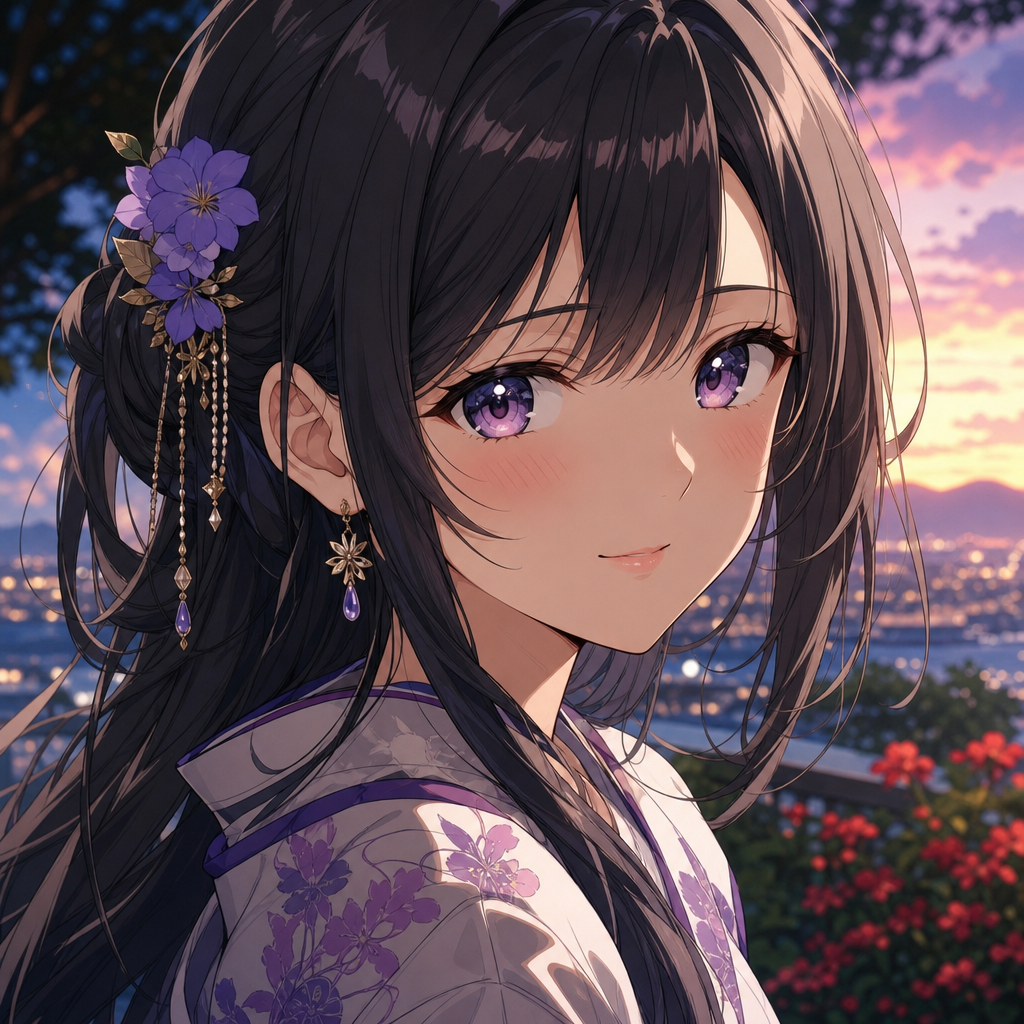
Prompt
convert reference photo into clean anime portrait style with soft cel shading, vibrant eyes, smooth gradient skin, anime studio polish
Negative prompt
realistic skin pores, harsh shadows, photo grain
Prompt breakdown
- Subject
- reference photo of a woman converted to anime portrait
- Style
- clean anime portrait style with line-art, soft cel shading, and anime studio polish
- Lighting
- soft cel shading
- Composition
- profile-pic portrait framing
Parameters
| size | 1:1 |
|---|---|
| strength | 0.7 |
Remix ideas
- Increase line-art weight on the jawline and hair strands for sharper definition
- Boost eye vibrance by layering a subtle rim light inside the iris
- Shift skin gradients toward cooler undertones while keeping the same cel shading technique
How to use this AI Image prompt template
 1
1Copy the prompt — grab this template’s prompt and negative prompt.  2
2Pick a model — choose a recommended AI model for the best match.  3
3Generate — open the studio with one click and create your result.
Related templates

Teenage Sketchbook Caricature Effect
Create a creative image of Teenage Sketchbook Caricature Effect. Style: photorealistic. Composition: balanced and well-framed. Lighting: natural with cinematic mood. Category: photography. Reference: teenage-sketchbook-caricature-effect-21864.

Split Photo and Sketch Portrait Effect - Nano Banana Pro AI Prompt for Profile / Avatar
Using the uploaded image as the exact reference, recreate the same split-half portrait composition. The left side should remain a hyper-realistic photograph of a beautiful young woman with striking blue eyes, long wavy dark hair (subject), soft natural makeup, wearing large white over-ear headphones, smiling gently at the camera. The right side should seamlessly transform into a detailed colored-pencil and crayon sketch version (art style) of the same woman, featuring visible artistic strokes, textured paper grain, expressive hand-drawn lines, and matching facial features. A realistic torn-paper effect runs vertically through the center, perfectly dividing the photo and sketch halves. Neutral indoor background, soft natural lighting, ultra-detailed skin texture, realistic hair strands, identical pose and expression, high-end editorial photography, shallow depth of field, 85mm lens, photorealistic quality, 8K resolution. Replace the original outfit with an elegant royal purple traditional suit (shalwar kameez) (clothing) on both sides, perfectly matching in design and color while keeping every other detail exactly the same. Retio 3:4

Graffiti Sketch AI Builder Style
Turn this real-life selfie into a playful hand-drawn cartoon illustration, cute doodle art style (style), top-down selfie perspective, stylish couple wearing black outfits and sunglasses, man with mustache, green plaid cap with bold white text (accessory), brown crossbody bag, woman with hair bun, holding ice cream cones, cheerful and cozy summer vibe. Bright white background filled with smiling sun, flowers, hearts, stars, leaves, squiggles, clouds, tiny dots (doodles), playful hand-drawn decorations surrounding the characters. Soft pastel palette with vibrant accents, children's book illustration style, sticker art aesthetic, whimsical and charming. Flat vector illustration, clean bold outlines, simplified facial features, rosy cheeks, expressive cartoon eyes, textured brush strokes, vibrant colors, high detail, cute lifestyle artwork, Instagram-friendly illustration, cozy relationship aesthetic, modern doodle poster, joyful mood. Composition: - Overhead selfie angle - Couple centered - Ice cream cones visible - Green cap and black sunglasses preserved - Decorative doodles evenly filling the background - Clean white canvas Style references: cute doodle illustration, Scandinavian children's book art, whimsical sticker design, colorful hand-painted cartoon, playful digital illustration, kawaii aesthetic, modern lifestyle artwork, trending social media illustration.

Person to Pro Sketch Transformation
Create a cinematic image of Person To Pro Sketch Transformation. Style: photorealistic. Composition: balanced and well-framed. Lighting: natural with cinematic mood. Category: cinematic-video. Reference: person-to-pro-sketch-transformation-6298.

1990s Flash Camera Snapshot Portrait
Use the uploaded image as the main reference. Transform the uploaded photo into a realistic candid portrait with an early 1990s digital camera aesthetic. Preserve the subject’s identity, facial features, pose, outfit, and overall composition, but restyle the image with harsh blown-out flash highlights, subtle red-eye effect, low-resolution image quality, raw snapshot imperfections, nostalgic flash-filter styling, and a vintage timestamp look. The final image should feel candid, imperfect, and authentic, like an old retro party or personal snapshot taken with an early consumer digital camera. Keep the background dark or naturally subdued when appropriate, maintain a direct-flash look, and give the image a raw, unpolished, memory-like atmosphere. Include: - harsh direct camera flash - overexposed or blown-out highlights - subtle red-eye effect - low-resolution / soft digital detail - slight grain or noisy texture - authentic retro snapshot feeling - vintage date/timestamp aesthetic in one corner - candid, natural, imperfect energy Avoid: - cartoon or anime style - overly polished beauty retouching - studio lighting - ultra-sharp modern DSLR look - glossy AI skin - text, logos, watermarks, or graphic overlays other than the timestamp aesthetic - distorted anatomy or altered identity Make the aspect ratio 3:43b

Gestural Ink Fashion Illustration
ASPECT_RATIO: [3:4 (aspect ratio)] SOURCE_IMAGE: [uploaded photo (reference)] ACCENT_COLOR: [single vivid highlight color (accent color)] Use the uploaded photo as the base image and the only identity source. Keep the person exactly the same and clearly recognizable. Ignore the original framing and always recompose into a tight close-up or upper-body editorial crop, with the face dominating the frame. Transform the image into a gestural editorial ink fashion illustration. The style must be built from bold black brushwork, not delicate sketch lines. Use: very thick black brush strokes broad dry-brush sweeps large asymmetrical black ink masses long loose calligraphic lines broken contours scratchy secondary linework strong black-on-ivory contrast smooth monochrome skin The thick strokes must be clearly dominant. Do not render the portrait mainly with thin contour lines. Do not make it neat, polished, or softly illustrated. The image should feel painted with a loaded brush and finished with sharp expressive pen marks. Keep the portrait stylish and high-fashion. Use one hero accessory, preferably oversized translucent tinted sunglasses. The accent color [ACCENT_COLOR] must live mainly inside that accessory, especially in the lenses, as a bold luminous tint. Only tiny supporting traces of the same color may appear elsewhere.
Explore more prompts
Browse more AI image and video prompts by category.
FAQ
- How faithfully does it preserve the original photo's features?
- The prompt maintains core proportions and expression while stylizing with smooth gradient skin and clean line-art, so recognizable traits survive the anime conversion.
- What reference photo angles work best?
- Close-up front or three-quarter views deliver the strongest results because the soft cel shading and vibrant eyes need clear facial planes to render cleanly.
- Is the Photo to Clean Anime Portrait prompt free to use?
- Yes, this prompt is completely free on AI Pin Maker and you can copy it directly with no signup or payment required.
- How do I use the Photo to Clean Anime Portrait prompt to generate an image or video?
- Copy the prompt, tweak the subject or style to fit your idea, then paste it into AI Pin Maker and generate your image or video in one click.
- Can I change the Photo to Clean Anime Portrait prompt into my own version?
- Absolutely, just replace the subject, style, or parameters in AI Pin Maker to make the prompt entirely your own.