
Image to Image
Perler Beads Portrait — AI Image Prompt
Turn any portrait photo into a cozy perler beads (fuse beads) style while keeping the silhouette and color palette.
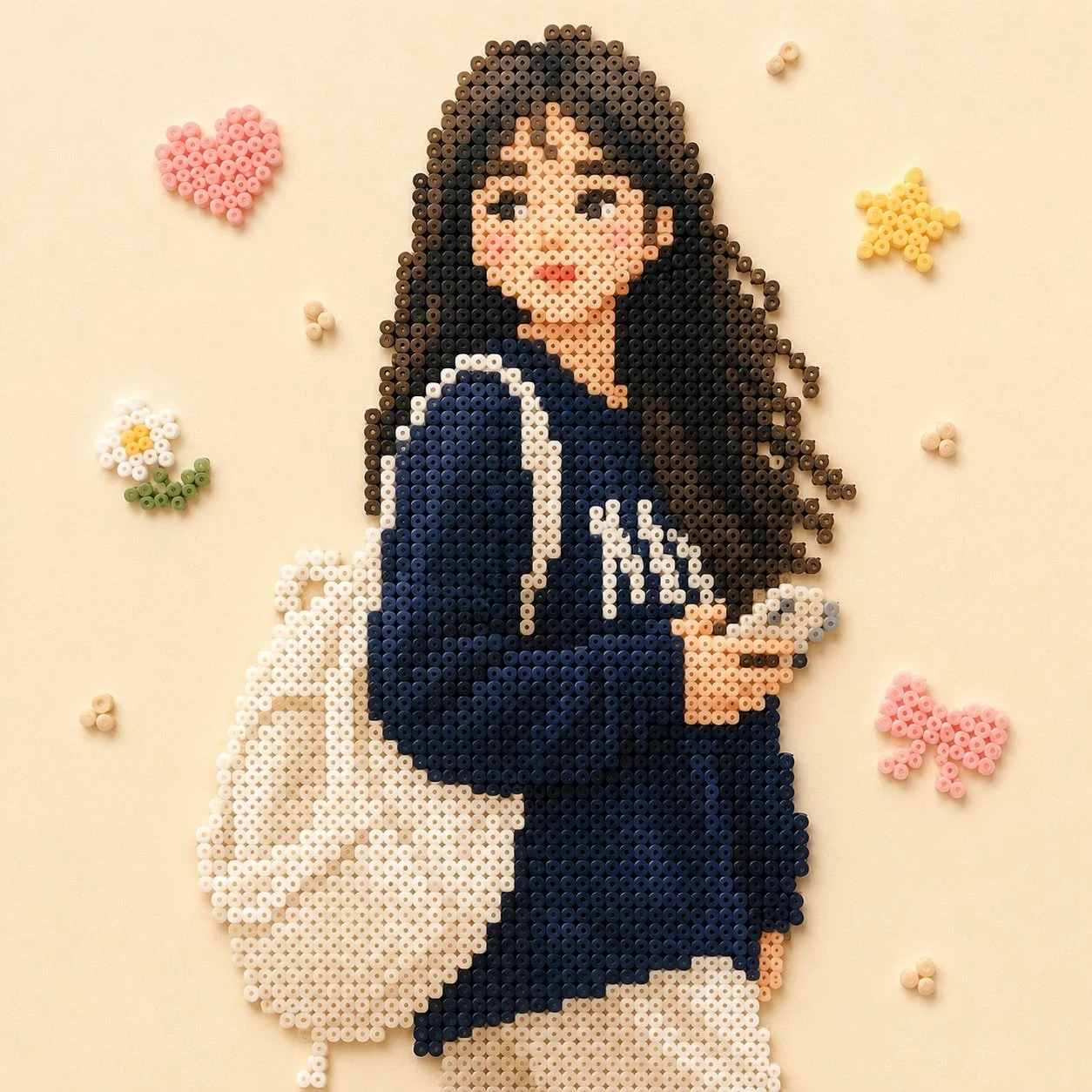
Prompt
以拼豆风格绘制出图片中的主体人物,颜色接近画面中效果,背景换成比较简单的装饰,整体画面温馨
Prompt breakdown
- Subject
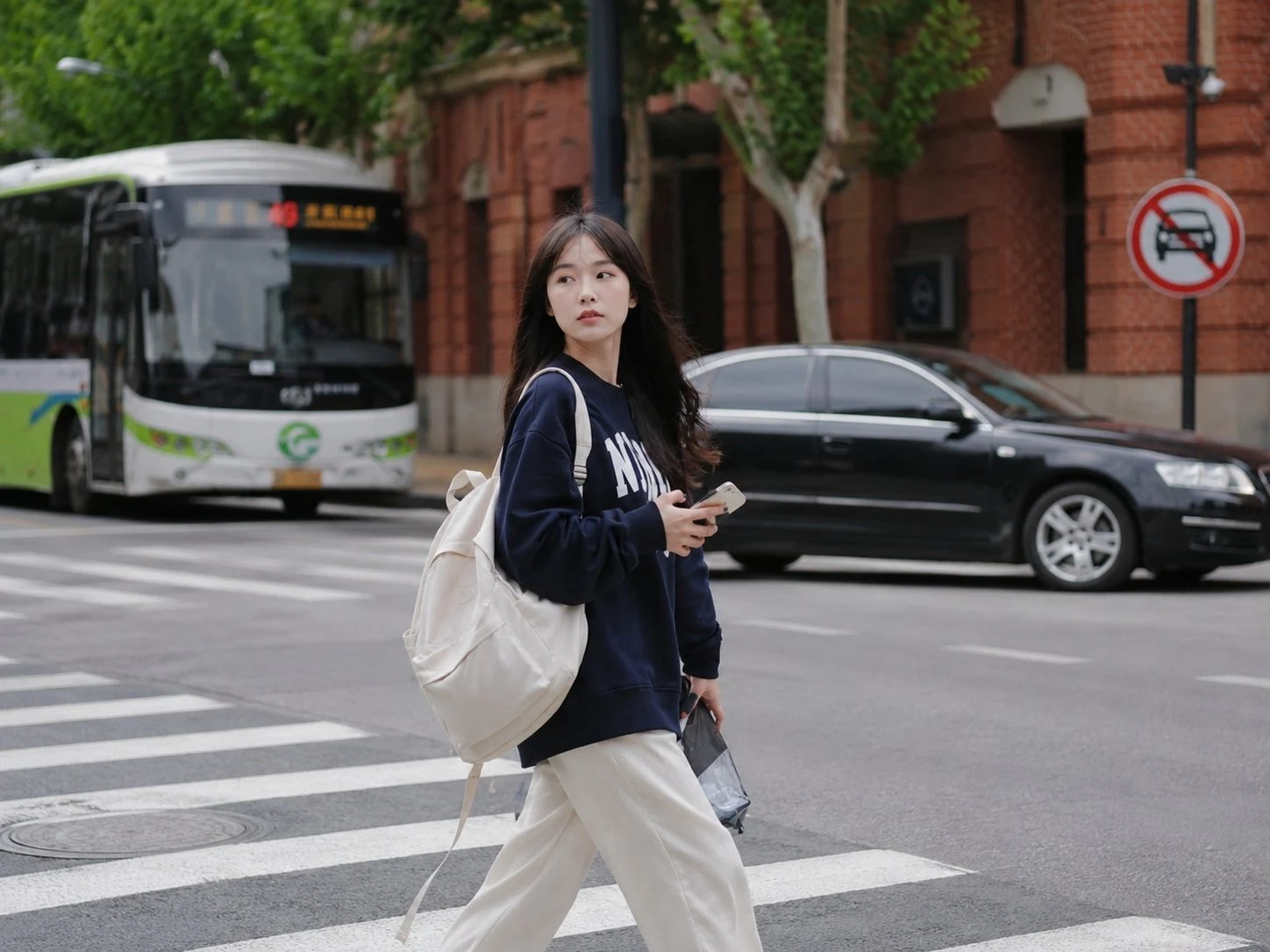
- main character from the reference image formed in Perler beads
- Style
- fuse-beads pixel grid with colors matched to the source
- Composition
- simple decorative background replacing the original setting
- Mood
- warm and cozy overall atmosphere
Remix ideas
- swap bead colors to a muted pastel range while keeping the cozy tone
- add faint geometric shapes like circles or stars in the background only
- render the portrait at three-quarter angle instead of straight-on for more bead depth
Reference images
How to use this AI Image prompt template
 1
1Copy the prompt — grab this template’s prompt and negative prompt.  2
2Pick a model — choose a recommended AI model for the best match.  3
3Generate — open the studio with one click and create your result.
Related templates

Retro PC-88 8-Bit Anime Portrait
Create a portrait image of Retro Pc 88 8 Bit Anime Portrait. Style: photorealistic. Composition: balanced and well-framed. Lighting: natural with cinematic mood. Category: portrait. Reference: retro-pc-88-8-bit-anime-portrait-24126.

Intense Artistic Glitch Transformation
Create a cinematic image of Intense Artistic Glitch Transformation. Style: photorealistic. Composition: balanced and well-framed. Lighting: natural with cinematic mood. Category: cinematic-video. Reference: intense-artistic-glitch-transformation-20830.
Perler Bead Style Character Illustration
Create a anime image of Perler Bead Style Character Illustration. Style: photorealistic. Composition: balanced and well-framed. Lighting: natural with cinematic mood. Category: anime. Reference: perler-bead-style-character-illustration-20022.

Clumsy MS Paint Redraw
Create a creative image of Clumsy Ms Paint Redraw. Style: photorealistic. Composition: balanced and well-framed. Lighting: natural with cinematic mood. Category: photography. Reference: clumsy-ms-paint-redraw-18777.

Vintage Rubber Hose Cartoon Transformation
Transform the person in the photo into a vintage 1930s–1940s cartoon character (style) inspired by classic “rubber hose animation” styles such as Betty Boop, Cuphead, Steamboat Willie (references), and old Fleischer Studios cartoons. IMPORTANT: Clearly preserve the identity of the person in the photo (recognizable hair, beard, glasses, face, and facial expression). Exaggerated, elastic cartoon-style body. Large black vintage pie-cut eyes. Big expressive smile. Classic white cartoon gloves. Oversized 1930s-style cartoon shoes. Thin rubber hose-style arms and legs. Thick black outlines and authentic vintage animation look. Visual Style: Black and white or vintage sepia tones. Aged old-film texture. Small grain, scratches, and imperfections like old film reels. Simple cel-animation style shading. Caricatured but natural proportions. Background inspired by the original environment of the photo. Art Style: 1930s / 1940s cartoon animation. Rubber hose cartoon aesthetic. Vintage animation poster style. Fleischer Studios aesthetic. Cuphead-inspired vintage cartoon style. Ink outlines and exaggerated expressions. Quality: Ultra-detailed vintage cartoon. Cinematic composition. High facial likeness detail. Soft vintage lighting. Authentic retro animation feeling. Full-body character.3d:T56

Ghibli and Anime Style Photo Transformation
Create a anime image of Ghibli And Anime Style Photo Transformation. Style: photorealistic. Composition: balanced and well-framed. Lighting: natural with cinematic mood. Category: anime. Reference: ghibli-and-anime-style-photo-transformation-20040.
Explore more prompts
Browse more AI image and video prompts by category.
FAQ
- How closely must the bead colors match the original photo?
- Match skin tones, hair, and clothing hues as precisely as possible so the Perler beads still clearly represent the same person.
- What counts as simple decorative background elements?
- Light repeating motifs such as soft dots, tiny hearts, or thin borders work best without competing with the beaded subject.
- Is the Perler Beads Portrait prompt free to use?
- Yes, this prompt is completely free on AI Pin Maker and you can copy it directly with no signup or payment required.
- How do I use the Perler Beads Portrait prompt to generate an image or video?
- Copy the prompt, tweak the subject or style to fit your idea, then paste it into AI Pin Maker and generate your image or video in one click.
- Can I change the Perler Beads Portrait prompt into my own version?
- Absolutely, just replace the subject, style, or parameters in AI Pin Maker to make the prompt entirely your own.