
Text to Image
Paper-Cut Layered Illustration Style — AI Image Prompt
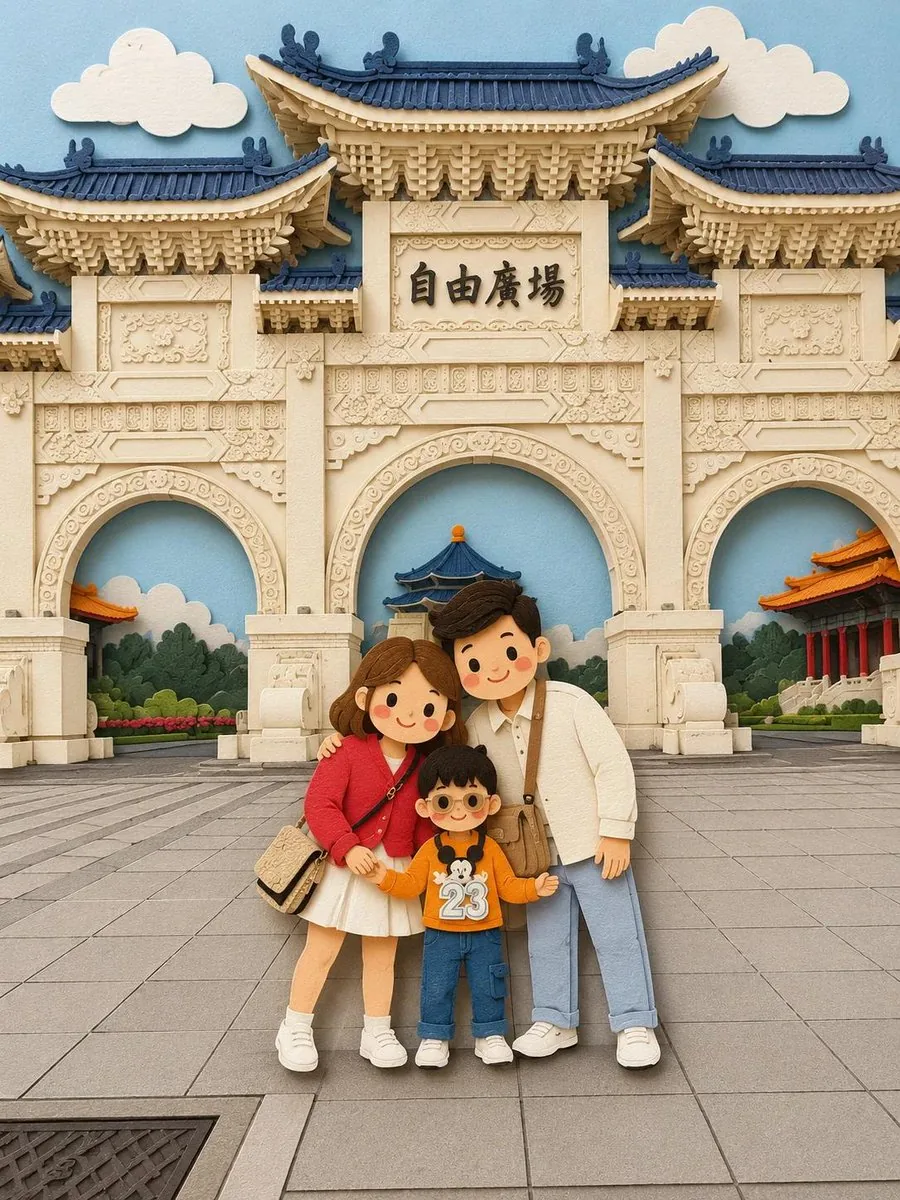
Converts images into a soft, handcrafted paper-cut illustration style with visible depth and charming character proportions.
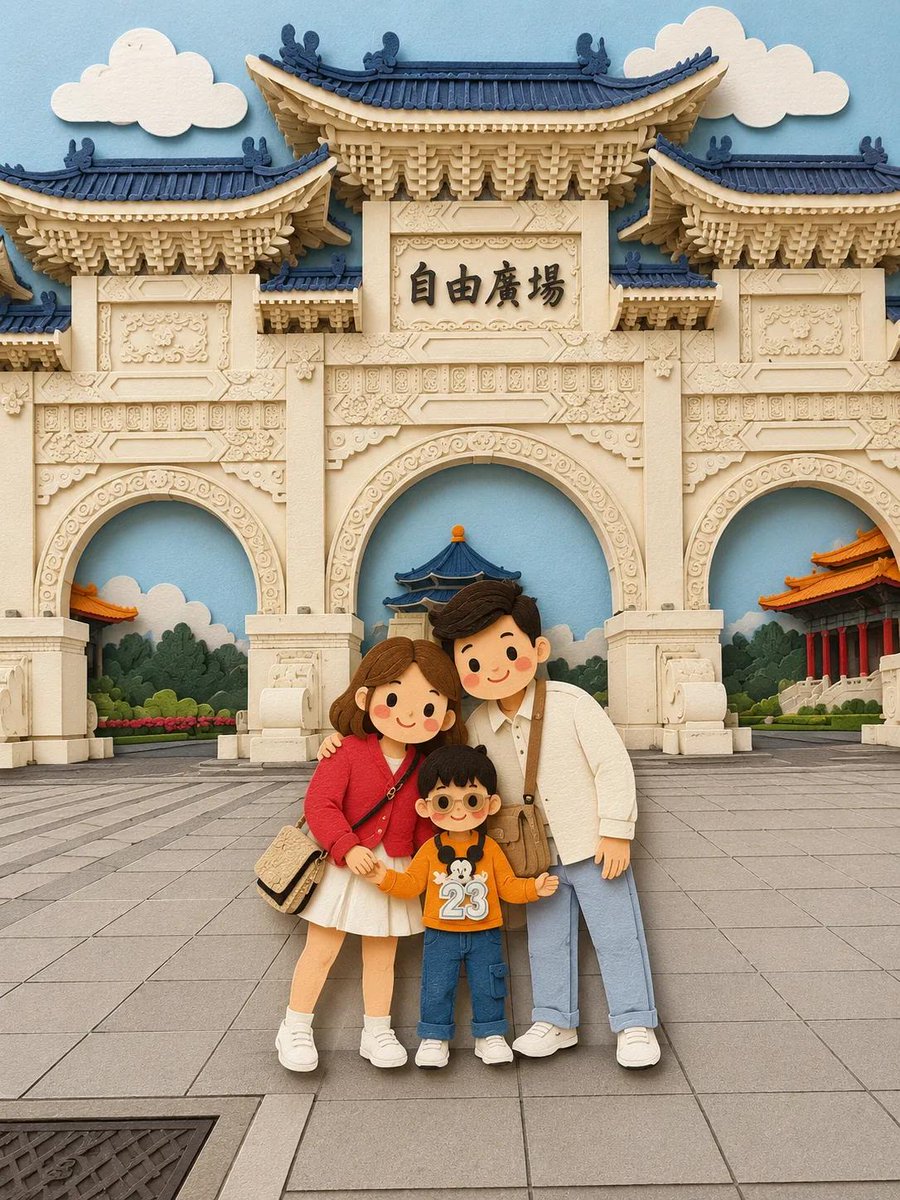
Prompt
Create a creative image of Paper Cut Layered Illustration Style. Style: photorealistic. Composition: balanced and well-framed. Lighting: natural with cinematic mood. Category: photography. Reference: paper-cut-layered-illustration-style-22319.
Prompt breakdown
- Subject
- Paper Cut Layered Illustration
- Style
- Photorealistic paper-cut layered illustration
- Lighting
- Natural with cinematic mood
- Composition
- Balanced and well-framed
- Mood
- Cinematic
Remix ideas
- Enhance the layered effect by varying paper thicknesses in the cuts
- Introduce a subtle vignette to strengthen the cinematic quality
- Focus on a single dominant color palette for the paper elements to unify the photorealistic scene
Reference images
How to use this AI Image prompt template
 1
1Copy the prompt — grab this template’s prompt and negative prompt.  2
2Pick a model — choose a recommended AI model for the best match.  3
3Generate — open the studio with one click and create your result.
Related templates

Handcrafted Layered Papercraft Artwork
Transform the image into a charming layered papercraft (style) artwork, inspired by handmade paper dioramas and contemporary storybook illustrations. Reimagine all subjects using simplified, endearing proportions with clean geometric forms, soft curves, and minimal facial features such as tiny eyes, subtle blush accents, and gentle expressions. Construct the scene from multiple stacked paper layers, each with crisp cut edges and noticeable dimensional separation. Add realistic depth through overlapping cardstock shapes and delicate shadows cast between layers, creating the appearance of a carefully assembled handcrafted paper sculpture. Surround every primary character with a bold white (outline color) contour layer, designed as a separate cut-paper backing or sticker-style border. This outline should appear as an actual physical paper layer with thickness and structure, clearly distinguishing the characters from the surrounding environment without looking like a glow or digital effect. Use a soothing palette of dusty blues, sage greens, warm creams, soft beige tones, and muted pastel accents (color palette). Keep colors balanced, calming, and cohesive. Lighting should be gentle and diffused, emphasizing the layered construction and tactile qualities of the paper materials while maintaining a soft, inviting atmosphere. Paper surfaces should feel matte, textured, and tangible, resembling premium cardstock, craft paper, or foam-board cutouts. Preserve visible layering, subtle edge thickness, and handcrafted imperfections that enhance authenticity. Overall aesthetic: cozy, whimsical, heartwarming, and refined, blending the feel of artisan paper art, modern children's book illustration, and decorative handcrafted design with a polished professional finish.

Handcrafted Paper-Cut Illustration Transformation
Convert this image into a soft, handcrafted paper-cut layered illustration style (illustration style), inspired by papercraft diorama aesthetics. Use smooth rounded shapes, simplified cute character proportions, and minimal facial details (dot eyes, blush cheeks) to create a warm, charming look. Apply stacked paper layers with visible depth, subtle shadows between layers, and clean cut edges that resemble laser-cut cardstock ++Add a distinct white outer outline layer surrounding each main character, resembling a thick sticker border or white cut-paper backing, clearly separating the characters from the background. This white layer should feel like an intentional paper layer, not a glow. Use a pastel color palette with muted blues, greens, and warm neutrals (color palette), balanced and calming. Lighting should feel soft, diffused, and even, enhancing the dimensional paper layers without harsh contrast. ++++ Textures should appear matte and tactile, like thick art paper or craft foam. Overall mood: cozy, wholesome, gentle, and storybook-like (mood), with a playful yet polished handcrafted feel suitable for modern illustration, children’s books, or decorative art.3c

Paper-Cut Layered Illustration Style
Convert this image into a soft, handcrafted paper-cut layered illustration style (art style), inspired by papercraft diorama aesthetics. Use smooth rounded shapes, simplified cute character proportions, and minimal facial details (dot eyes, blush cheeks) to create a warm, charming look. Apply stacked paper layers with visible depth, subtle shadows between layers, and clean cut edges that resemble laser-cut cardstock. Add a distinct white outer outline layer surrounding each main character, resembling a thick sticker border or white cut-paper backing, clearly separating the characters from the background. This white layer should feel like an intentional paper layer, not a glow. Use a pastel color palette with muted blues, greens, and warm neutrals (color palette), balanced and calming. Lighting should feel soft, diffused, and even, enhancing the dimensional paper layers without harsh contrast. Textures should appear matte and tactile, like thick art paper or craft foam. Overall mood: cozy, wholesome, gentle, and storybook-like (mood), with a playful yet polished handcrafted feel suitable for modern illustration, children’s books, or decorative art.3b

Layered Paper-Cut Diorama Illustration
Create a creative image of Layered Paper Cut Diorama Illustration. Style: photorealistic. Composition: balanced and well-framed. Lighting: natural with cinematic mood. Category: photography. Reference: layered-paper-cut-diorama-illustration-20495.

Raden Lacquerware Style Transformation
Create a cinematic image of Raden Lacquerware Style Transformation. Style: photorealistic. Composition: balanced and well-framed. Lighting: natural with cinematic mood. Category: cinematic-video. Reference: raden-lacquerware-style-transformation-18822.

Soft Layered Papercraft Diorama
Transform this image into a soft, layered papercraft illustration inspired by the aesthetic of a handcrafted papercraft diorama. Use smooth, rounded shapes, simplified cute character proportions, and minimal facial features (such as dot eyes and subtle blush) to create a warm, charming, and inviting appearance. Build the scene using stacked paper layers with a strong sense of depth and dimension. Include delicate shadows between layers to emphasize the layered construction, while keeping all cut edges clean and precise, resembling laser-cut cardstock. Add a solid white outline around each main character, similar to a thick sticker border or a white paper backing. This outline should clearly separate the characters from the background and feel like an intentional layered paper element rather than a glow effect. Use a calming pastel color palette featuring muted blues, soft greens, and warm neutral tones. Maintain an overall balanced and soothing atmosphere. Lighting should be soft, diffused, and evenly distributed, enhancing the three-dimensional paper-layer effect while avoiding harsh contrast or dramatic shadows.
Explore more prompts
Browse more AI image and video prompts by category.
FAQ
- Why combine paper-cut style with photorealism?
- The contrast between the stylized cuts and realistic rendering adds unique depth and interest to the image.
- How does the lighting affect the final result?
- Natural lighting preserves the authentic paper textures while the cinematic mood adds drama and focus.
- Is the Paper-Cut Layered Illustration Style prompt free to use?
- Yes, this prompt is completely free on AI Pin Maker and you can copy it directly with no signup or payment required.
- How do I use the Paper-Cut Layered Illustration Style prompt to generate an image or video?
- Copy the prompt, tweak the subject or style to fit your idea, then paste it into AI Pin Maker and generate your image or video in one click.
- Can I change the Paper-Cut Layered Illustration Style prompt into my own version?
- Absolutely, just replace the subject, style, or parameters in AI Pin Maker to make the prompt entirely your own.