
Text to Image
Nightlife Editorial Flash Style — AI Image Prompt
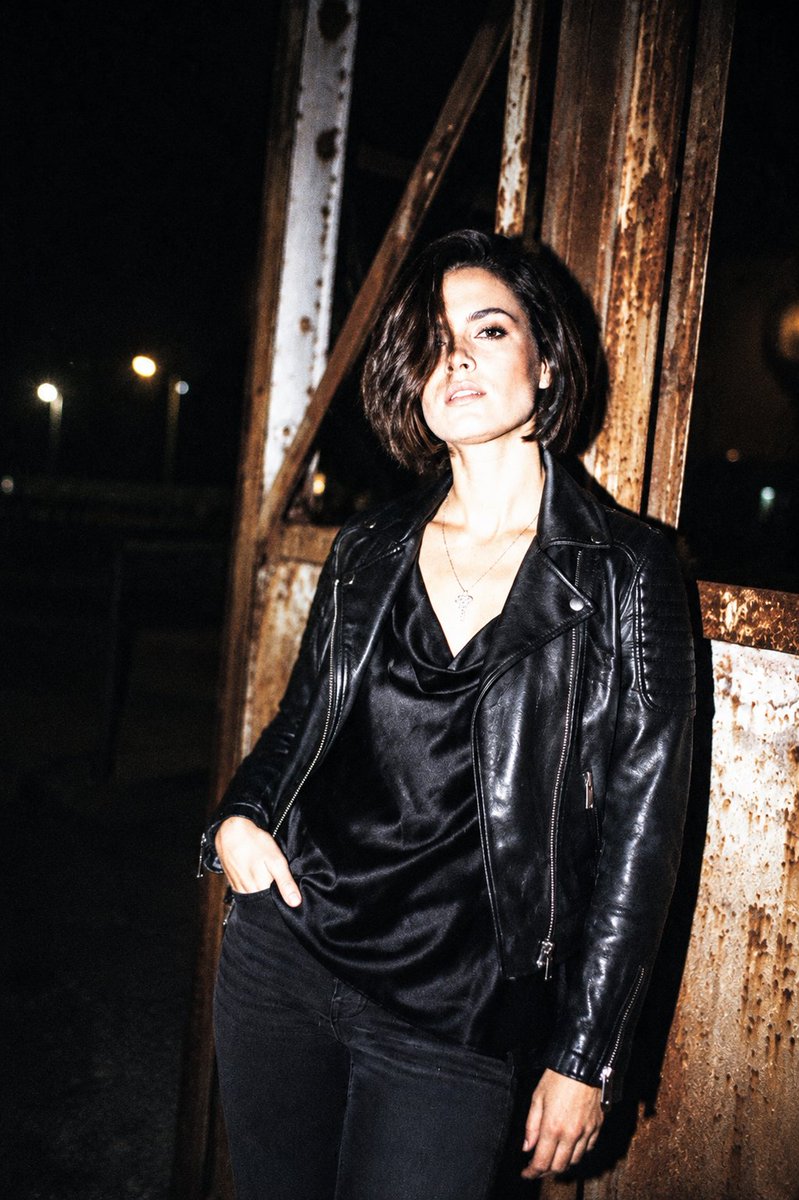
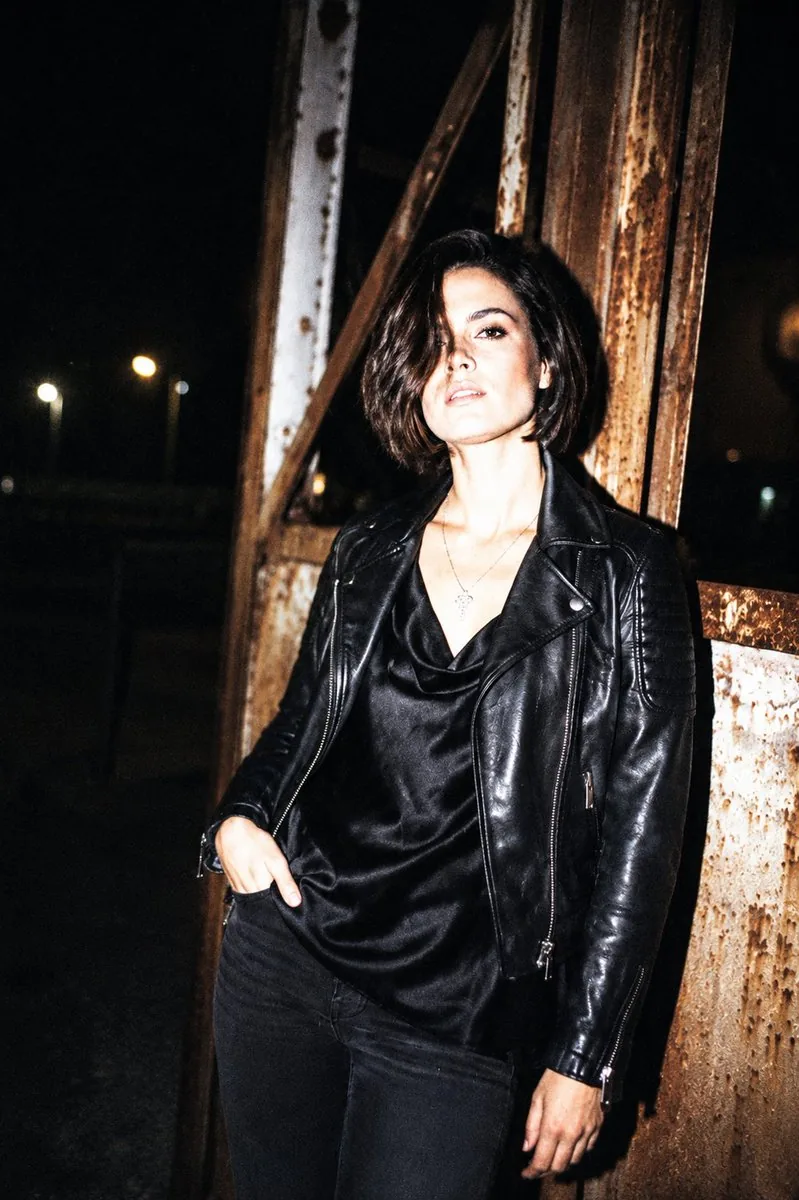
Transform any photo into a raw, high-contrast fashion nightlife shot using a direct on-camera flash aesthetic.
Prompt
Create a fashion image of Nightlife Editorial Flash Style. Style: photorealistic. Composition: balanced and well-framed. Lighting: natural with cinematic mood. Category: photography. Reference: nightlife-editorial-flash-style-21686.
Prompt breakdown
- Subject
- fashion image of Nightlife Editorial Flash Style
- Style
- photorealistic
- Lighting
- natural with cinematic mood
- Composition
- balanced and well-framed
- Mood
- cinematic
Remix ideas
- Increase flash highlights on metallic accessories while preserving natural light balance
- Shift subject placement within the well-framed composition to emphasize different outfit details
- Cool the cinematic color temperature slightly to heighten nocturnal atmosphere
Reference images
How to use this AI Image prompt template
 1
1Copy the prompt — grab this template’s prompt and negative prompt.  2
2Pick a model — choose a recommended AI model for the best match.  3
3Generate — open the studio with one click and create your result.
Related templates

Candid Lo-Fi Night Photo Editing Instruction - Nano Banana Pro AI Prompt for Social Media Post
{ "task": "photo_editing", "instruction": "Edit the photo according to the description without changing the face in the slightest. The face must remain 100% authentic and identical to the original.", "photo_style": { "type": "candid_smartphone_photo", "aspect_ratio": "3:4", "time": "night", "device": "low-end Android phone", "shooting_style": "handheld, rushed, imperfect", "quality": "realistic, unpolished" }, "subject": { "gender": "female", "age_appearance": "early 20s", "ethnicity": "Indonesian", "expression": { "mood": "soft, youthful, naturally cute", "face": "relaxed", "lips": "gently closed", "eyes": "calm and warm", "smile": "none" }, "vibe": [ "girl-next-door", "young", "fresh", "everyday", "not model-like", "not glamorous", "not influencer", "not styled" ] }, "pose_and_action": { "seating": "sitting casually", "moment": "unplanned, unposed", "hands": { "one_hand": "holding a glass of drink", "other_hand": "using phone" }, "attention": "focused on her phone, unaware of camera" }, "clothing_and_appearance": { "top": { "type": "plain long-sleeved top", "color": "White", "style": "simple, fitted, no patterns" }, "hair": { "length": "waist-length", "color": "Platinum white", "texture": "smooth, straight, natural", "style": "flowing freely" }, "skin": { "look": "clean, youthful, lightly smooth", "details": "subtle pores, mild natural variation", "health": "healthy and soft", "restrictions": [ "no beauty filter", "no retouching", "no AI-polished skin", "no plastic look" ] } }, "camera_angle_and_framing": { "angle": "slightly from the side and slightly behind", "perspective": "authentic candid", "framing": "medium-wide", "visibility": "upper body and part of table visible", "composition": "subject slightly smaller in frame, minor imbalance" }, "lighting": { "type": "harsh and imperfect", "sources": [ "rooftop café lights", "city street lights" ], "effects": [ "uneven exposure", "blown highlights", "deep shadows", "imperfect white balance" ] }, "focus_and_quality": { "focus": "slightly more on subject", "background_blur": "soft blur due to low light and camera limitations", "restrictions": [ "not portrait mode blur", "not artificial bokeh" ], "artifacts": [ "visible digital noise", "grain", "slight motion blur", "imperfect focus accuracy", "limited dynamic range" ] }, "background": { "location": "Jakarta rooftop café", "elements": [ "tables", "railing", "other people casually visible", "distant Jakart" ] } }3f

Ancient Painting to Real Scene Photo
Using REFERENCE_0 as the ancient-art composition source, transform it into a believable, collectible fine-art photograph as if the scene had been captured by a top photographer in the same historical era. Do not simply render the painting style as a photo; instead reverse-engineer the painting as a compressed memory of a real landscape and reconstruct the real scene behind it. Keep the core subject logic: exactly 3 (rider count) ancient women riding exactly 3 (horse count) pale horses, moving together across the frame, with pink-to-coral garments and traditional updo hairstyles. Preserve the feeling of lightness, spring colors, and spaciousness from the reference, but convert the abstract watercolor blobs into a real environment. New photographic scene: place the riders in a wide misty spring meadow with soft green grass, shallow reflective puddles, distant fog, blurred flowering trees in pale pink and fresh yellow-green, and foreground shrubs/branches echoing the reference’s pink and green color fields. The landscape should feel humid, early morning, and atmospheric, with large negative space above the riders and a distant tree line fading into haze. Photographic treatment: long-lens documentary/fine-art photography, natural dawn light, gentle backlit mist, realistic horses and fabric motion, shallow atmospheric depth, muted pastel palette, soft contrast, high dynamic range, no ink outlines, no watercolor texture, no illustration, no mural or religious icon style. Composition constraints: keep the riders small-to-medium in the lower middle of the frame, traveling horizontally; maintain a vertical 4:3 composition with broad sky/fog above and textured meadow below. Avoid modern objects, roads, buildings, visible text, logos, or fantasy elements. Optional customization: set the historical period to Tang dynasty (historical period), the season to early spring (season), and the mood to misty serene (mood).39

Disposable Camera Aesthetic Portrait with Intimate Pose - Nano Banana Pro AI Prompt for Social Media Post
Edit this photo without changing the face. Portrait aspect ratio 2:3. Disposable camera aesthetic with a candid, warm, and slightly natural blur. The image should feel like a spontaneous moment captured on a single-use film camera, full of nostalgia, intimacy, and a cozy homey vibe. A young woman is leaning affectionately on her partner’s shoulder. Her face is turned toward the camera with her head slightly tilted. One hand presses her cheek, creating a cute pose. Innocent expression, big open eyes, with a soft smile or neutral lips. The partner is only partially visible (shoulder and neck only), creating a private, intimate moment. She is wearing a white or cream knit sweater with a simple design and small blue or black accents. Long black hair with natural bangs, slightly messy and not styled neatly. A few loose strands fall across the face for a raw, real film-photo look. Makeup is very minimal and fresh. Natural skin texture (not flawless or overly smooth). Thin, natural eyebrows. Soft pink blush. Natural pink lips with a slight gloss. Wearing brown contact lenses. Background is a home interior with plain walls. Warm indoor lighting, slightly uneven, with soft shadows and natural light noise typical of film. No professional lighting setup. Shot on a disposable camera (Kodak / Fujifilm style). Fixed wide lens around 30mm. Aperture f/8 (fixed disposable lens). ISO 400–800. Shutter speed 1/60. White balance set to warm / tungsten. Direct flash ON. High-angle selfie taken from above, close-up framing of face and shoulders. Slightly tilted, off-center composition to enhance the spontaneous, unplanned feel. Disposable camera color grading: warm yellow tones, slight green tint, low contrast, muted colors, heavy film grain, slight blur and vignette, with highlight bloom caused by the flash.40:T

Luxury Fashion Studio Transformation
Create a cinematic image of Luxury Fashion Studio Transformation. Style: photorealistic. Composition: balanced and well-framed. Lighting: natural with cinematic mood. Category: cinematic-video. Reference: luxury-fashion-studio-transformation-25786.

Convert image to night scene with warm lights
Create a cinematic image of Convert Image To Night Scene With Warm Lights. Style: photorealistic. Composition: balanced and well-framed. Lighting: natural with cinematic mood. Category: cinematic-video. Reference: convert-image-to-night-scene-with-warm-lights-2389.

1990s Flash Camera Snapshot Portrait
Use the uploaded image as the main reference. Transform the uploaded photo into a realistic candid portrait with an early 1990s digital camera aesthetic. Preserve the subject’s identity, facial features, pose, outfit, and overall composition, but restyle the image with harsh blown-out flash highlights, subtle red-eye effect, low-resolution image quality, raw snapshot imperfections, nostalgic flash-filter styling, and a vintage timestamp look. The final image should feel candid, imperfect, and authentic, like an old retro party or personal snapshot taken with an early consumer digital camera. Keep the background dark or naturally subdued when appropriate, maintain a direct-flash look, and give the image a raw, unpolished, memory-like atmosphere. Include: - harsh direct camera flash - overexposed or blown-out highlights - subtle red-eye effect - low-resolution / soft digital detail - slight grain or noisy texture - authentic retro snapshot feeling - vintage date/timestamp aesthetic in one corner - candid, natural, imperfect energy Avoid: - cartoon or anime style - overly polished beauty retouching - studio lighting - ultra-sharp modern DSLR look - glossy AI skin - text, logos, watermarks, or graphic overlays other than the timestamp aesthetic - distorted anatomy or altered identity Make the aspect ratio 3:43b
Explore more prompts
Browse more AI image and video prompts by category.
FAQ
- How does natural lighting support the flash style here?
- It blends soft ambient tones with subtle flash accents to deliver photorealistic fashion results that feel editorial rather than staged.
- Why choose balanced framing for this nightlife reference?
- It keeps the composition clean and magazine-ready, letting the photorealistic details of the fashion subject shine under the cinematic mood.
- Is the Nightlife Editorial Flash Style prompt free to use?
- Yes, this prompt is completely free on AI Pin Maker and you can copy it directly with no signup or payment required.
- How do I use the Nightlife Editorial Flash Style prompt to generate an image or video?
- Copy the prompt, tweak the subject or style to fit your idea, then paste it into AI Pin Maker and generate your image or video in one click.
- Can I change the Nightlife Editorial Flash Style prompt into my own version?
- Absolutely, just replace the subject, style, or parameters in AI Pin Maker to make the prompt entirely your own.