
Text to Image
Neon Doodle Gallery Snapshot Style — AI Image Prompt
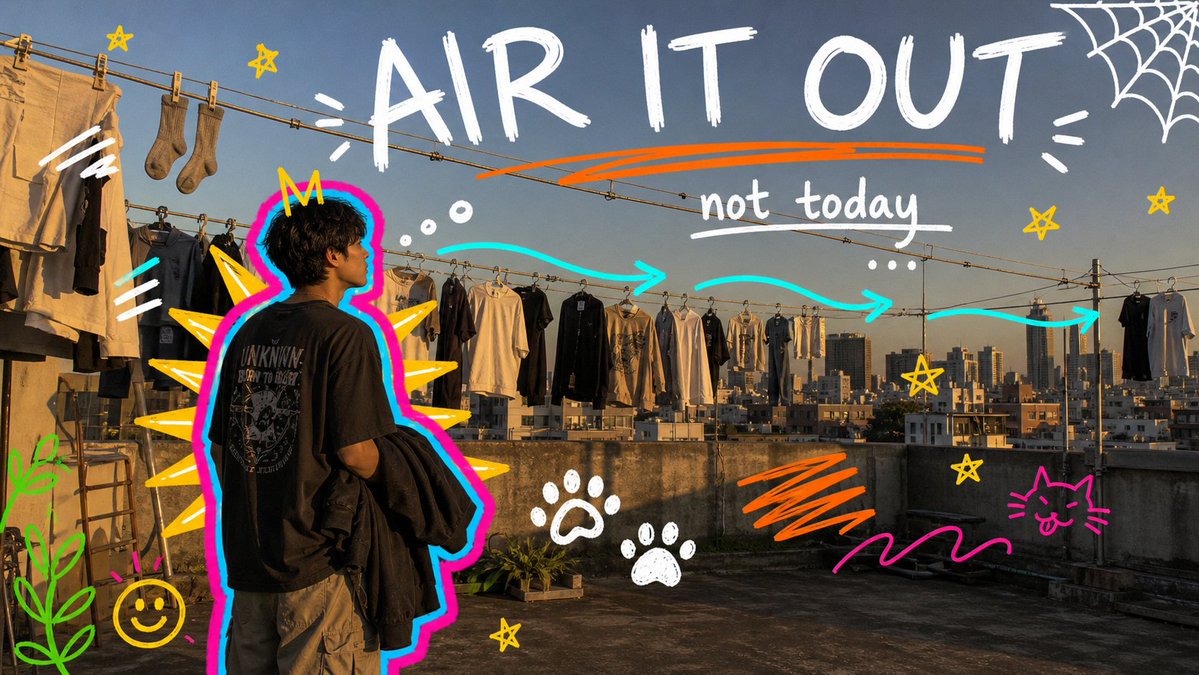
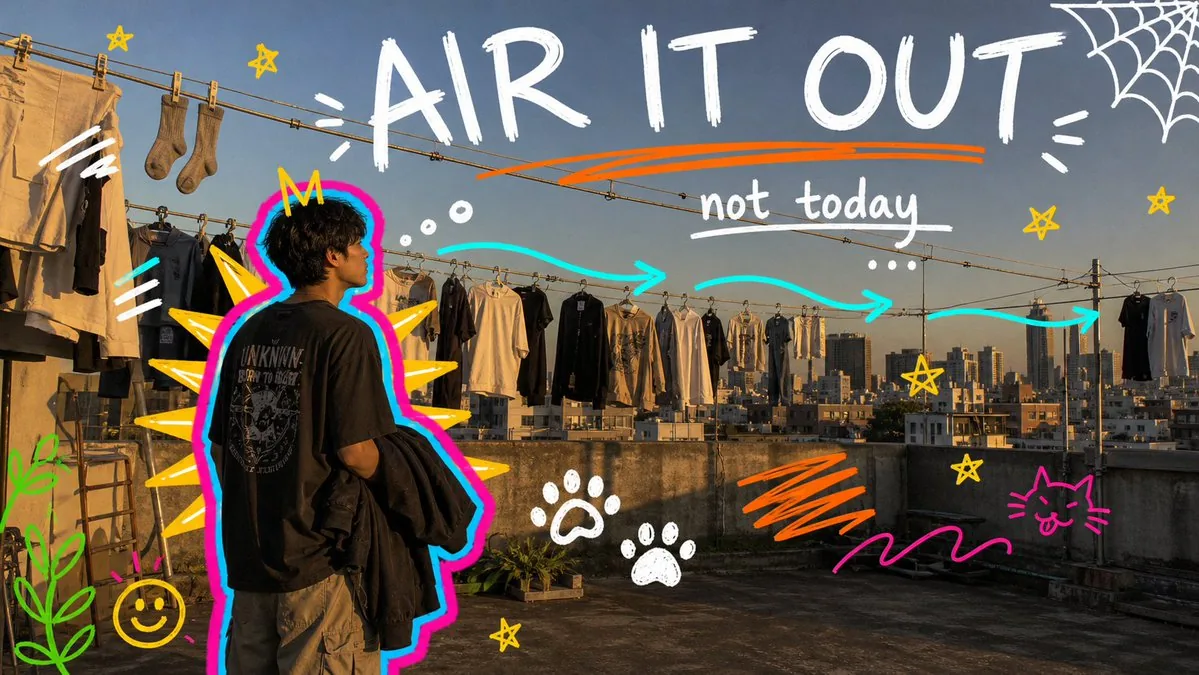
A reusable GPT Image 2 prompt system for turning candid indoor snapshots into chaotic neon marker doodle gallery-style images with hot-pink/cyan outlines, yellow spikes, handwritten captions, and playful sticker-like symbols.
Prompt
{ "style_name": "Neon Doodle Gallery Snapshot", "style_slug": "neon-doodle-gallery-snapshot-style", "style_summary": "A candid phone-photo style layered with chaotic neon digital marker doodles: hot-pink and cyan subject outlines, yellow monster spikes, rough handwritten captions, stars, paw prints, spiderweb corners, scribble bars, halos, plants, and student diary energy.", "source_reference": { "file": "user-provided reference image in current conversation", "reusable_traits": [ "Real candid indoor snapshot as the base image.", "Main subject viewed from behind or three-quarter view inside an art, campus, or social setting.", "Hot-pink body contour with cyan offset glow around the subject silhouette.", "Yellow-orange spikes, horns, rays, or fins radiating from the subject.", "White and yellow rough handwritten marker text placed in open areas.", "Chaotic doodle stickers including stars, paw prints, spiderwebs, abstract eyes, scribbles, halos, and plants." ], "excluded_traits": [ "watermarks", "usernames", "platform logos", "creator IDs", "app marks", "QR codes" ] }, "environment_variables": { "SUBJECT": "main person, group, student, artist, friend, commuter, shopper, or quiet candid figure", "SUBJECT_ACTION": "looking at art, studying, walking, waiting, browsing, reacting, hiding, laughing, or holding a prop", "PRODUCT_OR_PROP": "notebook, tote bag, coffee, phone, headphones, sketchbook, jacket, snack, poster, camera, book, or exhibition card", "LOCATION": "art gallery, campus hallway, library, studio critique room, classroom, night market, cafe, bookstore, museum, or city wall", "BACKGROUND_ELEMENTS": "real photo details such as wall art, labels, shelves, posters, tables, lamps, signage, crowds, fabric, shadows, and phone-camera grain", "MAIN_TEXT": "large hand-drawn caption or emotional headline", "SECONDARY_TEXT": "small handwritten notes, repeated words, short joke, date-like label, or study annotation", "ACCENT_SYMBOL": "star, paw print, spiderweb, halo, abstract eye, plant, flower, underline, arrow, tally mark, or scribble", "WARDROBE_STYLE": "casual student streetwear, oversized shirt, hoodie, tote bag, loose trousers, jacket, headphones, sneakers, or art-school layers", "ASPECT_RATIO": "9:16 or 16:9" }, "composition": { "layout_type": "candid phone snapshot with loud digital marker overlay", "base_photo": "realistic handheld image in a campus, gallery, studio, library, cafe, or night-city setting", "subject_position": "single subject or small group placed center or right, with doodles expanding around the silhouette", "doodle_anchor": "thick neon contour hugging the subject, with yellow-orange spikes, horns, rays, or fins radiating outward", "text_position": "large handwritten words in upper or side negative space; secondary notes scattered near corners or over dark background areas", "background_behavior": "specific real environment stays visible behind the marker layer", "cropping": "imperfect handheld crop, slight tilt, phone-camera framing, social snapshot feeling" }, "photographic_direction": { "camera": "handheld phone-camera perspective, eye-level or slightly behind the subject, natural lens distortion", "lighting": "gallery spotlights, fluorescent classroom light, library lamps, cafe light, night-market glow, or mixed indoor shadows", "environment": "wall art, labels, shelves, posters, desks, signs, frames, books, display panels, crowds, bags, fabric, and shadows", "finish": "phone-photo grain, mild blur, JPEG compression, imperfect exposure, real low-light texture", "mood": "playful, distracted, funny, overstimulated, youthful, sarcastic, affectionate, and personal" }, "illustration_rules": { "line_quality": "thick digital marker lines, wobbly black outlines, rough brush edges, casual pressure variation", "outline_system": "hot-pink primary silhouette outline with cyan offset line or glow", "spikes": "yellow-orange triangular monster spikes, horns, rays, fins, or sunburst forms around the subject", "symbols": "stars, paw prints, spiderweb corners, halos, abstract eyes, plants, flowers, hearts, tally marks, arrows, and scribble underlines", "integration": "doodles sit visibly on top of the photo and may cover objects, but the photo base remains recognizable", "texture": "digital marker, school notebook doodle, zine markup, rough social-story annotation" }Prompt breakdown
- Subject
- Main person or small group viewed from behind or three-quarter angle in an art gallery, campus hallway, or studio, holding a prop like a notebook or tote bag
- Style
- Candid phone-photo base layered with chaotic neon digital marker doodles: hot-pink and cyan outlines, yellow monster spikes, rough handwritten text, stars, paw prints, spiderweb corners, and halos
- Lighting
- Gallery spotlights or fluorescent indoor light mixed with phone-camera grain, mild blur, and imperfect low-light exposure
- Composition
- Imperfect handheld crop with subject center or right, thick neon contour anchoring doodles that expand outward into open areas around the silhouette
- Mood
- Playful, overstimulated, youthful, sarcastic, and affectionate with personal zine-style annotations over a recognizable real environment
Remix ideas
- Change the location to a night market so the yellow spikes interact with existing neon reflections on the base photo
- Swap spiderweb corners for repeated tally marks and arrows pointing at specific gallery labels
- Move the large handwritten caption to the lower third and add a small date-like label near the subject's feet
Reference images
How to use this AI Image prompt template
 1
1Copy the prompt — grab this template’s prompt and negative prompt.  2
2Pick a model — choose a recommended AI model for the best match.  3
3Generate — open the studio with one click and create your result.
Related templates

Neon Graphic Novel Character Transformation
Transform the subject into a striking high-contrast monochrome vector portrait, rendered in a premium black-and-white comic book illustration style with crisp cel-shading, bold geometric shapes, and ultra-clean vector linework. Preserve the subject's facial features, hairstyle, expression, and overall likeness with high accuracy. The subject wears an open dark button-up shirt (top layer) layered over a white crew-neck T-shirt (base layer), complemented by a minimalist square pendant chain necklace. A pair of stylish sunglasses rests naturally on top of the head, integrated seamlessly into the hairstyle. Illuminate the portrait with intense red (neon color) neon rim lighting that traces the contours of the hair, face, shoulders, and clothing, creating a dramatic glow against the monochrome artwork. The red highlights should add depth, separation, and a futuristic cinematic atmosphere without overpowering the black-and-white design. Set against a pure black background, emphasizing strong contrast and visual impact. Style the artwork with sharp vector edges, bold shadows, clean negative space, graphic-novel aesthetics, modern streetwear energy, and premium poster-quality composition. Ultra-detailed yet minimalist, edgy, contemporary, and visually powerful.

Mystical Luminous Outline Style
Create a creative image of Mystical Luminous Outline Style. Style: photorealistic. Composition: balanced and well-framed. Lighting: natural with cinematic mood. Category: photography. Reference: mystical-luminous-outline-style-19068.
Pop Art Street Style Conversion
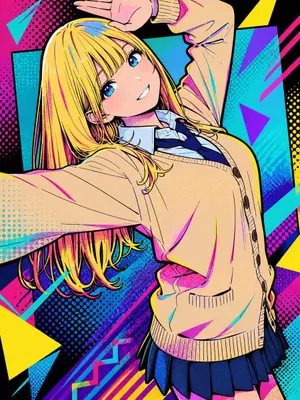
Create a creative image of Pop Art Street Style Conversion. Style: photorealistic. Composition: balanced and well-framed. Lighting: natural with cinematic mood. Category: photography. Reference: pop-art-street-style-conversion-18357.

Clumsy MS Paint Redraw
Create a creative image of Clumsy Ms Paint Redraw. Style: photorealistic. Composition: balanced and well-framed. Lighting: natural with cinematic mood. Category: photography. Reference: clumsy-ms-paint-redraw-18777.

Nano Banana Pro torn paper style-switching edit prompt - Nano Banana Pro AI Prompt for Social Media Post
task: "edit-image: add widened torn-paper layered effect" base_image: use_reference_image: true preserve_everything: - character identity - facial features and expression - hairstyle and anatomy - outfit design and colors - background, lighting, composition - overall art style rules: - Only modify the torn-paper interior areas. - Do not change pose, anatomy, proportions, clothing details, shading, or scene elements. effects: - effect: "torn-paper-reveal" placement: "across chest height" description: - Add a wide, natural horizontal tear across the chest area. - The torn interior uses the style defined in `interior_style`. - effect: "torn-paper-reveal" placement: "lower abdomen height" description: - Add a wide horizontal tear across the lower abdomen. - The torn interior uses the style defined in `interior_style`. interior_style: mode: line-art (画風モード) style_settings: line-art: palette: "monochrome" line_quality: "clean, crisp" paper: "notebook paper with subtle ruled lines" sumi-e: palette: "black ink tones" brush_texture: "soft bleeding edges" paper: "plain textured paper" figure-render: material: "PVC-like" shading: "semi-realistic highlights" paper: "plain smooth surface" colored-pencil: stroke_texture: "visible pencil grain" palette: "soft layered hues" paper: "rough sketchbook paper" watercolor: palette: "soft transparent pigments" blending: "smooth bleeding" edges: "soft contours" paper: "watercolor paper texture" pencil-drawing: graphite_texture: "visible pencil grain" shading: "smooth gradients" line_quality: "mixed sharp and soft" tone: "gray-scale" paper: "notebook paper with faint ruled lines"3f:T770,ta

Hiking Photo to Marker Sketch
Create a creative image of Hiking Photo To Marker Sketch. Style: photorealistic. Composition: balanced and well-framed. Lighting: natural with cinematic mood. Category: photography. Reference: hiking-photo-to-marker-sketch-17380.
Explore more prompts
Browse more AI image and video prompts by category.
FAQ
- Do the doodles cover important background details?
- The integration rule keeps the real photo recognizable, so wall art, posters, and shadows stay visible even when marker lines cross over them.
- Can I use this style on outdoor night scenes?
- Yes, but the prompt is tuned for indoor mixed lighting like gallery spots or cafe lamps; outdoor neon will need adjusted prompt text to match the phone-grain finish.
- Is the Neon Doodle Gallery Snapshot Style prompt free to use?
- Yes, this prompt is completely free on AI Pin Maker and you can copy it directly with no signup or payment required.
- How do I use the Neon Doodle Gallery Snapshot Style prompt to generate an image or video?
- Copy the prompt, tweak the subject or style to fit your idea, then paste it into AI Pin Maker and generate your image or video in one click.
- Can I change the Neon Doodle Gallery Snapshot Style prompt into my own version?
- Absolutely, just replace the subject, style, or parameters in AI Pin Maker to make the prompt entirely your own.