
Text to Image
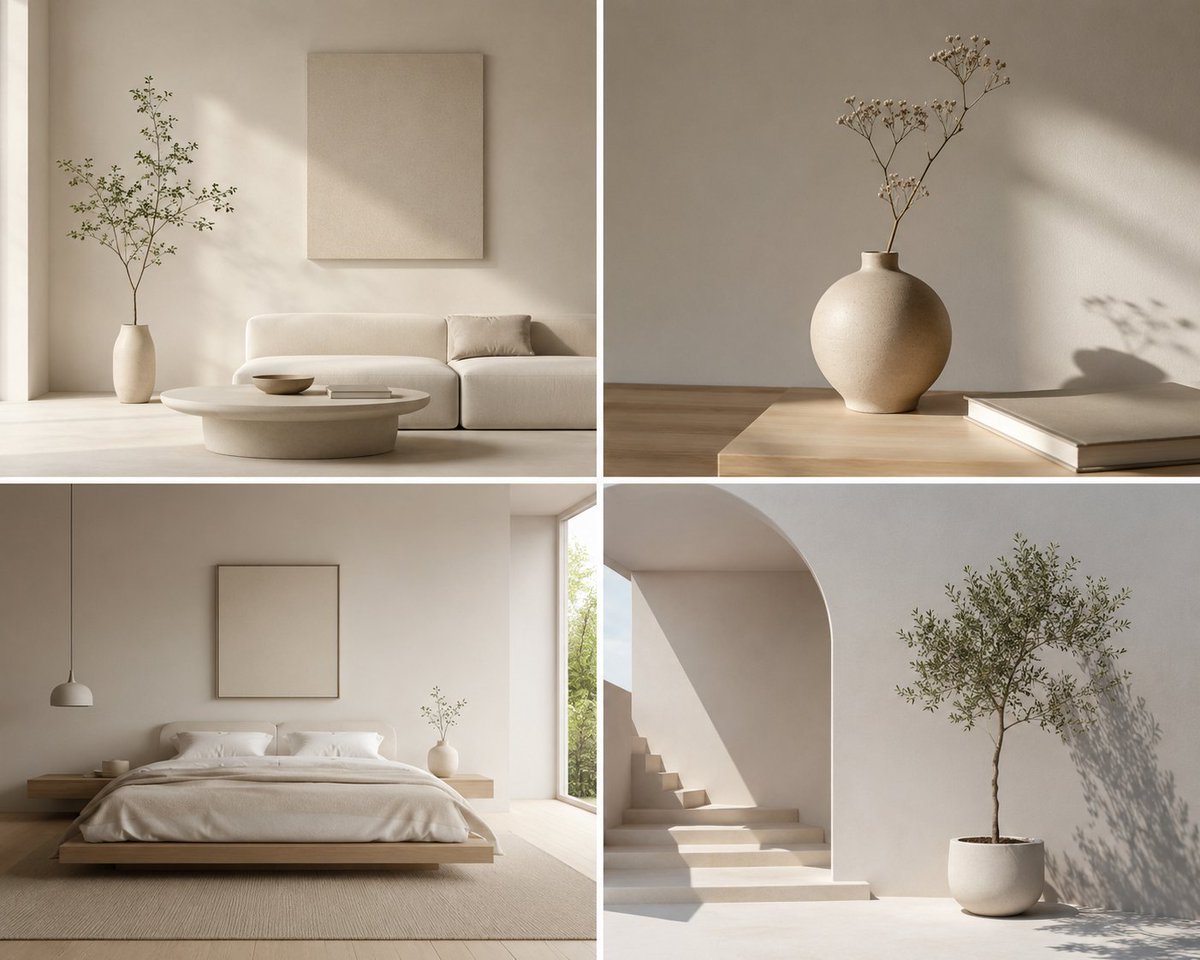
Minimalist Design Scene — AI Image Prompt
Generates clean, serene, and sophisticated imagery focusing on minimalist design elements and uncluttered spaces.
Prompt
Create a cinematic image of Minimalist Design Scene. Style: photorealistic. Composition: balanced and well-framed. Lighting: natural with cinematic mood. Category: cinematic-video. Reference: minimalist-design-scene-22090.
Prompt breakdown
- Subject
- Minimalist Design Scene
- Style
- photorealistic
- Lighting
- natural with cinematic mood
- Composition
- balanced and well-framed
- Mood
- cinematic
Remix ideas
- Introduce one slender floor lamp casting a single crisp shadow across the floor
- Swap the neutral palette for soft sage walls while keeping all other elements white
- Lower the camera angle slightly to emphasize the horizontal planes of the furniture
Reference images
How to use this AI Image prompt template
 1
1Copy the prompt — grab this template’s prompt and negative prompt.  2
2Pick a model — choose a recommended AI model for the best match.  3
3Generate — open the studio with one click and create your result.
Related templates
Office Signage Dimension Mockup
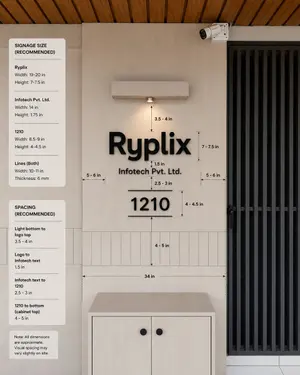
Goal: Create a realistic interior wall signage mockup with measurement annotations for a reception/office entrance, showing recommended dimensions and spacing for a company sign. Canvas: Square 1:1 image, photorealistic architectural visualization, front-facing view with slight natural perspective. Use a warm modern palette: light beige wall panels, pale wood cabinet, black signage, black metal door grille, and wood slat ceiling. Scene layout: Center the composition on a beige feature wall with a mounted sign. On the right, include a tall black vertical-slat door or gate occupying about one quarter of the image width. At the top right of the wall, add one small white CCTV security camera angled downward. At the top center, add one rectangular wall-mounted light fixture with a single warm downlight. At the bottom center, place one light-wood cabinet with two doors and exactly two round black knobs. Across the lower wall behind the sign, include a horizontal band of narrow vertical rectangular tiles. The ceiling at the very top should show warm brown wooden slats running diagonally. Main sign content: Use raised matte-black 3D letters on the wall. The largest line reads Ryplix (company logo text). Directly underneath, centered smaller text reads Infotech Pvt. Ltd. (company legal text). Below that, centered, display a large number 1210 (unit number), with one thin horizontal line above it and one thin horizontal line below it. Keep all sign elements black with soft realistic shadows. Measurement annotations: Add fine black dimension arrows, dashed guide lines, and small technical labels around the sign. Include exactly 10 visible measurement labels in the main wall area: “3.5 - 4 in” from the bottom of the light to the logo, “7 - 7.5 in” beside the logo height, “1.5 in” between the logo and legal text, “2.5 - 3 in” between legal text and the number, “4 - 4.5 in” beside the number height, “4 - 5 in” from the number to the cabinet-top tile area, “34 in” as a long horizontal width guide above the cabinet, plus two side gap labels “5 - 6 in” on the left and “5 - 6 in” on the right. Left information panels: Add exactly three rounded white cards stacked vertically along the left side of the image. Card 1 title: “SIGNAGE SIZE (RECOMMENDED)”. It contains exactly three item groups separated by thin horizontal rules: “Ryplix” with “Width: 19-20 in” and “Height: 7-7.5 in”; “Infotech Pvt. Ltd.” with “Width: 14 in” and “Height: 1.75 in”; “1210” with “Width: 8.5-9 in” and “Height: 4-4.5 in”; then “Lines (Both)” with “Width: 10-11 in” and “Thickness: 6 mm”. Card 2 title: “SPACING (RECOMMENDED)”. It contains exactly four item groups separated by thin rules: “Light bottom to logo top” with “3.5 - 4 in”; “Logo to Infotech text” with “1.5 in”; “Infotech text to 1210” with “2.5 - 3 in”; “1210 to bottom (cabinet top)” with “4 - 5 in”. Card 3 is a small note card reading: “Note: All dimensions are approximate. Visual spacing may vary slightly on site.” Visual style: Clean modern office design, natural lighting, realistic materials, subtle shadows, crisp legible typography, professional signage installation guide aesthetic. Use black sans-serif text for all labels and cards. The measurement lines should look like a design-spec overlay, not handwritten. Constraints: Keep the image free of people and clutter. Do not add extra logos, extra cards, extra measurement labels, or additional decorative objects. Maintain accurate alignment: logo, legal text, unit number, light, and cabinet should all be centered on the same vertical axis.38:Tec5,Goal: Create a realistic interior wall signage mockup with measurement annotations for a reception/office entrance, show
Trailer Restaurant Interior Reveal
As the hand opens the door, imagine a little restaurant 20 x 10‘ small in the back of that trailer held by the Premier gourmet chef from Columbia Louis and it’s already cool people who vote to make sure that that one night is so special for you that...

Dramatic Stone Corridor With Arched Windows
Create a creative image of Dramatic Stone Corridor With Arched Windows. Style: photorealistic. Composition: balanced and well-framed. Lighting: natural with cinematic mood. Category: photography. Reference: dramatic-stone-corridor-with-arched-windows-17106.
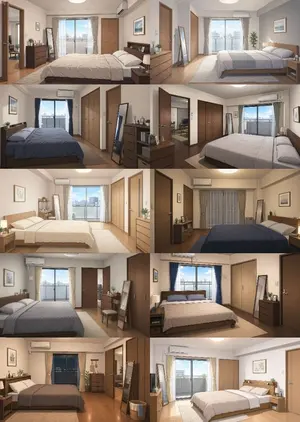
Newlywed Bedroom Game Asset
Create a game image of Newlywed Bedroom Game Asset. Style: photorealistic. Composition: balanced and well-framed. Lighting: natural with cinematic mood. Category: illustration. Reference: newlywed-bedroom-game-asset-17355.

Cozy Evening Japanese Sweets Shop
Create a creative image of Cozy Evening Japanese Sweets Shop. Style: photorealistic. Composition: balanced and well-framed. Lighting: natural with cinematic mood. Category: photography. Reference: cozy-evening-japanese-sweets-shop-24463.

Minimalist Moorish Wall at Night
Create a creative image of Minimalist Moorish Wall At Night. Style: photorealistic. Composition: balanced and well-framed. Lighting: natural with cinematic mood. Category: photography. Reference: minimalist-moorish-wall-at-night-17105.
Explore more prompts
Browse more AI image and video prompts by category.
FAQ
- How does the reference code affect the output?
- The reference minimalist-design-scene-22090 steers the generator toward a specific set of clean-lined furniture silhouettes and neutral finishes already associated with that ID.
- Can the cinematic mood be retained if I request video output?
- Yes, keep the same lighting description and add subtle camera drift or slow parallax to translate the still's balanced framing into gentle motion without adding clutter.
- Is the Minimalist Design Scene prompt free to use?
- Yes, this prompt is completely free on AI Pin Maker and you can copy it directly with no signup or payment required.
- How do I use the Minimalist Design Scene prompt to generate an image or video?
- Copy the prompt, tweak the subject or style to fit your idea, then paste it into AI Pin Maker and generate your image or video in one click.
- Can I change the Minimalist Design Scene prompt into my own version?
- Absolutely, just replace the subject, style, or parameters in AI Pin Maker to make the prompt entirely your own.