
Text to Image
Layered Papercraft Image Transformation — AI Image Prompt
A prompt to transform any image into a soft, charming layered papercraft illustration with a 3D diorama aesthetic.
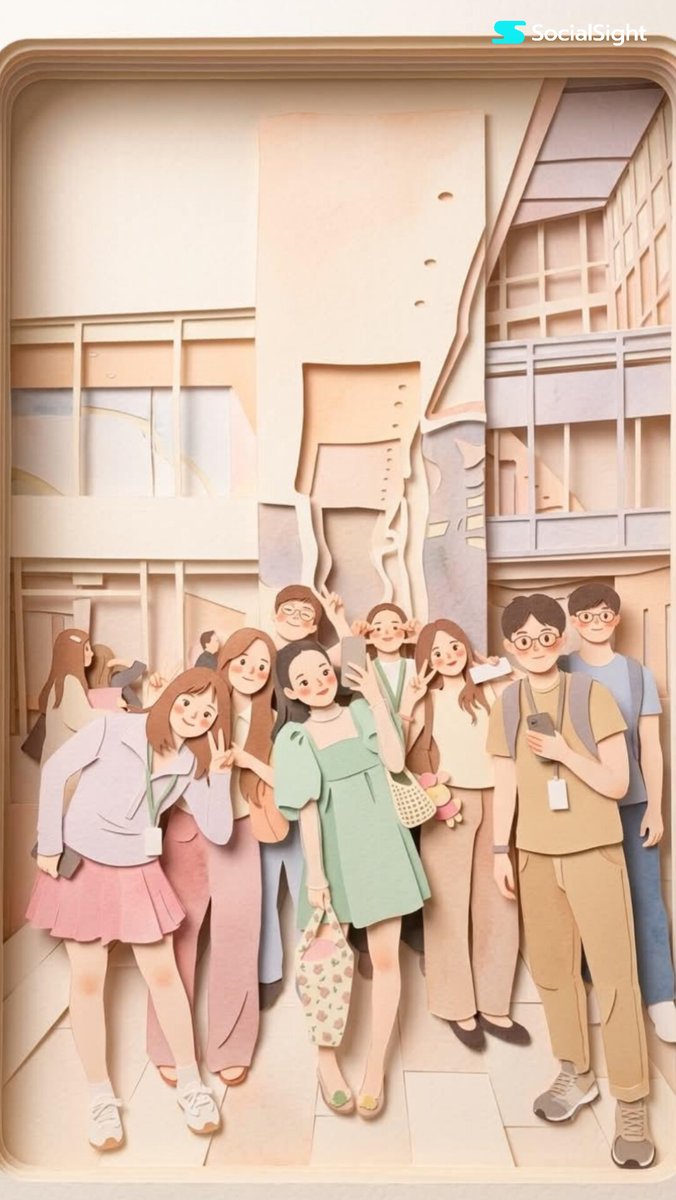
Prompt
Transform this image into a {argument name="aesthetic" default="soft, layered papercraft illustration inspired by the aesthetic of a handcrafted papercraft diorama"}. Use smooth, rounded shapes, {argument name="proportions" default="simplified cute character proportions"}, and minimal facial features (such as dot eyes and subtle blush) to create a warm, charming, and inviting appearance.

Build the scene using stacked paper layers with a strong sense of depth and dimension. Include delicate shadows between layers to emphasize the layered construction, while keeping all cut edges clean and precise, resembling laser-cut cardstock.

Add a solid white outline around each main character, similar to a thick sticker border or a white paper backing. This outline should clearly separate the characters from the background and feel like an intentional layered paper element rather than a glow effect.

Use a {argument name="color palette" default="calming pastel color palette featuring muted blues, soft greens, and warm neutral tones"}. Maintain an overall balanced and soothing atmosphere. Lighting should be soft, diffused, and evenly distributed, enhancing the three-dimensional paper-layer effect while avoiding harsh contrast or dramatic shadows.Prompt breakdown
- Subject
- characters rendered with simplified cute proportions, dot eyes, and subtle blush
- Style
- soft layered papercraft illustration using stacked paper layers and laser-cut cardstock edges
- Lighting
- soft diffused evenly distributed lighting that enhances 3D paper layers without harsh contrast
- Composition
- balanced arrangement with solid white outlines around characters resembling thick sticker borders or paper backings
- Mood
- warm charming inviting atmosphere with soothing pastel tones
Remix ideas
- Increase the number of stacked layers and shadow intensity for stronger diorama depth
- Introduce faint paper grain texture on surfaces while keeping edges crisp
- Shift the white borders to a very pale cream tone to blend with the warm neutral palette
Reference images
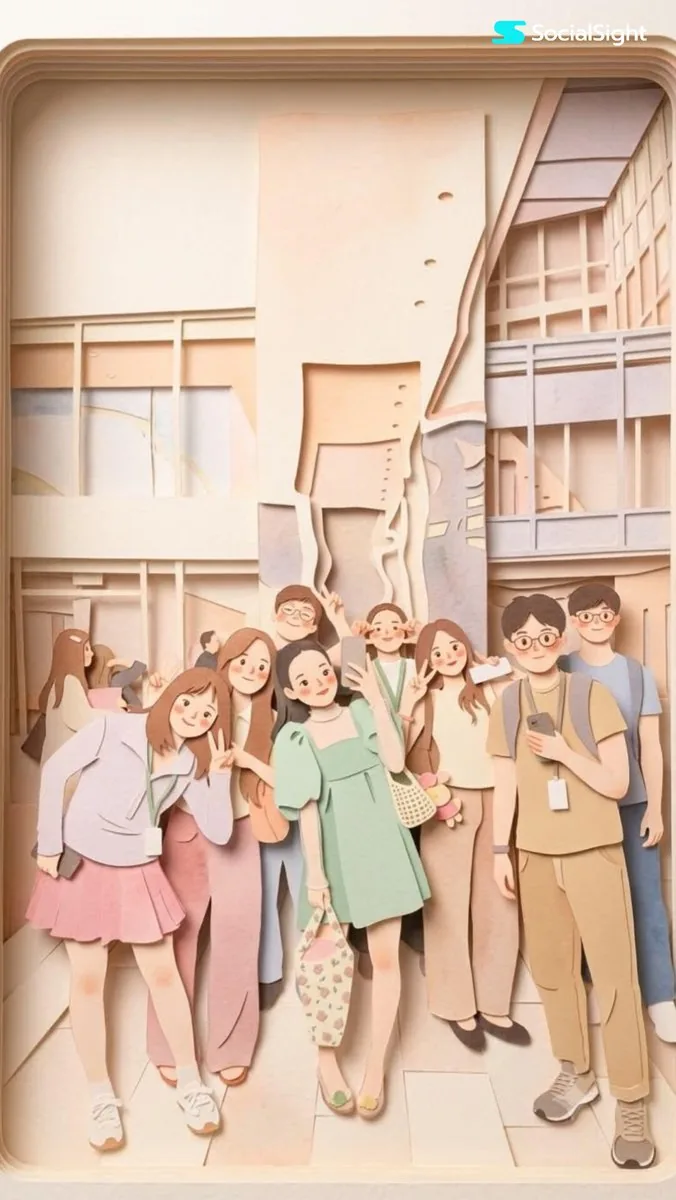
How to use this AI Image prompt template
 1
1Copy the prompt — grab this template’s prompt and negative prompt.  2
2Pick a model — choose a recommended AI model for the best match.  3
3Generate — open the studio with one click and create your result.
Related templates

Cartoon Doodle Transformation
Create a cinematic image of Cartoon Doodle Transformation. Style: photorealistic. Composition: balanced and well-framed. Lighting: natural with cinematic mood. Category: cinematic-video. Reference: cartoon-doodle-transformation-18570.

Gym Photo Chibi Transformation
Create a cinematic image of Gym Photo Chibi Transformation. Style: photorealistic. Composition: balanced and well-framed. Lighting: natural with cinematic mood. Category: cinematic-video. Reference: gym-photo-chibi-transformation-17843.

Ethereal Cloud Portrait Transformation
Transform this image (Uploaded) into a soft, atmospheric cloud composition while preserving the subject’s recognizable facial features (subject), expression, and identity. The face should appear subtly formed from clouds, blending naturally into a bright blue sky (background) background. Use soft, diffused lighting with gentle highlights and airy shadows to create depth and realism. Ensure the transformation is symbolic rather than literal ,avoid hard edges, skin texture, or sharp details. The subject should feel like it is emerging from or dissolving into the clouds. Maintain facial proportions, eyes, smile, and key features clearly visible through the cloud structure. Style: dreamy, ethereal, surreal, cinematic Lighting: natural sunlight, soft glow, volumetric light Color palette: sky blue, white, soft gradients Mood: peaceful, uplifting, inspirational (mood) Add subtle cloud layers around and within the face for a seamless blend. Background should be a clean blue sky with soft cloud gradients. High resolution, ultra-realistic cloud texture, smooth blending, no text, no watermark.39

Papercraft Diorama Style Illustration
Create a creative image of Papercraft Diorama Style Illustration. Style: photorealistic. Composition: balanced and well-framed. Lighting: natural with cinematic mood. Category: photography. Reference: papercraft-diorama-style-illustration-23006.

Layered Paper-Cut Illustration
Convert this image into a soft, handcrafted paper-cut layered illustration style inspired by papercraft diorama aesthetics. Use smooth rounded shapes, simplified cute character proportions, and minimal facial details such as dot eyes and soft blush cheeks to create a warm and charming appearance.Apply stacked paper layers with visible depth, subtle shadows between the layers, and clean laser-cut paper edges.Add a distinct thick white outer outline surrounding the main character, resembling a sticker border or layered cut-paper backing, clearly separating the subject from the background. The white border should look like a real paper layer, not a glow effect. Use a soft pastel color palette with muted greens, warm creams, light browns, and gentle neutrals. Lighting should feel soft, diffused, and even, enhancing the dimensional layered-paper look without harsh contrast.Textures should appear matte and tactile like thick cardstock or craft foam. Preserve the original pose, dress details, long wavy hair, garden environment, trees, leaves, and classical columns, but reinterpret everything in a cozy storybook-style handcrafted paper art aesthetic.Overall mood should feel wholesome, elegant, playful, and visually soothing, like a premium decorative paper illustration or children’s storybook artwork.3a

Paper-cut Layered Illustration Style
Create a creative image of Paper Cut Layered Illustration Style. Style: photorealistic. Composition: balanced and well-framed. Lighting: natural with cinematic mood. Category: photography. Reference: paper-cut-layered-illustration-style-22845.
Explore more prompts
Browse more AI image and video prompts by category.
FAQ
- What purpose does the white outline serve in this transformation?
- It creates a deliberate layered paper element like a sticker border or backing that cleanly separates characters from the background instead of acting as a glow.
- How does the prompt maintain the papercraft illusion under lighting?
- By using only soft diffused even light that avoids dramatic shadows and instead lets the delicate inter-layer shadows emphasize the stacked construction.
- Is the Layered Papercraft Image Transformation prompt free to use?
- Yes, this prompt is completely free on AI Pin Maker and you can copy it directly with no signup or payment required.
- How do I use the Layered Papercraft Image Transformation prompt to generate an image or video?
- Copy the prompt, tweak the subject or style to fit your idea, then paste it into AI Pin Maker and generate your image or video in one click.
- Can I change the Layered Papercraft Image Transformation prompt into my own version?
- Absolutely, just replace the subject, style, or parameters in AI Pin Maker to make the prompt entirely your own.