
Text to Image
Image Editing: Car and Background Transformation — AI Image Prompt
A simple editing prompt used to test the model's precise editing capabilities by instructing it to change the car in an existing image to a Tesla and replace the trees in the background with tall skyscrapers.
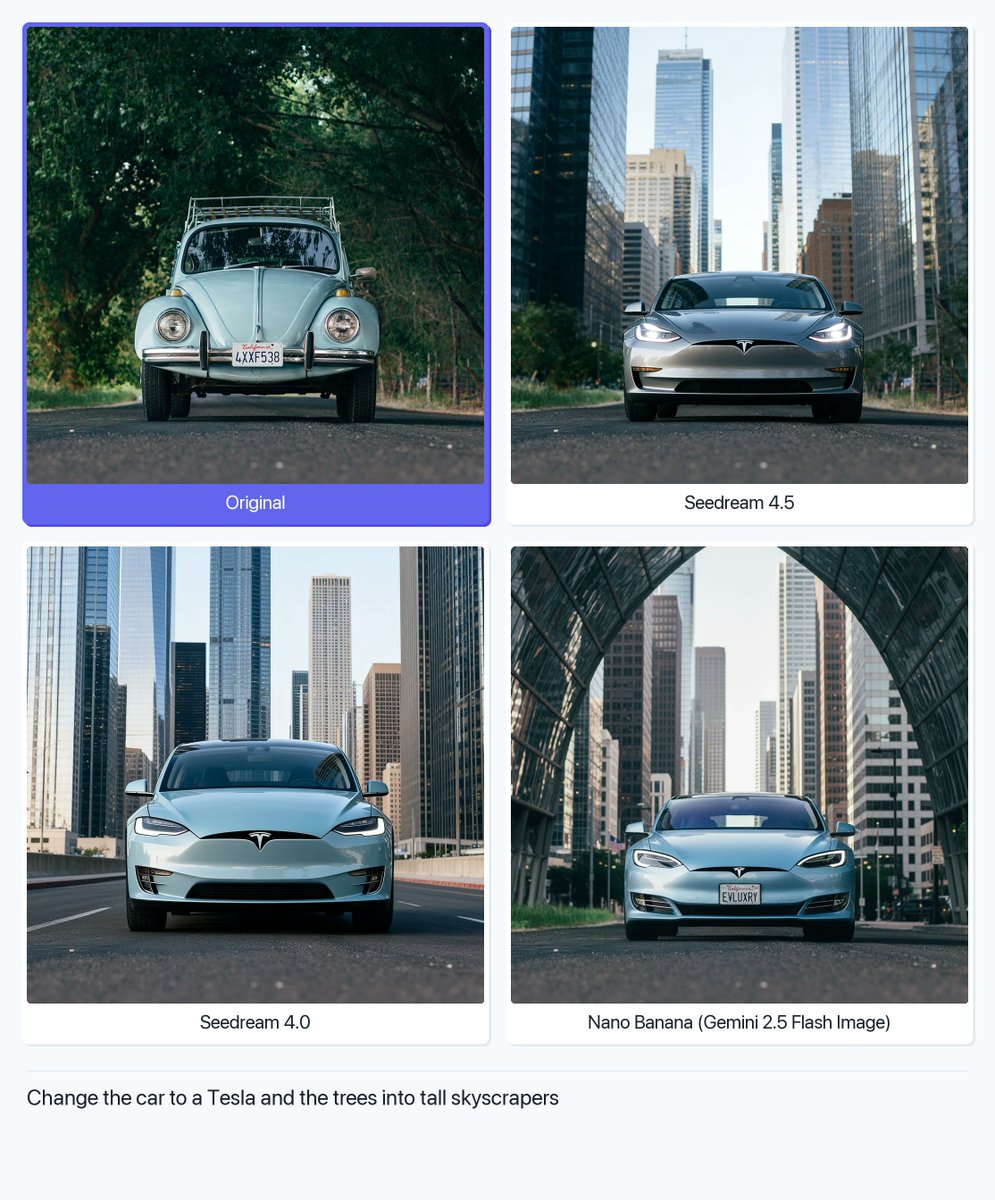
Prompt
Create a cinematic image of Image Editing Car And Background Transformation. Style: photorealistic. Composition: balanced and well-framed. Lighting: natural with cinematic mood. Category: cinematic-video. Reference: image-editing-car-and-background-transformation-1847.
Prompt breakdown
- Subject
- car and background transformation via image editing
- Style
- photorealistic
- Lighting
- natural with cinematic mood
- Composition
- balanced and well-framed
- Mood
- cinematic
Remix ideas
- Replace the car with a classic muscle car to highlight retro transformation details
- Shift the background to a foggy mountain road for added depth
- Apply a slight color grade shift on the vehicle to match the new environment's tones
How to use this AI Image prompt template
 1
1Copy the prompt — grab this template’s prompt and negative prompt.  2
2Pick a model — choose a recommended AI model for the best match.  3
3Generate — open the studio with one click and create your result.
Related templates

Tilt-Shift Travel Map Diorama
Create a highly detailed cinematic miniature tilt-shift travel scene of [CITY NAME] (city name) featuring a realistic [VEHICLE NAME] (vehicle) driving along a winding elevated road that emerges naturally from a printed vintage-style city map (map style). The road should curve dramatically toward the background skyline and landmarks of [CITY NAME], while the vehicle remains the clear focal point in the foreground. Blend the real city seamlessly with the illustrated map surface so the road appears integrated into the map itself. Include recognizable local landmarks, waterways, architecture, vegetation, and atmosphere associated with [CITY NAME], but keep the composition clean and uncluttered. Show large bold typography of “[CITY NAME]” printed directly on the map in the foreground. Use warm golden-hour lighting, shallow depth of field, realistic textures, cinematic shadows, aerial perspective, and photorealistic detail. The overall aesthetic should feel like a premium Instagram travel poster mixed with a miniature diorama. Aspect ratio 1:1.38:T
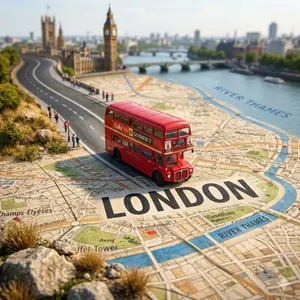
Tilt-Shift City Map Travel Scene
Create a highly detailed cinematic miniature tilt-shift travel scene of [CITY NAME] (city) featuring a realistic [VEHICLE NAME] (vehicle) driving along a winding elevated road that emerges naturally from a printed vintage-style city map. The road should curve dramatically toward the background skyline and landmarks of [CITY NAME] (city), while the vehicle remains the clear focal point in the foreground. Blend the real city seamlessly with the illustrated map surface so the road appears integrated into the map itself. Include recognizable local landmarks, waterways, architecture, vegetation, and atmosphere associated with [CITY NAME] (city), but keep the composition clean and uncluttered. Show large bold typography of “[CITY NAME] (city)” printed directly on the map in the foreground. Use warm golden-hour lighting, shallow depth of field, realistic textures, cinematic shadows, aerial perspective, and photorealistic detail. The overall aesthetic should feel like a premium Instagram travel poster mixed with a miniature diorama. Aspect ratio 1:1.38:T
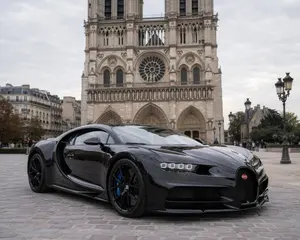
Hypercar Parked Before a Historic Landmark
Create a creative image of Hypercar Parked Before A Historic Landmark. Style: photorealistic. Composition: balanced and well-framed. Lighting: natural with cinematic mood. Category: photography. Reference: hypercar-parked-before-a-historic-landmark-13748.
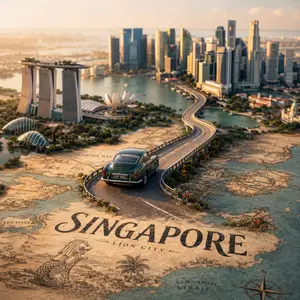
Tilt-Shift City Map Scene
Create a highly detailed cinematic miniature tilt-shift travel scene of [CITY NAME] (city) featuring a realistic [VEHICLE NAME] (vehicle) driving along a winding elevated road that emerges naturally from a printed vintage-style city map. The road should curve dramatically toward the background skyline and landmarks of [CITY NAME] (city), while the vehicle remains the clear focal point in the foreground. Blend the real city seamlessly with the illustrated map surface so the road appears integrated into the map itself. Include recognizable local landmarks, waterways, architecture, vegetation, and atmosphere associated with [CITY NAME], but keep the composition clean and uncluttered. Show large bold typography of “[CITY NAME]” printed directly on the map in the foreground. Use warm golden-hour lighting, shallow depth of field, realistic textures, cinematic shadows, aerial perspective, and photorealistic detail. The overall aesthetic should feel like a premium Instagram travel poster mixed with a miniature diorama. Aspect ratio 1:138:T

Kyoto Tourist Photo Edit
Create a creative image of Kyoto Tourist Photo Edit. Style: photorealistic. Composition: balanced and well-framed. Lighting: natural with cinematic mood. Category: photography. Reference: kyoto-tourist-photo-edit-17402.

Testing Partial Image Correction and Pose Modification in GPT-Image-1.5
Create a creative image of Testing Partial Image Correction And Pose Modification In Gpt Image 15. Style: photorealistic. Composition: balanced and well-framed. Lighting: natural with cinematic mood. Category: photography. Reference: testing-partial-image-correction-and-pose-modification-in-gpt-image-15-2363.
Explore more prompts
Browse more AI image and video prompts by category.
FAQ
- How does the prompt achieve seamless car integration?
- Balanced composition and natural lighting align reflections and shadows with the transformed background to avoid artifacts.
- Can this style work for video frame sequences?
- The cinematic-video category supports extending the same photorealistic edits across multiple frames while keeping the mood consistent.
- Is the Image Editing: Car and Background Transformation prompt free to use?
- Yes, this prompt is completely free on AI Pin Maker and you can copy it directly with no signup or payment required.
- How do I use the Image Editing: Car and Background Transformation prompt to generate an image or video?
- Copy the prompt, tweak the subject or style to fit your idea, then paste it into AI Pin Maker and generate your image or video in one click.
- Can I change the Image Editing: Car and Background Transformation prompt into my own version?
- Absolutely, just replace the subject, style, or parameters in AI Pin Maker to make the prompt entirely your own.