
Text to Image
Hybrid Cache Execution Flowchart — AI Image Prompt
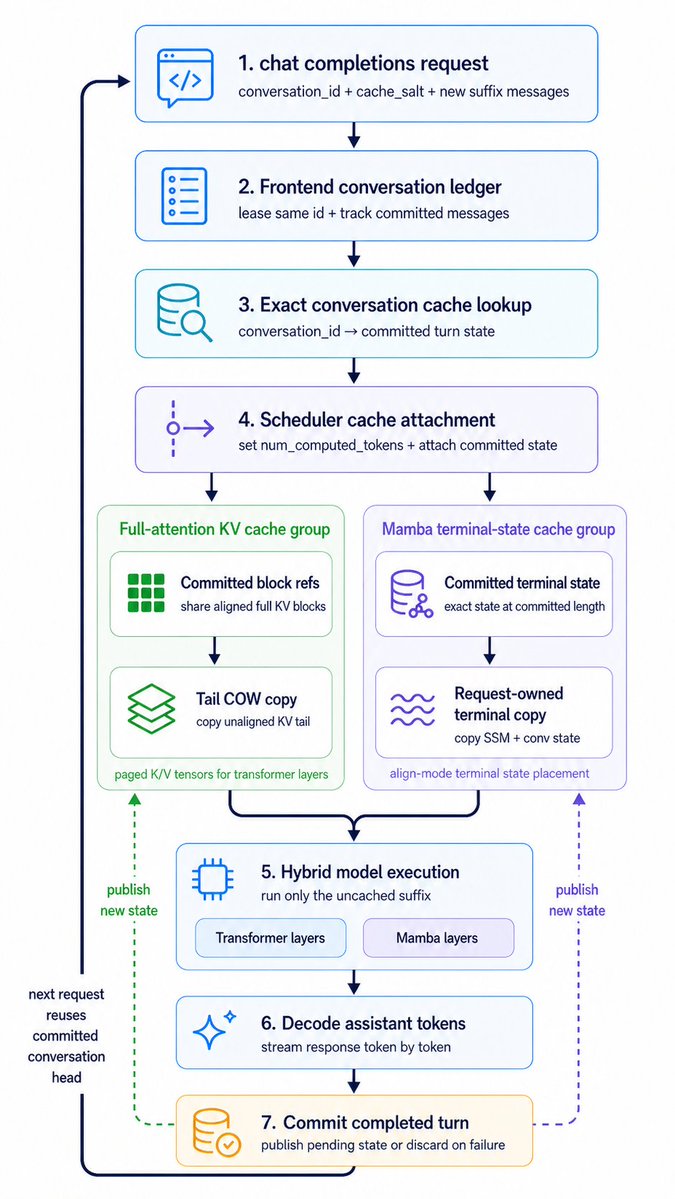
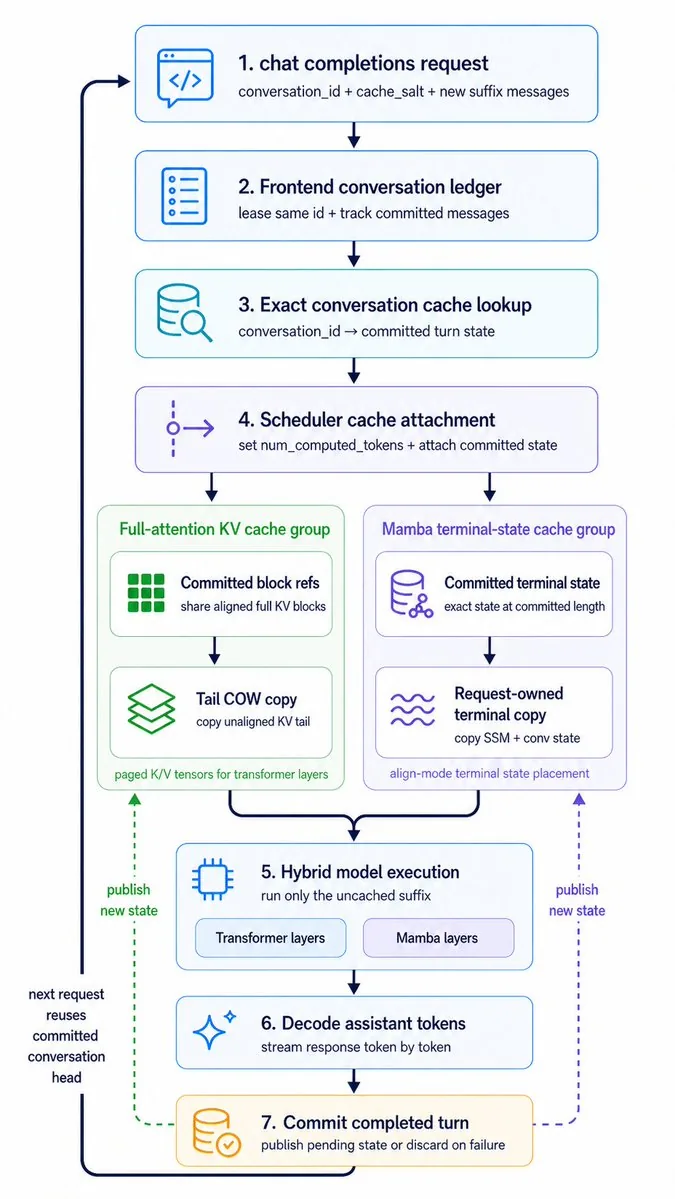
A polished vertical systems-architecture infographic showing a seven-step cached chat inference pipeline with dual cache branches, suitable for technical explainers and product presentations.
Prompt
Create a clean vertical technical workflow infographic on a light gray background, using a minimalist modern product-diagram style with rounded white cards, thin colored outlines, simple vector line icons, dark navy text, and navy connector arrows. The composition is a single centered top-to-bottom flowchart with 7 numbered main steps, plus 2 parallel cache-group panels branching from step 4 into step 5, and a thick dark return arrow on the far left looping from the bottom back to the top. Use crisp sans-serif typography, generous spacing, subtle pastel accent colors, no gradients, no shadows, and presentation-slide clarity.

At the top center place step card 1 with a blue outline and a code/chat icon on the left. Title text: "1. {argument name="step 1 title" default="chat completions request"}". Subtitle beneath: "conversation_id + cache_salt + new suffix messages".

Below it place step card 2 with a blue outline and a document/list icon. Title: "2. Frontend conversation ledger". Subtitle: "lease same id + track committed messages".

Below it place step card 3 with a cyan outline and a database-with-magnifier icon. Title: "3. Exact conversation cache lookup". Subtitle: "conversation_id  committed turn state".

Below it place step card 4 with a purple outline and a branching scheduler icon. Title: "4. Scheduler cache attachment". Subtitle: "set num_computed_tokens + attach committed state".

From step 4, branch downward into 2 side-by-side group panels.

Left group panel: a pale green rounded container titled "Full-attention KV cache group". Inside it, stack 2 inner cards. First inner card has a green block-grid icon, title "Committed block refs", subtitle "share aligned full KV blocks". Second inner card below has a green layered-sheets icon, title "Tail COW copy", subtitle "copy unaligned KV tail". At the bottom of the green panel add small footer text: "paged K/V tensors for transformer layers".

Right group panel: a pale purple rounded container titled "Mamba terminal-state cache group". Inside it, stack 2 inner cards. First inner card has a purple database/network icon, title "Committed terminal state", subtitle "exact state at committed length". Second inner card below has a purple wavy-lines icon, title "Request-owned terminal copy", subtitle "copy SSM + conv state". At the bottom of the purple panel add small footer text: "align-mode terminal state placement".

Merge both group-panel outputs into a centered step card 5 with a blue outline and a microchip icon. Title: "5. Hybrid model execution". Subtitle: "run only the uncached suffix". Inside the bottom area of this card, include 2 pill-shaped labels side by side: "Transformer layers" and "Mamba layers".

Below it place step card 6 with a blue outline and a sparkle icon. Title: "6. Decode assistant tokens". Subtitle: "stream response token by token".

Below it place step card 7 with a warm yellow-orange outline and a database-with-check icon. Title: "7. Commit completed turn". Subtitle: "publish pending state or discard on failure".

Add a thick dark navy loop arrow running down the far left side, entering step 1 near the top from the left and returning from step 7 at the bottom back upward. Along this left loop, near the lower half, place stacked annotation text: "next request reuses committed conversation head".

Add 2 dashed publish arrows rising upward from step 7 toward the cache-group panels: one green dashed arrow on the left pointing to the green cache panel, labeled "publish new state"; one purple dashed arrow on the right pointing to the purple cache panel, also labeled "publish new state".

Keep the exact total count of 7 numbered main cards, 2 cache group panels, 4 inner cache cards, and 2 pill labels. Preserve a portrait aspect ratio similar to a conference-slide architecture diagram.Prompt breakdown
- Subject
- 7-step hybrid cache execution flowchart with KV cache group, Mamba terminal-state group, numbered cards, and navy return loop
- Style
- minimalist modern product-diagram style with rounded white cards, thin colored outlines, simple vector line icons, crisp sans-serif typography, and subtle pastel accents on light gray background
- Composition
- single centered top-to-bottom layout, two side-by-side cache-group panels branching from step 4, thick dark return arrow on the far left, dashed publish arrows from step 7, and two pill labels inside step 5
- Mood
- presentation-slide clarity with generous spacing and no gradients or shadows
Remix ideas
- Change the left cache panel footer text to reference paged attention kernels
- Make the Mamba wavy-lines icon larger inside its inner card for emphasis
- Add a small annotation beside step 3 noting the exact-match requirement for committed turn state
Reference images
How to use this AI Image prompt template
 1
1Copy the prompt — grab this template’s prompt and negative prompt.  2
2Pick a model — choose a recommended AI model for the best match.  3
3Generate — open the studio with one click and create your result.
Related templates
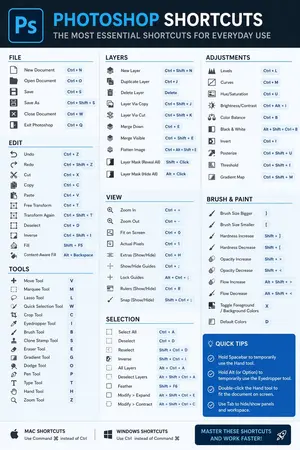
Software Shortcut Infographic
Create a infographic image of Software Shortcut Infographic. Style: photorealistic. Composition: balanced and well-framed. Lighting: natural with cinematic mood. Category: illustration. Reference: software-shortcut-infographic-14722.
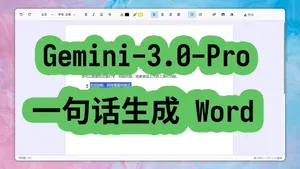
Web-based Word-like rich text editor in one HTML file
帮我写一个类似word (参考软件)的网页版富文本编辑器,包含它的主要功能,所有代码放在一个html文件里。看这个效果: 标题, 段落, 左对齐, 粗体, 斜体, 右对齐, 下划线, 删除线, 背景色, 颜色, 编号, 撤撤回,最后再来个下载干拉, 直接生成html, 齐活!
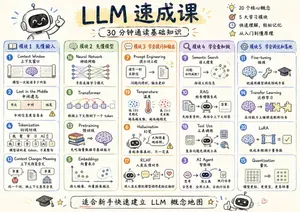
LLM Crash Course Visualizer
Create a infographic image of Llm Crash Course Visualizer. Style: photorealistic. Composition: balanced and well-framed. Lighting: natural with cinematic mood. Category: illustration. Reference: llm-crash-course-visualizer-22741.

Refreshing App UI with Nano Banana Pro Agent V1.2 and Gemini AI Studio
nano banana pro エージェントV1.2で VideコーディングしたアプリのUIを刷新するプロンプト
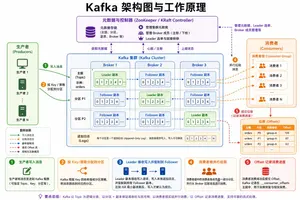
Kafka Architecture Diagram
Create a creative image of Kafka Architecture Diagram. Style: photorealistic. Composition: balanced and well-framed. Lighting: natural with cinematic mood. Category: photography. Reference: kafka-architecture-diagram-14754.
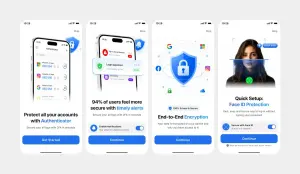
Clean Authenticator Onboarding UI
Using REFERENCE_1 as the primary UI reference and REFERENCE_0 only for the darker variant details if needed, recreate the mobile onboarding flow as a clean, front-facing design mockup instead of a photographed laptop screen. Extract and straighten the four iPhone-style screens, remove all camera perspective, glare, browser chrome, laptop edges, and surrounding environment, and place the screens evenly spaced on a light gray canvas. Keep the same white/light theme, rounded phone cards, blue security branding, typography hierarchy, icons, illustrations, and CTA style. Produce exactly 4 onboarding screens from left to right: 1) authenticator accounts list with headline “Protect all your accounts with Authenticator” and CTA “Get Started”; 2) security alert notifications with headline “94% of users feel more secure with timely alerts” and CTA “Continue”; 3) shield/lock encryption illustration with headline “End-to-End Encryption” and CTA “Continue”; 4) Face ID quick setup with the portrait/scan graphic, headline “Quick Setup: Face ID Protection”, secure Face ID toggle card, small privacy note, and CTA “Continue”. Use bright blue (primary color) as the main accent color, keep the app name as Authenticator (app name), and keep the status time as 10:28 (status time). Make the result look like a polished Figma export/product presentation, crisp and high resolution, with no real-world photo artifacts.39:T5f4,Using REFERENCE_1 as the
Explore more prompts
Browse more AI image and video prompts by category.
FAQ
- What occurs inside the Tail COW copy card?
- It performs a partial copy of the unaligned KV tail so the hybrid execution can resume from the exact committed length without recomputing full blocks.
- Why does step 5 contain two separate pill labels?
- The Transformer layers and Mamba layers pills indicate that only the uncached suffix runs through the respective layer types after the cached prefixes are attached.
- Is the Hybrid Cache Execution Flowchart prompt free to use?
- Yes, this prompt is completely free on AI Pin Maker and you can copy it directly with no signup or payment required.
- How do I use the Hybrid Cache Execution Flowchart prompt to generate an image or video?
- Copy the prompt, tweak the subject or style to fit your idea, then paste it into AI Pin Maker and generate your image or video in one click.
- Can I change the Hybrid Cache Execution Flowchart prompt into my own version?
- Absolutely, just replace the subject, style, or parameters in AI Pin Maker to make the prompt entirely your own.