
Text to Image
Complex AI Model Analysis Infographic — AI Image Prompt
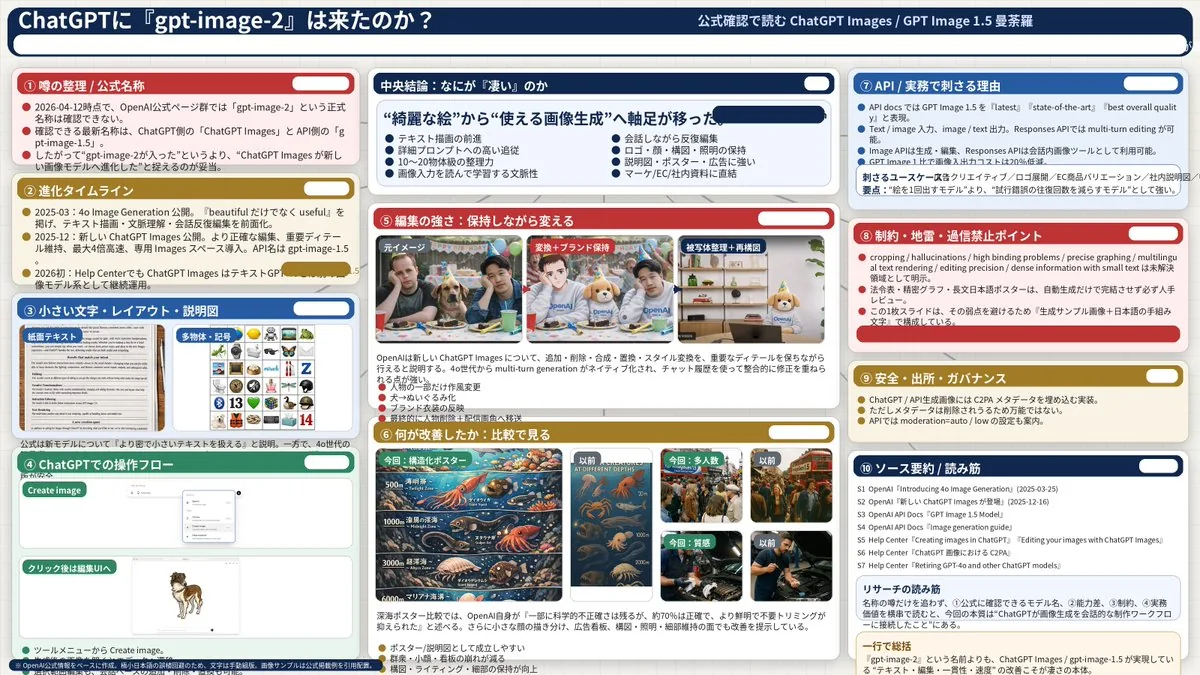
Generates a highly detailed, 3-column presentation slide analyzing AI model features with 10 distinct sections and embedded comparison images.
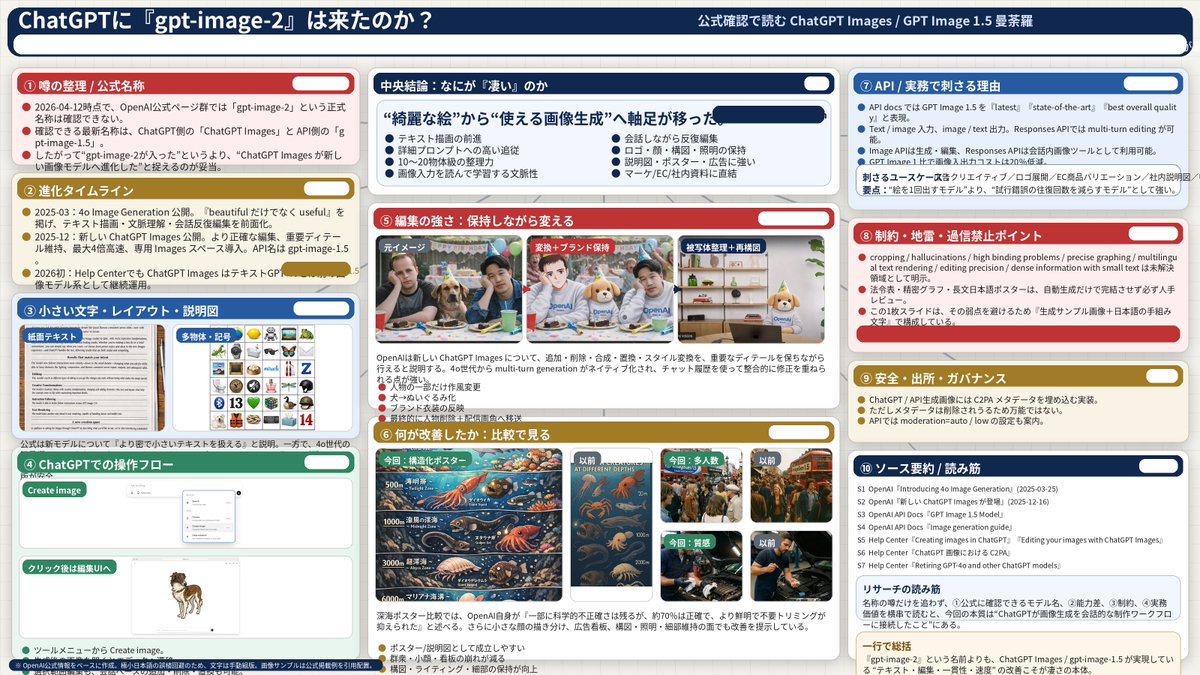
Prompt
{
  "type": "infographic dashboard",
  "style": "corporate presentation slide, dense information layout, flat design",
  "header": {
    "left_title": "{argument name=\"main title\" default=\"ChatGPTに『gpt-image-2』は来たのか?\"}",
    "right_subtitle": "{argument name=\"subtitle\" default=\"公式確認で読む ChatGPT Images / GPT Image 1.5 曼荼羅\"}",
    "background_color": "{argument name=\"theme color 1\" default=\"dark blue\"}"
  },
  "layout": {
    "columns": 3,
    "sections": [
      {
        "id": 1,
        "title": "① 噂の整理 / 公式名称",
        "color": "{argument name=\"theme color 2\" default=\"red\"}",
        "content_type": "3 bullet points"
      },
      {
        "id": 2,
        "title": "② 進化タイムライン",
        "color": "gold",
        "content_type": "3 timeline bullet points"
      },
      {
        "id": 3,
        "title": "③ 小さい文字・レイアウト・説明図",
        "color": "blue",
        "content_type": "2 embedded images showing text document and icon grid"
      },
      {
        "id": 4,
        "title": "④ ChatGPTでの操作フロー",
        "color": "green",
        "content_type": "UI mockups showing chat interface and dog image"
      },
      {
        "id": "central",
        "title": "中央結論:なにが『凄い』のか",
        "color": "dark blue",
        "subtitle": "{argument name=\"central conclusion\" default=\"“綺麗な絵”から“使える画像生成”へ軸足が移った\"}",
        "content_type": "2 columns of 4 bullet points each"
      },
      {
        "id": 5,
        "title": "⑤ 編集の強さ:保持しながら変える",
        "color": "red",
        "content_type": "3 sequential images showing photo editing progression"
      },
      {
        "id": 6,
        "title": "⑥ 何が改善したか:比較で見る",
        "color": "gold",
        "content_type": "6 comparison images (This time vs Before) for posters, crowds, textures"
      },
      {
        "id": 7,
        "title": "⑦ API / 実務で刺さる理由",
        "color": "blue",
        "content_type": "3 bullet points"
      },
      {
        "id": 8,
        "title": "⑧ 制約・地雷・過信禁止ポイント",
        "color": "red",
        "content_type": "3 bullet points"
      },
      {
        "id": 9,
        "title": "⑨ 安全・出所・ガバナンス",
        "color": "gold",
        "content_type": "3 bullet points"
      },
      {
        "id": 10,
        "title": "⑩ ソース要約 / 読み筋",
        "color": "dark blue",
        "content_type": "list of 7 sources and a summary box"
      }
    ]
  }
}3c:Ta90,{
  "type": "infographic dashboard",
  "style": "corporate presentation slide, dense information layout, flat design",
  "header": {
    "left_title": "{argument name=\"main title\" default=\"ChatGPTに『gpt-image-2』は来たのか?\"}",
    "right_subtitle": "{argument name=\"subtitle\" default=\"公式確認で読む ChatGPT Images / GPT Image 1.5 曼荼羅\"}",
"bPrompt breakdown
- Subject
- Infographic dashboard analyzing gpt-image-2 arrival in ChatGPT via Japanese-titled sections on rumors, evolution timeline, editing progression, and API governance
- Style
- corporate presentation slide, dense information layout, flat design
- Composition
- 3-column layout with 10 color-coded sections (red, gold, blue, green) plus central dark-blue conclusion box containing 8 bullet points and embedded UI mockups
Remix ideas
- Swap section 6's 6 comparison images to focus on text legibility in posters instead of textures
- Change the central conclusion subtitle to emphasize API rate limits over visual quality
- Replace the header's dark blue background with the gold accent used in the timeline section
Reference images
How to use this AI Image prompt template
 1
1Copy the prompt — grab this template’s prompt and negative prompt.  2
2Pick a model — choose a recommended AI model for the best match.  3
3Generate — open the studio with one click and create your result.
Related templates
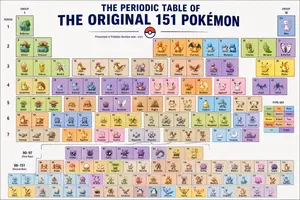
Themed Periodic Table Design
Create a creative image of Themed Periodic Table Design. Style: photorealistic. Composition: balanced and well-framed. Lighting: natural with cinematic mood. Category: photography. Reference: themed-periodic-table-design-14388.

Chinese AI Retirement Planning Infographic
{"type":"editorial Chinese infographic poster","topic":"AI and retirement planning boundaries","style":"clean academic magazine infographic, flat vector icons, soft textured off-white paper background, balanced Chinese editorial typography, minimal Japanese-inspired decorative motifs","canvas":{"orientation":"portrait","aspect_ratio":"3:4"},"palette":{"background":"warm ivory","primary_text":"black","secondary_text":"deep blue","accent_red":"rose pink","accent_green":"muted olive green","accent_yellow":"golden yellow","accent_blue":"navy blue","line_color":"soft gray-blue"},"headline":{"text":"{argument name=\"headline text\" default=\"AI 能帮你规划退休,但不能替你负责\"}","position":"top left","font":"bold Chinese serif or Song-style display","large":true},"subheadline":{"text":"MIT Sloan 对“AI + 退休规划”的边界判断","position":"below headline","color":"deep blue","font":"bold Chinese sans-serif"},"source_line":{"text":"来源:MIT Sloan / Andrew Lo","position":"below subheadline","color":"gray"},"layout":{"sections":[{"title":"高责任场景","position":"upper middle","count":2,"shape":"rounded rectangle with pink border and pale pink fill","icon_count":3,"labels":["AI = 辅助工具,不是最终决策者","适合帮助思考,不适合替你拍板"],"left_icon":"large pink warning triangle inside circle over wave pattern","item_icons":["person badge","exclamation mark"]},{"title":"强在帮你想清楚,弱在替你承担后果","position":"center","count":2,"shape":"large framed comparison panel","subsections":[{"title":"AI 更适合做:认知辅助","position":"left","count":4,"color":"green","labels":["解释复杂概念","比较不同方案","做情景推演","提醒行为偏差"],"icons":["book","balance scale","upward chart","exclamation in speech bubble"]},{"title":"AI 不能替代:责任判断","position":"right","count":4,"color":"pink-red","labels":["承担法律责任","精确税务与收益计算","处理复杂合规细节","托管敏感隐私风险"],"icons":["courthouse","calculator","clipboard","lock"]}],"center_icon":"blue circle with white balance scale"},{"title":"正确用法:把 AI 当分析伙伴,不当神谕","position":"lower middle","count":3,"shape":"rounded rectangle with yellow border and pale cream fill","labels":["先用 AI 做认知准备:理解概念、列变量、梳理方案","再让 AI 挑战你的假设:问它哪里可能错、缺了什么信息","关键决策交给自己,并由专业人士复核"],"left_illustration":"yellow rising sun over stylized landscape with bamboo leaves","step_markers":"three yellow numbered circles: 1, 2, 3"},{"title":"注:本文强调的是“辅助决策边界”,不是投资建议","position":"bottom","count":1,"shape":"rounded rectangle with blue-gray border","labels":["Source: MIT Sloan, Want to use AI to plan your retirement? Here’s how to proceed"],"left_icon":"blue fountain pen nib in circle","right_decoration":"gray-blue wave pattern"}],"decorations":{"count":5,"items":["top right cherry blossom branch with pink flowers and falling petals","top left pagoda silhouette","top left distant mountain silhouette","small cloud-line motifs near upper corners of comparison section","subtle wave patterns inside circular icons and lower right footer"]}},"composition":"ample margins, all text in Chinese except the English source line at bottom, strong hierarchy from headline to colored content boxes, symmetrical comparison layout in the middle, polished social-media-ready infographic","rendering":"sharp vector infographic, crisp text, subtle paper grain, no photorealism"}3e:Te44,{"type":"editorial Chinese infographic poster","topic":"AI and retirement planning boundaries","style":"clean academic magazine infographic, flat vector icons, soft textured off-white paper background, balanced Chinese editorial typography, minimal Japanese-inspired decorative motifs","canvas":{"orientation":"portrait","aspect_ratio":"3:4"},"palette":{"background":"warm ivory","primary_text":"black","secondary_text":"deep blue","accent_red":"rose pink","accent_green":"muted olive green",
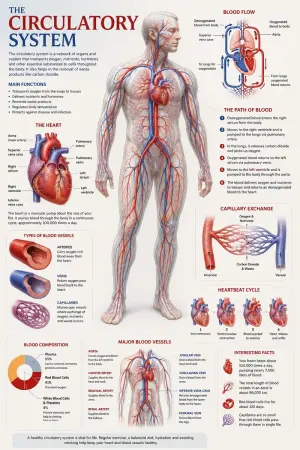
Medical Anatomy Visualization Poster
Create a premium educational “scientific anatomical visualization poster” focused on the human circulatory system (subject), designed more like a modern medical museum display and biological atlas page rather than a typical infographic. The composition should feel elegant, immersive, and medically artistic, blending anatomical realism, scientific illustration, and cinematic educational design. Visual Direction: • Vertical poster composition or clean square format • Soft medical-grade background with subtle paper textures, anatomical sketch overlays, and faint scientific grid lines • Refined medical color palette using ivory white, deep crimson red, arterial blue, soft pink tissue tones, muted gray, and subtle gold accents • Clean editorial typography with elegant anatomical labeling • Minimal UI-style information panels — focus more on visual storytelling and anatomical beauty • Thin precision annotation lines with museum-style labels • Soft realistic lighting and premium biological rendering • Highly detailed semi-transparent human body illustration revealing the circulatory network beneath the skin • Realistic vascular textures with glowing arteries and veins flowing throughout the body • Sophisticated educational aesthetic inspired by high-end medical textbooks and anatomy exhibitions Main Subject Presentation: A breathtaking ultra-detailed anatomical render of the human circulatory system placed centrally, featuring: • semi-transparent human anatomy • hyper-detailed arteries and veins • visible heart chambers and aorta • capillary branching networks • realistic blood-flow coloration • glowing oxygenated vs deoxygenated circulation pathways • anatomically accurate vessel placement • subtle organ visibility beneath the vascular system • premium medical illustration realism Surround the anatomy with elegant educational visualization modules such as: • enlarged realistic heart anatomy • pulmonary circulation diagram • systemic circulation flow visualization • artery vs vein comparison • capillary exchange illustration • heartbeat cycle sequence • microscopic blood-cell closeups • blood composition visualization • major vessel identification map • oxygen transport explanation Add sophisticated scientific visual elements like: • blood-flow directional arrows • vascular cross-section diagrams • anatomical side callouts • circulation pathway diagrams • microscopic tissue exchange visuals • transparent organ overlays • ECG/heartbeat waveform accents • subtle medical chart graphics • biological texture overlays • anatomical scale comparisons Style Keywords: “museum-quality anatomical poster” “scientific medical atlas page” “premium biology visualization” “high-end anatomy illustration” “medical education artwork” “editorial anatomical design” “cinematic biological rendering” “ultra-detailed circulatory anatomy” “luxury medical textbook aesthetic3e:Tbe7,Create a premium educational “scientific anatomical visualization poster” focused on the {argument name="subje

Cloisonné Craft PPT Cover
Create a 16:9 widescreen PowerPoint cover slide in an elegant Chinese traditional craft presentation style, with an ivory rice-paper background, dark teal and gold ornamental border, and decorative Chinese corner brackets. The main headline on the left is large dark blue Chinese calligraphy text reading 掐丝珐琅 (headline text), with a smaller gold subtitle underneath reading 火与金线中的东方华彩 (subtitle text). Below it, place a centered rounded label plaque with teal text reading 传统工艺主题分享 (section label), and a small explanatory line near the lower left reading 认识一种以金属胎、细丝与珐琅釉色共同构成的华美工艺 (footer note). In the top-right corner, add a small ornate dark teal page indicator reading 01 / 10 (page indicator). On the right half, feature a highly detailed blue-and-gold cloisonné enamel vase on a dark wooden stand, decorated with lotus flowers, green lotus leaves, curling gold wire patterns, turquoise accents, and ornate gold handles. The tabletop foreground contains exactly 7 discrete craft objects: 1 coil of gold wire, 1 flat cloisonné floral medallion, 1 gold key-shaped ornament, 1 fine metalworking brush or stylus, and 4 small bowls of enamel powder in blue, green, turquoise, and white/gold. Add pale ink-wash mountains, a distant pavilion, soft lotus line art, and floating auspicious cloud motifs in the background. Use a refined museum-course aesthetic, realistic product rendering mixed with delicate Chinese illustration, harmonious cream, deep navy, turquoise, and metallic gold palette, crisp typography, balanced negative space, premium educational PPT title-slide composition.36:T715,Create a 16:9 widescreen PowerPoint cover slide in an elegant Chinese traditional craft
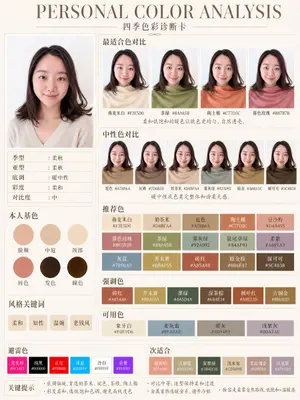
Soft Autumn Personal Color Card
{"type":"personal color analysis infographic card","style":"clean editorial beauty infographic, soft neutral background, elegant serif headline, Chinese typography, minimalist luxury layout","canvas":{"orientation":"portrait","background":"warm ivory paper tone with thin taupe divider lines"},"headline":{"main":"PERSONAL COLOR ANALYSIS","sub":"四季色彩诊断卡"},"subject":{"count":1,"gender_presentation":"female","pose":"front-facing studio portrait, shoulders visible","face":"intentionally blurred and featureless","hair":{"color":"dark brown","length":"shoulder length","style":"soft layered bob with slight outward flip at the ends and side part"},"top":{"color":"light cream beige knit","neckline":"soft V-neck"}},"layout":{"sections":[{"title":"main portrait","position":"left column upper","count":1,"labels":[]},{"title":"适合色对比","position":"top right","count":4,"labels":["燕麦米白 #F3E5D0","茶绿 #8A9A5B","陶土橘 #C77D5C","春色玫瑰 #B87B7B"]},{"title":"中性色对比","position":"middle right","count":6,"labels":["驼色 #A78B6A","灰梅 #7D6B5D","奶茶米 #D4BFA4","雾灰绿 #92A092","暗金 #A68A5C","暖可可 #5C4838"]},{"title":"本人基色","position":"left column middle","count":6,"labels":["脸颊","中庭","颈部","唇色","发色","瞳色"]},{"title":"风格关键词","position":"left column lower","count":4,"labels":["柔和","知性","温婉","老钱风"]},{"title":"推荐色","position":"center right lower","count":15,"labels":["燕麦米白 #F3E5D0","奶茶米 #D4BFA4","驼色 #A78B6A","陶土橘 #C77D5C","豆沙粉 #D4A495","暮色玫瑰 #B87B7B","茶绿 #8A9A5B","雾灰绿 #92A092","鼠尾草绿 #A4AF91","柔紫 #A691A3","灰蓝 #7890A0","芥末黄 #B8A055","砖红 #A85A48","暗金棕 #8B6F47","深可可 #5C4838"]},{"title":"强调色","position":"below recommended colors","count":6,"labels":["砖红 #A85A48","芥末黄 #B8A055","墨绿 #445D4A","深茶棕 #6B4E34","枫叶红 #A0522D","古铜金 #8B6B3D"]},{"title":"可用色","position":"below accent colors","count":4,"labels":["象牙白 #F0E9D6","柔灰蓝 #8FA3AD","暖灰 #9D9489","浅紫灰 #B0A3AC"]},{"title":"避雷色","position":"bottom left strip","count":6,"labels":["荧光粉 #FF1493","纯黑 #000000","正红 #FF0000","冰蓝 #00BFFF","冷白 #FFFFFF","亮紫 #9B30FF"]},{"title":"次适合","position":"bottom right strip","count":6,"labels":["珊瑚粉 #E89080","浅橄榄 #B3A580","深墨绿 #3B4D3B","浅木桃 #CDB89B","柔玫瑰金 #B89088","淡灰紫 #AFA0B0"]}],"left_info_table":{"count":5,"labels":["季型:柔秋","亚型:柔秋","底调:暖中性","彩度:柔和","对比度:中"]},"footer_notes":{"title":"关键提示","count":4,"labels":["底调偏暖,首选奶茶米、驼色、茶绿、陶土橘","彩度柔和,选低饱和色调,避免高纯度色","对比中等,造型保持柔和过渡","金属首饰选暖金系,避开冷银"]}},"color_palette":"muted soft autumn palette, warm-neutral undertone, low saturation, medium contrast","rendering":"high-resolution polished app-style infographic, realistic fabric and hair, subtle shadows, precise grid alignment, print-ready beauty consultation card","customization":{"headline text":"{argument name=\"headline text\" default=\"PERSONAL COLOR ANALYSIS\"}","subtitle text":"{argument name=\"subtitle text\" default=\"四季色彩诊断卡\"}","season result":"{argument name=\"season result\" default=\"柔秋\"}","character hair color":"{argument name=\"character hair color\" default=\"dark brown\"}","background color":"{argument name=\"background color\" default=\"warm ivory\"}"}}3a:Te21,{"type":"personal color analysis infographic card","style":"clean editorial beauty infographic, soft neutral background, elegant serif headline, Chinese typography, minimalist luxury layout","canvas":{"orientation":"portrait","background":"warm ivory paper tone with thin taupe divider lines"},"headline":{"main":"PERSONAL COLOR ANALYSIS","sub":"四季色彩诊断卡"},"subject":{"count":1,"gender_presentation":"female","pose":"front-facing studio portrait, shoulders visible","face":"intentionally blurred and featureless","hair":{"color":"dark brown","length":"shoulder length","style":"soft
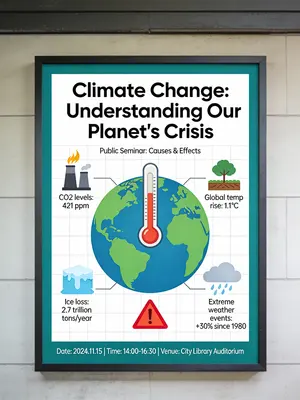
Informative Climate Change Seminar Poster
An informative and engaging poster for a public seminar on climate change. The poster is designed as a mini-infographic, with a large, central graphic showing the earth with a thermometer, and smaller icons and data points around it explaining the causes and effects. The design is clean, organized, and aims to educate the viewer quickly and effectively. –ar 3:4
Explore more prompts
Browse more AI image and video prompts by category.
FAQ
- What does section 4's UI mockup specifically display?
- It shows a chat interface flow ending with a generated dog image to illustrate real ChatGPT operation steps.
- How many sources appear in section 10?
- The final section lists exactly 7 sources plus a summary box for quick reference on official confirmations.
- Is the Complex AI Model Analysis Infographic prompt free to use?
- Yes, this prompt is completely free on AI Pin Maker and you can copy it directly with no signup or payment required.
- How do I use the Complex AI Model Analysis Infographic prompt to generate an image or video?
- Copy the prompt, tweak the subject or style to fit your idea, then paste it into AI Pin Maker and generate your image or video in one click.
- Can I change the Complex AI Model Analysis Infographic prompt into my own version?
- Absolutely, just replace the subject, style, or parameters in AI Pin Maker to make the prompt entirely your own.