
Text to Image
Compilation of 18 Nano Banana Pro Prompts (Tennen's Prompt Festival) - Nano Banana Pro AI Prompt for Game Asset — AI Image Prompt
A comprehensive list of 18 specialized Nano Banana Pro prompts created by the user 'Tennen,' covering various use cases from adding Scouters and 'Super Transformation' effects to generating retro RPG status screens, figure product layouts, and special move sequences (Kamehameha/Final Flash style).
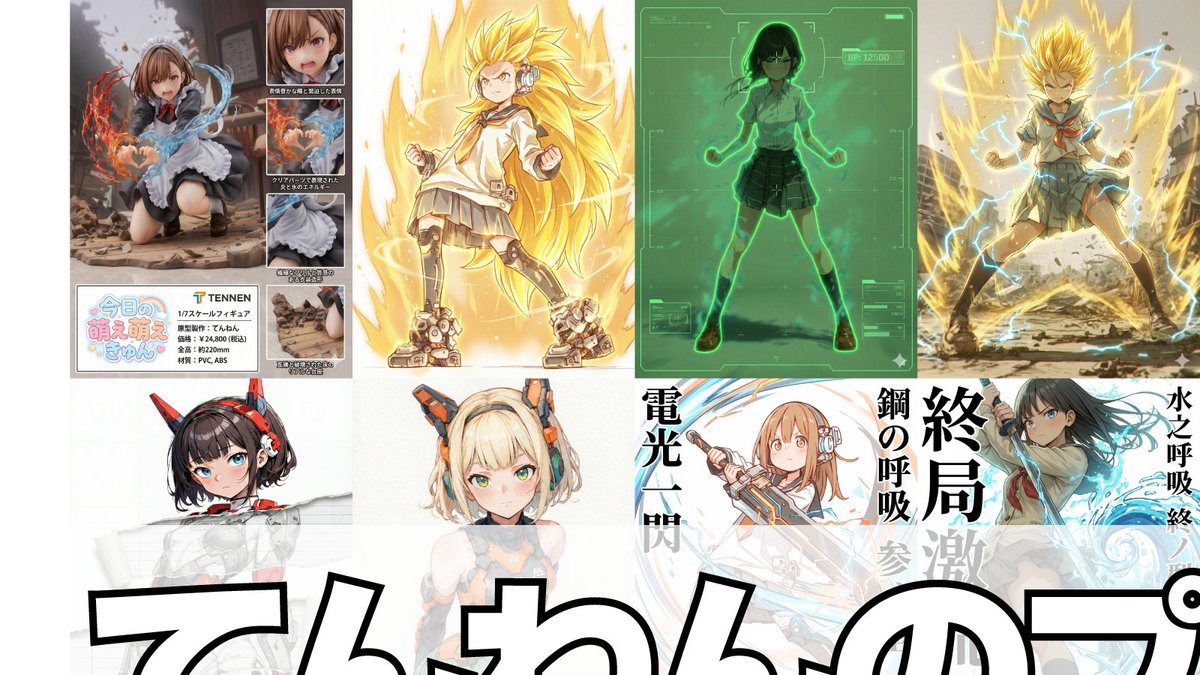
Prompt
1.スカウタープロンプト
参照画像の上にスカウター風のUIを重ねて描写します。キャラクターの特徴からNano Banana Proが推論して戦闘力を表示します。

2.超化プロンプト
参照画像のキャラクターの特徴を維持して、ポーズを「覚醒ポーズ」に変えて「超化」させます。「超化」は、第1形態から第3形態、さらに神形態、ブルー形態、極形態、ロゼ形態から選択できます。

3.フィールド展開プロンプト
参照画像のキャラクターを手を前方に伸ばしたポーズに変えてフィールドを展開します。

4.レトロRPGステータス画面化プロンプト
参照画像のキャラクターをドット絵に変換して、レトロRPGのステータス画面風にした画像を生成できるプロンプトです。

5.デスクトップマスコット化プロンプト
参照画像のキャラクターをデスクトップマスコット化してPC画面に配置した画像を生成するプロンプトです。

6.破れたところだけ画風を変えるプロンプト
参照画像そのものは一切変えず、破れ表現を追加し、破れた部分だけを線画・墨絵・フィギュア風・色鉛筆・水彩・鉛筆画など自由に画風を切り替えられるプロンプトです。

7.画風変換プロンプト
「破れたところだけ画風を変えるプロンプト」を改変して作った、全体の画風を変えるプロンプトです。

8.スーパーロボット大戦バトル演出化プロンプト
参照画像からスーパーロボット大戦のバトル演出風の画像を生成するプロンプトです。

9.力の解放プロンプト
球状のエネルギー空間が物体を破壊する描写の再現するプロンプトです。

10.参戦画面プロンプト
参照画像のキャラクターの「参戦画面」を生成するプロンプトです。

11.全集中プロンプト
参照画像のキャラクターをそのまま維持した上で、キャラクターの雰囲気や構えから「武器・呼吸・型・技名」を推論し描写するプロンプトです。

12.かめはめ波風プロンプト
『かめはめ波』の溜めポーズと発動ポーズを安定して生成できるプロンプトです。

13.フィギュア化+製品紹介風レイアウトプロンプト
参照画像のキャラクターをフィギュア化して、製品紹介風にレイアウトするプロンプトです。

14.ファイナルフラッシュ風プロンプト
参照画像のキャラクターを『ファイナルフラッシュ』の発動・溜め・発射ポーズに変換します。それぞれセリフ・擬音を追加できます。

15.新しいプロフィール画像生成プロンプト
参照画像のキャラクターを任意のアスペクト比で生成し、任意の文字列をロゴ風にして任意の位置に配置します。

16.プラモデルパッケージ化プロンプト
参照画像をそれぞれ正面・側面に配置し「プラモデルのパッケージ風」の画像として生成します。

17.イレイザーガン風プロンプト
参照画像のキャラクターが口からイレイザーガン風の エネルギー波を放ちます。

18.ボロクズ化プロンプト
参照画像のキャラクターを『ボロクズ化』するプロンプトです。41:Tb7d,1. Scouter Prompt
Overlays a Scouter-style UI onto the reference image and infers and displays the combat power based on the character's features.

2. Super Transformation Prompt
Maintains the character features from the reference image and changes the pose to an 'Awakening Pose' to 'Super Transform' them. 'Super Transformation' can be selected from Form 1 to Form 3, as well as God Form, Blue Form, Extreme Form, and Rose Form.

3. Field Deployment Prompt
Changes the character in the reference image to a pose with hands extended forward and deploys a field.

4. Retro RPG Status Screen Prompt
A prompt that converts the character in the reference image into pixel art and generates an image styled like a retro RPG status screen.

5. Desktop Mascot Prompt
A prompt that generates an image of the character from the reference image turned into a desktop mascot and placed on a PC screen.

6. Style Change Only on Torn Parts Prompt
Adds a tearing effect without changing the reference image itself, allowing the art style of only the torn part to be freely switched to line art, ink painting, figure style, colored pencil, watercolor, pencil drawing, etc.

7. Art Style Conversion Prompt
A prompt created by modifying the 'Style Change Only on Torn Parts Prompt' to change the overall art style.

8. Super Robot Wars Battle Sequence Prompt
A prompt that generates an image styled like a Super Robot Wars battle sequence from the reference image.

9. Power Release Prompt
A prompt that reproduces the depiction of a spherical energy space destroying an object.

10. Participation Screen Prompt
A prompt that generates a 'Participation Screen' for the character in the reference image.

11. Total Concentration Prompt
Maintains the character from the reference image and infers and depicts 'Weapon, Breathing Style, Form, and Move Name' from the character's atmosphere and stance.

12. Kamehameha Style Prompt
A prompt that can stably generate the charging pose and activation pose of 'Kamehameha.'

13. Figure Transformation + Product Introduction Layout Prompt
A prompt that transforms the character in the reference image into a figure and lays it out in a product introduction style.

14. Final Flash Style Prompt
Converts the character in the reference image into the activa
Prompt breakdown
- Subject
- Nano Banana Pro character reference transformed via scouter UI, awakening poses, retro pixel art, figure packaging, and Dragon Ball energy attacks
- Style
- Anime with Super Robot Wars battle effects, retro RPG dot pixels, product figure shots, ink/lineart tears, and scouter HUD overlays
- Composition
- Varied poses including hands-forward field deployment, kamehameha charging stances, participation screen framing, and multi-angle plamodel package views
- Mood
- High-energy battle transformations with awakening, power-release spheres, and final flash intensity
Remix ideas
- Replace the scouter combat power readout with custom game stats like mana or speed for non-battle assets
- Combine the torn-parts style switch with the overall art conversion prompt to create hybrid watercolor-and-ink game splash screens
- Swap the retro RPG status screen prompt for a modern mobile UI frame while retaining the same pixel character conversion
Reference images
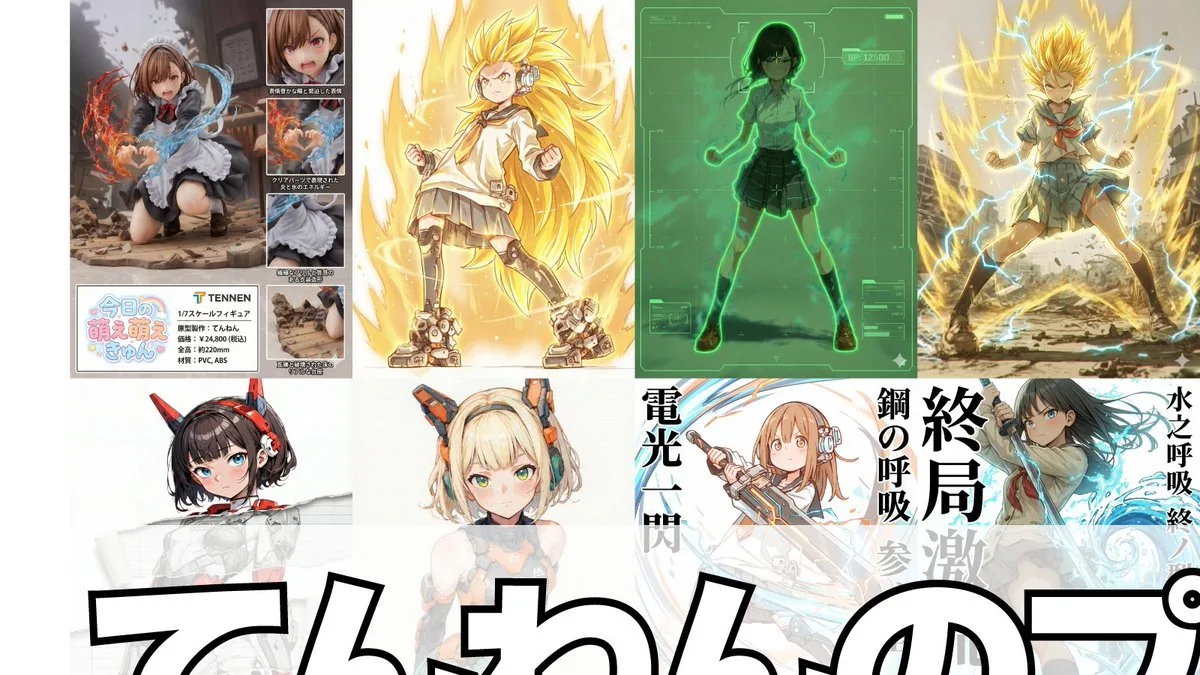
How to use this AI Image prompt template
 1
1Copy the prompt — grab this template’s prompt and negative prompt.  2
2Pick a model — choose a recommended AI model for the best match.  3
3Generate — open the studio with one click and create your result.
Related templates

16-Bit RPG Battle Screen
Using the provided reference image as the character source, transform the character into a 16-bit command RPG battle screen in pixel-art style. Keep the original character’s outfit, long blond hair, general silhouette, and faceless/blurred face treatment, but redraw her as a playable battle sprite standing on the left side in a ready-to-fight pose. Goal: Create a retro Japanese fantasy RPG combat scene, like a Super Famicom / 16-bit era command battle screen. Scene additions: Add an ancient ruined stone arena background with broken arches, columns, moss, vines, scattered machinery, and atmospheric depth. Place exactly 2 enemy monsters on the right side: 1 tall plant/serpent-like mechanical monster with glowing blue orbs, and 1 smaller spider-like mechanical creature with cyan energy rings. UI layout: Add exactly 3 dark navy RPG interface boxes with thin white borders: 1 command menu in the upper left, 1 character status box near the lower center-left, and 1 dialogue box across the bottom. Text: The command menu must contain exactly 4 Japanese options in vertical order: 「たたかう」, 「まほう」, 「アイテム」, 「にげる」, with a triangular cursor pointing to the first option. The status box should show フミ姐ぇ (character name), LV 35, HP 320/320, and MP 150/150. The bottom dialogue box should show さっさと片付けるわよ (battle line). Style constraints: Use crisp 16-bit pixel art, limited color palette, visible pixel edges, side-view RPG composition, no modern UI, no photorealism, no extra characters, no extra menu items, no watermark.37:T675,Using the provided reference image as the character source, transf

Mecha Ink Wash Landscape Painting
A traditional Chinese ink wash landscape painting featuring a giant mecha integrated into the misty mountains. The mecha, resembling Evangelion Unit-01 (mecha type), features a purple and green color scheme with a prominent horn and the number "01" on its shoulder. Its massive form dissolves into expressive, dripping black ink washes, seamlessly blending into the rocky mountain formations. The surrounding landscape includes steep, jagged peaks painted with teal and green washes, cascading waterfalls, ancient pine trees, and small traditional pavilions perched on the cliffs. A flock of birds flies through the dense fog filling the valleys. In the top left corner, vertical traditional Chinese calligraphy reads 初號機 (main text) followed by 人之造物 亦為山水 (sub text), accompanied by a red artist seal stamp. Another red seal is stamped in the bottom right corner. The entire artwork is rendered on textured, aged rice paper, utilizing dynamic brushstrokes and atmospheric perspective typical of classical Shan shui art.39:T45f,A traditional

Pixel Game Asset Atlas Template
请根据【游戏主题:鬼灭之刃/炭治郎 (游戏主题)】创作一张高完成度、高信息密度、适合系列化发布的「像素世界资产图鉴 / Pixel World Asset Atlas」。 这不是普通像素插画,也不是单张游戏场景图,而是一张面向游戏开发、美术设定、关卡设计和视觉提案的“2D像素游戏资产总览图”。画面需要像一张完整的游戏素材说明板,把一个【游戏类型:横版动作 (游戏类型)】所需的核心角色、敌人、道具、地形、场景、机关、Boss和装饰元素系统化整理在同一张图中,形成清晰、专业、可复用的游戏资产图鉴。 【基础设定】 主题世界观:【游戏主题】 游戏类型:【游戏类型】 时代背景:【时代背景】 主角身份:【主角身份】 敌人类型:【敌人类型】 主要场景:【主要场景环境】 整体风格:【风格方向,例如16-bit复古街机像素风 (风格)】 主色调:【主色调】 辅助色:【辅助色】 点缀色:【点缀色】 画幅比例:【画幅比例,横版4:3】 如没有填写,自动按照游戏主题最优方案进行匹配。 【整体画面要求】 画面采用横版大画布,浅色或低干扰背景,整体像一张游戏开发资产表、像素设定集展开页、说明书式资源目录。所有元素都应为统一像素密度的2D pixel art sprite,具有清晰黑色或深色描边、有限色阶、复古游戏质感。不要生成真实摄影风、3D渲染风、厚涂插画风或电影海报风。重点是“系统完整、分类清晰、资源丰富、可开发感强”。 【版式结构】 整张图采用模块化网格排版,用细线分割不同资源区域。每个区域需要有编号标题和简短分类标签,整体阅读路径为从左到右、从上到下。版式应具有说明书、游戏开发文档、素材图鉴、设定板的秩序感。信息密度要高,但不能混乱;每个模块内部的元素应等距排列,保持清晰可读。 【必须包含的模块】 1. 玩家角色模块:展示完整动作帧,包括站立、行走/奔跑、跳跃等。动作帧应横向排列,像游戏sprite sheet。 2. 敌人单位模块:设计多种敌人,包括普通、远程、重装、精英单位等。 3. 武器与道具模块:展示近战、远程、投掷物、特效、拾取物等。 4. 基础地形砖块模块:展示地面、墙体、平台、转角、不同材质地块。 5. 自然/外部场景资源模块:展示树木、草丛、石头、障碍物。 6. 建筑/基地/营地资源模块:展示门、窗、墙、梯子、营地设施。 7. 特殊地形模块:展示桥梁、水体、悬崖、洞口。 8. 室内/地下/设施资源模块:展示管道、控制台、金属门、设备。 9. Boss / 遭遇战资源模块:展示大型Boss、特殊载具、巨型机关。 10. 通用装饰与交互元素模块:展示梯子、绳索、指示牌、开关、机关。 【视觉细节要求】 所有资源需要保持统一的像素尺寸逻辑和世界观一致性。比例关系明确。动作帧需体现连续性;地形砖块可拼接;道具和机关有功能识别度;Boss元素需有压迫感。37:Tde0,Please create a high-completion, high-information-density "Pixel World Asset Atlas" suitable for serialized release based on [Game Theme: Demon Slayer/Tanjiro (game theme)]. This is not a regular pixel illustration or a single game scene, but a "2D pixel game asset overview map" for game development, art setting, level design, and visual proposals. The visual should look like a complete game material board, systematically organizing core characters, enemies, items, terrain, scenes, mechanisms, Bosses, and decorative elements required for a [Game Type: Side-scrolling action (game type)] into a single clear, professional, and reusable game asset atlas. [Basic Settings] Theme Worldview: [Game Theme] Game Type: [Game Type] Era Background: [Era Background] Protagonist Identity: [Protagonist Identity] Enemy Types: [Enemy Types] Main Scenes: [Main Scene Environment] Overall Style: [Style Direction, e.g., 16-bit retro arcade pixel style (style)] Main Color: [Main Color] Secondary Color: [Secondary Color] Accent Color: [Accent Color] Aspect Ratio: [Aspect Ratio, Landscape 4:3] If not filled, automatically match according to the optimal plan for the game theme. [Overall Visual Requirements] The visual uses a large landscape canvas with a light or low-interference background, looking like a game development asset sheet or an instruction-style resource catalog. All elements should be 2D pixel art sprites with uniform pixel density, clear black/dark outlines, limited color scales, and retro game textures. Do not generate realistic photography, 3D rendering, painterly illustration, or movie poster styles. Focus on being "systematically complete, clearly categorized, resource-rich, and high in developability." [Layout Structure] The map uses a modular grid layout with fine lines dividing different resource areas. Each area needs a numbered title and short category labels, with a reading path from left to right, top to bottom. The layout
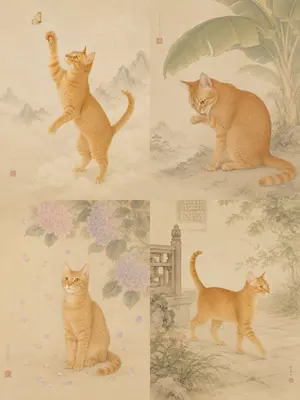
Oriental Gongbi Style Pet Portrait
Create a portrait image of Oriental Gongbi Style Pet Portrait. Style: photorealistic. Composition: balanced and well-framed. Lighting: natural with cinematic mood. Category: portrait. Reference: oriental-gongbi-style-pet-portrait-23485.
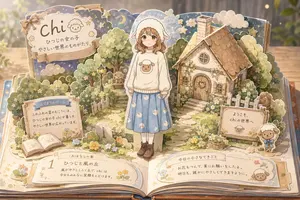
Sheep Girl Pop-Up Storybook
{"type":"whimsical pop-up storybook diorama illustration","style":"soft watercolor and colored-pencil children's picture book art, layered paper-cut pop-up construction, warm golden lighting, delicate outlines, cozy pastel palette, shallow depth of field, highly detailed but gentle","main_subject":{"count":1,"description":"a young girl standing upright in the center of an open pop-up book, face intentionally featureless and softly blurred, wearing a fluffy white sheep-eared hood, a cream oversized sweater with a sheep face motif, a pale blue knee-length skirt printed with small white sheep, white socks, and brown lace-up boots","customizable_name":"{argument name=\"character name\" default=\"chi\"}","sweater_motif":"{argument name=\"sweater motif\" default=\"sheep\"}"},"setting":{"default_concept":"{argument name=\"setting concept\" default=\"a gentle sheep-themed world emerging from an open picture book\"}","environment":"an open book lies on a wooden table, with layered pop-up pages forming a miniature village garden; background is softly blurred with forest-like vertical shadows and glowing bokeh","major_scenery_count":7,"major_scenery_items":["storybook title arch at upper left","moon-and-stars night sky backdrop","small cottage with chimney at upper right","garden path with stepping stones","white picket fences","flower beds and baskets","open book and paper plaques on the lower pages"]},"layout":{"composition":"wide horizontal 16:9 image, the open book fills the foreground, the central girl stands between the title arch and cottage, with readable paper signs distributed around the scene","labeled_text_panels_count":5,"labeled_text_panels":[{"position":"upper left large scalloped sign","visible_text":["{argument name=\"title text\" default=\"chi\"}","ひつじの女の子","やさしい世界のものがたり"]},{"position":"left middle rectangular page sign","visible_text":["はじまりのページ","ふわふわの雲のむこうには、","ひつじの女の子 chi が暮らす、","やさしい世界が広がっています。"]},{"position":"lower left open-book chapter panel","visible_text":["1","おはなしの章","ひつじと風の丘","風がやさしくふく丘で、chi は","今日もみんなに笑顔をとどけます。"]},{"position":"lower right long paper note","visible_text":["今日の小さなできごと","お花をつんで、星にお願いをしたよ。","明日も、誰かにやさしくできますように。"]},{"position":"right middle welcome sign","visible_text":["ようこそ、","chi の世界へ"]}]},"characters_and_mascots":{"total_living_figures_count":4,"items":["1 central sheep-hooded girl","1 small sheep mascot sitting on a bench in the left background","1 small sheep character printed on the central sweater","1 freestanding sheep mascot doll with blue bow beside the right welcome sign"]},"decorative_elements":{"counted_groups_count":8,"groups":["crescent moon and small stars across the upper sky","cloud cutouts behind the title and cottage","rounded leafy trees and bushes","tiny white and yellow flowers scattered through the garden","vintage black lamp post near the path","wooden bench under the trees","stone marker with the number 1 near the lower center-left","ribbon bow attached to the upper-left title sign"]},"rendering_instructions":"make the entire scene look like layered cardboard pages rising from a real open book, with visible page edges, tabs, folds, shadows between paper layers, creamy off-white paper texture, hand-painted floral borders, and a dreamy bedtime-story atmosphere; keep all text hand-lettered and integrated into paper signs; no photorealistic people, no harsh contrast, no modern UI elements"}
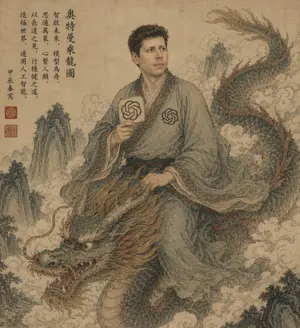
Ancient Scroll Scholar Riding Dragon
An ancient Chinese ink-and-wash style portrait on aged tan parchment, composed like a classical hanging scroll. A scholarly East Asian man in flowing gray-blue robes sits side-saddle atop a long serpentine Chinese dragon emerging through swirling clouds. His face is intentionally obscured by a flat rectangular blur block in parchment-brown tones. He has short dark curly hair and wears layered traditional robes with ornate patterned trim, a dark sash belt, and two modern OpenAI knot emblems worked into the costume: one printed on the chest and one on a round hand fan he holds upright in his right hand. His left hand rests near the dragon's mane as if holding the creature steady. The dragon is large and detailed, with blue-green scales, a pale underbelly, reddish-brown mane and fin accents, antler-like horns, whiskers, bared teeth, and a fierce expressive face in the lower left foreground, while its body coils upward to the upper right. Surround the figures with mist, stylized clouds, and steep craggy mountain peaks fading into the background. Add a vertical column of black Chinese calligraphy at the upper left and 3 red seal stamps near the lower part of the inscription area. The palette is muted, dusty, and antique: parchment beige, faded teal, moss green, smoky gray, sepia, and rust. Overall feeling: mythical, scholarly, dignified, slightly surreal, blending classical Chinese scroll painting with subtle modern AI iconography. Highly detailed brushwork, weathered paper texture, elegant composition, no border, full-frame vertical artwork.
Explore more prompts
Browse more AI image and video prompts by category.
FAQ
- How does the super transformation prompt handle multiple forms like God Form or Rose Form?
- It keeps the original Nano Banana Pro features fixed and only swaps the pose to an awakening stance while applying the chosen form modifier from the listed options.
- Can the desktop mascot prompt be used for actual game UI elements?
- Yes, the generated PC-screen placement works directly as a reference for in-game companion widgets or launcher icons while preserving the character exactly.
- Is the Compilation of 18 Nano Banana Pro Prompts (Tennen's Prompt Festival) - Nano Banana Pro AI Prompt for Game Asset prompt free to use?
- Yes, this prompt is completely free on AI Pin Maker and you can copy it directly with no signup or payment required.
- How do I use the Compilation of 18 Nano Banana Pro Prompts (Tennen's Prompt Festival) - Nano Banana Pro AI Prompt for Game Asset prompt to generate an image or video?
- Copy the prompt, tweak the subject or style to fit your idea, then paste it into AI Pin Maker and generate your image or video in one click.
- Can I change the Compilation of 18 Nano Banana Pro Prompts (Tennen's Prompt Festival) - Nano Banana Pro AI Prompt for Game Asset prompt into my own version?
- Absolutely, just replace the subject, style, or parameters in AI Pin Maker to make the prompt entirely your own.