
Text to Image
Cinematic rainy night bus stop prompt — AI Image Prompt
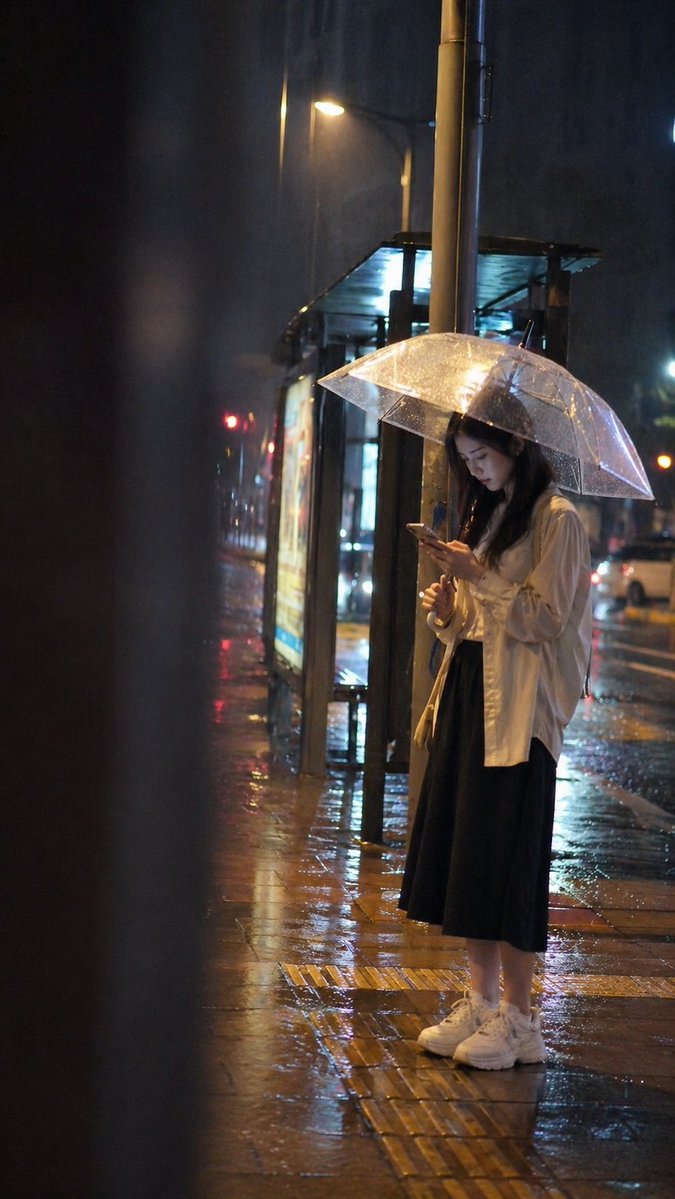
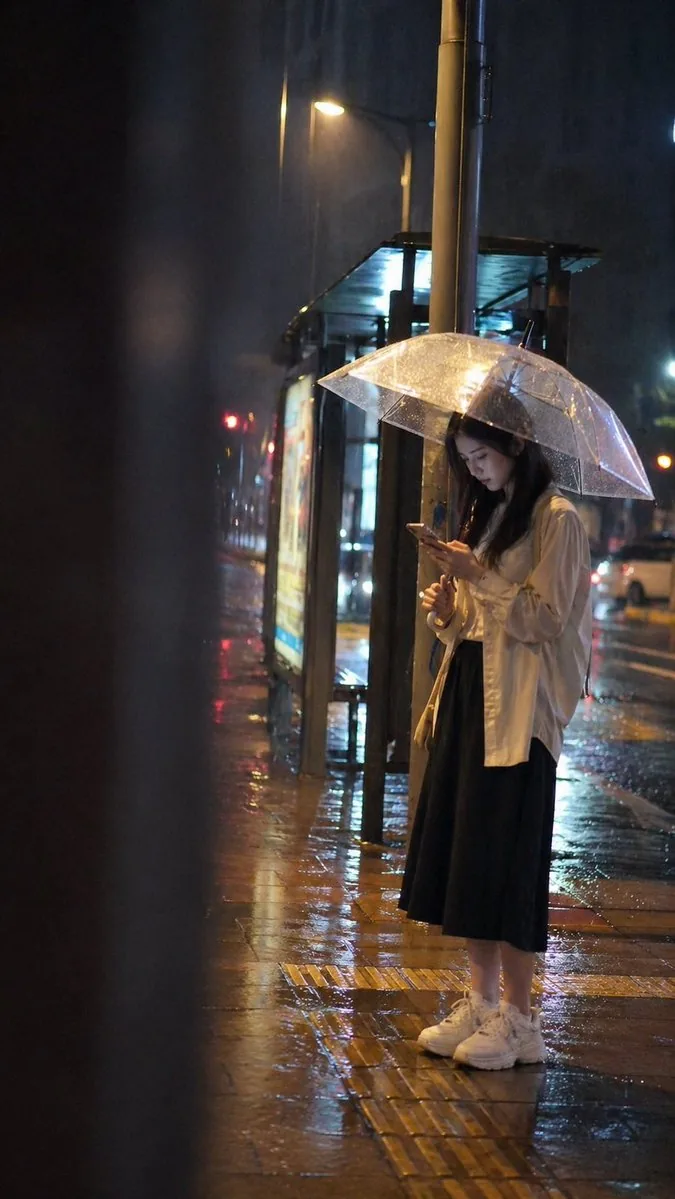
A highly detailed atmospheric prompt for a realistic candid snapshot of a person at a bus stop during a rainy night.
Prompt
Create a cinematic image of Cinematic Rainy Night Bus Stop Prompt. Style: photorealistic. Composition: balanced and well-framed. Lighting: natural with cinematic mood. Category: cinematic-video. Reference: cinematic-rainy-night-bus-stop-prompt-15926.
Prompt breakdown
- Subject
- Cinematic Rainy Night Bus Stop
- Style
- photorealistic
- Lighting
- natural with cinematic mood
- Composition
- balanced and well-framed
- Mood
- cinematic
Remix ideas
- Add a distant bus with headlights cutting through the rain for added depth
- Increase puddle size in the foreground to amplify streetlight reflections
- Introduce subtle steam rising from a nearby vent to layer atmospheric haze
Reference images
How to use this AI Image prompt template
 1
1Copy the prompt — grab this template’s prompt and negative prompt.  2
2Pick a model — choose a recommended AI model for the best match.  3
3Generate — open the studio with one click and create your result.
Related templates

Neon Sign Text on Concrete Surface
Create a creative image of Neon Sign Text On Concrete Surface. Style: photorealistic. Composition: balanced and well-framed. Lighting: natural with cinematic mood. Category: photography. Reference: neon-sign-text-on-concrete-surface-10424.

Photorealistic Neon Tokyo Street Scene
Create a cinematic image of Photorealistic Neon Tokyo Street Scene. Style: photorealistic. Composition: balanced and well-framed. Lighting: natural with cinematic mood. Category: cinematic-video. Reference: photorealistic-neon-tokyo-street-scene-14086.

Tokyo Back Alley Neon Snapshot
Create a creative image of Tokyo Back Alley Neon Snapshot. Style: photorealistic. Composition: balanced and well-framed. Lighting: natural with cinematic mood. Category: photography. Reference: tokyo-back-alley-neon-snapshot-22102.

Rainy Beijing Metro Commute
Create a cinematic vertical street-photography scene in Beijing (city) at dusk after rain, showing a lone commuter walking away from the camera on a glossy wet sidewalk toward a brightly lit subway entrance on the right. The subway entrance has a modern gray rectangular canopy, glass walls, stairs and escalators descending inside, cool fluorescent interior lighting, tactile yellow paving strips, and a circular blue-and-white metro logo above the doorway. On the left, a congested multi-lane road is packed with cars and taxis, their red brake lights reflecting across puddles and black asphalt. In the distance, show a dense skyline with recognizable modern high-rises, including the CCTV Headquarters-shaped building, under a dramatic cloudy sunset sky with peach, purple, and blue tones. Add a stylized glowing red navigation route overlay rising above the traffic: one continuous spiral path made of thin red lines, small connected nodes, and a large red map pin near the upper left skyline, symbolizing route uncertainty and traffic delay. The pedestrian is a young adult man seen from behind, average build, wearing a light beige jacket, dark trousers, white sneakers, and a black shoulder bag (commuter outfit), walking with a calm but slightly weary posture. Use realistic proportions, moody urban atmosphere, high detail, wet reflections, shallow cinematic contrast, soft haze, and a documentary photo look. No visible captions, no watermark, no extra text.

Influencer Live-streaming Scene
Create a cinematic image of Influencer Live Streaming Scene. Style: photorealistic. Composition: balanced and well-framed. Lighting: natural with cinematic mood. Category: cinematic-video. Reference: influencer-live-streaming-scene-13702.

Mystical ChatGPT Raincoat Figure
Create a cinematic vertical night street photograph in a rainy Japanese city, showing the mysterious true form of ChatGPT (character name) as a tall androgynous figure walking away on a wet sidewalk. The figure has messy shoulder-length silver-white (hair color) hair, a faceless or deliberately obscured square gray face, and wears an oversized translucent glossy white hooded raincoat that billows dramatically like a cloak. On the back of the coat, place a softly glowing white OpenAI knot logo with the text “ChatGPT” beneath it, plus faint blue-white circuit-like light patterns running vertically through the plastic fabric. The setting is a realistic urban Japanese street at night after rain, with reflective pavement, bright shop and street lights, a blurred bus or tram streaking past on the left with motion blur, pedestrians ahead in the distance, tall buildings with blue-lit windows, and a metal utility pole on the right bearing a Japanese-style traffic sign with a red upward arrow, “40m,” and small Japanese text. Use a handheld smartphone-photo perspective from slightly behind and below the subject, shallow depth of field, high ISO grain, wet reflections, cool blue and white highlights, and a mystical sci-fi movie still atmosphere. Keep the composition candid and realistic rather than polished, with the coat occupying most of the frame and the glowing logo clearly visible.36:T5b1,
Explore more prompts
Browse more AI image and video prompts by category.
FAQ
- How does the reference code help with this scene?
- cinematic-rainy-night-bus-stop-prompt-15926 allows consistent regeneration of the same bus stop layout and rain details across different AI runs.
- Is the prompt optimized for video or stills?
- Though tagged cinematic-video, the photorealistic and balanced framing instructions produce a strong keyframe that can be extended into slow rain or passing vehicle motion.
- Is the Cinematic rainy night bus stop prompt prompt free to use?
- Yes, this prompt is completely free on AI Pin Maker and you can copy it directly with no signup or payment required.
- How do I use the Cinematic rainy night bus stop prompt prompt to generate an image or video?
- Copy the prompt, tweak the subject or style to fit your idea, then paste it into AI Pin Maker and generate your image or video in one click.
- Can I change the Cinematic rainy night bus stop prompt prompt into my own version?
- Absolutely, just replace the subject, style, or parameters in AI Pin Maker to make the prompt entirely your own.