
Text to Image
Cinematic Layered Typography Poster — AI Image Prompt
A sophisticated image-to-image prompt designed to add stylized, layered title text behind a subject, creating a professional movie poster or editorial cover look while maintaining the original image's composition.
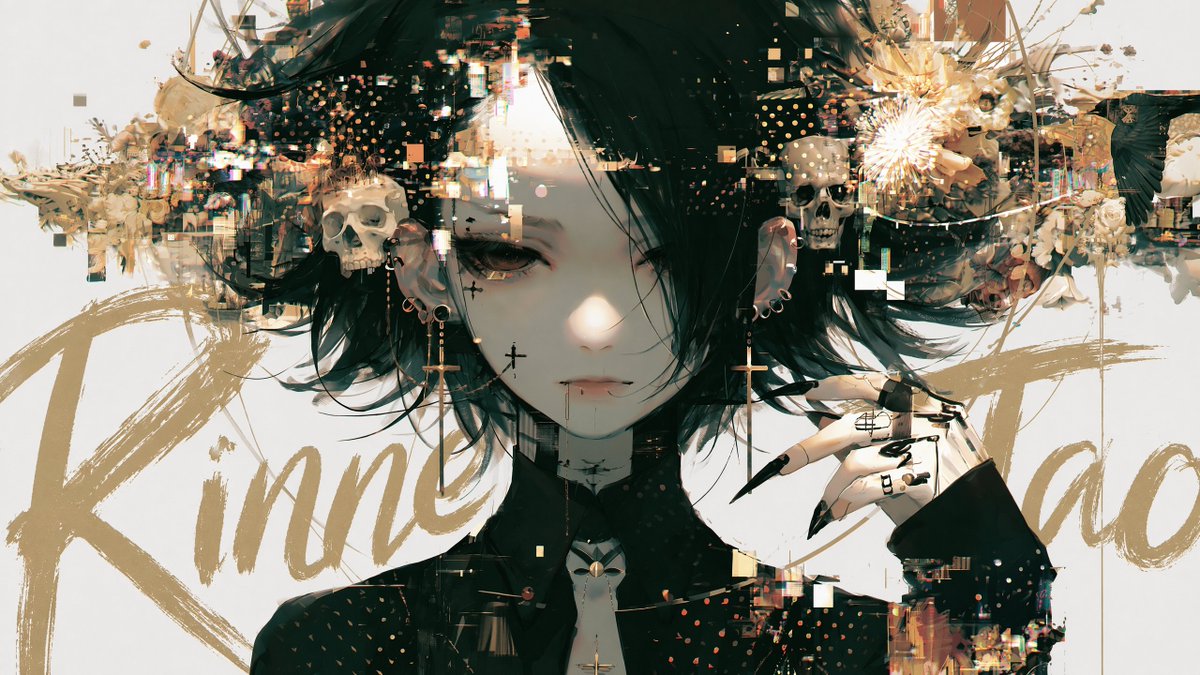
Prompt
Add a title text to this image with intentional layer depth.

[Text to Add]
- The phrase to add: "{argument name="title" default="[ここにタイトルを入力]"}"

[Typography]
- If the text is in English or romaji: handwritten brush script style — loose, expressive, confident strokes, imperfect and alive
- If the text is in Japanese: calligraphic brushwork by a master — rough, bold, spontaneous ink strokes with natural variation in pressure and thickness
- Scale: large and dominant — the text is a visual element, not a label
- Color: choose a color that does not clash with or duplicate the background — prioritize visual harmony over legibility

[Layer Depth — Critical Rule]
- The text must appear BEHIND the main subject (person, figure, or foreground object)
- The main subject occludes the text naturally — as if the subject is standing in front of the text
- The background remains behind both the text and the subject
- If any other text elements exist in the image (watermarks, captions, body copy, small text), the title must appear in front of all of them
- Layer order from back to front: background → existing text elements → title text → subject

[Legibility — Important]
- Do not force the text to be readable
- It is acceptable — even desirable — for portions of the text to be hidden behind the subject
- The text exists as a design element and compositional layer, not as information to be read
- Layout and aesthetic integration take priority over legibility at all times

[Placement]
- The text spans large across the image, partially hidden behind the subject
- Placement feels cinematic and intentional — like a movie poster or editorial cover
- Allow the text to bleed beyond the frame edges naturally
- Do not generate random text blocks, body copy, or filler text anywhere in the image
- Only the specified title text should appear as a new addition

[Style Preservation]
- Do not alter the subject, colors, or composition of the original image
- Add only the text layer — nothing else3c:T7f2,Add a title text to this image with intePrompt breakdown
- Style
- handwritten brush script with loose expressive confident strokes for English/romaji or rough bold spontaneous calligraphic ink with pressure variation for Japanese
- Composition
- large dominant text spanning the frame partially hidden behind the subject, bleeding naturally beyond edges, layered behind subject but in front of any pre-existing text elements
- Mood
- cinematic and intentional like a movie poster or editorial cover
Remix ideas
- increase stroke pressure variation in the prompt to make Japanese characters feel more spontaneous and alive
- shift text placement upward so the subject's head occludes only the middle letters for stronger depth
- choose a desaturated background-matching hue for the text to heighten integration rather than contrast
Reference images
How to use this AI Image prompt template
 1
1Copy the prompt — grab this template’s prompt and negative prompt.  2
2Pick a model — choose a recommended AI model for the best match.  3
3Generate — open the studio with one click and create your result.
Related templates

True Crime Documentary Thumbnail
A dark and mysterious thumbnail for a true crime documentary. The image is a moody, black and white photo of a key piece of evidence (e.g., a letter) on a detective’s desk, illuminated by a single lamp. A large, red question mark is stamped over the image. The YouTuber’s face is not visible, adding to the mystery. The title is in a classic typewriter font. This demonstrates strong control over mood and atmosphere. –ar 16:9

Shogi Battlefield Video Thumbnail
Goal: Create a cinematic social media video thumbnail / award post image showing a fantasy shogi match transforming into a battlefield, with a dark PixVerse-style video-card presentation. Canvas: 600×483 px landscape card on a black background with rounded corners. The upper 82% is a cinematic image still; the lower strip is black with a large title. Use warm firelight, deep shadows, shallow depth of field, dramatic movie lighting, and high-detail photorealistic animal characters. Main scene: Inside a dim traditional Japanese room, two anthropomorphic dogs sit across a wooden shogi board that has become a miniature battlefield. On the left is PONTA, a pink Shih Tzu (left character), small and fluffy, wearing a pale pink kimono, holding a thin wooden pointer toward the board with a confident strategic expression. On the right is a worried bulldog opponent (right character), large and wrinkled, wearing a dark robe, gripping both sides of his head in despair. Behind them are blurred lanterns, flames, and traditional wall art. Board details: The shogi board fills the lower center of the image in perspective. Show a dense miniature battle scene on top of the grid: exactly two opposing armies, one accented in red/orange and one accented in blue. Include about 64 visible miniature soldier figures total, mixed with shogi pieces, banners, spears, and glowing embers. A bright fiery clash burns near the center of the board. Make the wooden grid and at least one shogi piece with Japanese characters visible near the front edge. Overlay text and UI: Add a rounded dark-brown pill label at the top left reading Top 10 Popular Picks (award label) in white sans-serif text. At the lower left of the image still, place a circular colorful avatar icon followed by white text reading PONTA (Pink Shih Tzu) (creator line). At the lower right of the image still, place the white duration text 00:08 (duration). In the black bottom area, add the large white title text Shogi on the Battlefield (video title) aligned left. Visible discrete text elements: exactly 4 text elements: the award label, the creator line, the duration, and the bottom title. Visible major characters: exactly 2 dogs. Visible UI elements: exactly 1 rounded award pill, exactly 1 circular avatar, exactly 1 video duration marker, exactly 1 bottom title area. Style constraints: photorealistic yet fantastical, cinematic, warm orange highlights, dark vignette, high contrast, crisp central details, no extra logos, no watermark, no additional captions beyond the specified text.3
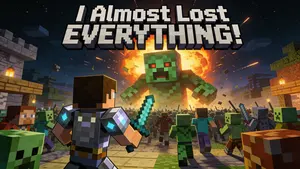
Minecraft Survival Video Thumbnail
A thumbnail for a “Minecraft Survival” video. The image shows the player’s character, in diamond armor, bravely fighting off a massive horde of zombies and creepers at night. A huge, terrifying Creeper looms in the background, about to explode. The text “I Almost Lost EVERYTHING!” is in a blocky, Minecraft-style font. This requires knowledge of specific game aesthetics and the ability to create dramatic, action-packed scenes. –ar 16:9
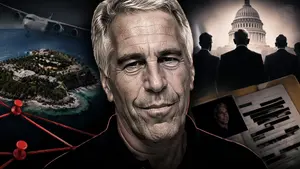
True Crime Investigation Thumbnail
A YouTube thumbnail-style collage for a dark, dramatic, true crime investigation (overall mood). In the center is a highly detailed, close-up portrait of an older man with grey hair and deep wrinkles resembling Jeffrey Epstein (central figure), wearing a black polo shirt, with a faint red glowing outline separating him from the background. On the left side, a tropical island with luxury villas and a flying airplane in a dark sky (left background scene). Below the island, a conspiracy board motif features exactly 2 red push pins connected by 3 thick red strings. On the top right side, a hazy, sepia-toned depiction of the US Capitol building with the silhouettes of 3 men in suits facing it (right background scene). On the bottom right, an open manila folder containing a heavily redacted dossier with thick black marker lines and a smaller photograph of the central man (document type). The overall composition is cinematic, intense, and heavily stylized for a documentary video.

VTuber Gaming Thumbnail Creation Prompt
Create a youtube-thumbnail image of Vtuber Gaming Thumbnail Creation Prompt. Style: photorealistic. Composition: balanced and well-framed. Lighting: natural with cinematic mood. Category: poster. Reference: vtuber-gaming-thumbnail-creation-prompt-2538.
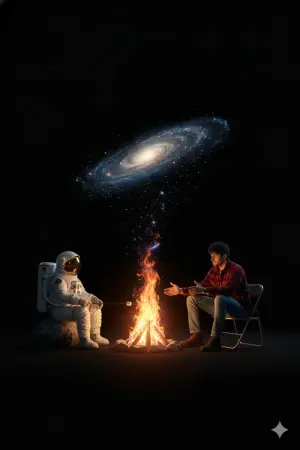
Surreal Campfire in Cosmic Void - Nano Banana Pro AI Prompt for YouTube Thumbnail
{ "type": "image_generation_prompt", "style": "surreal, cinematic, conceptual art", "camera": { "angle": "high-angle", "shot": "full shot", "composition": "symmetrical balance with central campfire dividing two characters", "background": "pitch-black void with no visible environment" }, "scene": { "setting": "abstract cosmic space", "environment": "dark void emphasizing isolation and contrast", "resolution": "8k", "render_style": "photorealistic" }, "characters": [ { "position": "left", "subject": "astronaut (character 1)", "pose": "sitting", "seat": "rough gray rock", "appearance": { "suit": "highly detailed realistic white space suit", "helmet": "on, reflective visor" }, "action": "holding a stick and roasting a marshmallow over the fire" }, { "position": "right", "subject": "young man (character 2)", "pose": "sitting and leaning forward", "seat": "metal folding chair", "appearance": { "hair": "dark hair", "clothing": { "top": "red and black plaid flannel shirt", "bottom": "blue jeans", "footwear": "brown boots" } }, "action": "warming hands by the fire" } ], "central_element": { "object": "campfire", "style": "magical and surreal", "fire_behavior": "flames transition seamlessly into a spiral galaxy", "galaxy": { "type": "photorealistic spiral galaxy", "details": [ "glittering stars", "cosmic dust", "swirling motion" ], "shape": "arching overhead like a celestial canopy" } }, "lighting": { "primary_light": "warm orange glow from the campfire", "secondary_light": "cool blue and purple glow from the galaxy", "mood": "dramatic, cinematic, ethereal", "shadows": "soft but deep, emphasizing contrast" }, "color_palette": { "dominant": ["black", "orange", "blue", "purple"], "accent": ["white", "red", "brown"] }, "themes": [ "human connection", "cosmic wonder", "contrast between the ordinary and the infinite", "shared warmth in an infinite universe" ], "quality_tags": [ "ultra-detailed", "photorealistic textures", "cinematic lighting", "sharp focus", "high dynamic range" ] }
Explore more prompts
Browse more AI image and video prompts by category.
FAQ
- What happens if the subject has transparent areas like hair or fabric?
- The prompt still places the brush title behind the entire subject so even fine strands or folds naturally mask portions of the lettering for realistic occlusion.
- Can I add this text layer to an image that already contains small captions or watermarks?
- Yes, the layer rule explicitly puts the new title in front of any existing text while keeping it behind the main subject.
- Is the Cinematic Layered Typography Poster prompt free to use?
- Yes, this prompt is completely free on AI Pin Maker and you can copy it directly with no signup or payment required.
- How do I use the Cinematic Layered Typography Poster prompt to generate an image or video?
- Copy the prompt, tweak the subject or style to fit your idea, then paste it into AI Pin Maker and generate your image or video in one click.
- Can I change the Cinematic Layered Typography Poster prompt into my own version?
- Absolutely, just replace the subject, style, or parameters in AI Pin Maker to make the prompt entirely your own.