
Text to Image
Chibi Penguin Expression Grid — AI Image Prompt
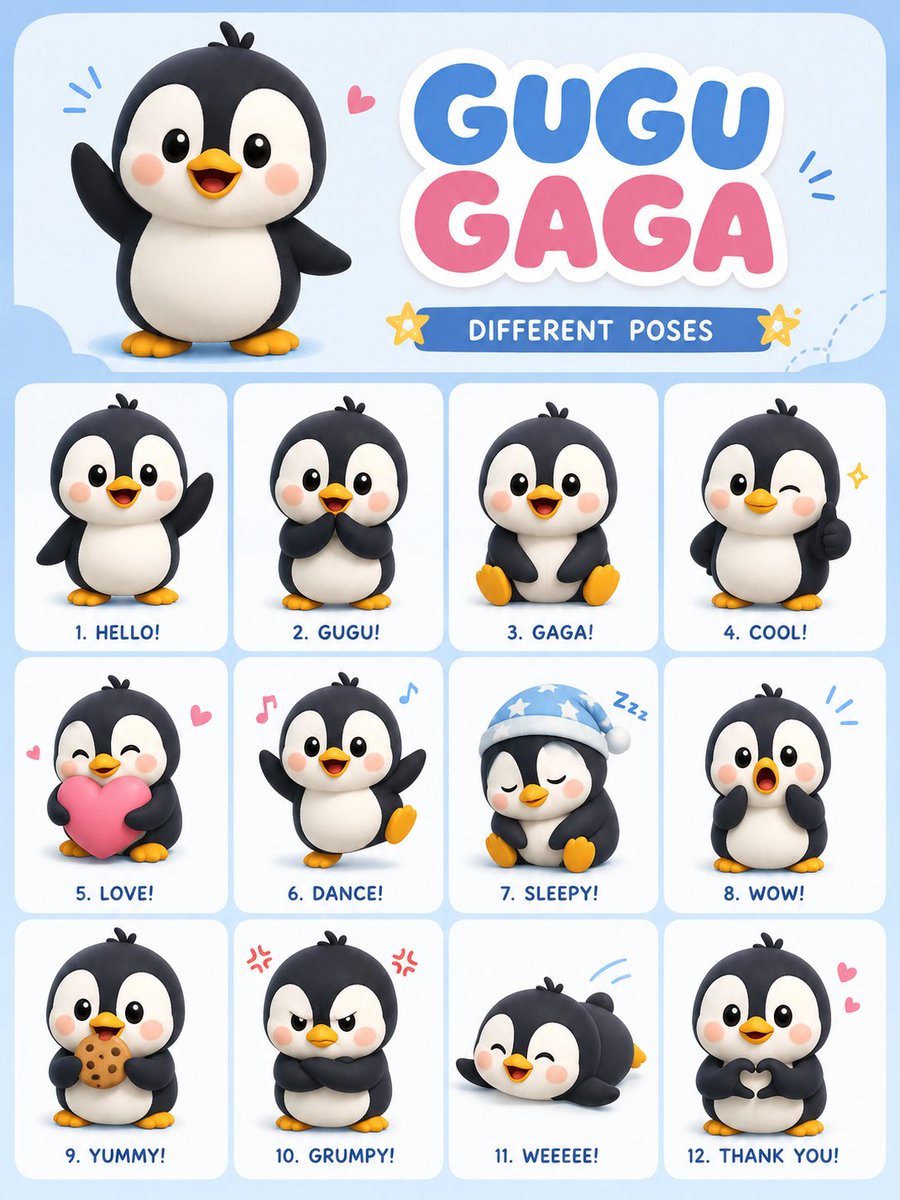
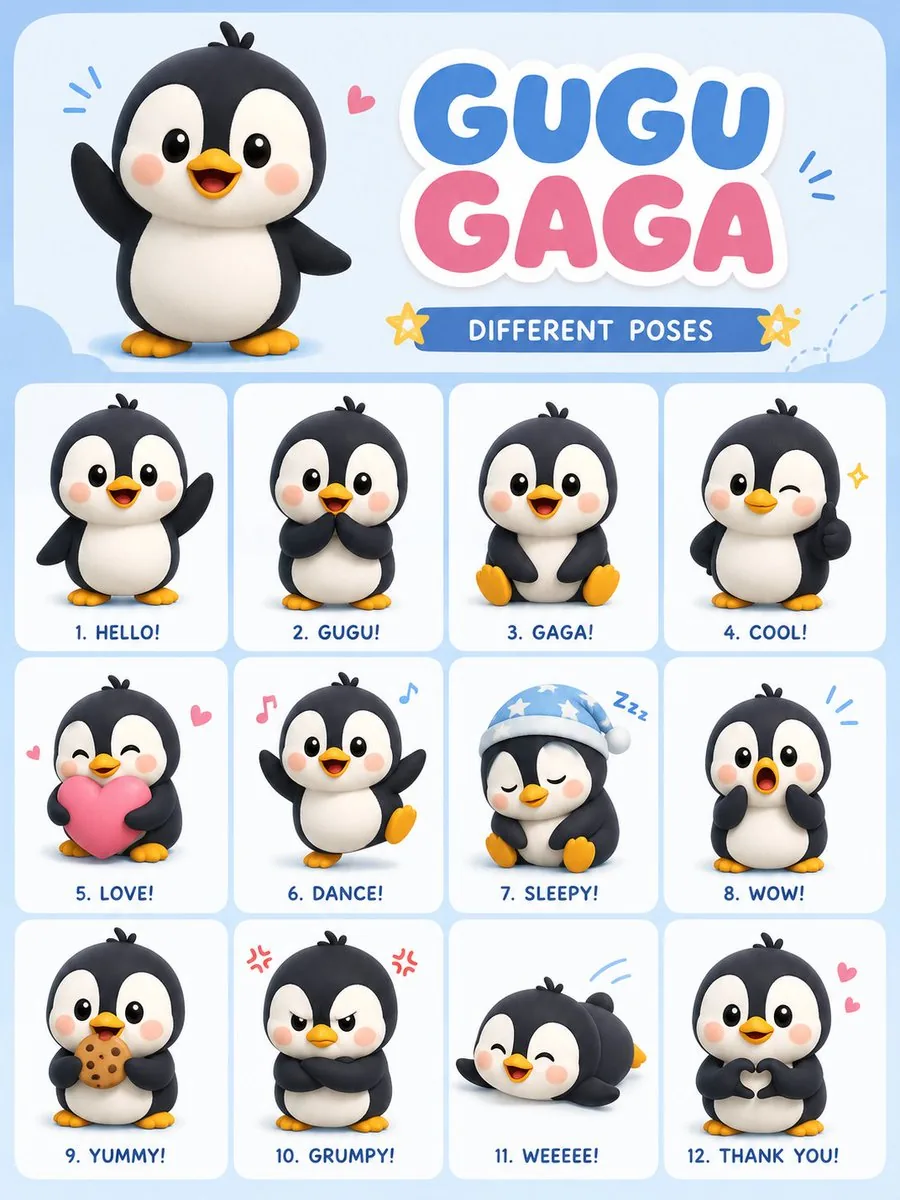
Generates a 12-pose character sheet for a cute penguin named Gugu Gaga in a soft 3D chibi style with pastel colors.
Prompt
Create a cute viral cartoon {argument name="character" default="penguin"} character named “{argument name="name" default="Gugu Gaga"}” in a soft 3D chibi style. Design a vertical 3:4 poster layout with multiple different poses and expressions of the same penguin character. Use a {argument name="aesthetic" default="pastel aesthetic"} with soft lighting, smooth shading, rounded shapes, and a clean kawaii design. The penguin should have a black and white body, tiny yellow feet, rosy cheeks, glossy big eyes, and a playful baby-like personality.

Include 12 different poses/emotions in a neat grid layout:

1. waving hello

2. shy pose

3. sitting happily

4. winking thumbs up

5. holding a pink heart

6. dancing

7. sleepy with night cap

8. surprised face

9. eating cookie

10. grumpy angry face

11. sliding on belly

12. making heart with hands

Add a large cute title at the top saying “GUGU GAGA – DIFFERENT POSES”. Use pastel blue, pink, and white colors with tiny doodles like stars, hearts, sparkles, and music notes around the character. Make it look like a trendy viral sticker-pack poster for social media. High detail, ultra clean, soft shadows, toy-like 3D rendering, adorable expression consistency across all poses, professional composition, 3:4 aspect ratio.39:T509,CrPrompt breakdown
- Subject
- cute chibi penguin named Gugu Gaga with black and white body, tiny yellow feet, rosy cheeks, glossy big eyes in 12 poses including waving hello, shy pose, sitting happily, winking thumbs up, holding a pink heart, dancing, sleepy with night cap, surprised face, eating cookie, grumpy angry face, sliding on belly, making heart with hands
- Style
- soft 3D chibi style with rounded shapes, clean kawaii design, toy-like 3D rendering and consistent expression across all cells
- Lighting
- soft lighting with smooth shading and soft shadows
- Composition
- vertical 3:4 poster grid layout with large title at top and tiny doodles like stars, hearts, sparkles, music notes
- Mood
- playful baby-like personality in a viral pastel sticker-pack aesthetic
Remix ideas
- swap the pink heart for a fish-shaped cookie in the holding pose to tie into the eating-cookie cell
- change the sleepy night-cap scene to a tiny scarf for a winter-themed grid variation
- replace the top title text with a custom name while keeping the same pastel blue-pink-white doodle frame
Reference images
How to use this AI Image prompt template
 1
1Copy the prompt — grab this template’s prompt and negative prompt.  2
2Pick a model — choose a recommended AI model for the best match.  3
3Generate — open the studio with one click and create your result.
Related templates
Isometric Kawaii Baby Bears Scene Prompt - Nano Banana Pro AI Prompt for Animal / Creature
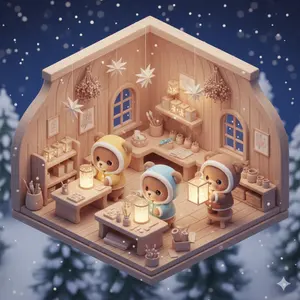
{ "prompt": "Isometric 3D kawaii scene of chibi baby bears designing a mountain snow map inside a cozy wooden hideout. The isometric cutaway room features a large hand-drawn map spread across a tilted work table, decorated with tiny flags, paw-print markers, and string lines connecting different locations. Three baby bears wear soft hooded outfits in warm terracotta, foggy blue, and oatmeal beige. One bear stands on a small stool placing a flag on the map, another measures distances using a string and wooden ruler, while the third sketches snowy paths with a crayon. The room includes wooden shelves filled with rolled maps, compasses, ink bottles, backpacks, and snow boots placed near the door. Small windows reveal snow-covered mountains and pine forests outside.", "style": { "art_style": "kawaii 3D", "perspective": "isometric cutaway", "geometry": "rounded, toy-like proportions", "render_type": "ultra-detailed 3D render" }, "lighting": { "type": "warm indoor lighting", "mood": "soft and cozy", "contrast": "gentle highlights with smooth shadows" }, "color_palette": { "primary": ["pastel earthy tones"], "accent": ["warm terracotta", "foggy blue", "oatmeal beige"] }, "atmosphere": { "emotion": "wholesome and adventurous", "vibe": "cozy, playful, story-driven" }, "quality": { "detail_level": "ultra detailed", "resolution": "8k", "rating": "masterpiece, premium quality" } }
Felt toy character prompt for Nano Banana Pro
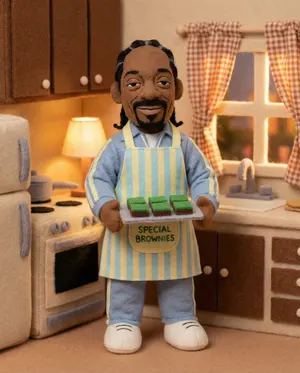
Create a anime image of Felt Toy Character Prompt For Nano Banana Pro. Style: photorealistic. Composition: balanced and well-framed. Lighting: natural with cinematic mood. Category: anime. Reference: felt-toy-character-prompt-for-nano-banana-pro-720.

Pastel Underwater Mermaid Puppy Game UI
A cute side-view underwater casual game start screen in a soft pastel 3D cartoon style, designed like a polished children's browser game interface. The scene shows a bright ocean floor with sun rays streaming down through clear blue water, floating bubbles, distant tiny fish silhouettes, and a dreamy coral reef environment filled with rounded pink, purple, blue, and mint corals, sea plants, shells, rocks, and sandy ground. Slightly left of center, a small mermaid puppy character inspired by a rescue-dog cartoon floats happily underwater, with a puppy face, big sparkling eyes, floppy ears, a tiny tiara-like head accessory, and a fish tail instead of hind legs, facing forward with a cheerful expression. On the right stands a whimsical candy-like coral lighthouse shaped like a pink-and-cream seashell tower with a glowing lantern room at the top, a pearl on the roof, circular shell windows, a small balcony, a purple door, and decorative coral details around the base. Overlay game UI elements directly on the scene: at top left, 2 rounded white pill buttons, the first reading "去灯塔" and the second showing "0/3"; at top right, 1 circular white pause button with a pause icon. Near the lighthouse, show 4 translucent colored target rings floating over interactive spots: 1 pink ring near the upper middle windows, 1 yellow ring near the upper right lantern area, 1 pale blue ring over a lower right shell window, and 1 large white-outlined ring around a purple jellyfish near the lower center-left. Add 3 collectible pearl-in-shell objects visible in the scene: 1 glowing golden pearl in an open shell near the center, 1 small dark blue pearl shell near the lighthouse base, and 1 red pearl shell resting on the bottom center UI panel. At the bottom center, place 3 rounded white control hint buttons with Chinese text: "方向键 / WASD", "空格 / 回车:放珠", and "Esc 回地图". Include a large semi-transparent rounded white panel behind the bottom controls. The overall image should feel joyful, safe, colorful, and magical, with high polish, gentle depth of field, soft lighting, glossy toy-like materials, and a kid-friendly mobile or web game aesthetic.3b:T887,A cute side-view underwa

4K Wildlife Habitat Diorama Prompt
Create a creative image of 4k Wildlife Habitat Diorama Prompt. Style: photorealistic. Composition: balanced and well-framed. Lighting: natural with cinematic mood. Category: photography. Reference: 4k-wildlife-habitat-diorama-prompt-10980.

Minimal Isometric 3D Perspective
Depict [SUBJECT] (subject) in a minimal isometric perspective, using simplified 3D forms, soft pastel colors, and gentle lighting. Subtle holographic fitness data floats nearby in a soft, minimal park setting. The environment feels futuristic but friendly, highly organized, uncluttered, and visually calming, like a mindful tech-assisted lifestyle moment. Use smooth surfaces, soft gradients, and a clean background with no text or logos.
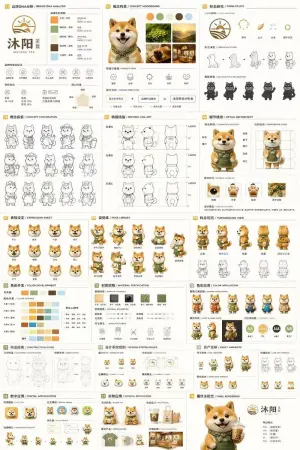
18-Panel Mascot Brand Identity Document
{ "type": "18-panel brand identity and character design document", "brand": { "name": "{argument name=\"brand name\" default=\"沐阳 MUYANG TEA\"}", "industry": "{argument name=\"industry\" default=\"tea shop\"}", "colors": ["{argument name=\"primary color\" default=\"yellow\"}", "{argument name=\"secondary color\" default=\"green\"}", "white", "brown", "dark green"] }, "subject": "{argument name=\"character description\" default=\"3D rendered cute Shiba Inu mascot wearing a green apron\"}", "layout": { "grid": "3 columns by 6 rows", "sections": [ { "title": "01 品牌DNA分析 / BRAND DNA ANALYSIS", "elements": ["logo", "5 color swatches", "6 icons", "target audience charts"] }, { "title": "02 概念构思 / CONCEPT MOODBOARD", "elements": ["5 photo references", "4 mood icons", "design equation"] }, { "title": "03 形态研究 / FORM STUDY", "elements": ["4 logo anatomy icons", "4 evolution steps", "4 silhouettes"] }, { "title": "04 概念探索 / CONCEPT EXPLORATION", "elements": ["12 line-art character sketches"] }, { "title": "05 精细线稿 / REFINED LINE ART", "elements": ["3 rows of front and side line art with proportion guides"] }, { "title": "06 细节精修 / DETAIL REFINEMENT", "elements": ["2 full-body renders with labels", "4 circular close-ups"] }, { "title": "07 表情设定 / EXPRESSION SHEET", "elements": ["11 3D rendered head expressions"] }, { "title": "08 姿势库 / POSE LIBRARY", "elements": ["9 full-body 3D rendered poses"] }, { "title": "09 转身视图 / TURNAROUND VIEW", "elements": ["5 full-body 3D renders", "5 matching line-art views"] }, { "title": "10 色彩开发 / COLOR DEVELOPMENT", "elements": ["5 rows of 5-color palettes", "color psychology text"] }, { "title": "11 材质规格 / MATERIAL SPECIFICATION", "elements": ["5 texture swatches", "property sliders", "4 manufacturing icons"] }, { "title": "12 色彩应用 / COLOR APPLICATION", "elements": ["4 color variant renders", "2 light/dark renders", "4 contrast rating circles"] }, { "title": "13 构造指南 / CONSTRUCTION GUIDE", "elements": ["2 line-art diagrams for geometry and grid"] }, { "title": "14 设计系统规则 / DESIGN SYSTEM RULES", "elements": ["minimum size icons", "clear space diagram", "4 usage examples"] }, { "title": "15 资产变体 / ASSET VARIANTS", "elements": ["3 size variants", "3 line-art variants", "3 simplified flat heads"] }, { "title": "16 数字应用 / DIGITAL APPLICATIONS", "elements": ["1 app icon", "2 social avatars", "UI elements", "3-step animation cycle"] }, { "title": "17 实物应用 / PHYSICAL APPLICATIONS", "elements": ["plush toy mockup", "packaging mockup", "merchandise mockup", "storefront mockup"] }, { "title": "18 最终主视觉 / FINAL RENDERING", "elements": ["large high-res 3D render of mascot holding tea", "logo", "file format list"] } ] } }3d:Td2a,{ "type": "18-panel brand identity and character design document", "brand": { "name": "{argument name=\"brand name\" default=\"沐阳 MUYANG
Explore more prompts
Browse more AI image and video prompts by category.
FAQ
- How do the 12 poses maintain character consistency?
- The prompt requires the same black-and-white body, rosy cheeks, glossy eyes, and baby-like proportions in every grid cell from the dancing pose to the belly-slide.
- What aspect ratio works best for sharing this as a sticker pack?
- The built-in 3:4 vertical layout prints cleanly on phone wallpapers or cropped social posts while preserving the full grid and top title.
- Is the Chibi Penguin Expression Grid prompt free to use?
- Yes, this prompt is completely free on AI Pin Maker and you can copy it directly with no signup or payment required.
- How do I use the Chibi Penguin Expression Grid prompt to generate an image or video?
- Copy the prompt, tweak the subject or style to fit your idea, then paste it into AI Pin Maker and generate your image or video in one click.
- Can I change the Chibi Penguin Expression Grid prompt into my own version?
- Absolutely, just replace the subject, style, or parameters in AI Pin Maker to make the prompt entirely your own.