
Text to Image
Anime Character Reference Sheet Generator — AI Image Prompt
Transforms a single character illustration into a comprehensive, multi-section reference sheet including turnarounds, expressions, and prop details.
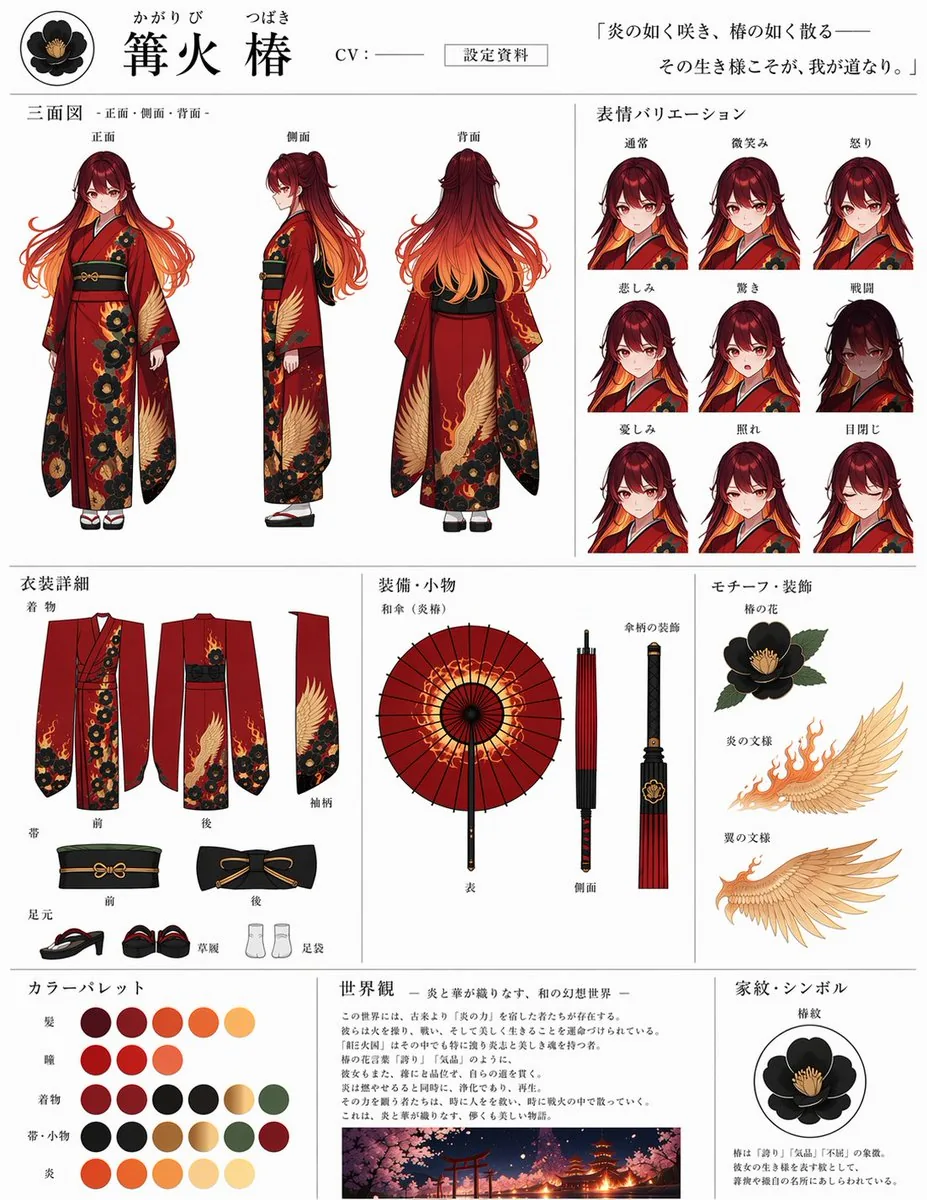
Prompt
{
  "instruction": "Using REFERENCE_0 as the base character design, generate a comprehensive, multi-section anime character reference sheet on a white background. Extract and isolate the clothing, accessories, and motifs from the reference image to populate the technical sections.",
  "type": "anime character reference sheet",
  "header": {
    "name": "{argument name=\"character name\" default=\"篝火 椿\"}",
    "furigana": "かがりび つばき",
    "tag": "CV : ───",
    "document_type": "設定資料",
    "quote": "{argument name=\"character quote\" default=\"「炎の如く咲き、椿の如く散る――その生き様こそが、我が道なり。」\"}",
    "icon": "black camellia crest"
  },
  "layout": {
    "sections": [
      {
        "title": "三面図 -正面・側面・背面-",
        "position": "top-left",
        "description": "Three-view full body turnaround",
        "count": 3,
        "labels": ["正面", "側面", "背面"]
      },
      {
        "title": "表情バリエーション",
        "position": "top-right",
        "description": "Headshot expression sheet",
        "count": 9,
        "labels": ["通常", "微笑み", "怒り", "悲しみ", "驚き", "戦闘", "憂しみ", "照れ", "目閉じ"]
      },
      {
        "title": "衣装詳細",
        "position": "mid-left",
        "description": "Flat layout of clothing components",
        "count": 7,
        "labels": ["着物", "前", "後", "袖柄", "帯", "足元", "草履", "足袋"]
      },
      {
        "title": "装備・小物",
        "position": "center",
        "description": "Weapon/prop details showing the umbrella",
        "count": 3,
        "labels": ["和傘(炎椿)", "表", "側面", "傘柄の装飾"]
      },
      {
        "title": "モチーフ・装飾",
        "position": "mid-right",
        "description": "Isolated design motifs",
        "count": 3,
        "labels": ["椿の花", "炎の文様", "翼の文様"]
      },
      {
        "title": "カラーパレット",
        "position": "bottom-left",
        "description": "Color swatches arranged in rows",
        "count": 20,
        "labels": ["髪", "瞳", "着物", "帯・小物", "炎"]
      },
      {
        "title": "世界観",
        "position": "bottom-center",
        "description": "Lore text block with a small landscape illustration of a traditional Japanese shrine at night with cherry blossoms and fire",
        "count": 1,
        "labels": ["{argument name=\"lore subtitle\" default=\"- 炎と華が織りなす、和の幻想世界 -\"}"]
      },
      {
        "title": "家紋・シンボル",
        "position": "bottom-right",
        "description": "Isolated family crest graphic with descriptive text",
        "count": 1,
        "labels": ["椿紋"]
      }
    ]
  }
}3c:Tb21,{
  "instruction": "Using REFERENCE_0 as the base character design, generate a comprehensive, multi-section anime character reference sheet on a white background. Extract and isolate the clothing, accessories, and motifs from the reference image to populate the technical sections.",
  "type": "anime character reference sheet",
  "header": {
"name": "{argument name=\"charactPrompt breakdown
- Subject
- Anime character 篝火 椿 with black camellia crest, flame-patterned 和傘, kimono components, and 椿紋 symbol
- Style
- Technical multi-section anime reference sheet using Japanese labels and isolated flat diagrams
- Composition
- Grid layout with top-left three-view turnaround (正面・側面・背面), top-right 9-expression sheet, mid-level clothing and prop breakdowns, plus bottom lore illustration of nighttime shrine with cherry blossoms and fire
- Mood
- Precise documentary reference for character design extraction
Remix ideas
- Replace the 炎の文様 with seasonal sakura patterns while keeping the 和傘 structure
- Expand the 表情バリエーション section with additional 戦闘 variations
- Change the world view landscape to a snowy shrine at dusk for a winter variant
Reference images
How to use this AI Image prompt template
 1
1Copy the prompt — grab this template’s prompt and negative prompt.  2
2Pick a model — choose a recommended AI model for the best match.  3
3Generate — open the studio with one click and create your result.
Related templates

Translate a manga into Japanese and re-render as image
Create a anime image of Translate A Manga Into Japanese And Re Render As Image. Style: photorealistic. Composition: balanced and well-framed. Lighting: natural with cinematic mood. Category: anime. Reference: translate-a-manga-into-japanese-and-re-render-as-image-277.

Personalized Manga Storyboard Page
Create a anime image of Personalized Manga Storyboard Page. Style: photorealistic. Composition: balanced and well-framed. Lighting: natural with cinematic mood. Category: anime. Reference: personalized-manga-storyboard-page-19071.
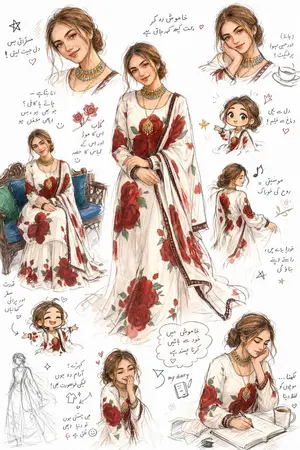
Artistic Sketchbook Character Study in Urdu
Create a anime image of Artistic Sketchbook Character Study In Urdu. Style: photorealistic. Composition: balanced and well-framed. Lighting: natural with cinematic mood. Category: anime. Reference: artistic-sketchbook-character-study-in-urdu-23982.
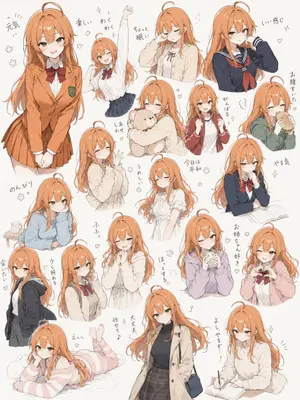
Hand-Drawn Character Sticker Sheet Prompt
Create a anime image of Hand Drawn Character Sticker Sheet Prompt. Style: photorealistic. Composition: balanced and well-framed. Lighting: natural with cinematic mood. Category: anime. Reference: hand-drawn-character-sticker-sheet-prompt-22720.

Anime Character Design Document
{ "type": "character design document", "header": "CHARACTER DESIGN DOCUMENT: {argument name=\"character name\" default=\"SHIBUYA SHION\"}", "character": { "hair": "{argument name=\"hair color\" default=\"black bob with purple highlights\"}", "eyes": "purple", "outfit": "{argument name=\"hoodie color\" default=\"lavender\"} oversized hoodie, distressed denim shorts, black high-top canvas sneakers, black backpack", "pose": "standing, making a peace sign near face, one hand in hoodie pocket" }, "layout": { "centerpiece": "full-body anime illustration of the character", "top_right": "back view of the character in flat color/line art", "left_panels": { "count": 3, "descriptions": [ "close-up portrait of the character's face", "close-up of the black backpack", "close-up of the black high-top sneaker" ] }, "text_blocks": [ { "position": "bottom left", "content": [ "NAME: {argument name=\"character name\" default=\"SHIBUYA SHION\"}", "PROFILE: {argument name=\"profile description\" default=\"URBAN EXPLORER / GRAPHIC ARTIST\"}", "AGE: 20" ] }, { "position": "bottom center footer", "content": [ "PROJECT: {argument name=\"project name\" default=\"SHIBUYA ARTIST\"}", "DATE: DEC 2025" ] } ], "swatches": { "color_palette": { "count": 5, "labels": [ "HAIR: Deep Purple/Black", "EYES: Purple", "HOODIE: Lavender Purple", "DENIM: Stone-washed Blue", "SHOES: Black/White Canvas" ] }, "material_textures": { "count": 5, "labels": [ "HOODIE FABRIC (Loopback Cotton)", "HOODIE FABRIC (Loopback Cotton)", "DENIM (Selvedge Denim)", "BACKPACK CANVAS (Nylon)", "METAL (Gunmetal Zippers)" ] } } } }

Delicate Pen Drawing Manga Style
Create a anime image of Delicate Pen Drawing Manga Style. Style: photorealistic. Composition: balanced and well-framed. Lighting: natural with cinematic mood. Category: anime. Reference: delicate-pen-drawing-manga-style-21903.
Explore more prompts
Browse more AI image and video prompts by category.
FAQ
- What does the character quote reveal about 篝火 椿?
- It emphasizes her fiery yet elegant nature, comparing her life to the blooming and scattering of camellias and flames.
- How is the 和傘 integrated into the reference sheet?
- It appears in the 装備・小物 section with front, side, and handle decoration views labeled as 炎椿.
- Is the Anime Character Reference Sheet Generator prompt free to use?
- Yes, this prompt is completely free on AI Pin Maker and you can copy it directly with no signup or payment required.
- How do I use the Anime Character Reference Sheet Generator prompt to generate an image or video?
- Copy the prompt, tweak the subject or style to fit your idea, then paste it into AI Pin Maker and generate your image or video in one click.
- Can I change the Anime Character Reference Sheet Generator prompt into my own version?
- Absolutely, just replace the subject, style, or parameters in AI Pin Maker to make the prompt entirely your own.