
Text to Image
3D Chibi Sprite Sheet Generator — AI Image Prompt
A functional prompt for generating a multi-frame 3D chibi character animation sequence for video processing.
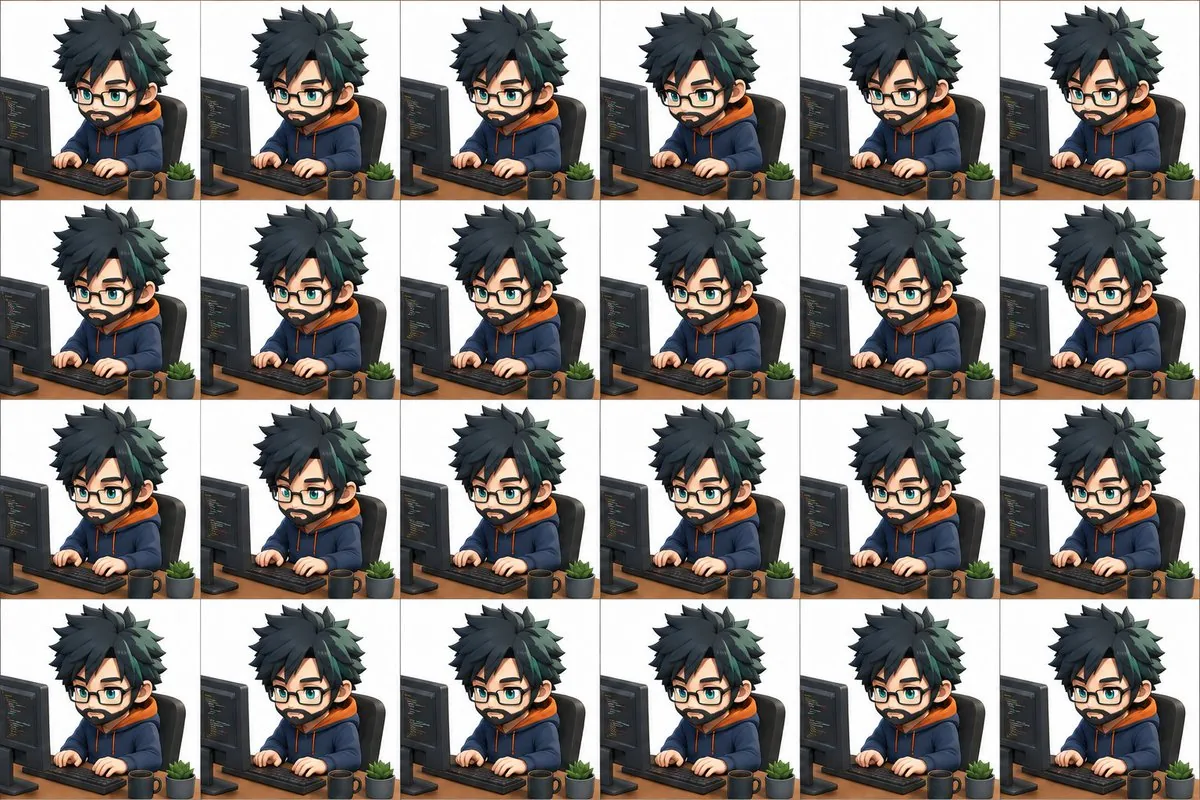
Prompt
Create a creative image of 3d Chibi Sprite Sheet Generator. Style: photorealistic. Composition: balanced and well-framed. Lighting: natural with cinematic mood. Category: photography. Reference: 3d-chibi-sprite-sheet-generator-21535.
Prompt breakdown
- Subject
- 3d Chibi Sprite Sheet Generator
- Style
- photorealistic
- Lighting
- natural with cinematic mood
- Composition
- balanced and well-framed
- Mood
- cinematic
Remix ideas
- Swap the base chibi model for a mechanical robot variant while keeping the sprite sheet grid intact
- Shift the photorealistic treatment to emphasize subsurface scattering on skin and hair details
- Add faint overlay text labels like frame numbers or bone names directly onto the rendered sheet
Reference images
How to use this AI Image prompt template
 1
1Copy the prompt — grab this template’s prompt and negative prompt.  2
2Pick a model — choose a recommended AI model for the best match.  3
3Generate — open the studio with one click and create your result.
Related templates

3D Stone Staircase Evolution Infographic
{ "type": "evolutionary timeline infographic", "instruction": "Using REFERENCE_0 as a structural base, transform the flat vector design into a highly realistic 3D infographic. Replace the smooth ramps with distinct stone steps and upgrade all organisms to photorealistic 3D models.", "style": { "background": "{argument name=\"background style\" default=\"vintage textured parchment paper\"}", "staircase": "{argument name=\"staircase material\" default=\"realistic textured stone blocks\"}", "subjects": "{argument name=\"organism style\" default=\"highly detailed photorealistic 3D renders\"}" }, "layout": { "main_title": "{argument name=\"main title\" default=\"人类演化\"}", "sections": [ { "position": "left sidebar", "count": 8, "labels": ["L0: 单细胞生命", "L1: 多细胞生物", "L2: 动物界", "L3: 脊索动物", "L4: 上陆革命", "L5: 哺乳纲", "L6: 人科演化", "L7: 智人纪元"] }, { "position": "top right", "title": "获得的功能 / 失去的功能", "description": "Legend with plus and minus icons" }, { "position": "bottom center", "title": "演化关键里程碑", "count": 6, "description": "Timeline with a silhouette graphic of 6 figures showing ape-to-human evolution" } ], "centerpiece": { "description": "Winding stone staircase with 25 numbered steps featuring specific organisms.", "count": 25, "notable_elements": [ "Step 07: Jellyfish", "Step 09: Ammonite", "Step 10: Trilobite", "Step 24: Walking human", "Step 25: {argument name=\"future evolution concept\" default=\"glowing cosmic silhouette with a question mark\"}" ] } } }

Typographic Sculpture of Historical Inventions
Create a creative image of Typographic Sculpture Of Historical Inventions. Style: photorealistic. Composition: balanced and well-framed. Lighting: natural with cinematic mood. Category: photography. Reference: typographic-sculpture-of-historical-inventions-12501.

Procedural Book Nook Diorama Generation Prompt - Nano Banana Pro AI Prompt for Infographic / Edu Visual
<instructions> Input Variable: [INSERT TOPIC HERE] (e.g., History of Space Exploration) System Instruction: Generate a crowded, hyper-realistic "Book Nook" Diorama . Use the following logic to procedurally fill the scene with high-density detail: 1. Semantic Analysis (The Loot Table): The Totem: Identify the single tallest, most vertical object representing the topic (e.g., Saturn V Rocket). The Ephemera: Identify 4-5 small, specific consumer goods or artifacts (e.g., "Tang" Packet, Freeze-Dried Ice Cream, Mission Patches, Apollo 11 Manual). The Timeline: Identify the key visual evolution steps (e.g., Sputnik -> Lunar Module -> Shuttle). 2. The Immutable Container (The Corner Stage): Geometry: The book is NOT lying flat. It is standing upright, opened to form a Strict 90-Degree Corner . Vertical Wall: The back cover/pages standing straight up. Horizontal Floor: The front cover/pages lying flat. The Anchor: The "Totem" object (Rocket) stands inside the spine crease , acting as the structural pillar holding the book open. Paper Texture: The pages must look thick, rough, and heavily aged (like an 1800s manuscript). 3. The Vertical Plane (The Da Vinci Sketchbook): Density: MAXIMUM. Do not leave white space. Style: Sepia-tone Pen & Ink Technical Drawings . Content: The background should be a chaotic but organized collage of diagrams, timelines, and schematics. It should look like a scientist's field notes. Text: A bold, formal Serif Title at the top (e.g., "HISTORY OF SPACE EXPLORATION (title)"). 4. The Horizontal Plane (The Physical Clutter): Transition: The Totem (Rocket) seamlessly transitions from a drawing on the wall to a Physical 3D Model on the floor. The Scatter: The "Ephemera" props are scattered and overlapping on the floor page. They should not be neatly arranged. Material Contrast: The props must look like shiny plastic, crinkled foil, and fabric patches. This clashes with the matte paper. Scale: A tiny 1:64 scale human figure (e.g., Astronaut) stands next to the massive Totem for scale. 5. Visual Syntax: Background: Void Black. The book floats in infinite darkness. DO NOT render studio equipment, lamps, or tables. Lighting: "Museum Display" lighting. A focused beam hits the Totem, creating a long shadow against the back page sketches. Depth: The 3D objects must cast hard shadows onto the 2D paper to sell the optical illusion. Output: 1:1 Aspect Ratio, Macro Photography, High Textural Contrast (Paper vs. Plastic). </instructions>
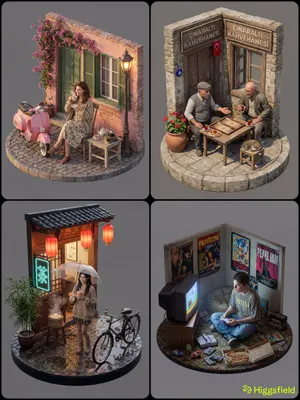
Isometric 3D Diorama with Living Human Texture - Nano Banana Pro AI Prompt for Game Asset
Concept: A hyper-realistic 3D isometric view of a [INSERT LOCATION] (location) scene on a circular base. Subject (Visuals): A full-body, realistic human [INSERT DESCRIPTION] (description). * Texture Rule: The subject must have "Living Human Skin" texture (subsurface scattering, pores, natural imperfections). * Important: He is NOT a toy/doll. He looks like a real person inserted into the scene. * Pose: [INSERT POSE, e.g., Sitting naturally] (pose). Composition & Scale (Crucial): * Camera: Isometric wide shot (Full view). ensure the entire circular base, the subject, and all props are visible within the frame. * Proportions: PERFECT RELATIVE SCALE. The props (e.g., scooter, table etc.) must be the correct size relative to the human. Do not make the human giant or the props tiny. Environment: A realistic section of a [INSERT WALL/BUILDING] (wall or building) behind the subject. * Material: Real weathered textures (brick, cement, wood), not painted model textures. Props: * [INSERT PROP 1, e.g., Vintage Vespa] (prop 1) (Real metal and chrome texture). * [INSERT PROP 2, e.g., Pizza and Wine] (prop 2) (Real food texture). * *Note:* Ensure all props are present and grounded on the base. Technical Specs: Unreal Engine 5 render style, 8k resolution, global illumination, raytracing, sharp focus on the entire scene (deep depth of field), solid neutral grey background. Negative Prompt: Toy, plastic, doll, action figure, clay, resin, shallow depth of field (blur), close-up, cropped, distorted proportions, giant head, cartoonish, missing limbs, unfinished.

Realistic Miniature Sports Figurine Transformation
Create a cinematic image of Realistic Miniature Sports Figurine Transformation. Style: photorealistic. Composition: balanced and well-framed. Lighting: natural with cinematic mood. Category: cinematic-video. Reference: realistic-miniature-sports-figurine-transformation-25034.
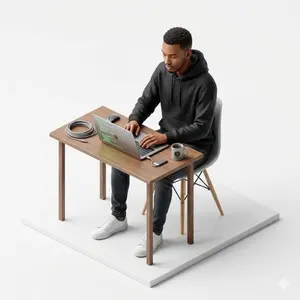
Isometric figurine generation prompt for Nano Banana Pro
Create a creative image of Isometric Figurine Generation Prompt For Nano Banana Pro. Style: photorealistic. Composition: balanced and well-framed. Lighting: natural with cinematic mood. Category: photography. Reference: isometric-figurine-generation-prompt-for-nano-banana-pro-5874.
Explore more prompts
Browse more AI image and video prompts by category.
FAQ
- Why render a sprite sheet generator in photorealistic style instead of pixel art?
- The photorealistic approach makes the chibi proportions and 3D modeling details pop as if the frames were captured from an actual render farm output, bridging game dev utility with visual appeal.
- How does the reference ID factor into the final image?
- The reference 3d-chibi-sprite-sheet-generator-21535 anchors the generator concept, ensuring the output consistently depicts a functional multi-frame layout rather than a single standalone character.
- Is the 3D Chibi Sprite Sheet Generator prompt free to use?
- Yes, this prompt is completely free on AI Pin Maker and you can copy it directly with no signup or payment required.
- How do I use the 3D Chibi Sprite Sheet Generator prompt to generate an image or video?
- Copy the prompt, tweak the subject or style to fit your idea, then paste it into AI Pin Maker and generate your image or video in one click.
- Can I change the 3D Chibi Sprite Sheet Generator prompt into my own version?
- Absolutely, just replace the subject, style, or parameters in AI Pin Maker to make the prompt entirely your own.