
画像から画像
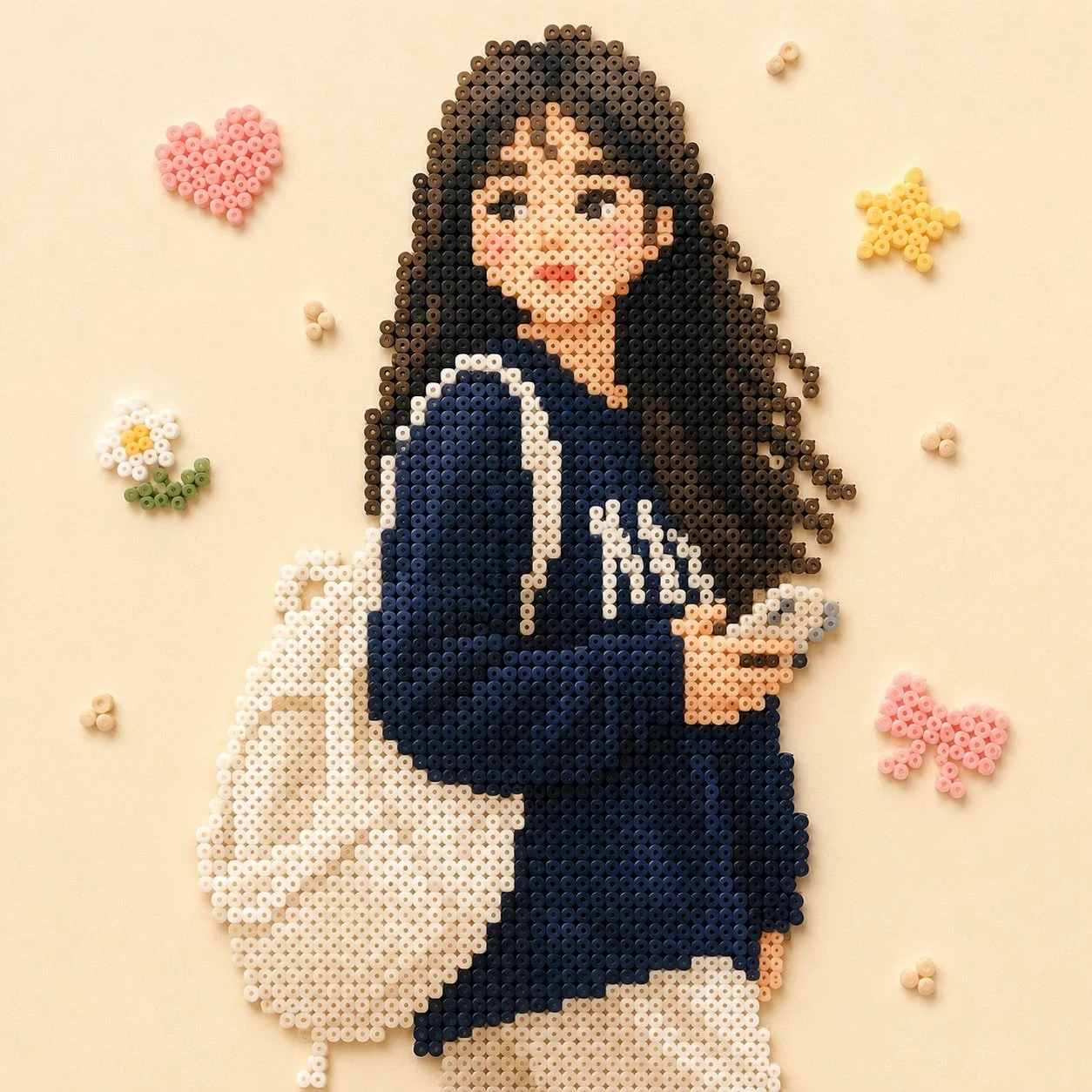
パーラービーズ・ポートレート — AI 画像プロンプト
ポートレート写真を、シルエットと配色を保ったまま温かいパーラービーズ風に変換します。X の
プロンプト
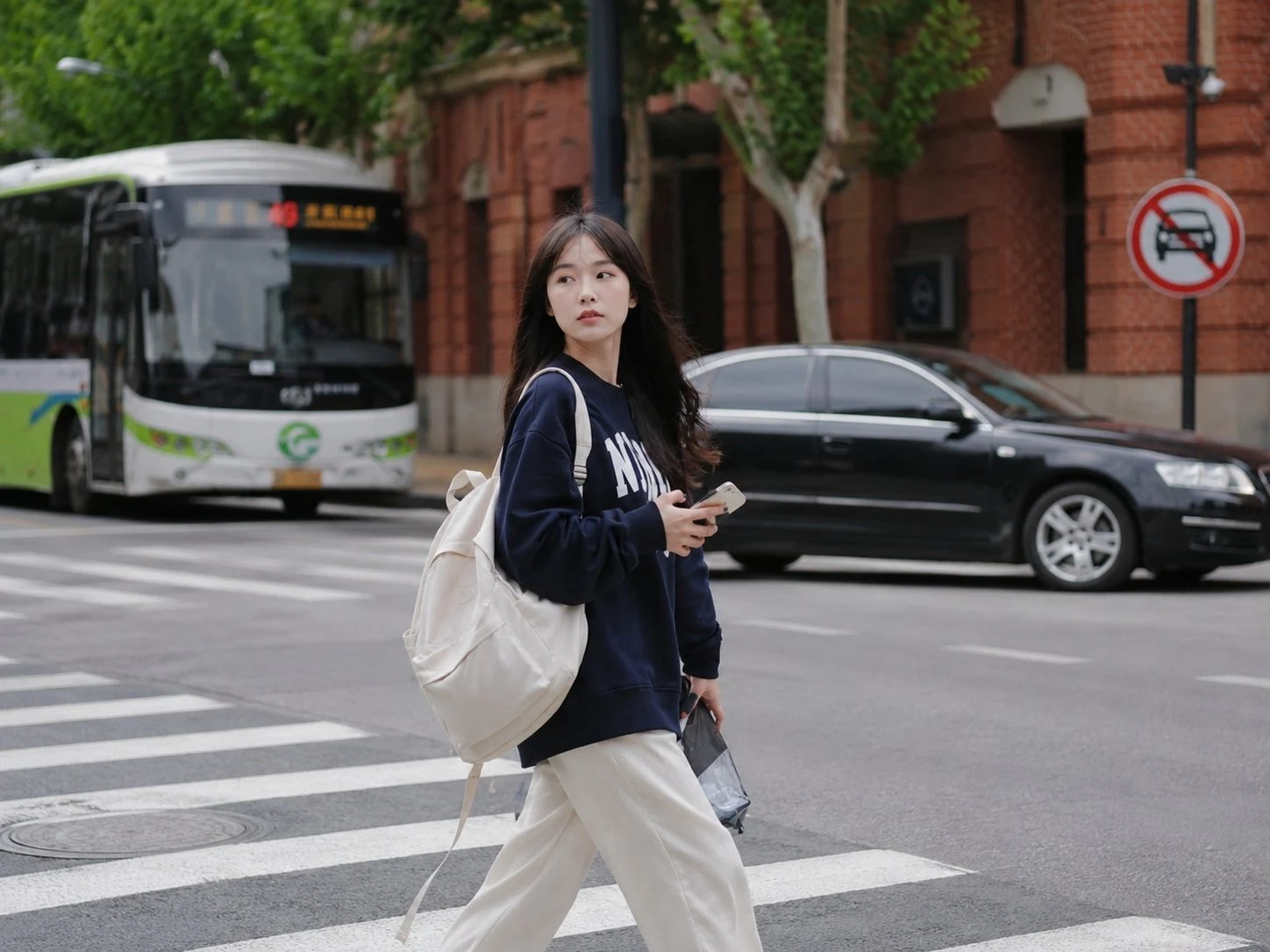
以拼豆风格绘制出图片中的主体人物,颜色接近画面中效果,背景换成比较简单的装饰,整体画面温馨
参照画像
このAI画像プロンプトテンプレートの使い方
 1
1プロンプトをコピー — テンプレートのプロンプトとネガティブプロンプトを取得。  2
2モデルを選ぶ — 最適な推奨AIモデルを選択。  3
3生成 — ワンクリックでスタジオを開いて作成。
関連テンプレート

Retro PC-88 8-Bit Anime Portrait
Create a portrait image of Retro Pc 88 8 Bit Anime Portrait. Style: photorealistic. Composition: balanced and well-framed. Lighting: natural with cinematic mood. Category: portrait. Reference: retro-pc-88-8-bit-anime-portrait-24126.

Intense Artistic Glitch Transformation
Create a cinematic image of Intense Artistic Glitch Transformation. Style: photorealistic. Composition: balanced and well-framed. Lighting: natural with cinematic mood. Category: cinematic-video. Reference: intense-artistic-glitch-transformation-20830.
Perler Bead Style Character Illustration
Create a anime image of Perler Bead Style Character Illustration. Style: photorealistic. Composition: balanced and well-framed. Lighting: natural with cinematic mood. Category: anime. Reference: perler-bead-style-character-illustration-20022.

Clumsy MS Paint Redraw
Create a creative image of Clumsy Ms Paint Redraw. Style: photorealistic. Composition: balanced and well-framed. Lighting: natural with cinematic mood. Category: photography. Reference: clumsy-ms-paint-redraw-18777.

Vintage Rubber Hose Cartoon Transformation
Transform the person in the photo into a vintage 1930s–1940s cartoon character (style) inspired by classic “rubber hose animation” styles such as Betty Boop, Cuphead, Steamboat Willie (references), and old Fleischer Studios cartoons. IMPORTANT: Clearly preserve the identity of the person in the photo (recognizable hair, beard, glasses, face, and facial expression). Exaggerated, elastic cartoon-style body. Large black vintage pie-cut eyes. Big expressive smile. Classic white cartoon gloves. Oversized 1930s-style cartoon shoes. Thin rubber hose-style arms and legs. Thick black outlines and authentic vintage animation look. Visual Style: Black and white or vintage sepia tones. Aged old-film texture. Small grain, scratches, and imperfections like old film reels. Simple cel-animation style shading. Caricatured but natural proportions. Background inspired by the original environment of the photo. Art Style: 1930s / 1940s cartoon animation. Rubber hose cartoon aesthetic. Vintage animation poster style. Fleischer Studios aesthetic. Cuphead-inspired vintage cartoon style. Ink outlines and exaggerated expressions. Quality: Ultra-detailed vintage cartoon. Cinematic composition. High facial likeness detail. Soft vintage lighting. Authentic retro animation feeling. Full-body character.3d:T56

Ghibli and Anime Style Photo Transformation
Create a anime image of Ghibli And Anime Style Photo Transformation. Style: photorealistic. Composition: balanced and well-framed. Lighting: natural with cinematic mood. Category: anime. Reference: ghibli-and-anime-style-photo-transformation-20040.
他のプロンプトを探す
カテゴリ別にAI画像・動画プロンプトをもっと見る。
よくある質問
- パーラービーズ・ポートレート のプロンプトは無料で使えますか?
- はい、このプロンプトは AI Pin Maker で完全に無料です。登録も支払いも不要で、そのままコピーして使えます。
- パーラービーズ・ポートレート のプロンプトで画像や動画を生成するにはどうすればいいですか?
- プロンプトをコピーして主役やスタイルを好みに書き換え、AI Pin Maker に貼り付ければワンクリックで画像や動画を生成できます。
- パーラービーズ・ポートレート を自分用にアレンジできますか?
- もちろんです。AI Pin Maker で主役やスタイル、パラメータを差し替えれば自分だけのプロンプトに作り変えられます。
- パーラービーズ・ポートレート にはどの AI モデルを使うのがよいですか?
- まずこのページに表示されている推奨モデルを使い、スタイルや速度、細部の出方を変えたい場合は近い画像・動画モデルも試してください。
- パーラービーズ・ポートレート で生成する前にどこを編集すべきですか?
- 被写体、シーン、アスペクト比、参照画像、そしてブランドや制作意図に合わせたいスタイル表現を調整するのがおすすめです。