
Text to Image
JRPG Hatsune Miku Fantasy Logo — AI Image Prompt
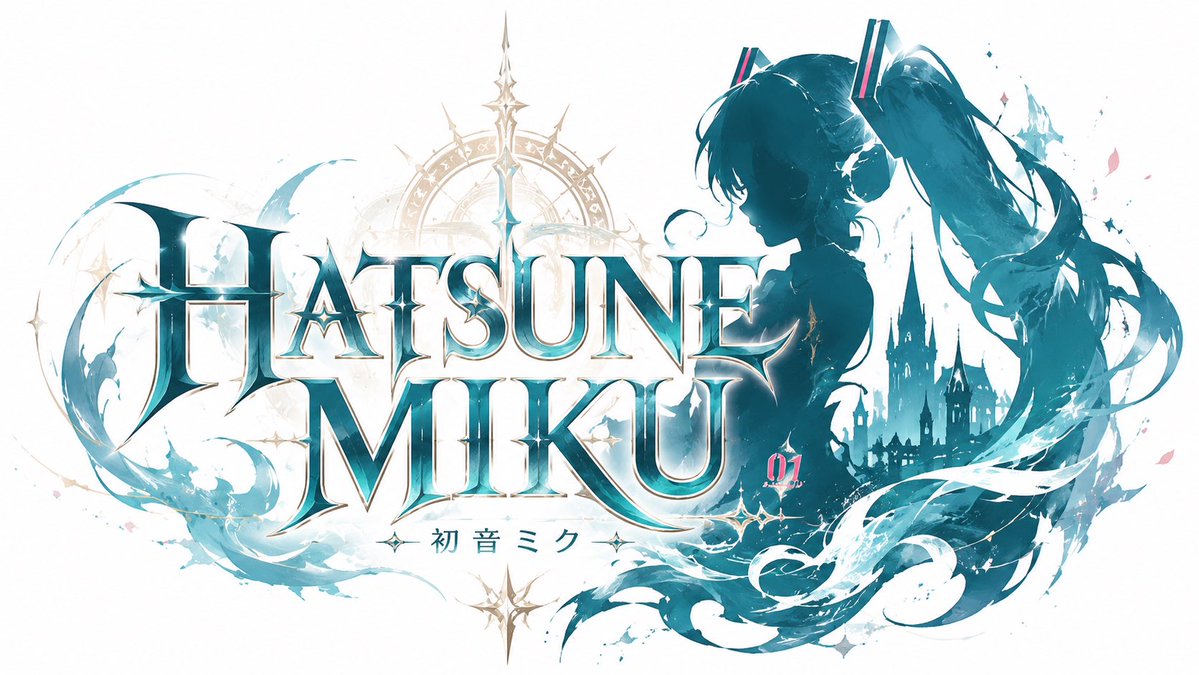
A wide fantasy RPG-style title splash featuring an ornate metallic logo, anime silhouette, castle skyline, magic crest, and flowing aqua effects. - AIPinMaker
Prompt
Create a wide JRPG fantasy title logo splash screen for {argument name="character name" default="Hatsune Miku"}. Canvas: 16:9 horizontal white background, clean high-key presentation with no border. Main composition: huge ornate serif fantasy logo centered-left reading {argument name="main title text" default="HATSUNE MIKU"}, arranged on two lines with “HATSUNE” above “MIKU”; use metallic teal-to-white gradient letters, beveled 3D edges, sharp Gothic serifs, bright star glints, thin gold outlines, and subtle drop shadows. Add a small Japanese subtitle centered under the logo reading {argument name="subtitle text" default="初音ミク"}, flanked by tiny decorative sparkle ornaments. Character silhouette: on the right side, place a dark teal anime idol silhouette of Hatsune Miku in profile facing left, showing exactly 2 very long twin-tails flowing dramatically to the right and downward, with exactly 2 rectangular hair accessories accented in pink and cyan. Background fantasy elements: behind the logo add a pale gold circular magic crest with compass-like spokes and one tall spear-shaped ornament rising above the title; on the far right behind the silhouette add a distant dark teal Gothic castle skyline with multiple pointed towers. Decorative elements: add sweeping translucent aqua brushstroke waves curling around the logo and character, especially one large crescent stroke on the left and several ribbon-like hair/water strokes on the lower right; scatter small star sparkles, paint splashes, and a few pink petal-like fragments. Include a small magenta number {argument name="edition number" default="01"} near the lower right of the main logo. Visual style: elegant Japanese fantasy RPG key art, logo design focus, crisp vector-like typography mixed with watercolor splashes, luminous cyan and teal palette with pale gold accents, high detail, polished game-title presentation. Constraints: use exactly one character silhouette, one main two-line title, one Japanese subtitle, and one edition number; keep the background mostly white and uncluttered; no extra logos, no watermark, no frame.37:T84c,Create aPrompt breakdown
- Subject
- huge ornate serif fantasy logo reading HATSUNE MIKU above MIKU in metallic teal-to-white gradient with Japanese subtitle 初音ミク and single dark teal Hatsune Miku silhouette showing two long twin-tails and rectangular hair accessories
- Style
- elegant Japanese fantasy RPG key art mixing crisp vector-like typography with watercolor splashes, luminous cyan and teal palette plus pale gold accents
- Lighting
- high-key clean presentation featuring bright star glints on beveled 3D edges and thin gold outlines
- Composition
- wide 16:9 horizontal layout with logo centered-left, silhouette on right, pale gold circular magic crest behind title, and distant Gothic castle skyline on far right
- Mood
- polished game-title presentation with sweeping aqua waves and scattered sparkles
Remix ideas
- swap the pale gold magic crest for a silver clockwork gear design while keeping the spear ornament
- lengthen the twin-tails further so they curve below the castle towers and add cyan ribbon strokes
- change edition number to 07 and tint the logo gradient toward emerald with extra pink petal fragments on the left crescent wave
Reference images
How to use this AI Image prompt template
 1
1Copy the prompt — grab this template’s prompt and negative prompt.  2
2Pick a model — choose a recommended AI model for the best match.  3
3Generate — open the studio with one click and create your result.
Related templates

Functional QR Code Generator
Create a creative image of Functional Qr Code Generator. Style: photorealistic. Composition: balanced and well-framed. Lighting: natural with cinematic mood. Category: photography. Reference: functional-qr-code-generator-26020.

Regal Golden Lion Heraldic Crest
Create a dramatic luxury heraldic emblem wallpaper featuring lion (main animal) royalty. Use a wide 16:9 cinematic canvas with a deep black background, subtle dark damask patterns, and glowing metallic gold ornamentation. Center the composition on one large forward-facing lion head with intense eyes and a full mane, framed inside an ornate gold shield crest. Place a tall jeweled royal crown directly above the lion, integrated with the shield. Add exactly two side lions: one on the left and one on the right, both sculptural gold lions in roaring side profile, mirrored symmetrically and positioned behind the central shield on decorative gold platforms. Surround the crest with elaborate baroque filigree scrollwork, fleur-de-lis motifs, curved gold borders, and sweeping black satin-like ribbons with gold speckles. Include a smaller shield badge at the bottom center containing a stylized lion head icon. Use high-contrast black and gold lighting, polished reflective metal, glowing rim highlights, golden sparks, and a bright lens flare at the bottom center. Style should be ultra-detailed, regal, symmetrical, premium fantasy heraldry, sharp focus, glossy 3D illustration, no text, no watermark. Customize the palette with brilliant gold (metal color), the background with black (background color), the mood with royal and powerful (mood), and the emblem style with baroque heraldic crest (emblem style).
Microsoft PowerWordEx Logo Mockup
A clean minimalist tech logo composition on a light gray background, wide horizontal layout. On the left, show a stacked cluster of 4 overlapping Microsoft Office-style app icons with soft gradients, rounded corners, subtle depth, and glossy modern vector shading. The front icon is a large blue square tile with a smaller raised blue panel containing a bold white capital P. Behind and slightly above it, place an orange presentation icon with a white pie-chart symbol. Behind the blue icon to the right, place a white document page icon with a folded blue corner and 4 horizontal blue text lines. At the back on the right, place a green spreadsheet icon with a white grid. Arrange the 4 icons so they overlap tightly and read as a unified hybrid Office app mark. On the right side, place the product name in a clean sans-serif font: small black text reading Microsoft above a large multicolor wordmark reading PowerWordEx (headline text). Color the word in segmented Microsoft-style hues: warm orange-red for Power, deep blue for Word, and teal-green for Ex. Center the whole composition vertically, keep generous whitespace, and render it as polished corporate branding mockup, crisp vector illustration, soft shadowing, no extra objects.

Ultra-Realistic 3D Render of a Furry Logo
Create a creative image of Ultra Realistic 3d Render Of A Furry Logo. Style: photorealistic. Composition: balanced and well-framed. Lighting: natural with cinematic mood. Category: photography. Reference: ultra-realistic-3d-render-of-a-furry-logo-9332.
Cinematic 3D logo with auto-assigned texture
Create a cinematic image of Cinematic 3d Logo With Auto Assigned Texture. Style: photorealistic. Composition: balanced and well-framed. Lighting: natural with cinematic mood. Category: cinematic-video. Reference: cinematic-3d-logo-with-auto-assigned-texture-479.
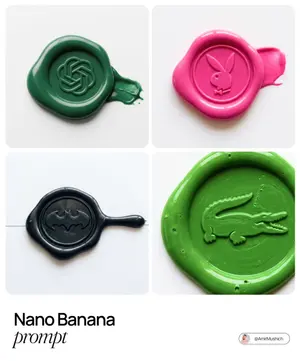
Tactile Wax Seal Logos
Create a creative image of Tactile Wax Seal Logos. Style: photorealistic. Composition: balanced and well-framed. Lighting: natural with cinematic mood. Category: photography. Reference: tactile-wax-seal-logos-1531.
Explore more prompts
Browse more AI image and video prompts by category.
FAQ
- Can the silhouette face right instead of left?
- Yes, edit the prompt to specify 'facing right' while retaining the two long twin-tails flowing dramatically and the exact rectangular hair accessories in pink and cyan.
- How is the JRPG logo effect achieved?
- The beveled metallic teal letters with sharp Gothic serifs, gold outlines, drop shadows, and the compass-spoke magic crest rising behind the two-line title create the classic fantasy game title look.