
Text to Image
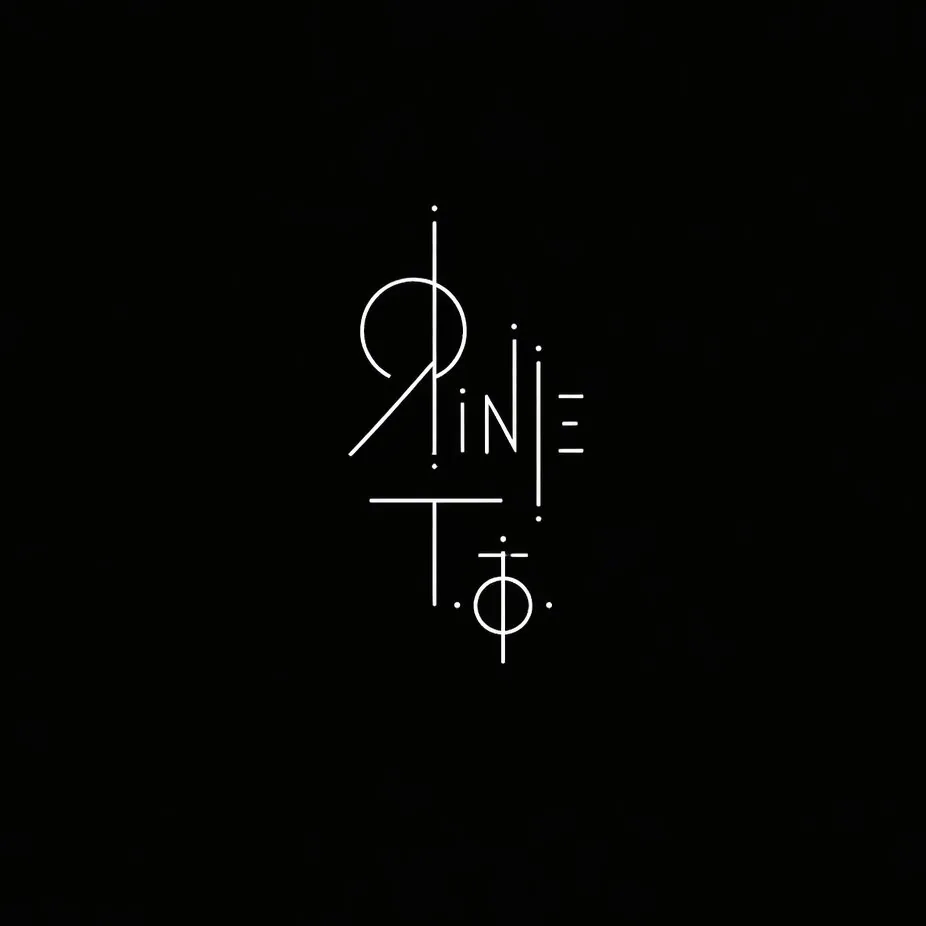
Minimalist Sigil Logo Design — AI Image Prompt
An avant-garde logo prompt that creates a minimalist sigil or glyph using thin white lines on a black background, representing an artist's name. - AIPinMaker
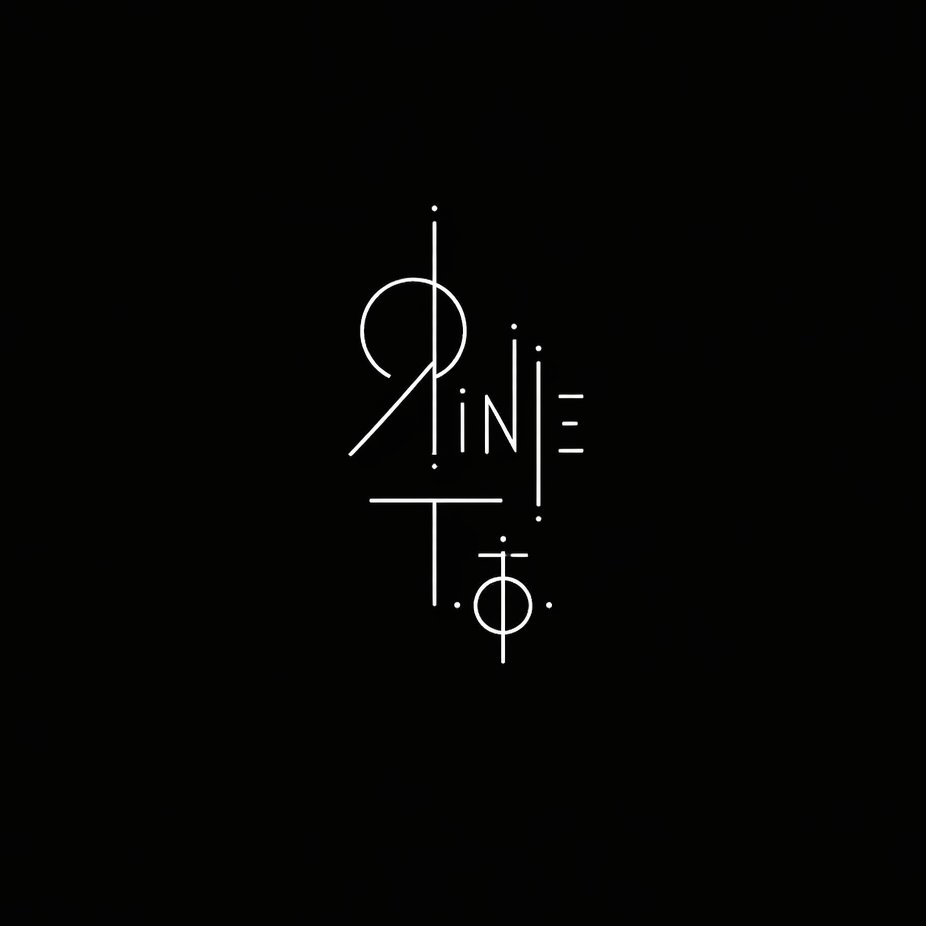
Prompt
Create a creative image of Minimalist Sigil Logo Design. Style: photorealistic. Composition: balanced and well-framed. Lighting: natural with cinematic mood. Category: photography. Reference: minimalist-sigil-logo-design-25191.
Prompt breakdown
- Subject
- Minimalist sigil logo design
- Style
- photorealistic
- Lighting
- natural with cinematic mood
- Composition
- balanced and well-framed
- Mood
- cinematic
Remix ideas
- Etch the sigil onto brushed steel to emphasize metallic reflections
- Tighten the intersecting lines into a more compact hexagonal arrangement
- Introduce faint warm rim lighting from the left edge to heighten depth
Reference images
How to use this AI Image prompt template
 1
1Copy the prompt — grab this template’s prompt and negative prompt.  2
2Pick a model — choose a recommended AI model for the best match.  3
3Generate — open the studio with one click and create your result.
Related templates
Luxury Bonbon Drop Stamp Seal
Create a fashion image of Luxury Bonbon Drop Stamp Seal. Style: photorealistic. Composition: balanced and well-framed. Lighting: natural with cinematic mood. Category: photography. Reference: luxury-bonbon-drop-stamp-seal-17863.
Microsoft PowerWordEx Logo Mockup
A clean minimalist tech logo composition on a light gray background, wide horizontal layout. On the left, show a stacked cluster of 4 overlapping Microsoft Office-style app icons with soft gradients, rounded corners, subtle depth, and glossy modern vector shading. The front icon is a large blue square tile with a smaller raised blue panel containing a bold white capital P. Behind and slightly above it, place an orange presentation icon with a white pie-chart symbol. Behind the blue icon to the right, place a white document page icon with a folded blue corner and 4 horizontal blue text lines. At the back on the right, place a green spreadsheet icon with a white grid. Arrange the 4 icons so they overlap tightly and read as a unified hybrid Office app mark. On the right side, place the product name in a clean sans-serif font: small black text reading Microsoft above a large multicolor wordmark reading PowerWordEx (headline text). Color the word in segmented Microsoft-style hues: warm orange-red for Power, deep blue for Word, and teal-green for Ex. Center the whole composition vertically, keep generous whitespace, and render it as polished corporate branding mockup, crisp vector illustration, soft shadowing, no extra objects.

Ultra-Realistic 3D Render of a Furry Logo
Create a creative image of Ultra Realistic 3d Render Of A Furry Logo. Style: photorealistic. Composition: balanced and well-framed. Lighting: natural with cinematic mood. Category: photography. Reference: ultra-realistic-3d-render-of-a-furry-logo-9332.
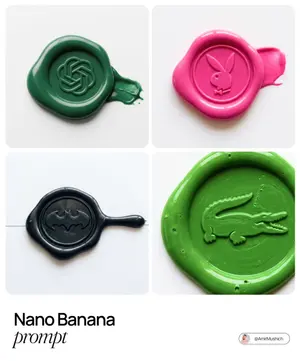
Tactile Wax Seal Logos
Create a creative image of Tactile Wax Seal Logos. Style: photorealistic. Composition: balanced and well-framed. Lighting: natural with cinematic mood. Category: photography. Reference: tactile-wax-seal-logos-1531.
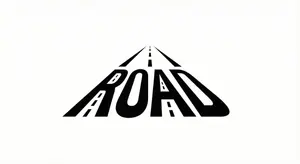
Minimalist Word-as-Object Logo Design
A minimalist logo design where the word "WORD (word)" is transformed into a physical object related to its meaning. The letters are subtly reshaped to form the silhouette of the object while remaining readable. Clean white background, monochrome black design, balanced composition, modern branding style, flat graphic aesthetic, even lighting, high contrast.
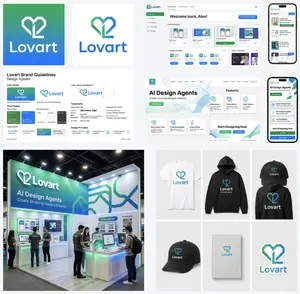
Multi-Step Design Generation for 'Lovart' Brand Identity
Create a creative image of Multi Step Design Generation For Lovart Brand Identity. Style: photorealistic. Composition: balanced and well-framed. Lighting: natural with cinematic mood. Category: photography. Reference: multi-step-design-generation-for-lovart-brand-identity-9639.
Explore more prompts
Browse more AI image and video prompts by category.
FAQ
- What makes this sigil suitable as a logo rather than pure occult imagery?
- Its minimalist line work strips away decorative excess while retaining symbolic weight, allowing instant recognition at small sizes on packaging or digital screens.
- Why does the reference code point to a photography category?
- The prompt treats the logo as a physical object captured with a camera, using real-world lighting and depth instead of flat vector graphics.