
文生图
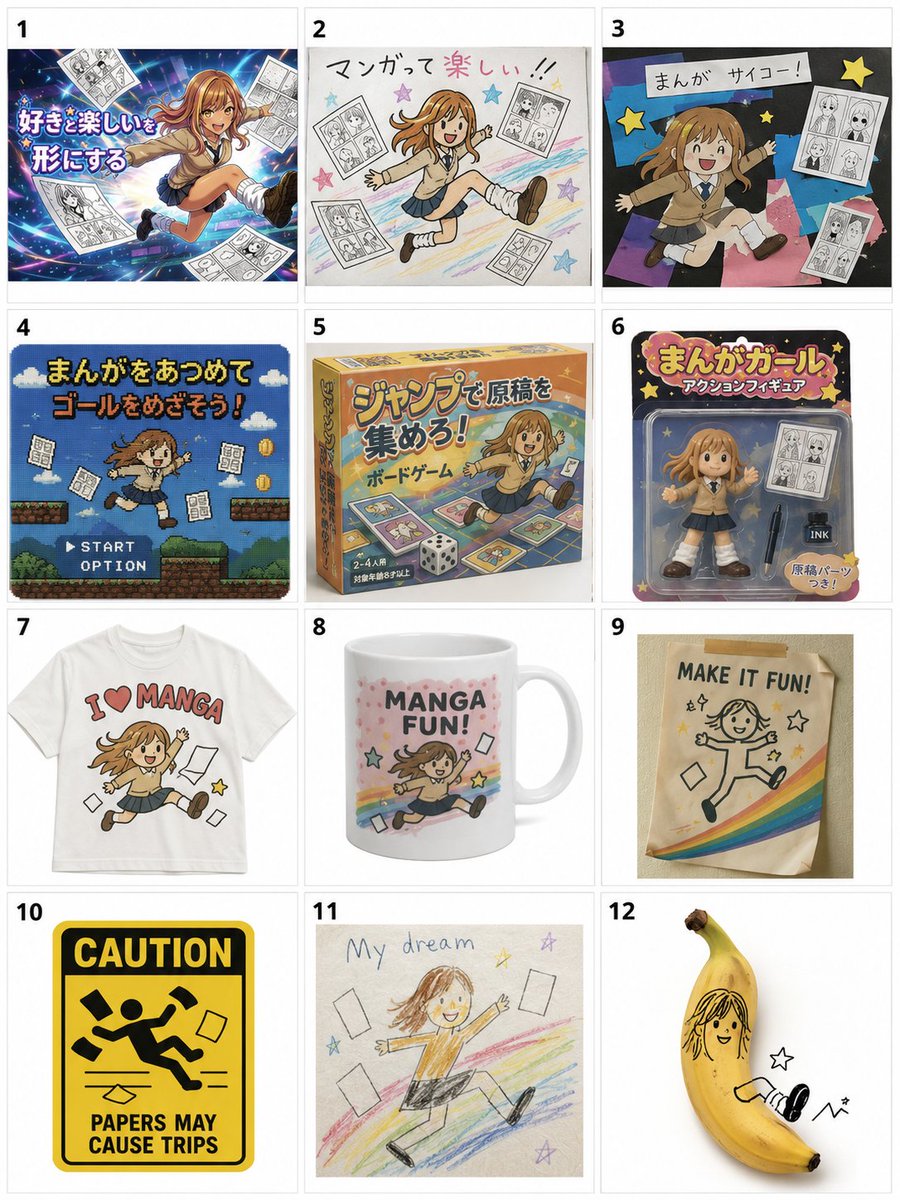
Misordered Image Relay Grid — AI 图像提示词
A complex creative prompt that transforms an input image through 12 stages of intentional 'misinterpretation' by imaginary sequential creators, resulting in a humorous 3x4 evolution grid. - AIPinMaker
提示词
添付の画像をもとに、{argument name="グリッド" default="3×4"}のグリッドで{argument name="枚数" default="12種類"}のバージョンを配置してください。 この画像が、まるで12人の異なる人に順番に渡され、それぞれが前の人の作ったものだけを見ながら、「これはたぶんこういうものだろう」「こういう用途で使うものだろう」と勝手に勘違いし、別の形に作り直していったかのように表現してください。 最初のコマはオリジナルにかなり近い雰囲気から始めてください。そこからコマが進むにつれて、元画像の形、色、表情、ポーズ、構図、モチーフ、雰囲気が少しずつ誤解され、単純化され、別の用途に変換され、だんだん本来の意味や姿から離れていくようにしてください。 各コマは、前のコマだけを見た別の人が「たぶんこれはこういう依頼だったはず」と判断して作り直したようにしてください。人物やキャラクター、ペット、料理、風景、建物、プロフィール画像など、元画像の内容に応じて自然に変化させてください。 途中の変化は細かく固定しないでください。あるコマではイラスト化され、次のコマではマスコット化され、その次では商品化され、さらに看板、チラシ、ぬいぐるみ、食品パッケージ、観光グッズ、注意標識、ゲームキャラ、謎のおもちゃ、資料用アイコン、手作り工作物など、別の用途へ誤解されていっても構いません。変化の方向は、元画像と前のコマの見た目から自然に連想されるものにしてください。 コマが進むほど、「誰かがちゃんと作ろうとしたのは分かるけれど、何を作る依頼だったのか少しずつ間違えている」ようにしてください。形、比率、目、口、輪郭、色の配置、素材感、用途、装飾、構図が少しずつズレていき、後半ほど予想外でユーモラスな姿になっていくようにしてください。 重要なのは、単なる画質劣化やノイズではなく、人が前の成果物を見て、解釈を間違えながら、別の目的のものとして作り直した結果、どんどん崩壊していくように見せることです。 後半では、元画像の特徴を完全に消すのではなく、色、輪郭、表情、髪型、服、小物、ポーズ、構図、モチーフなどのうち、どれか1つか2つだけを不自然に残してください。その一方で、他の要素は大胆に省略、変形、誤解、別物化して構いません。 12コマ目は、元画像を知っている人だけがギリギリ元ネタを感じ取れる程度にし、初めて見る人には完全に別の謎の存在、謎の商品、謎キャラクター、謎の工作物、謎のアイコン、または謎のマスコットに見えるくらい大胆に崩してください。最後は「なんでこうなった!?」と思える、予想外で少し笑える着地にしてください。 各コマはそれぞれ異なる見た目にしてください。背景は白くシンプルにし、12種類の変化が見やすい3×4のグリッドとして整理してください。後半のコマでは、きれいに整えすぎないでください。むしろ、前の人の誤解を次の人がさらに別の方向へ誤解していくようにしてください。12コマ目は、元画像の特徴が1つだけ奇妙に残っているのに、それ以外はほぼ別物になっているくらい大胆に変化させてください。39:Tbdb,Based on the attached image, arrange {argument name="quantity" default="12 versions"} in a {argument name="grid" default="3x4"} grid. Express this as if the image were passed sequentially to 12 different people, each looking only at what the previous person made and mistakenly assuming 'this must be what was requested' or 'this is meant for this purpose,' leading them to redesign it. Start the first frame with an atmosphere very close to the original. As the frames progress, have the shape, color, expression, pose, composition, motifs, and mood of the original image gradually be misunderstood, simplified, converted for different uses, and move away from its original meaning and appearance. Each frame should look like it was remade by a person who only saw the previous frame and judged 'this must have been the request.' Naturally change it according to the content of the original image, whether it's a person, character, pet, food, landscape, building, or profile image. Do not fix the intermediate changes too strictly. It's okay to misunderstand it as an illustration in one frame, a mascot in the next, a commercial product, a sign, a flyer, a stuffed toy, food packaging, tourist goods, a warning sign, a game character, a mysterious toy, a reference icon, or a handmade craft. The direction of change should be naturally associated with the appearance of the original and the previous frame. As the frames progress, make it look like 'you can tell someone was trying to make it properly, but they slightly misunderstood what the request was.' Let the shapes, proportions, eyes, mouths, outlines, color placement, textures, uses, decorations, and compositions shift bit by bit, leading to an unexpected and humorous appearance in the latter half. The key is not just image degradation or noise, but to make it look like it's collapsing because humans misinterpreted the previous result while rebuilding it for a different purpose. In the latter half, do not completely erase the characteristics of the original image, but unnaturally leave one or two elements like color, outline, expression, hairstyle, clothes, accessories, pose, composition, or motif. Meanwhile, other elements can be boldly omitted, transformed, misunderstood, or turned into something else. Make the 12th frame bold enough that only someone who knows the original image can barely sense the original source, while appearing as a completely different mysterious entity,参考图片
如何使用这个 AI 图像提示词模板
 1
1复制提示词 —— 取走该模板的提示词与反向提示词。  2
2选择模型 —— 选一个推荐的 AI 模型以获得最佳匹配。  3
3生成 —— 一键打开工作台并生成你的作品。
相关模板
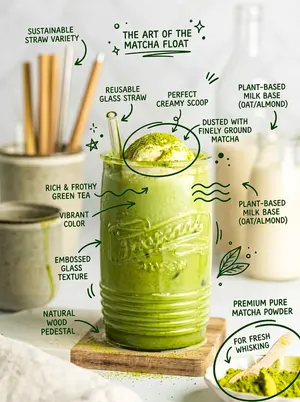
Hand-Drawn Doodles Overlay Prompt
Create a creative image of Hand Drawn Doodles Overlay Prompt. Style: photorealistic. Composition: balanced and well-framed. Lighting: natural with cinematic mood. Category: photography. Reference: hand-drawn-doodles-overlay-prompt-17814.

Promo Effect v2.0 Prompt for Profile Screenshot Composition - Nano Banana Pro AI Prompt for Social Media Post
{ "edit_type": "precise_composite_overlay_dual_interaction_english_ui", "source": { "_hint": "Base Logic: Character sitting on Background. Background is fixed EXCEPT for the specific text on the button.", "mode": "IMAGE_COMPOSITION", "reference_images": { "foreground": "character_ref_image", "background_canvas": "profile_page_screenshot" }, "consistency": { "character_fidelity": "high", "background_structure": "rigid_layout_preservation" } }, "ui_text_enforcement": { "_hint": "CRITICAL: Ensure the button text reads 'Follow' in English, regardless of the text in the original screenshot.", "target_element": "action_button_top_right", "mandatory_text": "Follow", "language": "English", "font_style": "sans_serif_bold_legible", "correction_policy": "overwrite_original_text_if_not_follow" }, "background_preservation": { "_hint": "Background is a rigid floor. Only allow changes to shadows and the button text.", "policy": "strict_pixel_retention_mostly", "allowed_modifications": [ "realistic_contact_shadows_under_character", "replacement_of_button_text_to_Follow" ] }, "camera_and_lighting": { "_hint": "Character sitting ON the interface.", "perspective": "high_angle_looking_down", "grounding_effect": { "technique": "contact_shadows_under_legs", "placement": "on_background_surface" } }, "pose": { "_hint": "Dual pointing: Left Hand -> Name, Right Hand -> 'Follow' Button.", "pose_style": "sitting_cross-legged_or_kneeling", "head_position": "tilted_back_looking_at_camera", "hands_configuration": { "s
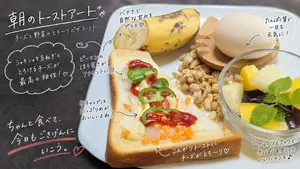
Handwritten Breakfast Photo Annotations
Using REFERENCE_0 as the base breakfast photo, transform it into a stylish social-media morning breakfast post. Keep the actual meal, plate, cup, and tabletop composition essentially the same, but remove the decorative sticker row at the bottom: exactly 6 sheep stickers and 1 pizza sticker must be gone. Add a warm, magazine-like food-photo finish with slightly cleaner lighting and sharper appetizing detail. Overlay casual white handwritten Japanese annotations directly on the photo, as if drawn with a marker pen, with thin arrows, dotted circles, hearts, underline strokes, and one cloud-shaped callout. Use exactly 10 visible annotation text groups: 1. Large top-left headline: 朝のトーストアート* (headline text) 2. Small subtitle under it: チーズと野菜のとろ〜りピザトースト (subtitle text) 3. Left cloud callout about onion and melted cheese: 「シャキシャキ玉ねぎと とろけるチーズが 最高の相性!♡」 4. Small note near the green pepper with a dotted circle: 「ピーマンのほろ苦さがアクセントに◎」 5. Note pointing to the banana: 「バナナで自然な甘みをプラス♡」 6. Circular note near the egg: 「たんぱく質で一日を元気に!」 7. Note pointing to ketchup on the toast: 「ケチャップはたっぷりめがおいしいよね!」 8. Bottom-left motivational handwritten message with pink underline and heart: ちゃんと食べて、今日もごきげんにいこう。 (motivational message) 9. Bottom-center note pointing to the toast crust: 「こんがりトーストにチーズがとろ〜り♡」 10. Bottom-right note pointing to the fruit bowl: 「フルーツとナッツでさっぱり&カリッといいバランス♪」 Style constraints: make the handwriting look natural, playful, and hand-drawn; keep all text legible in white except the pink underline and heart accent at bottom left. Do not add any new food items, people, logos, watermarks, borders, or extra stickers.39:T824,Using REFERENCE_0 as the base breakfast photo, transform it into a stylish social-media morning breakfast post. Keep the actual meal, plate, cup, and tabletop composition essentially the same, but remove the decorative sticker row at the bottom: exactly 6 sheep stickers and 1 pizza sticker must be gone. Add a warm, magazine-like food-photo finish with slightly cleaner lig

Interactive Hand-Drawn Doodle Overlay
Create a creative image of Interactive Hand Drawn Doodle Overlay. Style: photorealistic. Composition: balanced and well-framed. Lighting: natural with cinematic mood. Category: photography. Reference: interactive-hand-drawn-doodle-overlay-19220.

Hand-Drawn Doodles Overlay
Transform the uploaded image by keeping the subject (subject) exactly as they are—preserve their identity, pose, composition, and lighting without any distortion or alteration. Build on top of the original photo by adding expressive, hand-drawn doodles that interact playfully with the subject. Let the illustrations respond to the scene, trace or exaggerate gestures, extend movement, highlight contours, or introduce imaginative elements that feel connected to what’s happening in the frame. The doodles should feel intentional, as if they were sketched directly onto the image in a spontaneous yet thoughtful way. Use a loose, imperfect drawing style with slightly uneven strokes, organic lines, and a casual, sketchbook-like vibe. Incorporate handwritten notes or captions (notes) around the image that match the mood or narrative—keep them witty, context-aware, and naturally playful rather than generic. Make sure the added elements complement the photo instead of overpowering it. Aim for a visually balanced composition with a clean, high-resolution finish and colors that blend harmoniously with the original scene.3b:T49

Hand-Drawn Style Photo Annotation
Create a creative image of Hand Drawn Style Photo Annotation. Style: photorealistic. Composition: balanced and well-framed. Lighting: natural with cinematic mood. Category: photography. Reference: hand-drawn-style-photo-annotation-17326.
探索更多提示词
按分类浏览更多 AI 图像和视频提示词。