
Text to Image
Nano Banana Pro Pictogram Generation Prompt - Nano Banana Pro AI Prompt for Infographic / Edu Visual — AI Image Prompt
A structured prompt template for Nano Banana Pro designed to generate sets of pictograms (icons) for various themes, such as YouTube content creation, ensuring a unified design, ratio, line width, and color scheme. The user can insert different design image concepts into the template. - AIPinMaker
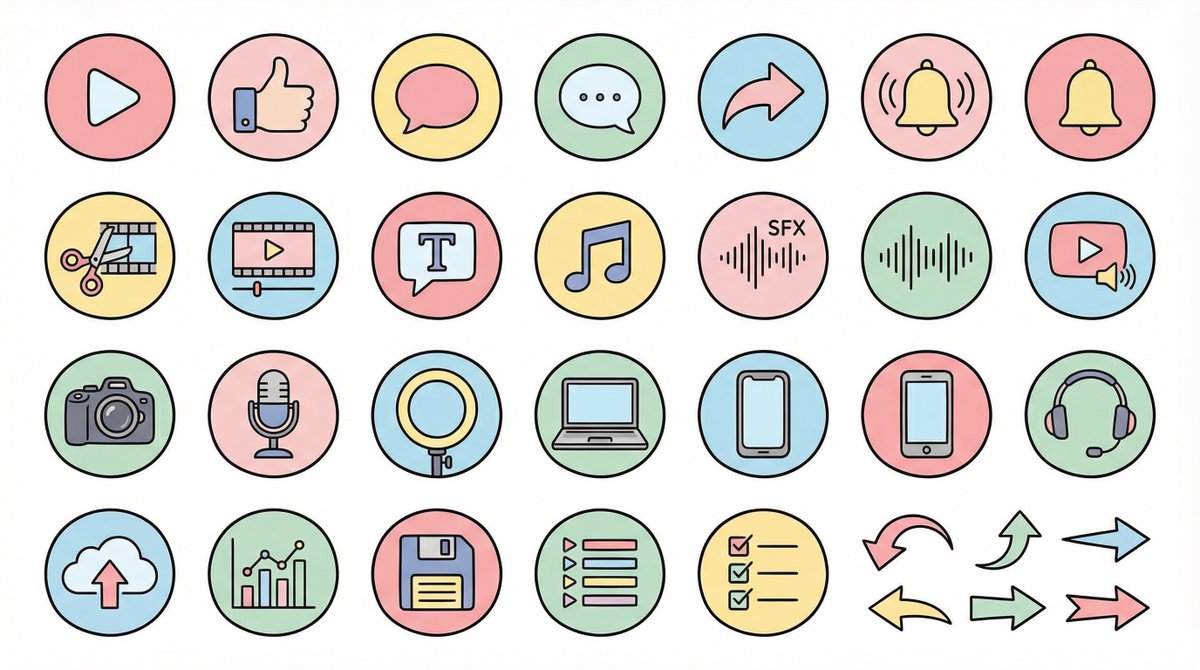
Prompt
●生成テーマ
{argument name="生成テーマ" default="YouTube動画に使うアイコン素材セット"}

●内容
{argument name="内容" default="YouTube制作・編集・投稿・分析に使うアイコンを統一デザインで作成。例)アクション:再生ボタン、高評価、コメント、共有、通知ベル・編集:カット、タイムライン、テロップ、BGM、効果音・撮影機材:カメラ、マイク、ライト、PC、スマホ、ヘッドセット・運用:アップロード、分析、保存、プレイリスト、リスト、矢印"}

●制作条件
・統一された比率・線幅・色味・世界観
・視認性が高い
・テキスト不要
・背景:白単色
・解像度「2K」
・アスペクト比「16:9」

●デザインイメージ
→ここに下記のデザインイメージを挿入してください💡

【Negative prompt】
リアル、写真質感、立体、3D、複雑すぎるディテール、メタル質感、濃い影、ホラー、暗すぎる色

-------------------

●デザインイメージ①(ゆるふわ)
丸みがある形、柔らかい配色、黒の細線、パステルカラー、親しみやすい雰囲気、手書きイラスト風

-------------------

●デザインイメージ②(YouTube風シンプルフラット)
太ライン、Red×White×Black重視、シャープな角、強調ライン、視認性優先、モダンなUIアイコン

-------------------

●デザインイメージ③(シンプル)
ミニマル、細ライン、洗練された間隔、無彩色中心、アイコンフォント風、上品で落ち着いたデザイン

-------------------

●デザインイメージ④(ゲーム実況・配信者)
蛍光系アクセントカラー(ネオンブルー/紫/赤)、SF感、Sharp edges、HUD UIスタイル、サイバーでエッジの効いたデザイン

-------------------

●デザインイメージ⑤(カラフルポップ・KIDS教育系)
太めの丸みのあるシルエット、明るいカラフル配色(赤・黄・緑・青・ピンク)、絵本風、柔らかくて楽しげな雰囲気、シンプルで認識しやすいアイコン、かわいいけど幼児向けすぎない教育系デザイン。

-------------------

●デザインイメージ⑥(解説系・歴史・レトロ)
落ち着いたレトロ配色(ブラウン・濃緑・深紺・セピア)、小説風・掲示板風・考察系の雰囲気、細ライン、少し重厚感のあるアイコン、古地図/資料感/アーカイブ感、世界観に統一感のあるミステリアスなトーン。

-------------------

●デザインイメージ⑦(派手・躍動感)
太めの線、強めのコントラスト、派手めのカラー(赤・黄色・黒)、エネルギッシュで動きがある印象、日本の漫画的強調表現(ビックリマーク、スピード線、強調文字風)、視聴者の注意を引くパワフルなポップデザイン。3f:T9c0,● Generation Theme
{argument name="generation theme" default="Icon material set for YouTube videos"}

● Content
{argument name="content" default="Create icons for YouTube production, editing, posting, and analysis in a unified design. Examples: Actions: Play button, high rating, comments, share, notification bell; Editing: Cut, timeline, telop, BGM, sound effects; Filming equipment: Camera, microphone, light, PC, smartphone, headset; Operation: Upload, analysis, save, playlist, list, arrow"}

● Production Conditions
・Unified ratio, line width, color scheme, and world view
・High visibility
・No text required
・Background: Solid white color
・Resolution: "2K"
・Aspect Ratio: "16:9"

● Design Image
→ Insert the design image below here 💡

【Negative prompt】
Real, photo texture, three-dimensional, 3D, overly complex details, metal texture, dark shadows, horror, overly dark colors

-------------------

● Design Image ① (Soft and Fluffy)
Rounded shapes, soft color scheme, thin black lines, pastel colors, friendly atmosphere, hand-drawn illustration style

-------------------

● Design Image ② (YouTube Simple Flat Style)
Thick lines, emphasis on Red×White×Black, sharp corners, emphasized lines, priority on visibility, modern UI icon

-------------------

● Design Image ③ (Simple)
Minimal, thin lines, refined spacing, centered on achromatic colors, icon font style, elegant and calm design

-------------------

● Design Image ④ (Game Streaming/Streamer)
Fluorescent accent colors (neon blue/purple/red), SF feel, Sharp edges, HUD UI style, cyber and edgy design

-------------------

● Design Image ⑤ (Colorful Pop/KIDS Education)
Thick, rounded silhouette, bright colorful scheme (red, yellow, green, blue, pink), picture book style, soft and fun atmosphere, simple and recognizable icons, educationalPrompt breakdown
- Subject
- Icons for YouTube actions (play button, like, comment, bell), editing (cut, timeline, telop, BGM), gear (camera, mic, light, PC) and operations (upload, analysis, playlist)
- Style
- Choice of rounded pastel hand-drawn, thick red-white-black flat UI, minimal achromatic icon-font, neon cyber HUD, colorful picture-book pop, retro sepia archival or energetic comic pop with emphasis lines
- Composition
- Individual pictograms centered on solid white, 16:9 aspect, 2K resolution, no text, high visibility with consistent line weight across the full set
- Mood
- Varies by selected design image from friendly approachable or modern sharp to mysterious retro or high-energy attention-grabbing
Remix ideas
- Replace the content list with waveform or keyframe icons then force design image ④ for streaming overlays
- Swap to design image ⑥ and add subtle map or document motifs when targeting history or analysis channels
- Tighten line width in the prompt and switch to design image ③ for minimalist icon-font results that sit cleanly over video thumbnails
Reference images
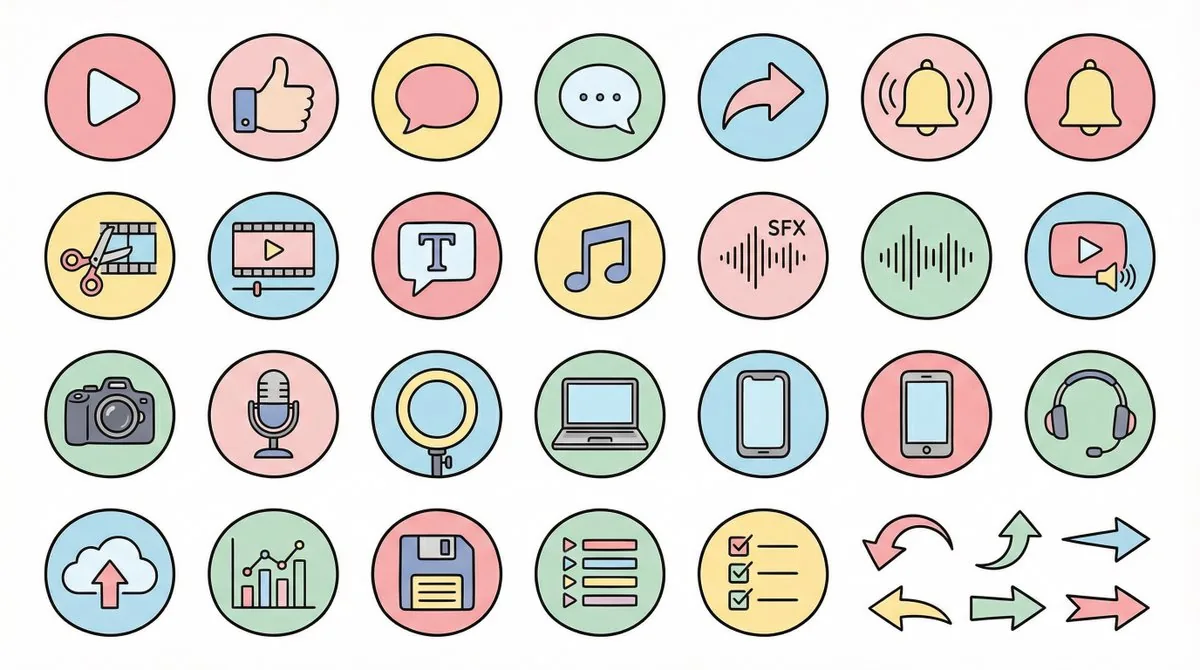
How to use this AI Image prompt template
 1
1Copy the prompt — grab this template’s prompt and negative prompt.  2
2Pick a model — choose a recommended AI model for the best match.  3
3Generate — open the studio with one click and create your result.
Related templates
Logo Design Wall Generation Prompt for Monkey Theme
Create a creative image of Logo Design Wall Generation Prompt For Monkey Theme. Style: photorealistic. Composition: balanced and well-framed. Lighting: natural with cinematic mood. Category: photography. Reference: logo-design-wall-generation-prompt-for-monkey-theme-11446.
Minimalist Word-as-Object Logo Design
A minimalist logo design where the word "WORD (word)" is transformed into a physical object related to its meaning. The letters are subtly reshaped to form the silhouette of the object while remaining readable. Clean white background, monochrome black design, balanced composition, modern branding style, flat graphic aesthetic, even lighting, high contrast.

Gothic VTuber Logo Grid
{ "type": "VTuber logo design concepts", "theme": "{argument name=\"main theme\" default=\"gothic dark fantasy\"}", "background": "{argument name=\"background color\" default=\"pitch black\"}", "layout": "2x3 grid containing 6 distinct logo designs", "logos": [ { "position": "top-left", "main_text": "{argument name=\"logo 1 main text\" default=\"魔界のメシア\"}", "sub_text": ["魔界の観測者", "MAKAI NO KANSOKUSHA"], "colors": ["purple", "silver"], "motifs": ["horns", "glowing purple eye", "bat wings"] }, { "position": "top-center", "main_text": "{argument name=\"logo 2 main text\" default=\"深淵プレシア\"}", "sub_text": ["Shinen Lucia", "魔界の断罪者"], "colors": ["red", "black", "gold"], "motifs": ["chains", "demonic spikes", "glowing red runes"] }, { "position": "top-right", "main_text": "{argument name=\"logo 3 main text\" default=\"夢喰いメフィ\"}", "sub_text": ["まかいのゆめくい"], "colors": ["pink", "purple"], "motifs": ["skull with crown", "bat wings", "sparkles"] }, { "position": "bottom-left", "main_text": "蒼影カナタ", "sub_text": ["魔界の影詩人", "- AOKAGE KANATA -"], "colors": ["blue", "silver"], "motifs": ["large central eye", "silver bat wings", "gothic architecture"] }, { "position": "bottom-center", "main_text": "黄昏ベリアル", "sub_text": ["Tasogare Belial", "魔界の王子"], "colors": ["gold", "purple"], "motifs": ["crown", "bat wings", "hanging gems"] }, { "position": "bottom-right", "main_text": "禍朧シオン", "sub_text": ["魔界の記憶屋", "- MAGATSU SHION -"], "colors": ["silver", "purple", "black"], "motifs": ["crescent moon", "glowing purple flame", "chains", "dark smoke"] } ] }
Vector Cyberpunk Logo Art
Create a creative image of Vector Cyberpunk Logo Art. Style: photorealistic. Composition: balanced and well-framed. Lighting: natural with cinematic mood. Category: photography. Reference: vector-cyberpunk-logo-art-20180.

AI Cosplay Expo Logo Guide Sheet
Goal: Create a clean black-and-white logo guide and usage sheet for AI COSPLAY EXPO 2026 (event name), presented as a professional brand identity document. Canvas: Portrait A4-style page, white background, thin light-gray divider lines, generous margins, crisp monochrome vector look. Use bold futuristic techno sans-serif typography, all caps, high contrast black ink. Header: Top-left title reads “AI COSPLAY EXPO 2026” with small subtitle “INTERNATIONAL EVENT” underneath. Top-right small label reads “LOGO GUIDE & USAGE SHEET”. A thin horizontal rule separates the header from the main content. Core logo design: The symbol is a black silhouette of a cute anime-style twin-tail cosplay girl standing inside four broken corner brackets, with a small diamond sparkle below. Combine it with bold text “AI COSPLAY EXPO” and large stacked numerals “2026”, plus the small tagline “- INTERNATIONAL EVENT -” and credit line “produced by AI lady collection (producer name)”. Layout: Divide the page into exactly 7 numbered brand-guide sections using small black square number badges and thin gray rules. Sections: 1. “PRIMARY LOGO – HORIZONTAL”: large horizontal lockup. Symbol on the left, text on the right: “AI COSPLAY EXPO” above huge “2026”, tagline “- INTERNATIONAL EVENT -”, and credit “produced by AI lady collection”. 2. “STACKED LOGO”: vertical centered lockup. Symbol on top, “AI COSPLAY EXPO” stacked in three lines, large “2026”, tagline, and producer credit below. 3. “SYMBOL MARK”: standalone large silhouette symbol only. 4. “MONOCHROME VARIATIONS”: show exactly 4 logo variations: black horizontal logo, gray/outline horizontal logo, black stacked logo, gray/outline stacked logo. 5. “INVERTED (WHITE ON BLACK)”: black rectangle containing exactly 2 white reversed logos: one horizontal logo at top and one stacked logo below. 6. “CLEAR SPACE / MINIMUM SIZE”: left side shows the horizontal logo inside a dotted clear-space box with “A” spacing markers on the top, left, right, and bottom; right side shows exactly 2 minimum-size examples: “MINIMUM SIZE (PRINT)” with width label “25mm / 0.98 in”, and “MINIMUM SIZE (DIGITAL)” with width label “32px”. 7. “USAGE EXAMPLES”: show exactly 4 simple outline icons with labels: globe icon labeled “INTERNATIONAL APPAREL”, ticket icon labeled “EVENTS & TICKETING”, open book icon labeled “MAGAZINE & EDITORIAL”, and medal badge icon labeled “STAFF & EXHIBITOR”. Footer: Bottom strip divided into three columns. Left column title “ORGANIZER TEXT EXAMPLES” with two Japanese-style text lines: “主催: AI lady collection” and “公式 SNS: AI lady collection”. Center column contains a small stacked version of the logo. Right column title “CREDIT LINE” with the line “produced by AI lady collection”. Visual style: Minimal Swiss grid meets Japanese event-brand manual, precise alignment, thin gray separators, no color except black, white, and light gray. Make all text legible, sharp, and print-ready. Avoid extra sections, extra icons, watermarks, gradients, shadows, or decorative backgrounds.38:Tcae,Goal: Create a clean black-and-white logo guide and usage sheet for AI COSPLAY EXPO 2026 (event name), presented
Retro Chinese Catering Badge Logo
Create a creative image of Retro Chinese Catering Badge Logo. Style: photorealistic. Composition: balanced and well-framed. Lighting: natural with cinematic mood. Category: photography. Reference: retro-chinese-catering-badge-logo-21340.
Explore more prompts
Browse more AI image and video prompts by category.
FAQ
- Which style works best for educational explainer icons?
- Design image ⑤ gives bright rounded colorful shapes that stay recognizable without looking childish, while design image ③ offers a calmer achromatic alternative for serious tutorials.
- How do I keep icons consistent across multiple generations?
- Always repeat the exact production conditions (unified ratio, line width, white background, 2K) and paste the same chosen design image description each time.