
Text to Image
Fantasy RPG Character Sprite Sheet — AI Image Prompt
Creates a structured 36-sprite fantasy RPG character animation sheet for game asset concepts and reference workflows. - AIPinMaker
Prompt
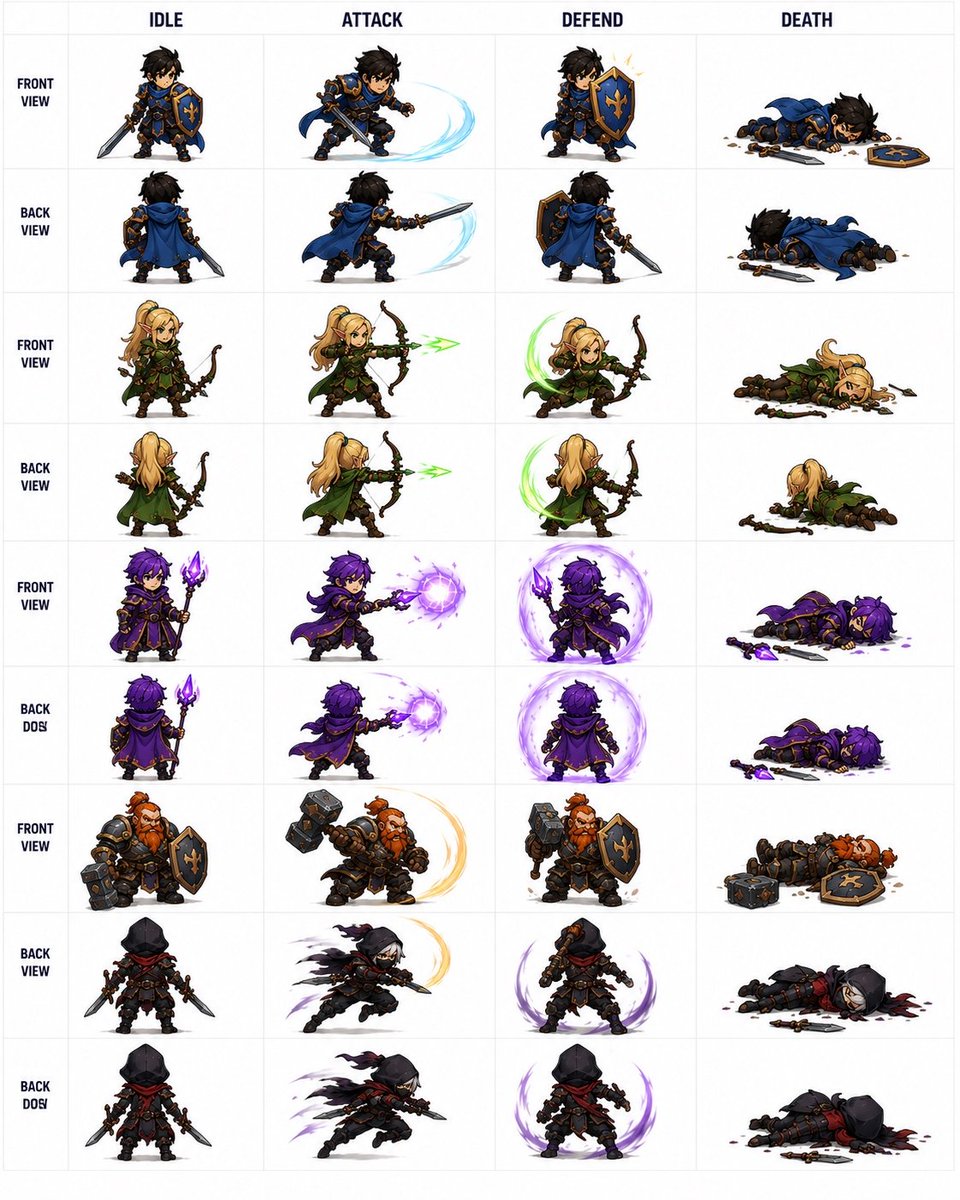
Goal: Create a clean fantasy RPG pixel-art character sprite sheet for game asset reference, showing {argument name="character roster" default="a blue-and-gold knight, a blonde elf archer, a purple dark mage, a red-bearded dwarf warrior, and a black-hooded rogue"} in chibi proportions with detailed armor, weapons, capes, and magical effects.

Canvas: Square white canvas with a thin pale-gray grid, like a professional 2D game animation sheet. Use crisp, high-detail isometric/chibi pixel-art styling with painterly shading, transparent-looking white backgrounds inside each cell, and no scenery.

Layout: Make exactly 4 action columns labeled across the top in bold dark uppercase text: IDLE, ATTACK, DEFEND, DEATH. Add a narrow left label column with stacked row labels in bold dark uppercase. The sheet contains exactly 9 labeled sprite rows and 36 total character sprites, one sprite per grid cell.

Rows and contents, from top to bottom:
1. FRONT VIEW: blue-and-gold knight with messy black hair, sword and fleur-de-lis shield; idle front, slashing attack with pale blue arc, shield block with spark, death lying face down with sword and shield dropped.
2. BACK VIEW: same knight from behind with blue cape; idle back, back-view sword slash with pale blue arc, back-view shield stance, back-view death lying prone.
3. FRONT VIEW: blonde elf archer in green cloak and leather armor; idle with bow, firing green energy arrow, defensive crouch with green crescent effect, death collapsed beside broken bow and scattered arrows.
4. BACK VIEW: same elf archer from behind; idle, firing green arrow, defensive green crescent, death face down with cloak visible.
5. FRONT VIEW: purple-haired dark mage in ornate black-and-gold robes holding a glowing purple staff; idle, casting a purple energy orb, defending inside a purple magic shield aura, death lying with staff dropped and purple splatter.
6. BACK DOS: same mage from behind, preserving the typo label “BACK DOS”; idle, back-view purple orb cast, back-view purple magic barrier, death lying prone with staff nearby.
7. FRONT VIEW: red-bearded dwarf warrior in heavy dark armor with hammer and shield; idle, hammer swing with golden arc, shield block, death lying down with hammer and shield dropped.
8. BACK VIEW: black-hooded rogue assassin with red scarf, dual daggers, dark leather armor; idle rear view, lunging slash with smoky black/purple motion trails, defensive stance with purple crescent aura, death lying in a dark blood pool with daggers nearby.
9. BACK DOS: same rogue from rear, preserving the typo label “BACK DOS”; idle, fast dagger attack with shadow trails, defensive purple aura, death collapsed with weapons scattered.

Visual style: {argument name="art style" default="high-detail chibi fantasy pixel art"}, strong silhouettes, small heads and compact bodies, readable weapons, dramatic motion arcs, bright magic effects, and consistent scale across all cells. Keep the top labels and grid perfectly aligned, like a game development sprite atlas.

Constraints: Use exactly 4 columns, exactly 9 rows, and exactly 36 sprites. Do not add extra characters, UI panels, watermarks, signatures, scenery, or additional text beyond the column headers and left-side row labels. Keep the background white and the grid subtle.37:Tce4,Prompt breakdown
- Subject
- blue-and-gold knight with messy black hair and fleur-de-lis shield, blonde elf archer in green cloak, purple-haired dark mage with glowing staff, red-bearded dwarf in heavy armor with hammer, black-hooded rogue with red scarf and dual daggers, all in chibi proportions across idle/attack/defend/death actions
- Style
- high-detail chibi fantasy pixel art with painterly shading, strong silhouettes, and bright magic effects on a professional sprite atlas
- Composition
- square white canvas with thin pale-gray grid, exactly 4 bold uppercase columns (IDLE, ATTACK, DEFEND, DEATH) and 9 stacked row labels for 36 sprites total
Remix ideas
- Change the knight's pale blue attack arc to fiery orange while keeping the fleur-de-lis shield
- Swap the mage's purple energy orb and splatter for icy blue tones across all four actions
- Correct the two BACK DOS labels to BACK VIEW while adding subtle cape flow to the elf's back-view death pose
Reference images
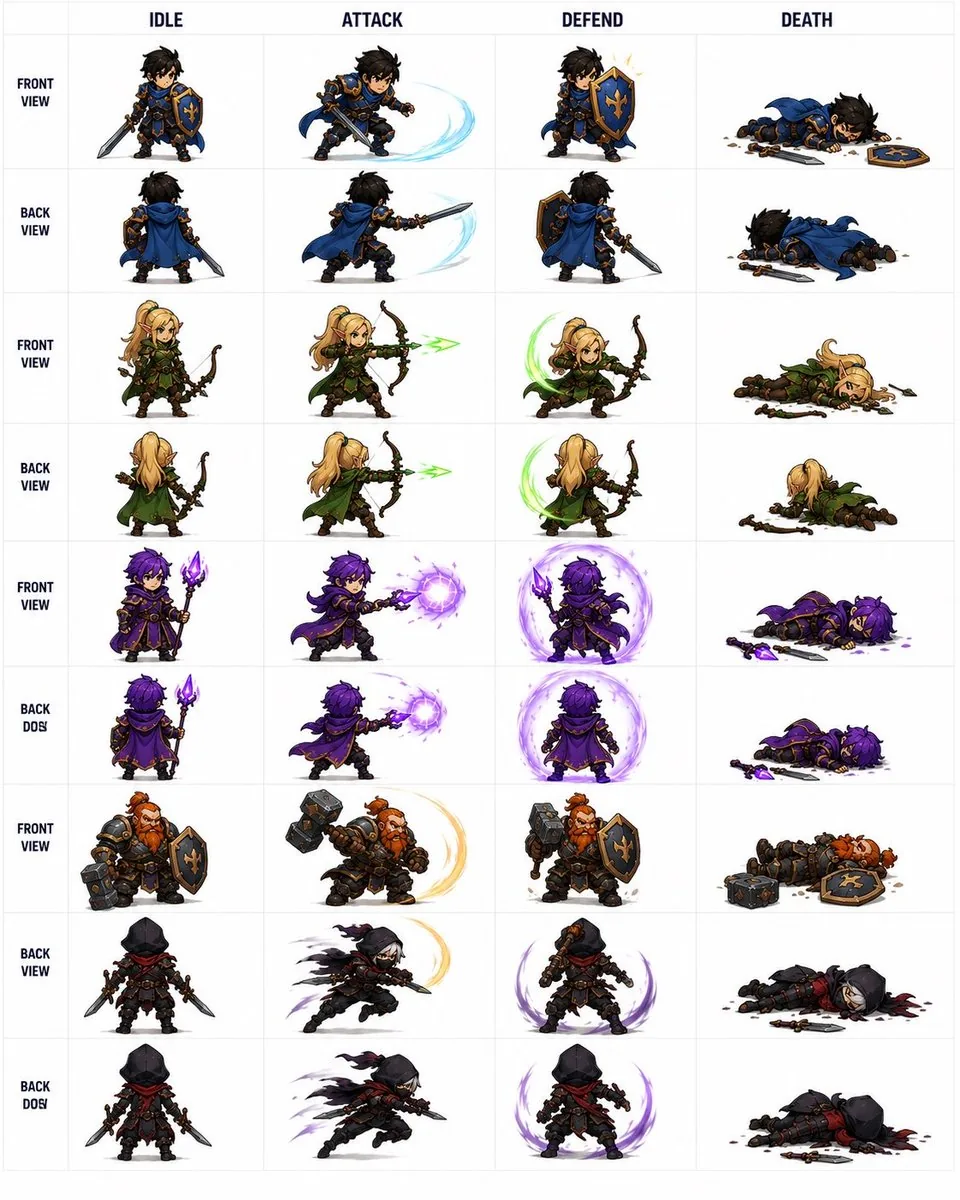
How to use this AI Image prompt template
 1
1Copy the prompt — grab this template’s prompt and negative prompt.  2
2Pick a model — choose a recommended AI model for the best match.  3
3Generate — open the studio with one click and create your result.
Related templates

Pixel art game concept prompt
Create a game image of Pixel Art Game Concept Prompt. Style: photorealistic. Composition: balanced and well-framed. Lighting: natural with cinematic mood. Category: illustration. Reference: pixel-art-game-concept-prompt-15922.
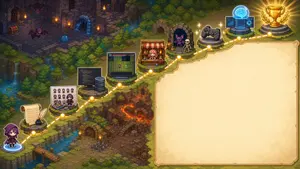
Pixel Art Game Development Roadmap
{"type":"wide pixel-art fantasy roadmap illustration with blank presentation panel","format":"16:9 horizontal banner","style":"high-detail isometric pixel art, cozy JRPG game map, warm torchlight, saturated fantasy colors, crisp sprites, soft glow effects, no readable text anywhere","main_scene":{"setting":"a winding cliffside adventure path through a forested dungeon landscape, combining medieval ruins, waterfalls, lava caverns, bridges, stone platforms, and magical lights","camera":"isometric top-down view, wide composition","left_character":"a small hooded purple-robed adventurer seen from behind, standing at the lower-left starting point on a glowing blue magic circle","path":"a dotted glowing golden route line travels from the lower-left corner upward and across the image to the upper-right, connecting circular gold waypoint nodes","waypoint_count":10,"waypoints":["starting character on blue portal at bottom-left","parchment scroll with feather quill and inkwell","pixel character sprite sheet and color palette board with a small artist character","programming workstation with code monitor and server tower","game prototype monitor showing a grid map and tiny sprites","shop stall with red-and-white awning and pink-haired merchant","monster encounter cave with purple bat and skeleton","game controller platform","AI brain hologram with laptop and interface screens","gold trophy on stone pedestal with laurel branches"]},"right_panel":{"position":"right half of the image","shape":"large blank parchment rectangle with irregular hand-drawn border and rounded corners","purpose":"empty space reserved for adding a title, explanation, or roadmap text later","fill":"warm cream parchment texture with subtle stains, no writing"},"background_details":{"upper_left":"dark ruined stone dungeon rooms with torches, treasure chest, arched doorways, purple bats, and a blue slime","middle_left":"dense evergreen forest, cliffs, small waterfalls, streams, and mossy stone ledges","lower_middle":"rocky dungeon entrance with wooden door, stairs, floor spikes, torches, and orange lava fissures","upper_right":"forest edge and final trophy area glowing with victory light"},"customization":{"theme":"{argument name=\"roadmap theme\" default=\"AI-assisted game development journey\"}","main character":"{argument name=\"main character\" default=\"small hooded purple adventurer\"}","blank panel use":"{argument name=\"blank panel use\" default=\"empty parchment area for later text\"}","art style":"{argument name=\"art style\" default=\"isometric pixel art JRPG map\"}","final reward":"{argument name=\"final reward\" default=\"gold trophy with laurel branches\"}"},"composition_notes":"Keep the left and upper portions visually busy with the 10 connected roadmap icons, while the entire right side remains a clean blank parchment panel. Use glowing yellow nodes and a dashed route to clearly imply progression from writing and art creation to coding, prototyping, publishing, testing, AI assistance, and final success."}

ChatGPT Game Asset Generation Screenshot
Goal: Create a realistic screenshot of a ChatGPT-style web conversation showing an image-generation result for game assets, with Japanese UI text and four generated asset thumbnails. Canvas: Landscape browser/app screenshot, approximately 797×750 px, white background, clean minimal interface, cropped so only the assistant response area and the bottom row of images are visible. Layout: At the top center, place one rounded light-gray user message bubble containing image genでゲームで使えそうなアセットの画像を4枚を個別で生成して それぞれを3D化してみて! (user request text). Below it, left aligned, show a small gray status line reading 「25m 50s作業しました 〉」 followed by a thin horizontal divider. Under that, create an assistant response in Japanese with file lists and blue clickable file links. Text content: Include the assistant paragraph 「できました。4枚のゲーム向けアセット画像を生成して、それぞれPixal3DでGLB化まで通しました。」 Then the label 「画像:」 followed by exactly 4 bullet links with small image/file icons: 1) mana_crystal_alpha.png, 2) treasure_chest_alpha.png, 3) energy_turret_alpha.png, 4) mushroom_house_alpha.png. Then the label 「3D化したGLB:」 followed by exactly 4 bullet links with document icons: 1) mana_crystal.glb, 2) treasure_chest.glb, 3) energy_turret.glb, 4) mushroom_house.glb. Then add the closing Japanese sentence 「生成したのは、魔法クリスタル、宝箱、SFエネルギータレット、きのこ家です。背景はクロマキーから透明化して、3D化に渡しています。」 Bottom image strip: Show exactly 4 rounded-square thumbnail cards in one horizontal row, each about 178×178 px with small gaps. Thumbnail 1 has a vivid green chroma-key background and a stylized fantasy blue mana crystal obelisk on a dark stone base (asset one). Thumbnail 2 has a vivid green chroma-key background and a wooden treasure chest with dark metal bands, gold lock, and red jewel (asset two). Thumbnail 3 has a vivid green chroma-key background and a gray sci-fi energy turret with blue glowing core and cannon barrel (asset three). Thumbnail 4 has a bright magenta chroma-key background and a cute mushroom house with red spotted cap roof, wooden door, and warm windows (asset four). All four assets are polished 3D game-art icons with transparent-cutout style lighting, centered and isolated. Visual style: Modern ChatGPT interface screenshot, Japanese typography, black body text, blue link text, small monochrome icons, generous margins, subtle divider lines. The asset thumbnails should look like high-quality mobile game props rendered in colorful semi-realistic 3D. Constraints: Include exactly 8 file links total, exactly 4 PNG links and exactly 4 GLB links, and exactly 4 asset thumbnail images. Do not add extra panels, watermarks, browser chrome, avatars, or unrelated UI controls.39:Tc15,Goal: Create a realistic screenshot of a ChatGPT-style web conversation showing an image-generation result for game assets, with Japanese UI text and four generated asset thumbnails. Canvas: Landscape browser/app screenshot, approximately 797×750 px, white background, clean minimal interface, cropped so only t

Cozy Farming Village Pixel Asset Sheet
Goal: Create a clean reusable 2D pixel-art game asset sheet for a cozy farming village tileset, labeled and organized on a plain white background. Use crisp 32-bit style pixel art, orthographic/front-facing RPG perspective, consistent scale, soft outlines, warm saturated colors, and no shadows outside the sprites. Theme: cozy farming village (tileset theme). Canvas: Landscape asset sheet, 4:3 ratio, white background, neatly spaced rows and columns. Add small green sprout icons before each section label. Use dark pixel-font labels in English. Layout and required sections: - HOUSES: exactly 5 small cottage buildings, each front-facing with different roof colors and details: 1 blue-roof cottage, 1 golden-yellow roof cottage, 1 green roof cottage with planter boxes, 1 orange-red roof cottage with flowers, 1 purple roof cottage with flowers. - SHOP: exactly 1 shop building with a purple roof, striped purple awning, hanging sign reading “SHOP”, flower pots, and a small sidewalk sign. - BARN: exactly 1 red barn with orange roof, large double doors, side hardware, and one hay pile. - FARM PLOTS: exactly 3 fenced rectangular farm plots: 1 planted vegetable plot with greens, wheat, and root crops; 1 tilled plot with small sprouts; 1 empty tilled soil plot. - SOIL TILES: exactly 8 square terrain tiles in a 2-row grid: 4 plain tiles on the top row, showing dark soil, medium dirt, light sand, and grass; 4 planted or transition tiles on the bottom row, showing seeded soil variations and a dirt-to-grass transition. - TREES: exactly 4 leafy fruit/deciduous trees: 1 round dark green tree, 1 larger bright green tree, 1 smaller yellow-green tree, and 1 apple tree with red fruit. - BUSHES: exactly 3 round bushes: 1 plain green bush, 1 flowering bush with pale blossoms, 1 berry bush with red berries. - SPECIAL TREE: exactly 1 palm tree with a curved brown trunk and green fronds. - LOGS & STUMPS: exactly 5 items: 1 long log, 1 cut log, 1 hollow log, 1 large stump, 1 small sprouting stump. - BEACH PROPS: exactly 5 items: 1 red-and-white beach umbrella, 1 blue striped lounge chair, 1 pink starfish, 1 pink shell, 1 beige shell. - FLOWERS: exactly 6 small flower sprites: white daisies, yellow flowers, pink flowers, orange-red flowers, purple lavender, and a pink tulip. - VILLAGE PROPS: exactly 18 village objects in two rows: wooden signpost, lantern post, mailbox, chalkboard sign, wooden crate, barrel, burlap sack, flower pot, wooden bench, stone well, bucket, produce cart, clay pot, flower planter box, round flower planter, market stall, blue-checkered table with flowers, and another lantern post. - FARM PROPS: exactly 9 farm objects: hay bale, blue water trough, hay cart, short wooden fence segment, milk can, pitchfork, shovel, blue watering can, and long wooden planter box. - SMALL DETAILS: exactly 12 ground-detail sprites: 4 rocks, 1 tiny sprout, 1 tall reed clump, 1 grass tuft, 1 red mushroom cluster, 1 yellow flower patch, 1 white flower patch, 1 lily pad, and 1 lily pad with pink water lily. - FENCES: exactly 4 fence sprites: rail fence, vertical plank fence, rope-post fence, and short gate/fence section. Visual style: cute high-quality pixel art game tileset (visual style). Keep every asset isolated, centered in its own space, and ready to cut out for game use. Use consistent outlines, consistent lighting from upper left, and no overlapping sprites. Text labels should use a pixel font with the section names exactly as listed. Avoid extra decorative background elements, watermarks, mockup UI, or perspective distortions.37:T

Cozy Pixel Farm Island Village
Goal: Create a bright cozy pixel-art farming village map on small islands in a blue ocean, like a top-down/isometric 16-bit life-sim game screenshot. Canvas: 4:3 landscape image, about 1024×768, crisp pixel art with no UI overlay, no borders, no watermark. Use a vibrant turquoise ocean background with gentle wave highlights, ripples around shores, scattered lily pads, and small rocks. Layout: Show exactly 6 grassy/sandy islands connected by wooden bridges and docks. The largest central island sits in the middle and contains the main house, paths, a fenced crop field, a well, a signpost, a human character, and a dog. Four smaller grassy islands surround it at upper left, upper right, lower left, and right. One small sandy beach island sits near the bottom center. Island count and contents: 1. Central island: irregular grassy island with dirt paths forming a crossroad. Place a cozy blue-roof cottage near the top center with a chimney puffing smoke, round attic window, wooden front door, flower boxes, shrubs, and a short fence behind it. Put a small pixel farmer character named young farmer (character name) standing slightly below center beside a corgi-like dog. Add a fenced crop plot at the lower center with exactly 4 crop rows: leafy green vegetables, white turnips, orange carrots, and golden wheat. Add a stone well to the left of the crop plot, a wooden signpost with a hanging lantern near the left-center path, bushes with flowers, small stones, and daisies. 2. Upper-left island: red-roof barn with open double doors, hay bales, a fenced pen, and exactly 1 black-and-white cow. Include a large leafy tree, crates, flowers, and a wooden bridge connecting to the central island. 3. Upper-right island: village shop with purple roof, striped purple-and-white awning, front door, window display, flower pots, barrel, and a freestanding signboard. The sign above the awning must read SHOP (shop sign text). Include a fruit tree with red apples and a bridge connecting to the central island. 4. Lower-left island: fishing dock island with a wooden pier, a lamppost, barrels, crates, small tackle box/sign, and exactly 1 small wooden rowboat tied near the dock. Connect this island to the central island with a wooden bridge. 5. Right island: small orange-roof cottage with chimney, round attic window, front door, blue window, flower box, small fence, trees, flowers, and a wooden bridge connecting to the central island. 6. Bottom-center island: tiny sandy beach with a palm tree, red-and-white beach umbrella, blue-striped lounge chair, starfish, shell, and grass around the edges; it is not connected by a bridge. Discrete element counts to preserve: exactly 6 islands, exactly 4 bridges connecting to the central island, exactly 4 buildings total (barn, blue-roof cottage, purple shop, orange-roof cottage), exactly 1 human character, exactly 2 animals (1 cow and 1 dog), exactly 1 rowboat, exactly 1 crop field with 4 visible crop types, exactly 1 well, exactly 1 signpost lantern, exactly 1 beach umbrella, exactly 1 lounge chair, exactly 1 palm tree. Visual style: Cute high-detail pixel art, top-down three-quarter perspective, warm sunny daylight, saturated colors, soft shadows, chunky readable shapes, detailed grass texture, tiny flowers, rounded shoreline outlines, and animated-game charm. Use bright turquoise blue (water color) for the surrounding ocean, blue (main roof color) for the central cottage roof, and cheerful cozy farming adventure (overall mood) as the emotional tone. Constraints: Keep the whole scene visible as a single map-like composition. Do not add interface buttons, text besides the shop sign, extra characters, extra animals, vehicles, modern objects, or photorealism.3

16-bit RPG Field Exploration Prompt
Create a creative image of 16 Bit Rpg Field Exploration Prompt. Style: photorealistic. Composition: balanced and well-framed. Lighting: natural with cinematic mood. Category: photography. Reference: 16-bit-rpg-field-exploration-prompt-21337.
Explore more prompts
Browse more AI image and video prompts by category.
FAQ
- Why does the sheet include both front and back views for the knight, elf, and mage but not the dwarf?
- The layout uses exactly nine rows to cover the roster, giving the dwarf only a front view while the rogue appears only from the back to maintain the required 36-sprite count and balanced column structure.
- What do the BACK DOS labels refer to?
- They appear exactly as specified in the prompt on rows 6 and 9, likely a preserved typo for BACK VIEW, and should remain unchanged unless remixed.