
Text to Image
ChatGPT Game Asset Generation Screenshot — AI Image Prompt
A prompt for recreating a Japanese ChatGPT-style result screen showing four game asset thumbnails and their PNG and GLB download links. - AIPinMaker
Prompt
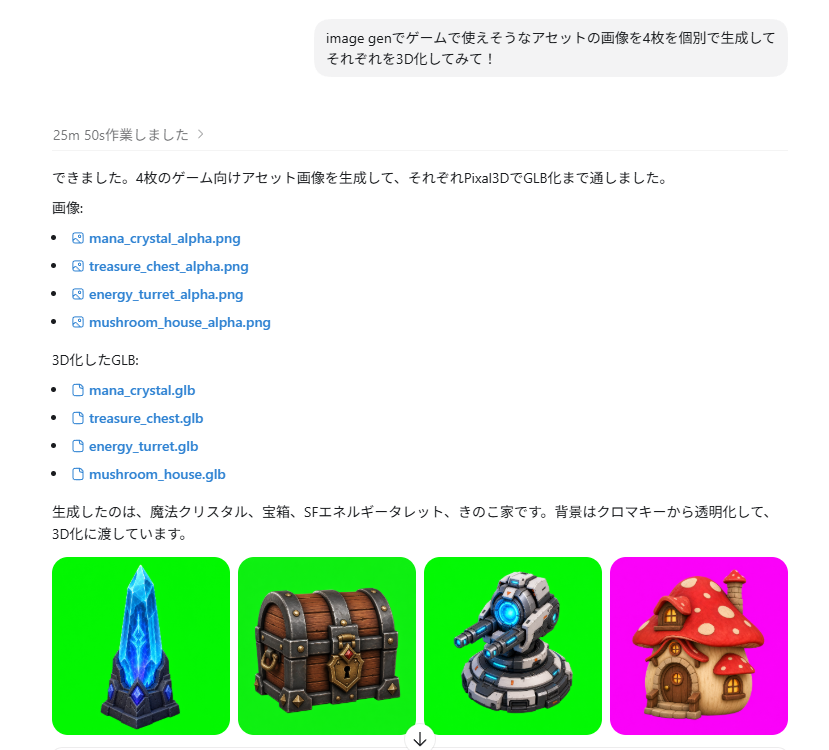
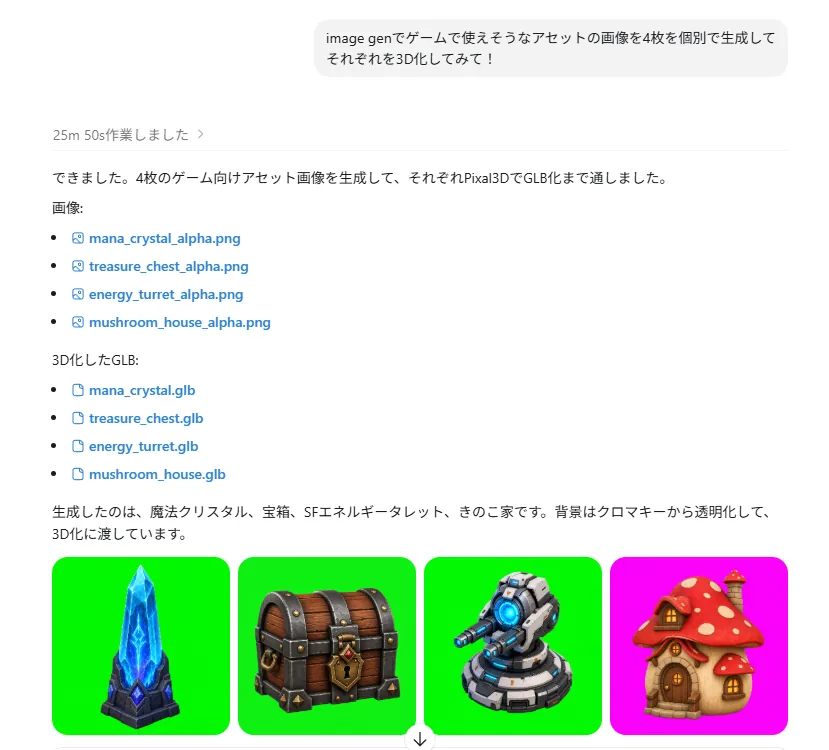
Goal: Create a realistic screenshot of a ChatGPT-style web conversation showing an image-generation result for game assets, with Japanese UI text and four generated asset thumbnails.

Canvas: Landscape browser/app screenshot, approximately 797×750 px, white background, clean minimal interface, cropped so only the assistant response area and the bottom row of images are visible.

Layout: At the top center, place one rounded light-gray user message bubble containing {argument name="user request text" default="image genでゲームで使えそうなアセットの画像を4枚を個別で生成して それぞれを3D化してみて!"}. Below it, left aligned, show a small gray status line reading 「25m 50s作業しました 〉」 followed by a thin horizontal divider. Under that, create an assistant response in Japanese with file lists and blue clickable file links.

Text content: Include the assistant paragraph 「できました。4枚のゲーム向けアセット画像を生成して、それぞれPixal3DでGLB化まで通しました。」 Then the label 「画像:」 followed by exactly 4 bullet links with small image/file icons: 1) mana_crystal_alpha.png, 2) treasure_chest_alpha.png, 3) energy_turret_alpha.png, 4) mushroom_house_alpha.png. Then the label 「3D化したGLB:」 followed by exactly 4 bullet links with document icons: 1) mana_crystal.glb, 2) treasure_chest.glb, 3) energy_turret.glb, 4) mushroom_house.glb. Then add the closing Japanese sentence 「生成したのは、魔法クリスタル、宝箱、SFエネルギータレット、きのこ家です。背景はクロマキーから透明化して、3D化に渡しています。」

Bottom image strip: Show exactly 4 rounded-square thumbnail cards in one horizontal row, each about 178×178 px with small gaps. Thumbnail 1 has a vivid green chroma-key background and a stylized fantasy {argument name="asset one" default="blue mana crystal obelisk on a dark stone base"}. Thumbnail 2 has a vivid green chroma-key background and a {argument name="asset two" default="wooden treasure chest with dark metal bands, gold lock, and red jewel"}. Thumbnail 3 has a vivid green chroma-key background and a {argument name="asset three" default="gray sci-fi energy turret with blue glowing core and cannon barrel"}. Thumbnail 4 has a bright magenta chroma-key background and a {argument name="asset four" default="cute mushroom house with red spotted cap roof, wooden door, and warm windows"}. All four assets are polished 3D game-art icons with transparent-cutout style lighting, centered and isolated.

Visual style: Modern ChatGPT interface screenshot, Japanese typography, black body text, blue link text, small monochrome icons, generous margins, subtle divider lines. The asset thumbnails should look like high-quality mobile game props rendered in colorful semi-realistic 3D.

Constraints: Include exactly 8 file links total, exactly 4 PNG links and exactly 4 GLB links, and exactly 4 asset thumbnail images. Do not add extra panels, watermarks, browser chrome, avatars, or unrelated UI controls.39:Tc15,Goal: Create a realistic screenshot of a ChatGPT-style web conversation showing an image-generation result for game assets, with Japanese UI text and four generated asset thumbnails.

Canvas: Landscape browser/app screenshot, approximately 797×750 px, white background, clean minimal interface, cropped so only tPrompt breakdown
- Subject
- ChatGPT-style web screenshot with Japanese UI, file lists for four PNGs and four GLBs, plus bottom row of game-asset thumbnails
- Style
- Modern minimal ChatGPT interface using Japanese typography, blue hyperlinks, small monochrome icons, and high-quality semi-realistic 3D game props
- Composition
- Landscape 797×750 px crop showing top user bubble, status line, assistant paragraph, exactly eight file links, and horizontal strip of four rounded-square thumbnails
- Mood
- Clean professional workflow view with generous margins and subtle dividers
Remix ideas
- Swap the mushroom house chroma key from magenta to vivid green to match the other three thumbnails
- Change the third asset to a glowing crystal tower instead of the energy turret while keeping the same GLB naming pattern
- Edit the assistant closing sentence to mention a different background removal method before the 3D pass
Reference images
How to use this AI Image prompt template
 1
1Copy the prompt — grab this template’s prompt and negative prompt.  2
2Pick a model — choose a recommended AI model for the best match.  3
3Generate — open the studio with one click and create your result.
Related templates
Minimalist Exploded View Industrial Design Diagram - Nano Banana Pro AI Prompt for Infographic / Edu Visual
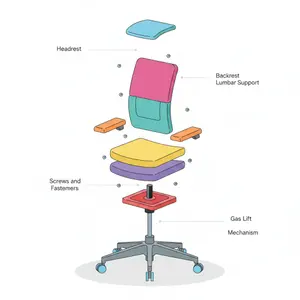
{ "prompt": { "objective": "Create a colorful minimalist exploded view of a chair with clearly labeled parts", "style": "minimalist, modern industrial design, flat yet slightly 3D, clean lines, soft shadows", "composition": "chair centered in frame, all components separated vertically in an exploded view, evenly spaced, balanced layout", "subject": { "type": "chair", "chair_style": "modern ergonomic chair", "parts": [ "Headrest", "Backrest", "Lumbar Support", "Seat Cushion", "Seat Base", "Armrests", "Armrest Pads", "Gas Lift Cylinder", "Tilt Mechanism", "Five-Star Base", "Caster Wheels", "Screws and Fasteners" ], "labels": "clear part names placed beside each component, thin connector lines, clean sans-serif font" }, "colors": "bright yet soft colors for each part, pastel and vibrant mix, each component in a different color, white or very light background", "lighting": "soft studio lighting, gentle shadows under each floating part", "camera": { "angle": "slight isometric view for depth", "focus": "all parts sharp and readable" }, "extra": "educational product diagram look, no clutter, modern design presentation, Instagram-friendly composition" }, "size": "1024x1024", "format": "png", "style_transfer": false }

Pixel art game concept prompt
Create a game image of Pixel Art Game Concept Prompt. Style: photorealistic. Composition: balanced and well-framed. Lighting: natural with cinematic mood. Category: illustration. Reference: pixel-art-game-concept-prompt-15922.

Stylized Tech Illustration Template
Create a creative image of Stylized Tech Illustration Template. Style: photorealistic. Composition: balanced and well-framed. Lighting: natural with cinematic mood. Category: photography. Reference: stylized-tech-illustration-template-8777.

Two-Panel Tech Meme Comic
{ "type": "two-panel meme comic", "layout": { "structure": "vertical split with black divider bars containing white text", "top_header_text": "{argument name=\"top panel header\" default=\"MEANWHILE...\"}", "middle_divider_text": "{argument name=\"bottom panel header\" default=\"USERS AFTER A WEEK OF CRYPTIC VAGUE-POSTING:\"}" }, "panels": [ { "position": "top", "setting": "bright office environment", "character": "smug man with a beard, wearing a black hoodie with 'OpenAI' text, eyes closed, smiling, holding a black mug with the OpenAI logo and rising steam", "ui_elements": { "count": 2, "items": [ "Tweet mockup: Profile 'OpenAI Employee' with verified checkmark, handle '@openai', text '{argument name=\"tweet text\" default=\"feeling codexy today 😎\"}', date '4:41 PM · Apr 16, 2026'", "Notification mockup: Dark theme, orange lightning bolt icon, text 'ANTHROPIC Releases Opus 4.7 3:00 PM BST'" ] }, "sticky_notes": { "count": 3, "items": [ "Yellow note: 'big week soon™'", "Light blue note: 'can't say much... ;)'", "Pink note: 'stay tuned!'" ] } }, { "position": "bottom", "setting": "dark, cobweb-filled room at a messy desk", "character": "skeleton wearing a dark hoodie with '{argument name=\"skeleton hoodie text\" default=\"REFRESH ADDICT\"}', resting its skull on its bony hand in despair", "desk_objects": { "count": 6, "items": [ "Computer monitor displaying the X (Twitter) dark mode interface", "Black mug with text 'C'MON OPENAI'", "Smartphone screen showing '11:59:59 refreshing...' with a loading spinner", "Digital clock displaying red text '12:00:01 AM'", "3 energy drink cans", "Scattered crumpled paper balls" ] }, "sticky_notes_and_signs": { "count": 4, "items": [ "Yellow note (left): 'Day 7 still no news...'", "Green note (on monitor): 'stop vague posting and DROP SOMETHING AMAZING!'", "Pink note (right): '{argument name=\"user complaint note\" default=\"just release SPUD or the Codex super app already!\"}'", "Cardboard sign (far right): 'MAKE SOMETHING AMAZING. PLEASE.'" ] } } ] }

Soft UI Style Illustration Generator
Soft minimal illustration of [SUBJECT] (subject), rounded shapes, gentle gradients, calming tones, modern UI illustration style, friendly, clean, and contemporary.

Two-Step Tier List Generation Prompt
Create a creative image of Two Step Tier List Generation Prompt. Style: photorealistic. Composition: balanced and well-framed. Lighting: natural with cinematic mood. Category: photography. Reference: two-step-tier-list-generation-prompt-1195.
Explore more prompts
Browse more AI image and video prompts by category.
FAQ
- Which four PNG filenames appear in the assistant response?
- mana_crystal_alpha.png, treasure_chest_alpha.png, energy_turret_alpha.png, and mushroom_house_alpha.png.
- What color backgrounds are used for the thumbnail cards?
- Three use vivid green chroma key while the mushroom house uses bright magenta.