
Text to Image
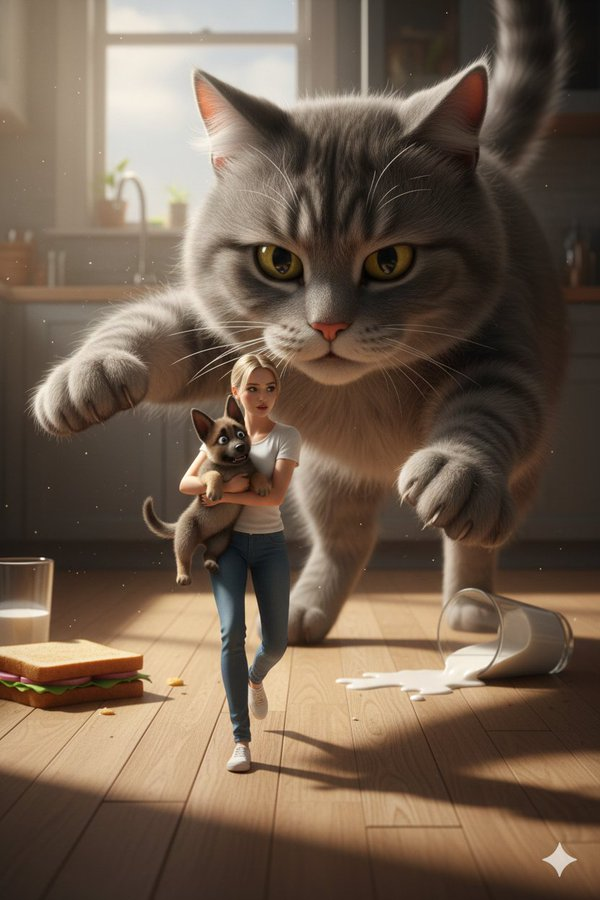
Cinematic Giant Cat Chasing Tiny Woman — AI Image Prompt
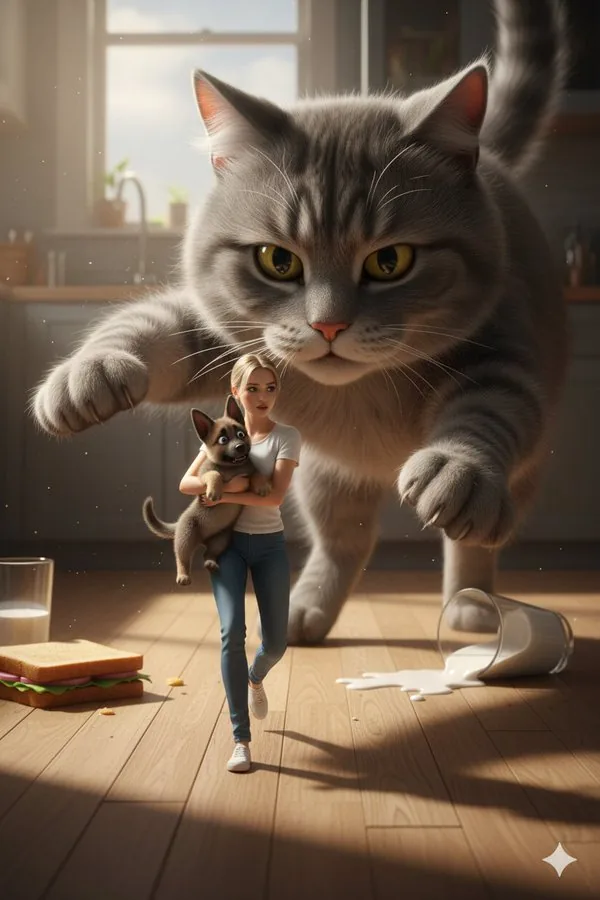
A structured JSON prompt for a cinematic 3D photorealistic scene set in a kitchen, featuring a size disparity. A tiny woman (with a face reference) is running across the floor holding a scared German Shepherd, while being chased by a giant fluffy gray cat. It specifies warm dramatic lighting, shallow depth of field, and Pixar-level realism. - AIPinMaker
Prompt
Create a cinematic image of Cinematic Giant Cat Chasing Tiny Woman. Style: photorealistic. Composition: balanced and well-framed. Lighting: natural with cinematic mood. Category: cinematic-video. Reference: cinematic-giant-cat-chasing-tiny-woman-9544.
Prompt breakdown
- Subject
- Giant cat chasing a tiny woman
- Style
- Photorealistic
- Lighting
- Natural with cinematic mood
- Composition
- Balanced and well-framed
- Mood
- Cinematic
Remix ideas
- Add subtle motion blur to the cat's paws while keeping the woman's figure sharp to heighten the chase dynamic
- Shift the background to include scattered everyday objects like toppled furniture to reinforce the giant scale
- Introduce a slight rim light on the cat's ears to separate its silhouette from the natural daylight background
Reference images
How to use this AI Image prompt template
 1
1Copy the prompt — grab this template’s prompt and negative prompt.  2
2Pick a model — choose a recommended AI model for the best match.  3
3Generate — open the studio with one click and create your result.
Related templates

Whimsical Watermelon Elephant
Create a creative image of Whimsical Watermelon Elephant. Style: photorealistic. Composition: balanced and well-framed. Lighting: natural with cinematic mood. Category: photography. Reference: whimsical-watermelon-elephant-11531.

Bioluminescent Plush Creature Sheet
Goal: Create a realistic 3D character reference sheet for a cute plush-like creature named bioluminescent cream forest cub (character name), designed for consistent video generation. Canvas: Vertical 4:5 character sheet on a matte medium-gray studio background, soft diffused lighting, subtle floor shadows, high-resolution photorealistic fur rendering. Subject details: The character is a small chubby teddy-bear/cat hybrid with a round oversized head, short rounded body, tiny arms, stubby legs, cream-colored dense fuzzy fur, glossy dark olive-brown eyes with bright catchlights, a tiny dark brown nose and mouth, faint pink cheeks, one thin curled hair sprout on top of the head, small rounded ears that glow bioluminescent green inside, and a short tail with a glowing green tip. The overall mood is adorable, soft, and toy-like, with realistic fiber texture and gentle translucency in the glowing green areas. Use warm cream (fur color), bioluminescent green (glow color), and soft pink blush (cheek color). Layout: Arrange the sheet in two main rows. Top row contains exactly 3 full-body turnaround views, evenly spaced and labeled in small white uppercase text: 1) “01 FRONT” showing the creature facing forward, 2) “02 3/4 LEFT” showing a three-quarter left view with the tail visible behind, 3) “03 BACK” showing the back view with rounded head, back fur, small arms, legs, and glowing tail tip. Bottom left contains an expression sheet with exactly 3 vertical framed panels labeled “EXPRESSION SHEET” above and captions below: 1) “01 NEUTRAL” with calm forward-facing eyes and closed small mouth, 2) “02 BATTLE FURY” with the face area covered by a centered opaque beige square block, 3) “03 SHOCK” with raised ears, wide eyes, and open surprised mouth. Bottom right contains a color palette column labeled “COLOR PALETTE” with exactly 5 rectangular swatches and labels: 1) “CREAM FUR” beige fur texture, 2) “BIOLUMINESCENT GREEN” glowing green gradient, 3) “PINK CHEEK” rosy pink texture, 4) “DARK BROWN OUTLINE / NOSE” dark brown swatch, 5) “WHITE HIGHLIGHT” white swatch. Text style: Small clean sans-serif uppercase white labels, minimal technical character-sheet typography, aligned precisely and unobtrusively. Constraints: Keep exactly 3 turnaround views, exactly 3 expression panels, and exactly 5 color swatches. Do not add extra characters, props, logos, watermarks, or decorative background elements. Maintain consistent proportions, fur texture, glowing ears and tail, and facial design across all views.39:Ta80,Goal: Create a realistic 3D character refere
Cartoon panda on a roller coaster
Create a creative image of Cartoon Panda On A Roller Coaster. Style: photorealistic. Composition: balanced and well-framed. Lighting: natural with cinematic mood. Category: photography. Reference: cartoon-panda-on-a-roller-coaster-2439.
Pearlescent Glass Sculpture
Create a creative image of Pearlescent Glass Sculpture. Style: photorealistic. Composition: balanced and well-framed. Lighting: natural with cinematic mood. Category: photography. Reference: pearlescent-glass-sculpture-24271.

Mechanical Jumping Robot Rabbit
A cute little jumping robot conquering stairs, equipped with two specialized legs shaped like the back feet of a rabbit, featuring visible mechanical gears for jumping mechanism, two wheels not used for payload
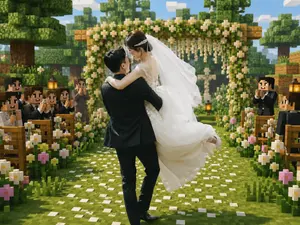
Minecraft Voxel Wedding Ceremony
Create a cinematic Minecraft-inspired voxel wedding scene that blends realistic newlyweds with a blocky game world. In the center foreground, show a groom in a black suit lifting and carrying a bride in a flowing white lace wedding dress; the couple should be the only mostly realistic photographic figures, with softly anonymized/blurred faces, while the environment and guests are fully voxel/block-style. The bride wears a long white veil, delicate hair accessory, sleeveless lace bodice, and voluminous skirt lifted by motion; the groom faces away slightly, holding her romantically. Place them on a grassy aisle covered with scattered white flower petals, leading toward a square wooden floral wedding arch decorated with dense green leaves, white blossoms, and hanging flower strands. Surround the aisle with exactly two rows of wooden benches, one row on the left and one on the right, filled with blocky Minecraft-style wedding guests in dark formal suits and white shirts, clapping and smiling; include visible lanterns on posts near the seating. Add abundant blocky flowers along both sides of the aisle, mostly white daisies with a few pink blossoms. The background should show cubic trees, layered voxel foliage, wooden blocks, a bright blue sky with rectangular clouds, warm daylight, soft depth of field, and a joyful romantic atmosphere. Use a square-to-landscape 4:3 composition, centered perspective down the aisle, high-detail voxel textures, vibrant greens, warm highlights, realistic fabric detail on the bride and groom, and a seamless blend of real wedding photography with Minecraft game-map aesthetics. No text, no watermark, no UI elements.
Explore more prompts
Browse more AI image and video prompts by category.
FAQ
- How does the scale play into the photorealistic style?
- The giant cat's detailed fur texture and the woman's miniature proportions must both hold up under realistic rendering, making accurate anatomy and material details essential.
- Why keep the composition balanced rather than dynamic?
- A balanced frame prevents the giant cat from completely dominating the image, allowing the tiny woman to remain a clear focal point in the pursuit.