
Text to Image
Anime VTuber Livestream Thumbnail — AI Image Prompt
Generates a pastel-themed anime VTuber stream thumbnail with customizable text badges and title.
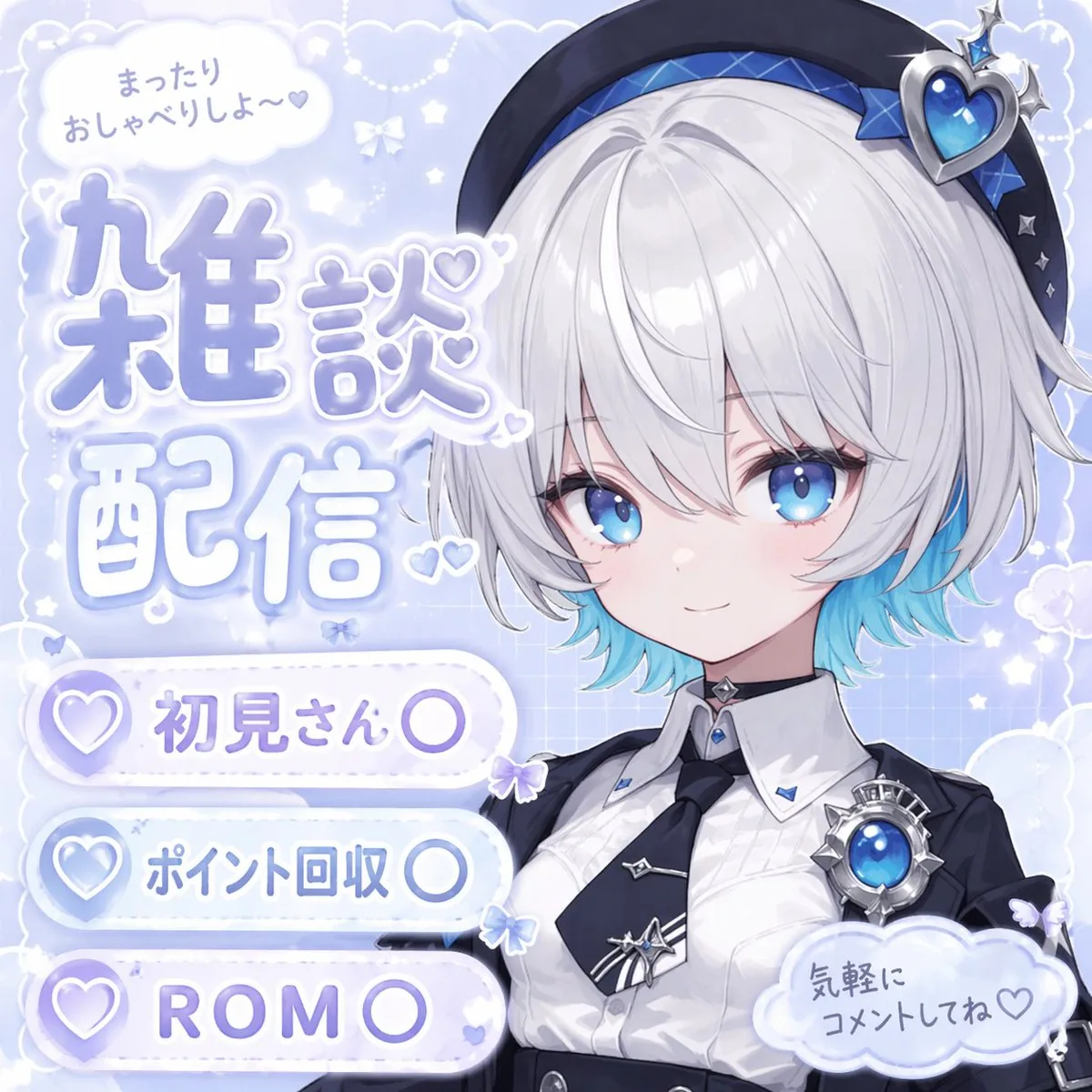
Prompt
{
  "type": "anime-style livestream thumbnail",
  "character": {
    "hair": "{argument name=\"hair color\" default=\"short silver hair with cyan underlights\"}",
    "eyes": "large bright blue",
    "outfit": "white collared shirt, black tie with silver accents, black jacket, black beret with a large blue heart jewel, blue jewel brooch, black choker",
    "pose": "smiling gently, looking at viewer, positioned on the right side"
  },
  "background": "pastel blue with white clouds, sparkles, stars, small bows, and a subtle grid pattern",
  "typography_and_ui": {
    "top_left_speech_bubble": "まったりおしゃべりしよ〜♡",
    "main_title": {
      "text": "{argument name=\"main title\" default=\"雑談配信\"}",
      "style": "large, soft blue gradient, white outline, decorated with small hearts, positioned on the middle-left"
    },
    "bottom_left_badges": {
      "count": 3,
      "style": "white pill-shaped buttons with a purple heart icon on the left",
      "labels": [
        "{argument name=\"badge 1 text\" default=\"初見さん〇\"}",
        "{argument name=\"badge 2 text\" default=\"ポイント回収〇\"}",
        "{argument name=\"badge 3 text\" default=\"ROM〇\"}"
      ]
    },
    "bottom_right_cloud_bubble": "気軽にコメントしてね♡"
  }
}Prompt breakdown
- Subject
- Anime VTuber with short silver hair cyan underlights, large bright blue eyes, white collared shirt, black tie with silver accents, black jacket, black beret with large blue heart jewel, blue jewel brooch, black choker, gentle smile looking at viewer
- Style
- Anime-style livestream thumbnail with pastel blue background, white clouds, sparkles, stars, small bows, subtle grid pattern
- Composition
- Character on right side, main title middle-left, top-left speech bubble, bottom-left pill badges, bottom-right cloud bubble
- Mood
- Gentle welcoming vibe for relaxed Japanese-language chat streams
Remix ideas
- Change hair to long pastel purple with the same cyan underlights to shift the color palette
- Replace the main title with “ゲーム実況” and adjust the gradient to a vibrant pink for a gaming stream feel
- Increase the size of the blue heart jewel on the beret and add matching sparkles around it for stronger focal emphasis
Reference images
How to use this AI Image prompt template
 1
1Copy the prompt — grab this template’s prompt and negative prompt.  2
2Pick a model — choose a recommended AI model for the best match.  3
3Generate — open the studio with one click and create your result.
Related templates

Confused Blonde Anime Girl Portrait
Create a portrait image of Confused Blonde Anime Girl Portrait. Style: photorealistic. Composition: balanced and well-framed. Lighting: natural with cinematic mood. Category: portrait. Reference: confused-blonde-anime-girl-portrait-14474.
Anime Face Mask Portrait Template
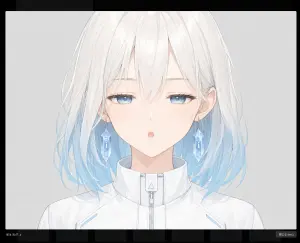
Create a clean anime-style character bust portrait for a face-part generation template: a centered young female character with white hair fading to pale sky blue at the ends (hair color), shoulder-length slightly messy layered hair with fine wispy strands, visible ears, and a futuristic white high-collar zip-up jacket with subtle light-blue accents and a small triangular detail on the collar zipper. The face area must be deliberately covered by one large vertical rounded rectangle mask, centered over the head from the upper forehead down past the mouth and chin, with a soft vertical gradient from warm pale peach at the top to cool pale blue-gray at the bottom, completely hiding the eyes, nose, and mouth while leaving hair, ears, neck, collar, and shoulders visible. Use a delicate Japanese anime illustration style with thin pale linework, soft watercolor-like shading, very light pastel colors, and a calm sterile sci-fi feel. The background is a plain light gray studio backdrop. Frame as a close-up bust from the top of the head to the upper chest, symmetrical front-facing pose, with the character occupying most of the image. Add a dark screenshot-like border around the artwork and a minimal dark bottom UI strip with faint thumbnail blocks, including tiny text at the lower left reading idle_half_u (lower left label) and a small button at the lower right reading close (esc) (button label). Avoid any visible facial features, avoid extra characters, avoid text inside the portrait area, and keep the masked face rectangle perfectly clean and opaque.
Historical Character Modern Match Interaction
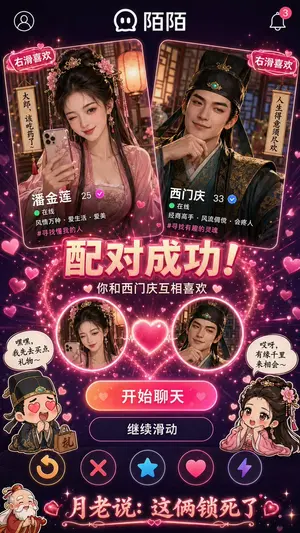
Create a anime image of Historical Character Modern Match Interaction. Style: photorealistic. Composition: balanced and well-framed. Lighting: natural with cinematic mood. Category: anime. Reference: historical-character-modern-match-interaction-16269.

Five-panel manga of a YouTube thumbnail creator workflow
Create a anime image of Five Panel Manga Of A Youtube Thumbnail Creator Workflow. Style: photorealistic. Composition: balanced and well-framed. Lighting: natural with cinematic mood. Category: anime. Reference: five-panel-manga-of-a-youtube-thumbnail-creator-workflow-289.
Anime Live2D Turnaround Chat Screenshot
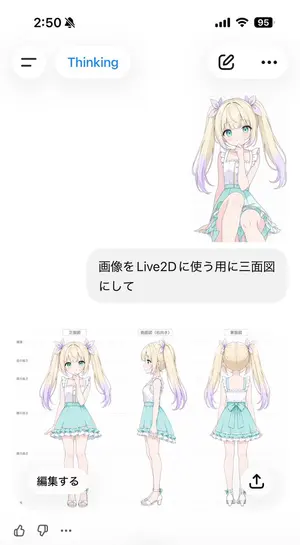
Goal: Create a vertical smartphone screenshot of an AI chat interface showing a generated anime character model sheet for Live2D use. Canvas: 691 × 1024 vertical mobile screenshot, white background, soft iOS-like UI with lots of empty space and rounded translucent controls. Top status bar: Show the time “2:50” at top left, a muted bell icon beside it, and exactly 3 status indicators at top right: cellular bars, Wi‑Fi, and a black battery pill reading “95”. Header UI: Under the status bar, place exactly 4 floating rounded controls: a circular hamburger menu button on the left, a white pill labeled “Thinking” in blue, a white pill on the right containing an outlined edit/pencil icon, and a white pill with a three-dot menu. Chat content: On the upper right, show a small full-body anime girl sticker sitting/kneeling, facing forward, with long blonde twin tails fading to lavender tips, aqua eyes, pale skin, lavender hair bows, a white frilly sleeveless blouse, and a mint-aqua skirt. Beneath it, place one large rounded light-gray user message bubble containing Japanese text: 画像をLive2Dに使う用に三面図にして (user message). Generated image card: Below the message bubble, display one large embedded character reference sheet image on a white background. It contains exactly 3 full-body views of the same character, evenly spaced left to right: 1) front view labeled 正面図 (front label), 2) right-facing side view labeled 側面図(右向き) (side label), and 3) back view labeled 背面図 (back label). Add faint horizontal guide lines and small Japanese height markers along the left side, like a model turnaround sheet. The character is a cute anime girl named unnamed blonde twin-tail girl (character name): long blonde twin tails with lavender gradient ends, pastel purple ribbon bows, turquoise eyes, soft blush, white ruffled sleeveless top with vertical buttons, mint turquoise high-waisted skirt with frilled hem and asymmetrical trailing fabric, slim legs, white ankle-strap sandals with small turquoise accents. Keep proportions consistent across all 3 views and make the art delicate, clean, and pastel. Overlay controls on the generated card: Add exactly 2 floating buttons over the bottom of the image card: a rounded white button at lower left reading “編集する” and a circular white share button at lower right with an upward arrow icon. Bottom reaction bar: At the bottom edge, show exactly 3 small icons: thumbs up, thumbs down, and an ellipsis. Visual style: Crisp mobile screenshot, minimal white interface, soft shadows, Japanese chat app aesthetic, pastel anime illustration, clean line art, no watermark, no extra panels, no additional characters.37:Tb33,Goal: Create a vertical smartphone screenshot of an AI chat interface showi
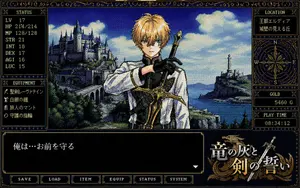
Retro PC-98 Fantasy RPG UI
{"type":"retro PC-98 fantasy adventure game screen","style":"1990s Japanese computer RPG visual novel interface, 16-color dithered pixel art, CRT-like low resolution, ornate gold filigree borders on dark navy panels, serif pixel fonts, dramatic fantasy romance tone","canvas":"landscape 4:3 game screenshot with a dense decorative HUD framing a central character illustration","main_scene":{"position":"center","description":"a young blond male knight or swordsman shown from the waist up, facing forward, wearing a white tunic with black gloves and gold-trimmed armor details, one arm crossing his chest while holding an ornate sword upright over his shoulder; behind him is a sweeping fantasy coastline with a large castle on a green cliff to the left, an arched stone bridge, blue sea, distant mountains, a lighthouse or tower on a rocky island to the right, and bright clouds in a deep blue sky","character":{"role":"protective fantasy swordsman","hair":"{argument name=\"hair color\" default=\"golden blond\"}","outfit":"white and black knight attire with gold ornamentation","pose":"hand on chest, sword raised behind shoulder"}},"layout":{"counted_elements":{"major_ui_sections":9,"bottom_menu_buttons":6,"status_stats":7,"equipment_items":4,"right_sidebar_boxes":4},"sections":[{"title":"STATUS","position":"upper left","count":7,"labels":["LV 17","HP 214/214","MP 128/128","STR 21","INT 18","DEX 17","AGI 16","LUC 15"],"note":"Although the panel lists eight visible lines, it represents seven RPG attributes plus level."},{"title":"EQUIPMENT","position":"lower left","count":4,"labels":["{argument name=\"weapon name\" default=\"聖剣レーヴァテイン\"}","白銀の鎧","旅人のマント","守護の指輪"]},{"title":"LOCATION","position":"upper right","count":2,"labels":["{argument name=\"kingdom name\" default=\"王都エルディア\"}","城壁の見える丘"]},{"title":"COMPASS","position":"right middle","count":1,"labels":["N","E","S","W"],"description":"decorative circular compass rose in gold line art"},{"title":"GOLD","position":"right lower middle","count":1,"labels":["5460 G"]},{"title":"PLAY TIME","position":"right bottom","count":1,"labels":["08:34:12"]},{"title":"DIALOGUE WINDOW","position":"bottom left spanning most width","count":1,"labels":["{argument name=\"dialogue text\" default=\"俺は…お前を守る\"}"],"description":"large black text box with a white downward triangle prompt at the lower right"},{"title":"TITLE LOGO","position":"bottom right","count":1,"labels":["{argument name=\"game title\" default=\"竜の灰と剣の誓い\"}"],"description":"ornate Japanese fantasy logo in white and gold with a dragon silhouette and crossed sword motif"},{"title":"BOTTOM COMMAND MENU","position":"very bottom","count":6,"labels":["SAVE","LOAD","ITEM","EQUIP","STATUS","SYSTEM"]}]},"rendering_details":"Use authentic pixel dithering, limited blue-gold-black palette, dense hand-drawn fantasy background detail, sharp rectangular UI panels, gold ornamental corner flourishes, and slight scanline texture. Keep the composition exactly like a PC-98 adventure RPG interface rather than a modern anime illustration."}
Explore more prompts
Browse more AI image and video prompts by category.
FAQ
- What do the three bottom-left badges typically signal to Japanese viewers?
- They reassure first-time visitors (初見さん〇), allow point farming (ポイント回収〇), and welcome silent watchers (ROM〇) to lower barriers for casual streams.
- Why is the character placed on the right side of the frame?
- It leaves clear space on the left for the large title and speech bubble so the thumbnail reads cleanly in YouTube’s compressed mobile and desktop previews.