
Text to Image
Confused Blonde Anime Girl Portrait — AI Image Prompt
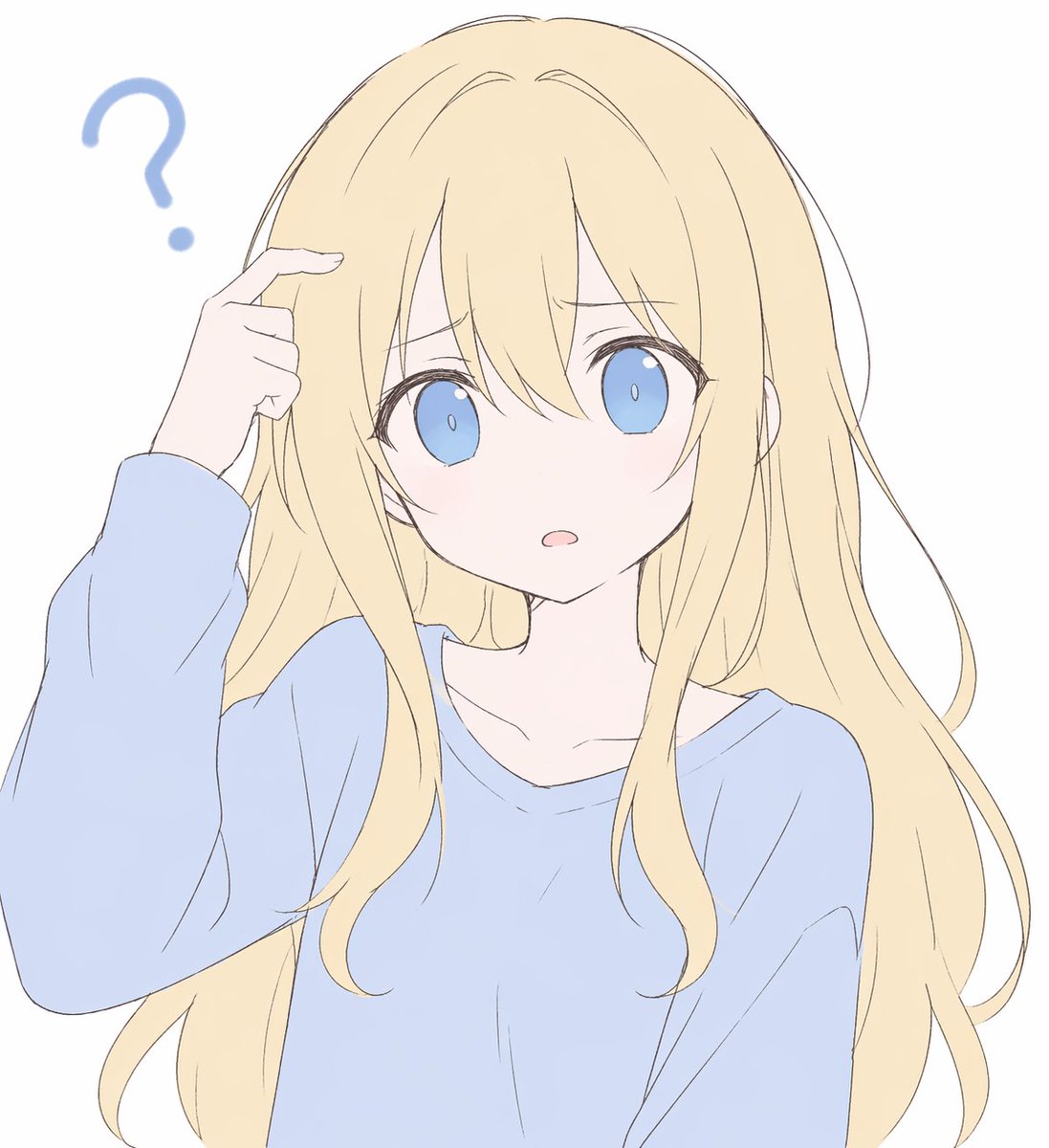
This prompt generates a simple pastel anime bust portrait of a puzzled girl in a blue sweater, suitable for avatars, profile art, or casual character illustrations. - AIPinMaker
Prompt
Create a portrait image of Confused Blonde Anime Girl Portrait. Style: photorealistic. Composition: balanced and well-framed. Lighting: natural with cinematic mood. Category: portrait. Reference: confused-blonde-anime-girl-portrait-14474.
Prompt breakdown
- Subject
- Confused blonde anime girl portrait
- Style
- Photorealistic
- Lighting
- Natural with cinematic mood
- Composition
- Balanced and well-framed
- Mood
- Cinematic
Remix ideas
- Change the blonde hair to loose waves with a few strands falling over one eye
- Add a faint blush on the cheeks to heighten the confused expression
- Switch the lighting angle to come from the side for stronger shadows on the face
Reference images
How to use this AI Image prompt template
 1
1Copy the prompt — grab this template’s prompt and negative prompt.  2
2Pick a model — choose a recommended AI model for the best match.  3
3Generate — open the studio with one click and create your result.
Related templates
Anime Face Mask Portrait Template
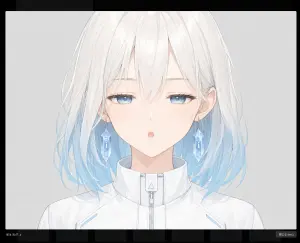
Create a clean anime-style character bust portrait for a face-part generation template: a centered young female character with white hair fading to pale sky blue at the ends (hair color), shoulder-length slightly messy layered hair with fine wispy strands, visible ears, and a futuristic white high-collar zip-up jacket with subtle light-blue accents and a small triangular detail on the collar zipper. The face area must be deliberately covered by one large vertical rounded rectangle mask, centered over the head from the upper forehead down past the mouth and chin, with a soft vertical gradient from warm pale peach at the top to cool pale blue-gray at the bottom, completely hiding the eyes, nose, and mouth while leaving hair, ears, neck, collar, and shoulders visible. Use a delicate Japanese anime illustration style with thin pale linework, soft watercolor-like shading, very light pastel colors, and a calm sterile sci-fi feel. The background is a plain light gray studio backdrop. Frame as a close-up bust from the top of the head to the upper chest, symmetrical front-facing pose, with the character occupying most of the image. Add a dark screenshot-like border around the artwork and a minimal dark bottom UI strip with faint thumbnail blocks, including tiny text at the lower left reading idle_half_u (lower left label) and a small button at the lower right reading close (esc) (button label). Avoid any visible facial features, avoid extra characters, avoid text inside the portrait area, and keep the masked face rectangle perfectly clean and opaque.
Anime Live2D Turnaround Chat Screenshot
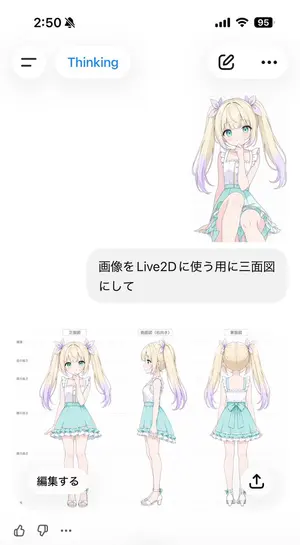
Goal: Create a vertical smartphone screenshot of an AI chat interface showing a generated anime character model sheet for Live2D use. Canvas: 691 × 1024 vertical mobile screenshot, white background, soft iOS-like UI with lots of empty space and rounded translucent controls. Top status bar: Show the time “2:50” at top left, a muted bell icon beside it, and exactly 3 status indicators at top right: cellular bars, Wi‑Fi, and a black battery pill reading “95”. Header UI: Under the status bar, place exactly 4 floating rounded controls: a circular hamburger menu button on the left, a white pill labeled “Thinking” in blue, a white pill on the right containing an outlined edit/pencil icon, and a white pill with a three-dot menu. Chat content: On the upper right, show a small full-body anime girl sticker sitting/kneeling, facing forward, with long blonde twin tails fading to lavender tips, aqua eyes, pale skin, lavender hair bows, a white frilly sleeveless blouse, and a mint-aqua skirt. Beneath it, place one large rounded light-gray user message bubble containing Japanese text: 画像をLive2Dに使う用に三面図にして (user message). Generated image card: Below the message bubble, display one large embedded character reference sheet image on a white background. It contains exactly 3 full-body views of the same character, evenly spaced left to right: 1) front view labeled 正面図 (front label), 2) right-facing side view labeled 側面図(右向き) (side label), and 3) back view labeled 背面図 (back label). Add faint horizontal guide lines and small Japanese height markers along the left side, like a model turnaround sheet. The character is a cute anime girl named unnamed blonde twin-tail girl (character name): long blonde twin tails with lavender gradient ends, pastel purple ribbon bows, turquoise eyes, soft blush, white ruffled sleeveless top with vertical buttons, mint turquoise high-waisted skirt with frilled hem and asymmetrical trailing fabric, slim legs, white ankle-strap sandals with small turquoise accents. Keep proportions consistent across all 3 views and make the art delicate, clean, and pastel. Overlay controls on the generated card: Add exactly 2 floating buttons over the bottom of the image card: a rounded white button at lower left reading “編集する” and a circular white share button at lower right with an upward arrow icon. Bottom reaction bar: At the bottom edge, show exactly 3 small icons: thumbs up, thumbs down, and an ellipsis. Visual style: Crisp mobile screenshot, minimal white interface, soft shadows, Japanese chat app aesthetic, pastel anime illustration, clean line art, no watermark, no extra panels, no additional characters.37:Tb33,Goal: Create a vertical smartphone screenshot of an AI chat interface showi
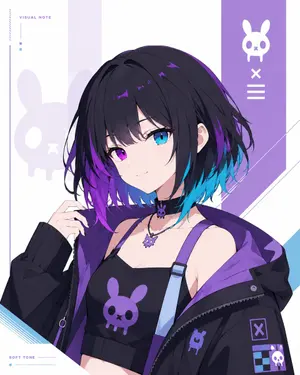
Minimal Cyber Bunny Character Card
Goal: Create a clean minimalist original character card illustration on a white background, featuring a bust-up anime girl with a cyber-goth streetwear look and a custom bunny-skull symbol motif. Canvas: Vertical 4:5 rectangular card, bright white base, airy editorial layout, no circular frames, no round masks, no round windows, no cropped circular portrait. Keep the character naturally framed from chest to head, centered slightly right. Main subject: Draw unnamed cyber bunny girl (character name) as a youthful anime-style female character with short messy bob hair, mostly black with vivid purple and cyan-blue underside gradients (hair color). Her face is intentionally covered by a centered square soft gradient block, about one third of the canvas width, in muted gray-lavender tones. Show one visible ear, loose layered bangs, tousled strands, and glossy purple highlights. Pose her with one hand raised near her hair, shoulders angled slightly, confident but understated. Outfit: Black cropped camisole with a large purple bunny-skull logo on the chest; one pale blue suspender strap with a purple connector; oversized black zip hoodie falling off the shoulders with a vivid purple lining. Add ribbed black sleeve cuffs, zipper details, small patches, and a collar/choker area with two visible accessories: 1 small black choker charm shaped like the bunny skull and 1 silver necklace with a purple bunny-skull pendant. Background and layout: Minimal white graphic card design with pale lavender vertical panels and angular diagonal accents. Place a tall purple vertical band on the upper right containing exactly 3 white icon elements stacked vertically: 1 bunny-skull symbol at the top, 1 X mark in the middle, and 1 three-line menu mark below. Add a large faint lavender bunny-skull silhouette on the left behind the character. Add thin decorative lines, small square color chips, and diagonal blue line accents near the lower left and right edges. Visible text: Include exactly 2 small English labels in a thin modern sans-serif font: “VISUAL NOTE” near the upper left and “SOFT TONE” near the lower left. Keep the typography tiny, spaced out, and secondary to the character. Symbol count: Use exactly 5 visible bunny-skull motifs total: 1 large faint background silhouette on the left, 1 white icon in the right purple band, 1 purple logo on the camisole, 1 small purple patch on the hoodie, and 1 purple necklace pendant. Additional charm details may echo the shape but should remain small and not dominate. Visual style: High-quality anime illustration, crisp linework, soft cel shading, polished digital art, cool purple/cyan palette, minimalist character-card composition, clean negative space, no watermark, no extra characters, no clutter.38:Tb0c,
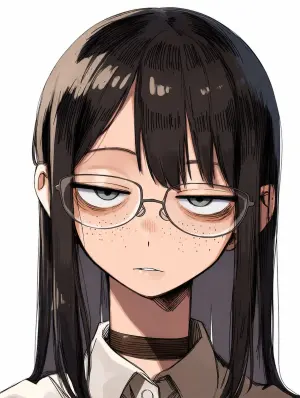
Censored Anime Girl Portrait
Create a close-up anime-style portrait of a bespectacled young woman with a deadpan, half-lidded stare (character description) facing forward against a plain white background. She has long straight black-brown (hair color) hair with blunt bangs, glossy sketchy highlights, and hair falling past both shoulders; both ears are slightly visible through the hair. Only the upper torso is shown, wearing a crisp white (shirt color) collared shirt with a dark tie or inner placket and a dark brown choker around the neck. Thin eyeglass frames are partially visible at the left and right edges of the face. Render in polished Japanese manga/anime illustration style with clean ink outlines, dense hatching in the hair, soft cel shading, subtle skin tones, and a vertical portrait crop. Place one large opaque square censor block centered over the entire face, from the forehead down to just above the chin, colored with a muted brown-to-taupe vertical gradient, hiding the eyes, nose, mouth, and most of the glasses while leaving the hair, ears, neck, collar, and shoulders visible. No text, no watermark, no extra objects.

Visual Novel Screenshot Mockup
A visual novel screenshot of an anime-style classroom scene featuring exactly four high school girls in matching uniforms consisting of grey blazers, white shirts, red ribbons, and blue skirts. On the far left, a girl with short coral hair and a red bow looks excited with clenched fists. Next to her, a girl with long dark purple hair holds a red book with a gentle smile. Beside her, a girl with short pink pigtails and a red hairclip stands with crossed arms looking slightly grumpy. On the far right, a girl with long brown hair in a ponytail and a large white bow leans forward on a desk, smiling and talking. The classroom features a window on the right, a bulletin board on the left, and a foreground desk holding exactly three items: a notebook, a pink book, and a pen. On the back wall is a single poster reading Just Monika. ♥ (poster text). In the top left corner is a circular pastel logo reading Doki Doki Literature Club! (game title) decorated with a green pencil and a pink heart. At the bottom of the screen is a pink polka-dot visual novel dialogue box. The name tag reads Monika (speaker name) and the main dialogue text reads 'Welcome to the Literature Club!' 'It's a pleasure to meet you all!' ♥ (dialogue text). Below the dialogue is a menu row reading 'History Skip Auto Save Load Settings'.38:T
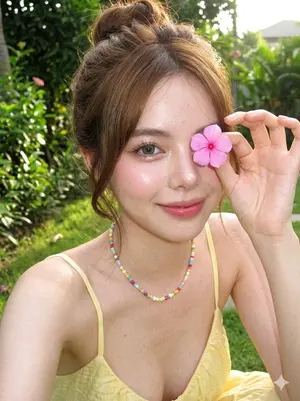
Douyin Makeup Character Shot
Create a anime image of Douyin Makeup Character Shot. Style: photorealistic. Composition: balanced and well-framed. Lighting: natural with cinematic mood. Category: anime. Reference: douyin-makeup-character-shot-16996.
Explore more prompts
Browse more AI image and video prompts by category.
FAQ
- What anime traits remain visible in this photorealistic version?
- The large expressive eyes and delicate facial proportions stay intact while gaining realistic skin pores and light reflections.
- How does the natural lighting support the cinematic mood?
- Soft directional light models the face with gentle highlights and subtle shadows that emphasize the bewildered look without harsh contrasts.