
텍스트 투 이미지
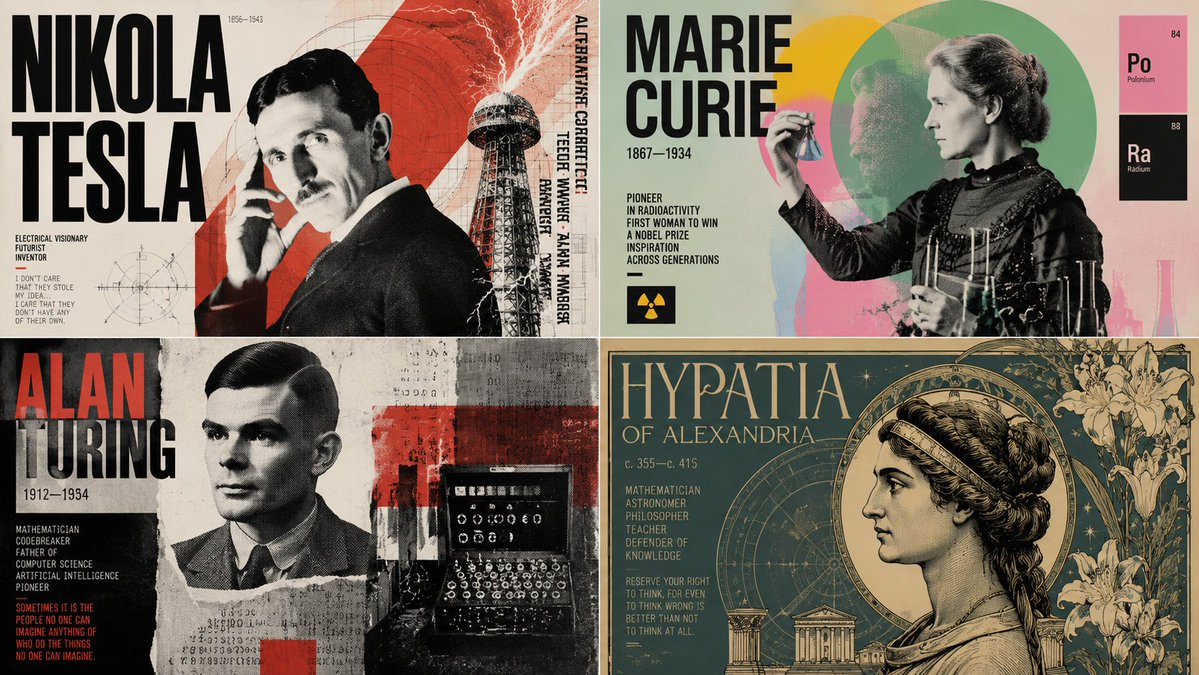
Dynamic Poster Design Instruction Set — AI 이미지 프롬프트
An advanced multi-phase system prompt for GPT Image 2 that acts as a god-tier poster designer to synthesize movements and graphic styles. - AIPinMaker
프롬프트
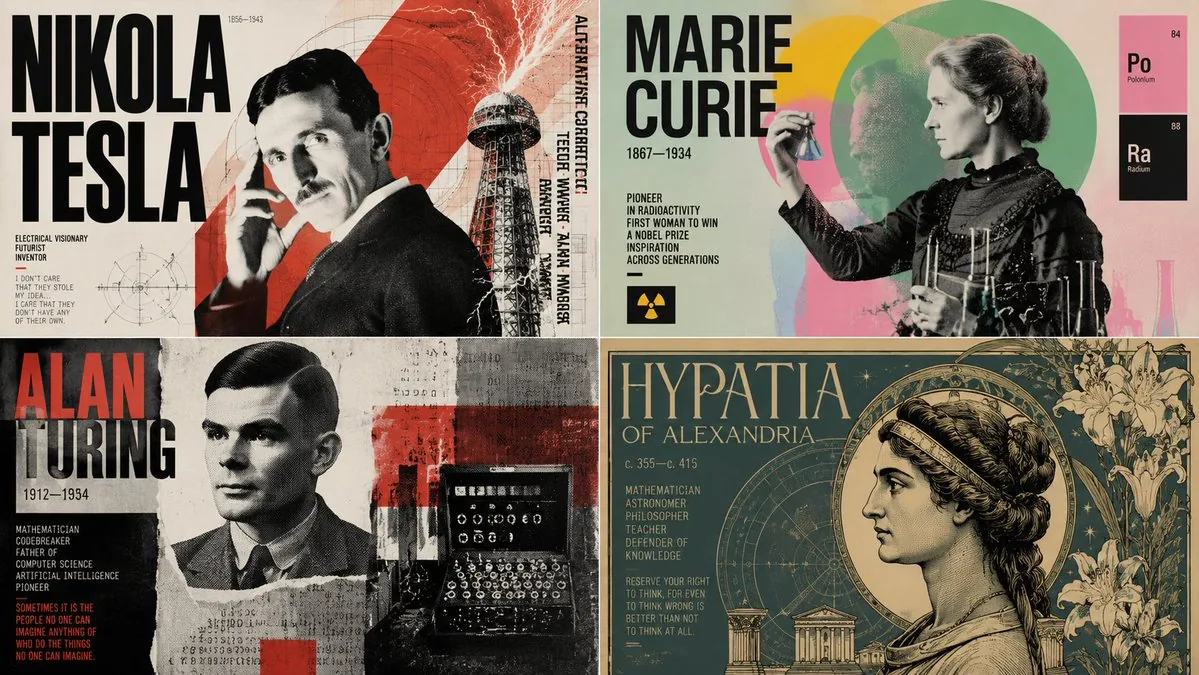
Input A is {argument name="subject" default="subject"}. You are a god-tier poster designer, art director, and print-production specialist. Phase 1: Dual Poster Synthesis Randomly select TWO Poster Movements and TWO Graphic Systems from the pools below. Blend them into a cohesive poster identity. Poster Movements: [Swiss International Style, Soviet Constructivism, Psychedelic 1960s Rock Poster, Japanese City Pop Advertising, Bauhaus Exhibition Poster, Art Nouveau Lithograph, Brutalist Typography Poster, 1980s Cyberpunk Flyer, Italian Futurist Manifesto, Minimalist Museum Poster, French New Wave Cinema Poster, Punk Xerox Flyer, Memphis Design, Vintage Travel Poster, Contemporary Fashion Campaign] Graphic Systems: [Oversized Grid Typography, Torn Paper Collage, Airbrushed Gradient Field, Risograph Halftone, Screenprint Misregistration, Photocopy Distortion, Editorial Magazine Layout, Modular Type Blocks, Diagonal Constructivist Geometry, Neon Signage Layering, Hand-Lettered Ornament, Archival Stamp System, Folded Brochure Logic, Ticket Stub Composition, Billboard Cropping] Phase 2: Visual Rendering 16:9 one image Transform Input A into a finished poster design참고 이미지
이 AI 이미지 프롬프트 템플릿 사용 방법
 1
1프롬프트 복사 — 템플릿의 프롬프트와 네거티브 프롬프트를 가져오세요.  2
2모델 선택 — 가장 잘 맞는 추천 AI 모델을 고르세요.  3
3생성 — 클릭 한 번으로 스튜디오를 열어 결과를 만드세요.
관련 템플릿

Neobrutalist webpage generation prompt
Make a neobrutalist webpage, make it extremely creative, as far as possible, push the limits. Add smooth scroll animations, add fancy colors and tailwind css styles. Make it responsive. title of the page is dorksense

AI News Newsletter Page Layout
{ "type": "digital newsletter page layout", "background": "white page resting on a dark surface with glowing blue digital nodes and connecting lines", "header": { "text": "{argument name=\"main headline\" default=\"Noticias IA – 20 de abril de 2026\"}", "style": "white text on a dark blue banner with a light blue border" }, "layout": { "sections": [ { "id": 1, "title": "{argument name=\"news item 1 title\" default=\"1. Anthropic Mythos genera alarma mundial por capacidades ciber.\"}", "image_description": "A glowing blue cyber dragon emerging from servers, surrounded by floating digital padlocks.", "layout_style": "Image on the right, title and text on the left, with a cyan pull quote at the bottom left." }, { "id": 2, "title": "{argument name=\"news item 2 title\" default=\"2. Acciones Adobe y Figma caen tras Claude Design.\"}", "image_description": "A stylized stock chart showing jagged red arrows pointing down and a glowing blue arrow pointing up, featuring logos for Adobe, Figma, and an 'AI' icon.", "layout_style": "Image on the left, title and text on the right." }, { "id": 3, "title": "{argument name=\"news item 3 title\" default=\"3. OpenAI expande GPT-5.4-Cyber y Agents SDK.\"}", "image_description": "A glowing blue holographic shield with the OpenAI logo in the center, surrounded by digital chains and a server background.", "layout_style": "Title and text on the left, image on the right." }, { "id": 4, "title": "4. NVIDIA presenta Lyra 2.0 para mundos 3D.", "image_description": "A vibrant, surreal 3D fantasy landscape with glowing flora, floating islands, and a glowing blue camera icon in the foreground.", "layout_style": "Image on the left, title and text on the right." }, { "id": 5, "title": "5. OpenAI Image V2 mejora fotografía de productos.", "image_description": "A side-by-side comparison of a luxury chronograph watch. The left side is labeled 'BEFORE' (darker, less detailed), and the right side is labeled 'AFTER (OpenAI Image V2)' (bright, highly detailed, professional lighting).", "layout_style": "Title and text on the left, image on the right." } ], "count": 5 }, "footer": { "text": "{argument name=\"footer hashtags\" default=\"#IA2025 #InteligenciaArtificial #LLMs #NoticiasIA\"}", "logo": "OL logo with '@oscarlau'", "style": "white text on a dark blue banner at the bottom" } }34:

YouTube 2030 Interface
Create a youtube-thumbnail image of Youtube 2030 Interface. Style: photorealistic. Composition: balanced and well-framed. Lighting: natural with cinematic mood. Category: poster. Reference: youtube-2030-interface-13712.

UNVOID Glitch Streetwear Poster
Goal: Create a high-fashion streetwear campaign poster for UNVOID (brand name), with a dark cyber-glitch identity and editorial magazine cover styling. Canvas: Vertical 4:5 poster, realistic photographic base, muted gray concrete architecture background, centered full-body model, sharp white typography overlays, subtle film grain and shallow depth of field. Main subject: A young female model stands front-facing in the center on a concrete ramp outside a modern brutalist storefront. Her face is obscured by a black horizontal glitch/void mask across the eyes and nose. She has straight black bob-length hair with bangs. Outfit: exactly 4 visible clothing pieces — oversized cropped brown short-sleeve top layered over a black shirt, black mini skirt with white abstract topographic floral line art, black ankle socks, black chunky ankle boots. Pose is neutral and confident, arms relaxed, legs slightly apart. Background: Modern gray concrete building facade with large dark windows and a storefront entrance. A blurred sign behind the model also reads the brand name, reinforcing the campaign identity. The environment feels urban, minimal, and slightly dystopian. Typography and layout: Use exactly 8 text elements: 1) enormous white all-caps masthead at the top: UNVOID (brand name), spanning nearly the full width, with a tiny registered trademark mark near the upper-right of the word; 2) small text at upper left: SPRING SUMMER 2026 (season text); 3) thin horizontal divider line across the upper middle; 4) small text at upper right: COLLECTION 06 (collection text); 5) small vertical slogan on left side: “IDENTITY IS NOT STATIC — IT GLITCHES.”; 6) small stacked slogan on right side: “WEAR THE ERROR. OWN THE VOID.”; 7) large distressed glitch headline at lower left: ERROR SKIN (campaign headline), with broken horizontal scanline fragments; 8) footer microcopy: lower left “UNVOID® / ALL RIGHTS RESERVED.” and lower right “COLLECTION 06 / SPRING SUMMER 2026” with a small white toggle-switch icon above it. Visual style: Premium fashion lookbook meets cyberpunk glitch branding. White Helvetica/Grotesk bold typography, high contrast but subdued palette: concrete gray, black, white, muted brown. Add horizontal digital distortion only to the face mask and the lower-left campaign headline. Keep the composition clean, editorial, and campaign-ready. Constraints: Do not add extra models, props, logos, or additional text. Keep all typography legible and aligned like a luxury streetwear poster. Preserve the model centered under the giant masthead.37:Taa0,Goal: Create

Chinese AI Retirement Planning Infographic
{"type":"editorial Chinese infographic poster","topic":"AI and retirement planning boundaries","style":"clean academic magazine infographic, flat vector icons, soft textured off-white paper background, balanced Chinese editorial typography, minimal Japanese-inspired decorative motifs","canvas":{"orientation":"portrait","aspect_ratio":"3:4"},"palette":{"background":"warm ivory","primary_text":"black","secondary_text":"deep blue","accent_red":"rose pink","accent_green":"muted olive green","accent_yellow":"golden yellow","accent_blue":"navy blue","line_color":"soft gray-blue"},"headline":{"text":"{argument name=\"headline text\" default=\"AI 能帮你规划退休,但不能替你负责\"}","position":"top left","font":"bold Chinese serif or Song-style display","large":true},"subheadline":{"text":"MIT Sloan 对“AI + 退休规划”的边界判断","position":"below headline","color":"deep blue","font":"bold Chinese sans-serif"},"source_line":{"text":"来源:MIT Sloan / Andrew Lo","position":"below subheadline","color":"gray"},"layout":{"sections":[{"title":"高责任场景","position":"upper middle","count":2,"shape":"rounded rectangle with pink border and pale pink fill","icon_count":3,"labels":["AI = 辅助工具,不是最终决策者","适合帮助思考,不适合替你拍板"],"left_icon":"large pink warning triangle inside circle over wave pattern","item_icons":["person badge","exclamation mark"]},{"title":"强在帮你想清楚,弱在替你承担后果","position":"center","count":2,"shape":"large framed comparison panel","subsections":[{"title":"AI 更适合做:认知辅助","position":"left","count":4,"color":"green","labels":["解释复杂概念","比较不同方案","做情景推演","提醒行为偏差"],"icons":["book","balance scale","upward chart","exclamation in speech bubble"]},{"title":"AI 不能替代:责任判断","position":"right","count":4,"color":"pink-red","labels":["承担法律责任","精确税务与收益计算","处理复杂合规细节","托管敏感隐私风险"],"icons":["courthouse","calculator","clipboard","lock"]}],"center_icon":"blue circle with white balance scale"},{"title":"正确用法:把 AI 当分析伙伴,不当神谕","position":"lower middle","count":3,"shape":"rounded rectangle with yellow border and pale cream fill","labels":["先用 AI 做认知准备:理解概念、列变量、梳理方案","再让 AI 挑战你的假设:问它哪里可能错、缺了什么信息","关键决策交给自己,并由专业人士复核"],"left_illustration":"yellow rising sun over stylized landscape with bamboo leaves","step_markers":"three yellow numbered circles: 1, 2, 3"},{"title":"注:本文强调的是“辅助决策边界”,不是投资建议","position":"bottom","count":1,"shape":"rounded rectangle with blue-gray border","labels":["Source: MIT Sloan, Want to use AI to plan your retirement? Here’s how to proceed"],"left_icon":"blue fountain pen nib in circle","right_decoration":"gray-blue wave pattern"}],"decorations":{"count":5,"items":["top right cherry blossom branch with pink flowers and falling petals","top left pagoda silhouette","top left distant mountain silhouette","small cloud-line motifs near upper corners of comparison section","subtle wave patterns inside circular icons and lower right footer"]}},"composition":"ample margins, all text in Chinese except the English source line at bottom, strong hierarchy from headline to colored content boxes, symmetrical comparison layout in the middle, polished social-media-ready infographic","rendering":"sharp vector infographic, crisp text, subtle paper grain, no photorealism"}3e:Te44,{"type":"editorial Chinese infographic poster","topic":"AI and retirement planning boundaries","style":"clean academic magazine infographic, flat vector icons, soft textured off-white paper background, balanced Chinese editorial typography, minimal Japanese-inspired decorative motifs","canvas":{"orientation":"portrait","aspect_ratio":"3:4"},"palette":{"background":"warm ivory","primary_text":"black","secondary_text":"deep blue","accent_red":"rose pink","accent_green":"muted olive green",
AI Inspiration Gallery Grid
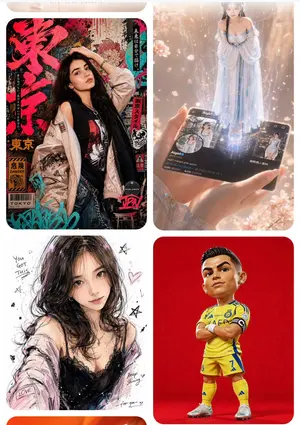
Goal: Create a clean mobile-style inspiration gallery screen showing four rounded image cards in a 2-column grid, like a GPT Image 2 prompt inspiration website. The overall feeling should be glossy, creative, trend-focused, and suitable for showcasing different AI image prompt examples. Canvas: Vertical smartphone screenshot aspect ratio, white background, soft margins, rounded card corners, no visible browser chrome. At the very top, include a very subtle pale beige pill-shaped header area with tiny centered uppercase text reading “LIVE · LOVE · LICENSE” or similarly faint decorative navigation text. Layout: Use exactly 4 visible cards arranged in a 2-by-2 grid with narrow white gutters and large rounded corners. The bottom edge may crop slightly as if the page continues below. Each card should have a different visual style and subject. Card count and descriptions: 1. Top-left card: A cyberpunk Japanese street-poster fashion portrait of a young woman with long dark hair (main character). She poses in front of a dense Tokyo grunge poster wall filled with large red Japanese brush lettering, warning labels, barcode graphics, graffiti tags, black-red-turquoise accents, and sticker-like typography. Outfit: oversized pale satin bomber jacket worn off one shoulder, black graphic tank top, denim jeans, metal chain belt, necklace, bracelets, one hand lifted to her head. Include readable English fragments such as “TOKYO,” “DANGER,” and “WORLDWIDE,” plus vertical Japanese-style text strips. 2. Top-right card: A magical hologram scene in warm peach-pink light. Two hands hold a glossy black social-media profile card or smartphone card labeled Aigirl (profile name). From the card rises a full-body translucent holographic woman in a flowing pale blue off-shoulder gown, standing in a column of sparkling light. Add small profile thumbnails, UI icons, follower-like numbers, faint city imagery, drifting petals, bokeh, and cinematic lens glow. 3. Bottom-left card: A loose fashion illustration/sketch portrait of a young woman with messy dark shoulder-length hair (sketch subject) on a white paper background. Style: expressive black pencil lines, watercolor blushes, pink-purple highlights, imperfect ink splatters, hearts, stars, handwritten motivational doodles. Outfit: black lace camisole with a pale pink cardigan slipping from the shoulders. Include small handwritten English phrases such as “You got this,” “LOVE,” “Keep shining,” and “for you.” 4. Bottom-right card: A stylized 3D caricature football figure on a solid vivid red studio background. The player has an oversized head and short body, standing arms crossed in a confident pose. Outfit: bright yellow football kit with blue trim (team kit color), matching yellow socks, white cleats, black captain armband, jersey number 7 visible, polished toy-figurine rendering with realistic fabric and shoes. Visual style: High-resolution polished AI gallery aesthetic, sharp image cards, soft rounded corners, realistic lighting in some cards and illustration style in others. Make the cards look like curated prompt examples from an inspiration website rather than a single unified scene. Constraints: Use exactly four main image cards. Keep the grid clean and evenly spaced. Do not add extra cards, watermarks, captions outside the cards, or heavy interface controls. Faces may be softly obscured or simplified, but the pose, clothing, card composition, and style differences must remain clear.38:Te1d,Goal: Create a clean mobil
더 많은 프롬프트 탐색
카테고리별 AI 이미지·영상 프롬프트를 더 찾아보세요.