
텍스트 투 이미지
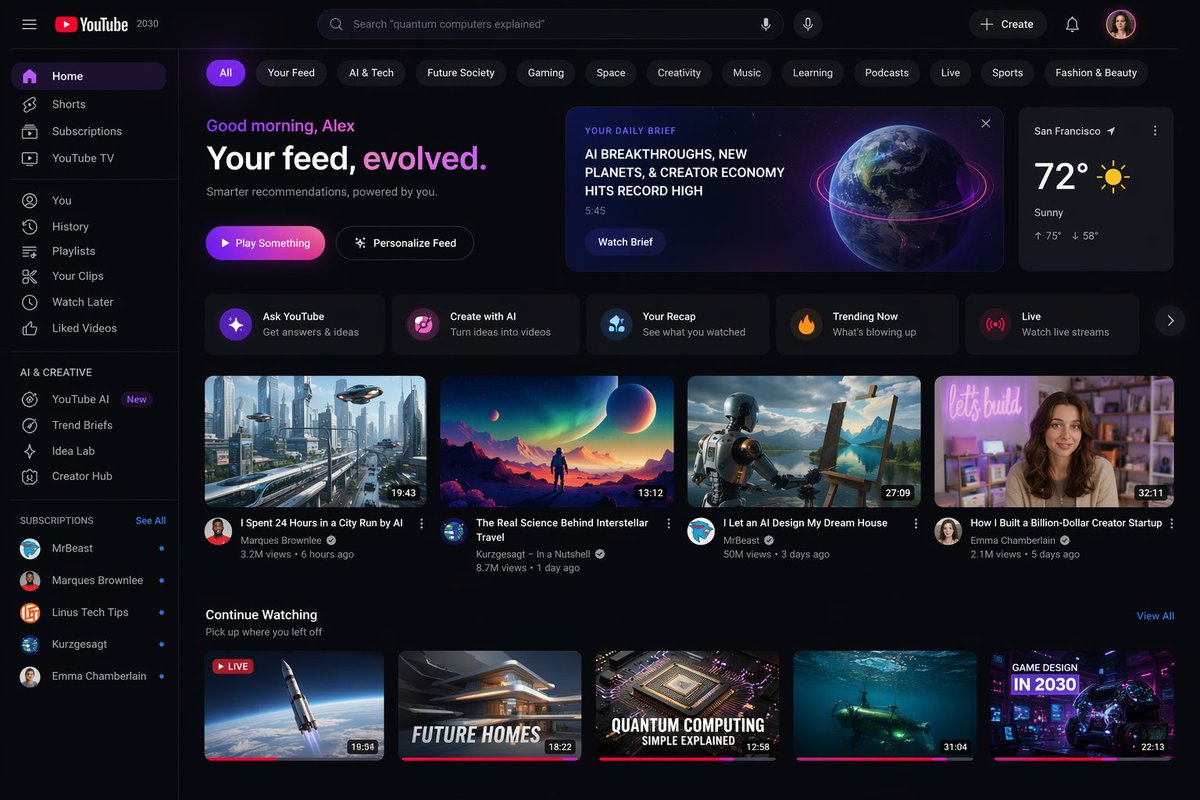
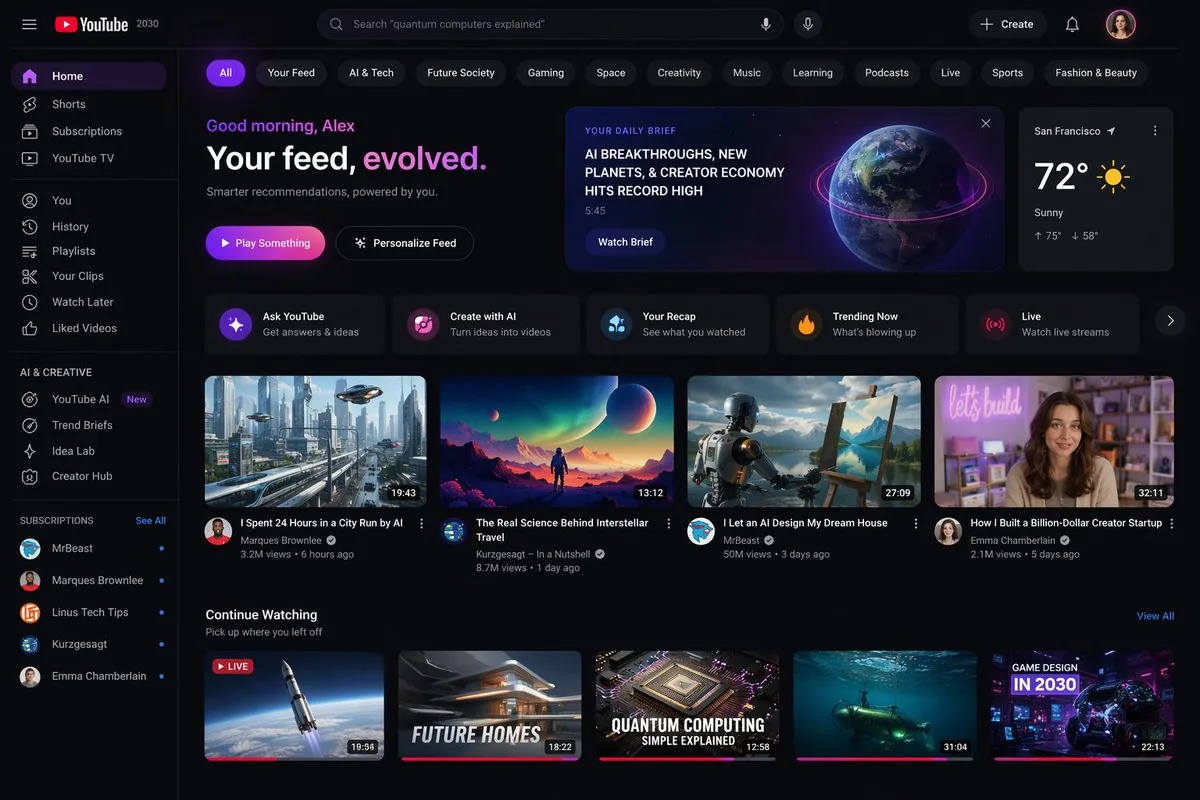
YouTube 2030 Interface — AI 이미지 프롬프트
A prompt that generates a visionary screenshot of what the YouTube homepage might look like in the year 2030. - AIPinMaker
프롬프트
Create a youtube-thumbnail image of Youtube 2030 Interface. Style: photorealistic. Composition: balanced and well-framed. Lighting: natural with cinematic mood. Category: poster. Reference: youtube-2030-interface-13712.
참고 이미지
이 AI 이미지 프롬프트 템플릿 사용 방법
 1
1프롬프트 복사 — 템플릿의 프롬프트와 네거티브 프롬프트를 가져오세요.  2
2모델 선택 — 가장 잘 맞는 추천 AI 모델을 고르세요.  3
3생성 — 클릭 한 번으로 스튜디오를 열어 결과를 만드세요.
관련 템플릿

Thumbnail text overlay based on attachment
Create a youtube-thumbnail image of Thumbnail Text Overlay Based On Attachment. Style: photorealistic. Composition: balanced and well-framed. Lighting: natural with cinematic mood. Category: poster. Reference: thumbnail-text-overlay-based-on-attachment-435.

YouTube Dark Mode Desktop UI Mockup
{ "type": "desktop web browser UI screenshot", "environment": "{argument name=\"os environment\" default=\"Windows 11 desktop\"}", "theme": "{argument name=\"ui theme\" default=\"dark mode\"}", "browser_window": { "tabs": ["YouTube", "New Tab"], "url_bar": "youtube.com", "profile_icon": "{argument name=\"profile initial\" default=\"M\"}" }, "app_interface": { "header": { "logo": "{argument name=\"website name\" default=\"YouTube\"} GB", "search_bar": "Search", "icons": ["mic", "create", "notifications", "profile"] }, "filter_bar": { "active_filter": "{argument name=\"active filter\" default=\"All\"}", "count": 11, "labels": ["All", "Gaming", "Music", "Live", "Podcasts", "Mixes", "Science", "Lo-fi", "Thrillers", "Recently uploaded", "Watched"] }, "sidebar": { "sections": [ { "title": "Main", "count": 3, "labels": ["Home", "Shorts", "Subscriptions"] }, { "title": "You", "count": 6, "labels": ["Your channel", "History", "Playlists", "Your videos", "Watch later", "Liked videos"] }, { "title": "Subscriptions", "count": 8, "labels": ["Linus Tech Tips", "MrBeast", "Kurzgesagt - In a Nutshell", "ColdFusion", "3Blue1Brown", "Khan Academy", "Veritasium", "Show more"] }, { "title": "Explore", "count": 7, "labels": ["Trending", "Music", "Films", "Live", "Gaming", "News", "Sport"] }, { "title": "More from YouTube", "count": 3, "labels": ["YouTube Premium", "YouTube Music", "YouTube Kids"] } ] }, "main_content": { "layout": "3 columns by 4 rows grid", "count": 12, "video_cards": [ { "title": "Why Build Your Own GPU is Almost Impossible", "channel": "Linus Tech Tips", "stats": "164K views • 1 day ago", "thumbnail": "CPU/GPU chip" }, { "title": "Survive 100 Days In Circle, Win $500,000", "channel": "MrBeast", "stats": "40M views • 5 days ago", "thumbnail": "MrBeast with crowd in blue tracksuits" }, { "title": "What If We Nuke an Asteroid?", "channel": "Kurzgesagt - In a Nutshell", "stats": "4.2M views • 6 hours ago", "thumbnail": "Missile hitting asteroid in space" }, { "title": "How Dubai Became a $10 Billion City", "channel": "ColdFusion", "stats": "1.6M views • 2 weeks ago", "thumbnail": "Man and Dubai skyline" }, { "title": "The Beautiful Math of Euler's Identity", "channel": "3Blue1Brown", "stats": "2.8M views • 3 months ago", "thumbnail": "Math equation and spiral graph" }, { "title": "The World in 2040 - Population, Climate & More", "channel": "Veritasium", "stats": "7.7M views • 2 weeks ago", "thumbnail": "Lush green forest aerial view" }, { "title": "I've Been Using Linux For 12 Years, This Is What Finally...", "channel": "DistroTube", "stats": "160K views • 3 days ago", "thumbnail": "Laptop and smartphone with Linux logo" }, { "title": "Black Holes Explained - From Birth to Death", "channel": "Khan Academy", "stats": "3.9M views • 3 months ago", "thumbnail": "Glowing black hole accretion disk" }, { "title": "The Problem With Diet Advice", "channel": "Andrew Huberman", "stats": "4.4M views • 6 days ago", "thumbnail": "Man with glasses speaking" }, { "title": "How to Learn Anything (Evidence-Based)", "channel": "Ali Abdaal", "stats": "2.7M views • 3 months ago", "thumbnail": "Vector illustration of man reading a book" }, { "title": "The Last of Us Part 2 is a Masterpiece", "channel": "Naughty Dog", "stats": "2.3M views • 3 years ago", "thumbnail": "Ellie from The Last of Us" }, { "title": "lofi hip hop radio - beats to relax/study to", "channel": "Lofi Girl", "stats": "LIVE", "thumbnail": "Lofi girl studying at desk" } ] } }, "taskbar": { "os": "Windows", "icons": ["Start", "Search", "Task View", "File Explorer", "Edge", "Spotify"], "system_tray": "08:34 03/04/2024" } }3a:Tf5c,{ "type": "d
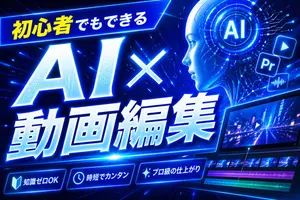
Neon Blue AI Video Editing Thumbnail
Create a bold Japanese YouTube thumbnail for the theme 初心者でもできる AI×動画編集 (headline text), in a futuristic neon-blue cyberpunk style. Use a wide 16:9 composition with a dark electric-blue background filled with glowing circuit lines, digital streaks, lens flares, and high-energy motion. Place a slanted glowing banner in the upper left containing the Japanese text 初心者でもできる (top banner text), with the first part in bright yellow and the rest in white. Make the main headline dominate the left and center: gigantic white glowing text “AI×” above even larger white glowing text “動画編集”, with thick blue neon outer glow, slight italic forward motion, beveled 3D shading, and dramatic perspective. In the upper right, add a circular holographic interface with the letters AI (ai badge text) in the center, surrounded by concentric rings and tiny HUD marks. Near it, include exactly 3 floating app-style icons: a play button icon, a square “Pr” icon, and an audio waveform icon, all glowing blue. Across the lower right, show a sleek angled video editing monitor displaying a neon city night road scene with a play symbol overlay; beneath the preview, include a timeline with exactly 4 visible tracks: 2 rows of video thumbnails and 2 colored audio bars, one magenta and one cyan-green. Along the bottom, add exactly 3 glowing rounded feature badges with icons and Japanese text: a book icon with “知識ゼロOK”, a clock icon with “時短でカンタン”, and a sparkle icon with “プロ級の仕上がり”. Add a tall solid blue vertical rectangle near the top center-right as a placeholder block. Overall design should feel dynamic, high-contrast, polished, techy, and optimized for maximum click-through as a modern AI and video-editing tutorial thumbnail.3b:T773,Create a bold Japanese YouTube thumbnail for the theme {argument name="headline text" default="初心者でもできる
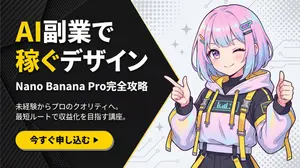
Corporate Tech/Anime Eyecatch Image Prompt - Nano Banana Pro AI Prompt for YouTube Thumbnail
metadata: model_context: "Corporate Tech, High-Energy Business Youtube Thumbnail mixed with Anime Art" image_structure: composition_type: "Diagonal Split Layout (Arrowhead Shape)" visual_flow: "Left Text (Problem/Solution) -> Right Visual (Result/Character)" layers: layer_background_left: shape: "Geometric polygon covering left 60% of screen, with a sharp arrow-point extending into the right side" color: "Matte Black (#1A1A1A)" texture: "Subtle carbon fiber or mesh pattern to add tech depth" layer_typography: location: "Centered within the left black area" alignment: "Left-aligned or Centered" elements: - type: "Headline (Main)" text: "AI副業で\n稼ぐデザイン (メイン見出し)" style: "Extremely bold, heavy Gothic font (Impact style). White text." highlight: "Apply Bright Yellow (#FFD700) color to the word '稼ぐ' (Earn) and 'AI'" - type: "Sub-Headline (Detail)" text: "Nano Banana Pro完全攻略 (サブ見出し)" style: "Smaller white sans-serif text, clean and readable" - type: "Body Text (Explanation)" text: "未経験からプロのクオリティへ。\n最短ルートで収益化を目指す講座。 (説明文)" style: "Small, thin grey or white text block, justified layout" layer_cta_button: shape: "Rounded Pill Shape" color: "Bright Yellow (#FFD700)" text: "今すぐ申し込む ▶ (CTAテキスト)" text_color: "Black" location: "Bottom left, below the text block" style: "Flat design with slight drop shadow" layer_visual_right: shape: "Fills the remaining right side (behind the arrow overlap)" content: "Japanese Kawaii Anime Girl illustration" style: "2D Cel-shaded anime art, high detail, vibrant colors" details: subject: "A cute anime girl with a futuristic / cyber-fashion look" appearance: hair: "Pastel pink and blue gradient bob cut, with cyber hair clips" eyes: "Large sparkling anime eyes, confident smile" clothing: "Stylish tech-wear hoodie with yellow accents to match the background theme" pose: "Dynamic pose, pointing finger towards the text on the left or giving a thumbs up" background_context: "Simple light grey or white background with abstract pop patterns (dots/stars) to make the character stand out" style_and_tone: art_style: "Modern Corporate Tech Design mixed with Japanese Anime aesthetics" color_palette: primary: "Black, Yellow" secondary: "Pastel Pink/Blue (Character), White"3f:T995,metadata: model_context: "Corporate Tech, High-Energy Business Youtube Thumbnail mixed with Anime Art" image_structure: composition_typ
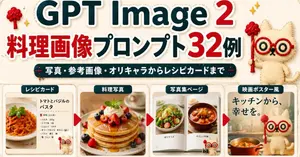
GPT Image 2 Cooking Prompt Banner
Goal: Create a wide Japanese promotional thumbnail/banner for GPT Image 2 cooking image prompts (headline topic), designed like a cute handmade recipe-craft collage. Canvas: Horizontal 16:9-ish social media banner, warm cream paper background with subtle fabric texture, rounded sticker-like shapes, soft shadows, red and dark teal color palette, high readability. Main headline area: At the top, place a huge bold title reading “GPT Image 2” with “GPT Image” in dark teal and the number “2” in bright red, all with thick white sticker outlines and slight drop shadow. Below it, add a large Japanese headline reading “料理画像プロンプト32例”, with “料理画像” and “32” in red and the remaining text in dark teal, also outlined in white. Under the headline, add a dark teal rounded pill banner with white Japanese text: “写真・参考画像・オリキャラからレシピカードまで”. Mascot and decorations: Add exactly 3 appearances of a cute beige stitched cat mascot with red round glasses and a small red wand: one large mascot standing at the upper right, one tiny mascot near the bottom of the first recipe card, and one large mascot on the right movie-poster card. Add exactly 2 small red yarn-tree decorations near the top left and top right, plus small golden sparkle icons around the headline. Bottom layout: Create exactly 4 rounded rectangular showcase cards in a row across the lower half, separated by exactly 3 red triangular arrow markers pointing right between the cards. Each card has a dark teal label tab with white text at the top. Card 1: Label tab “レシピカード”. Show a clean recipe card layout with a photo of tomato basil pasta on the left and Japanese recipe text on the right. The title should read “トマトとバジルのパスタ”, followed by a small ingredient list with bullet-like lines. Include the tiny mascot at the lower right of this card. Card 2: Label tab “料理写真”. Show a warm professional food photograph of stacked pancakes topped with berries, whipped cream, mint, and syrup, centered in the card. Card 3: Label tab “写真集ページ”. Show an open photo book spread with exactly 2 visible food photos: a salad on the left page and a stew or soup bowl on the right page, with small Japanese captions beneath each photo. Card 4: Label tab “映画ポスター風”. Create a cinematic kitchen-poster style card with large Japanese copy “キッチンから、幸せを。” at the top left, a warm kitchen background, a pot of orange soup at the bottom, and the large cat mascot standing on the right. Visual style: Bright, cute, polished Japanese blog-thumbnail design; realistic food photos inside craft-paper frames; sticker outlines, rounded corners, subtle shadows, soft beige background, clean hierarchy. Keep the composition dense but readable, with no extra cards, no extra arrows, and no watermark.38:Tb9b,Goal: Create a wide Japanese promotional thumbnail/banner for GPT Image 2 cooking image prompts (headline topic), designed like a cute handmade recipe-craft collage. Canvas: Horizon

Claymation Social Banner
Create a wide 2:1 social media banner in a handcrafted claymation stop-motion style. Canvas size about 984×440 px, with a warm pastel yellow clay background and soft cinematic shadows. Center the composition around one huge raised clay fist emerging from behind a dark charcoal rounded rectangle strip across the bottom third. Behind the fist place one large red folded ribbon/banner shape spreading left and right, and one blue spiky burst shape directly behind the fist. At the top, add one oversized bold white 3D clay headline reading 懦夫救世! (headline text), with rounded puffy edges, slight red shadowing, and one red clay star used as the dot/accent near the final exclamation area. Add exactly one circular profile avatar at the lower left overlapping the dark bottom strip: a cute beige clay character with large googly eyes holding a small microphone, framed by a dark ring. Add exactly one rounded black button at the lower right with a thin light outline and small white Chinese text reading 编辑个人资料 (button text). Use soft polymer-clay texture everywhere, visible fingerprints, rounded handmade edges, macaroon warm colors, shallow depth of field, and realistic stop-motion lighting. Keep the layout clean and graphic, with exactly 5 main visible components: the white headline, the red ribbon, the central fist, the left circular avatar, and the right edit-profile button. No photorealistic skin, no flat vector look, no extra characters, no watermark.37:T600,Create a wide
더 많은 프롬프트 탐색
카테고리별 AI 이미지·영상 프롬프트를 더 찾아보세요.