AI Pin Maker
문의하기
동영상 효과전체 동영상 도구

Pro로 업그레이드

고급 기능과 더 빠른 생성 속도를 잠금 해제하세요.

지금 업그레이드

© 2026 AI Pin Maker
창작을 더 가까이

템플릿이미지 생성이미지 리믹스동영상 생성이미지 애니메이션만능 참조동영상 편집음악 생성생성 기록이미지 효과형식 변환전체 이미지 도구동영상 효과전체 동영상 도구새 Pin템플릿내 핀쇼케이스나의 추억관베이비 앨범펫 앨범커플 앨범성장 앨범AI 이모티콘크레딧가격설정
AI 비디오 도구/배경 변경

비디오 도구

AI 영상 배경 변경

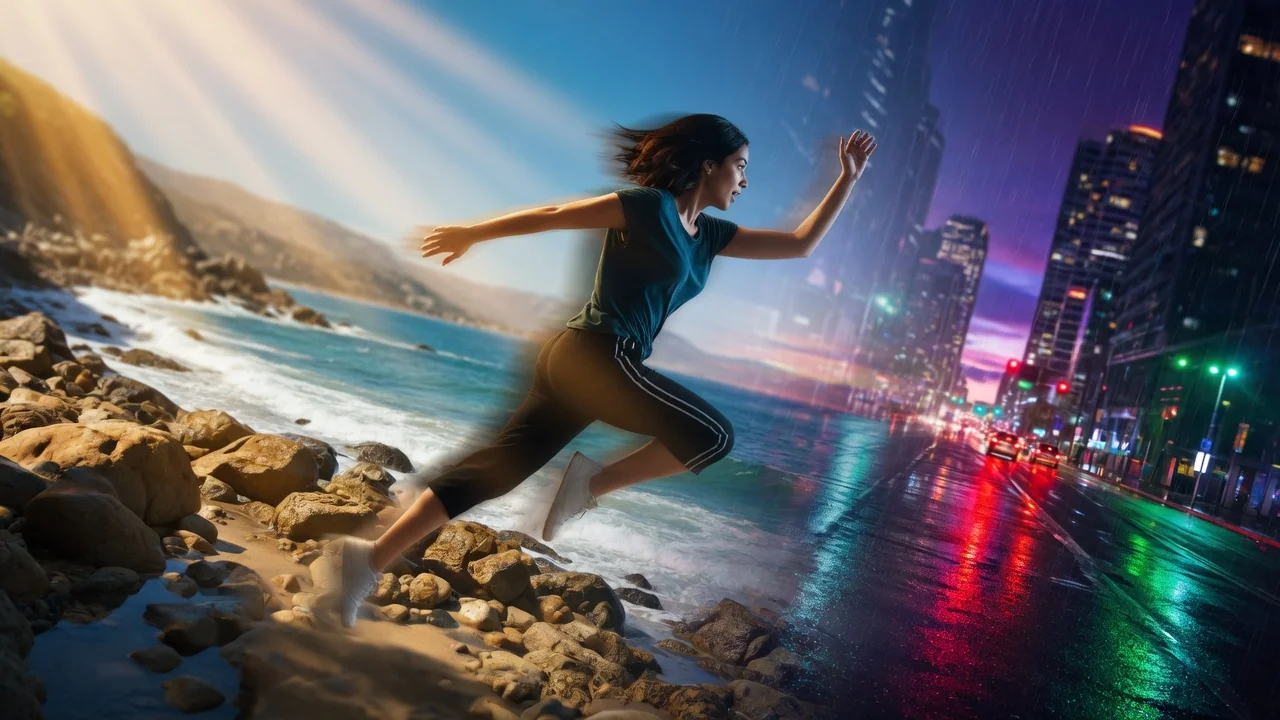
프롬프트 기반 AI 편집으로 영상 배경을 변경. 그린스크린이나 수동 마스킹 없이 피사체 뒤 장면을 깔끔하고 전문적으로 교체하세요.
미리보기video

BG Changer

Change video backgrounds through prompt-based video editing.

비디오 업로드

MP4, MOV, WebM 최대 100MB

사용 방법

배경 변경 사용 방법

1

Upload your source video

Upload a video clip up to 120 seconds. The model segments the foreground subject automatically — no green screen or manual masking required.

2

Describe the new background

Write a specific background description in the prompt — "a rainy Tokyo street at night with neon reflections" produces a better result than just "city." For a photo-based background, attach a reference image in the image field.

3

Generate the background-swapped video

Submit the job. HappyHorse 1.0 Video Edit replaces background pixels while preserving subject edges, skin tones, and motion continuity across every frame.

선택 이유

AI Pin Maker 비디오 도구를 사용하는 이유

워크플로 우선 구성

각 페이지는 하나의 사용자 작업을 필요한 비디오 입력과 모델군에 연결합니다.

모델 적합도

현재 실시간 모델 목록에서 검증된 비디오 편집 엔드포인트를 사용합니다.

실행 가능한 도구

사용 가능 도구는 AI Pin Maker 비디오 생성 워크스페이스에 연결됩니다.

연결된 경로

관련 비디오 도구로 효과에서 편집, 음악, 제작 워크플로까지 이어갈 수 있습니다.

FAQ

비디오 도구 FAQ

Does video background changing require a green screen?
No green screen needed. The model uses semantic segmentation to identify the foreground subject automatically, then replaces background pixels while preserving subject edges and motion across all frames.
Can I use a real location photo as the new background?
Yes — attach a reference image of the target background in the image input field. The model will match the lighting and perspective of the reference while adapting it to the video's motion and depth.
Will the background change look realistic for every shot?
Results are best on shots with clear subject/background separation and minimal motion blur at edges. Fine hair, transparent materials, and fast lateral movement are harder; try adding slight motion to the description (e.g., "gentle wind rustling leaves") to blend segmentation edges.
What video formats and lengths are supported for background changing?
The tool accepts videos up to 120 seconds. MP4 (H.264) uploads at up to 1080p resolution work most reliably; high-bitrate or uncommon formats may be transcoded automatically before processing.

관련 도구

다른 비디오 도구 보기

Original AI-generated cover art for the ai video editor tool, cinematic horizontal scene
Video Editvideo
제작 도구사용 가능

AI 영상 편집기

프롬프트와 참조 이미지로 AI가 짧은 영상을 편집. 검증된 영상 편집 경로로 리스타일·조정·보정을 타임라인 없이 진행하세요.
video-editorvideo-editreference-images
비디오와 참고 이미지도구 열기
Original AI-generated cover art for the video to video generator tool, cinematic horizontal scene
Video Editvideo
제작 도구사용 가능

AI 영상 변환 생성기

업로드한 영상을 AI로 변환·리스타일. 검증된 편집 엔드포인트로 핵심 움직임과 장면 연속성을 유지하며 새로운 비주얼 스타일을 적용.
video-editstyle-transfervideo-to-video
비디오도구 열기
Original AI-generated cover art for the ai video extender tool, cinematic horizontal scene
Video Editvideo
제작 도구사용 가능

AI 영상 길이 연장

프롬프트 가이드로 AI가 영상 길이를 연장. 검증된 편집 엔드포인트로 클립을 자연스럽게 이어 재촬영 없이 초를 더할 수 있습니다.

video-extendervideo-editcontinuation
비디오도구 열기