
テキストから画像
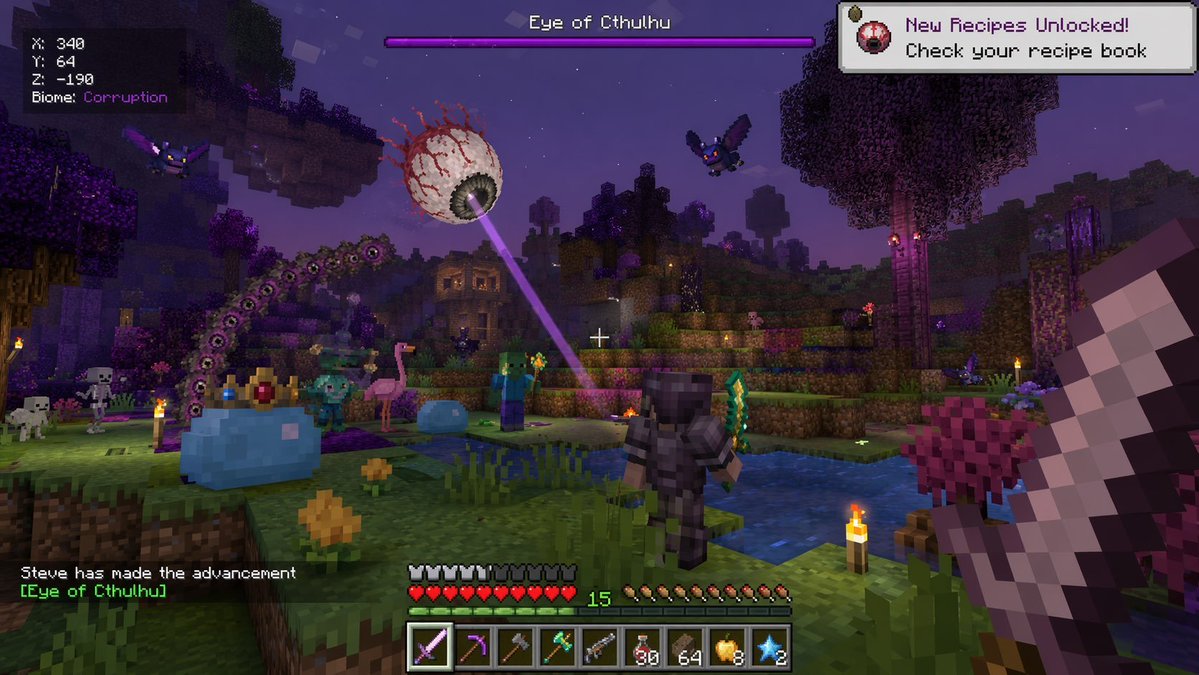
Voxel Survival Game Boss Fight UI — AI 画像プロンプト
Generates a first-person screenshot of a blocky survival game featuring custom boss fights, diverse mobs, and detailed HUD elements. - AIPinMaker
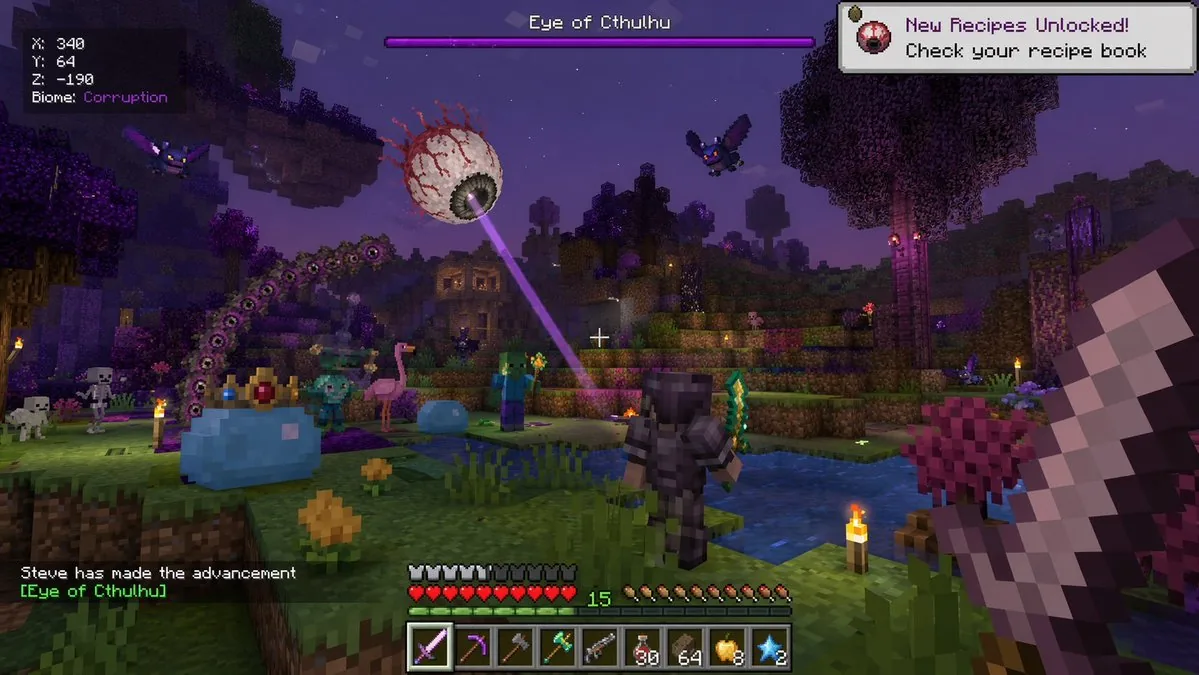
プロンプト
{
  "type": "voxel video game screenshot",
  "style": "crossover between Minecraft and Terraria",
  "environment": "nighttime blocky landscape, purple-tinted corruption biome, water pools, trees",
  "first_person_view": "holding a large blocky sword on the right side of the screen",
  "entities": {
    "boss": "giant floating eyeball with red veins shooting a purple laser",
    "player_avatar": "character in dark armor holding a green sword, viewed from behind",
    "mobs": [
      "1 giant crowned blue slime",
      "1 small blue slime",
      "2 zombies",
      "2 skeletons",
      "2 purple bats",
      "1 pink flamingo"
    ]
  },
  "user_interface": {
    "boss_bar": "top center, purple bar, text '{argument name=\"boss name\" default=\"Eye of Cthulhu\"}'",
    "coordinates": "top left, text 'X: 340 Y: 64 Z: -190 Biome: {argument name=\"biome name\" default=\"Corruption\"}'",
    "notification": "top right, white box, text '{argument name=\"notification text\" default=\"New Recipes Unlocked! Check your recipe book\"}'",
    "chat": "bottom left, text 'Steve has made the advancement [{argument name=\"advancement name\" default=\"Eye of Cthulhu\"}]'",
    "status_bars": "bottom center, 10 red hearts, 10 hunger icons, green XP bar showing level 15",
    "hotbar": "bottom center, 9 slots containing: purple sword, pickaxe, axe, green tool, gun, 30 red potions, 64 brown blocks, 8 golden apples, 2 blue stars"
  }
}参照画像
このAI画像プロンプトテンプレートの使い方
 1
1プロンプトをコピー — テンプレートのプロンプトとネガティブプロンプトを取得。  2
2モデルを選ぶ — 最適な推奨AIモデルを選択。  3
3生成 — ワンクリックでスタジオを開いて作成。
関連テンプレート

Pokémon Overworld Screenshot Generation
Create a creative image of Pokémon Overworld Screenshot Generation. Style: photorealistic. Composition: balanced and well-framed. Lighting: natural with cinematic mood. Category: photography. Reference: pokémon-overworld-screenshot-generation-11084.

Pixel Mosaic Jungle Parrot
A pixel-art style mosaic illustration of a tropical parrot perched on a short brown branch in the middle of dense jungle foliage, created as if assembled from a tight uniform square grid of tiny colored tiles with thin dark outlines around every square. The single bird is shown in side profile facing right, with a large curved black beak, a pale cream face, a bright red-orange forehead and throat, a vivid yellow neck, a bright green body, and long wings and tail feathers in saturated blue and cyan. The parrot is centered vertically and slightly left of center, standing upright on the branch, with the tail extending downward. Surround the bird with lush layered leaves in many shades of green, from deep forest green to lime, filling the entire frame with no sky visible. Use strong contrast, crisp black contouring, and a glowing light green area behind the parrot to separate it from the darker foliage. The overall image should look like retro pixel art or stained-glass mosaic, highly detailed, colorful, square format, and edge-to-edge tiled texture.

Faux Pixel Raven in Wheat Field
A stylized faux-pixel-art landscape illustration of a single black raven (bird species) standing in profile in a golden wheat field, facing right. The image should look like retro pixel art at first glance when viewed zoomed out, but not be perfectly grid-aligned or true sprite-based pixel art; instead it should feel like painterly image-generation imitating pixel art, with soft inconsistencies in the block shapes and edges. Place the bird large in the foreground, slightly left of center, with glossy near-black feathers shaded in deep navy and indigo, a dark beak, and one small amber-brown eye visible. Surround it with tall yellow-gold grasses and exactly 9 visible small purple wildflower blossoms scattered in the foreground. In the midground, show a broad rural plain with patchy fields and a dark green tree line including a few tall narrow conifers on the right. In the distance, add a low mountain range in muted blue-violet tones. Above, create a bright soft blue (sky color) sky filled with large chunky cumulus clouds and a few smaller cloud bands, all rendered in limited-color dithered blocks. Use a warm late-afternoon palette with gold, blue, lavender, and dark charcoal, strong atmospheric depth, and a calm pastoral mood. Full-frame composition, landscape orientation, thin black border around the entire image, crisp blocky edges, retro game background aesthetic, highly detailed but simple, no text, no UI, no extra animals.
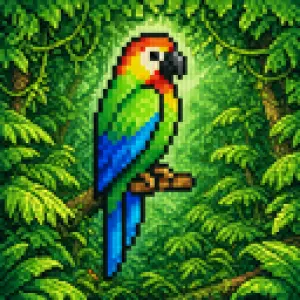
Blurry Retro Pixel Parrot Jungle
A retro pixel-art style illustration of a tropical parrot perched on a short brown branch in the center of a dense jungle. The bird is shown in side profile facing right, with a bright green body, a vivid blue wing and long blue tail feathers, a yellow chest, an orange-red head and neck, a white facial patch around the eye, and a large curved black beak. The parrot is the single main subject, centered and enlarged, outlined with dark pixel edges. Surround it with thick rainforest foliage filling the entire frame: layered green leaves, twisting vines, and partial tree trunks on both sides, with 2 visible trunks and many overlapping leaf clusters. Add a soft glowing light halo behind the parrot to separate it from the darker forest background. Use a square composition, saturated colors, classic 16-bit game sprite aesthetics, chunky visible pixels, low-resolution grid-based rendering, and intentionally soft, blurry pixel edges rather than crisp modern pixel art. The mood is lush, vibrant, and nostalgic, like a tropical scene from an old video game.

Pixel Art Dragon Castle
A detailed retro fantasy pixel art scene of a massive medieval stone castle perched on a steep rocky hill, viewed from a slight low angle, with a winding dirt path leading up to the gate. The castle has many cylindrical towers and connecting walls, exactly 9 visible towers with red-orange conical roofs, several small red flags fluttering from the tallest spires, and weathered gray stone masonry. A huge red dragon is coiled around the tallest central tower, with its long body wrapped around the stone, claws gripping the battlements, horned head leaning forward near the top, and one large batlike wing spread open on the right side. Surround the hill with dense dark-green pine trees and rocky outcrops, with distant blue mountains on the horizon. Place the castle against a bright daytime sky in saturated blue with large fluffy white cumulus clouds. Render in classic 16-bit inspired pixel art with crisp sprite-like shapes, visible pixel texture, rich contrast, adventurous fantasy game cover composition, centered subject, and a square frame.
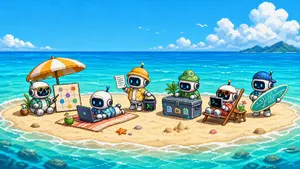
Cute Pixel Art Sandbank Robot Team
Create a cute wide pixel-art promotional illustration for Sandbank Agent (project name), showing a tiny tropical sandbank island in the middle of bright turquoise ocean under a sunny blue sky. Canvas: 16:9 landscape, retro 16-bit pixel art, crisp blocky pixels, high saturation, charming game-art aesthetic, no text overlays or watermark. Scene: a small oval sandy island surrounded by shallow aqua water, white surf rings, coral and rocks visible below the water, distant green island on the far right horizon, huge puffy pixel clouds, tiny white birds, sparkling sea highlights. Main subjects: exactly 6 adorable chibi robots with rounded white bodies, black glass screen faces, cyan glowing eyes, small antennas, and beach/workspace accessories, arranged left to right across the sand. Robot 1 sits under a large orange-and-white beach umbrella wearing sunglasses and a turquoise Hawaiian shirt, next to a coconut drink and a standing planning board showing connected colored nodes. Robot 2 lies on a striped beach towel using an open laptop, wearing blue tropical swim shorts, with a coconut drink beside the towel. Robot 3 stands in the center wearing a yellow-orange explorer jacket and yellow hardhat, holding a clipboard in one hand and a small black terminal cube with a green command prompt symbol in the other. Robot 4 sits behind a large dark equipment chest, wearing a green bucket hat and green outfit; the chest has three colorful file/app icons on the front. Robot 5 lounges in a wooden beach chair wearing orange sunglasses and red swimwear, using a black laptop with a green command prompt symbol; a small side table holds a green drink and a vertical board or paddle rests behind the chair. Robot 6 stands at the far right wearing a blue cap and holding a turquoise surfboard decorated with circuit-board lines, suggesting playful developer infrastructure. Add small beach details: exactly 1 orange starfish near the center foreground, several small shells and pebbles, a small sandcastle mound near the equipment chest, and soft shadows under every object. Mood: cheerful, cute, collaborative, techy beach-vacation workspace harness vibe. Use cyan (robot face glow color) screen glows, bright turquoise (ocean color) water, orange and white (umbrella color), and 16-bit retro game art (pixel art style). Keep all elements clearly readable at small size, with clean silhouettes and balanced spacing.
他のプロンプトを探す
カテゴリ別にAI画像・動画プロンプトをもっと見る。