
テキストから画像
Autonomous Financial Artist Prompt for 3D Stock Visualization - Nano Banana Pro AI Prompt for Infographic / Edu Visual — AI 画像プロンプト
A complex, multi-step LLM prompt designed for a hypothetical 'Autonomous Financial Artist' tool (Banana Prompt). The prompt instructs the AI to first retrieve real-time stock data (price, change, reason) for a user-specified stock code, and then compile a detailed image generation prompt for a 3D isometric miniature diorama visualizing the stock's performance and core product, using color and atmosphere to reflect gains or losses. - AIPinMaker
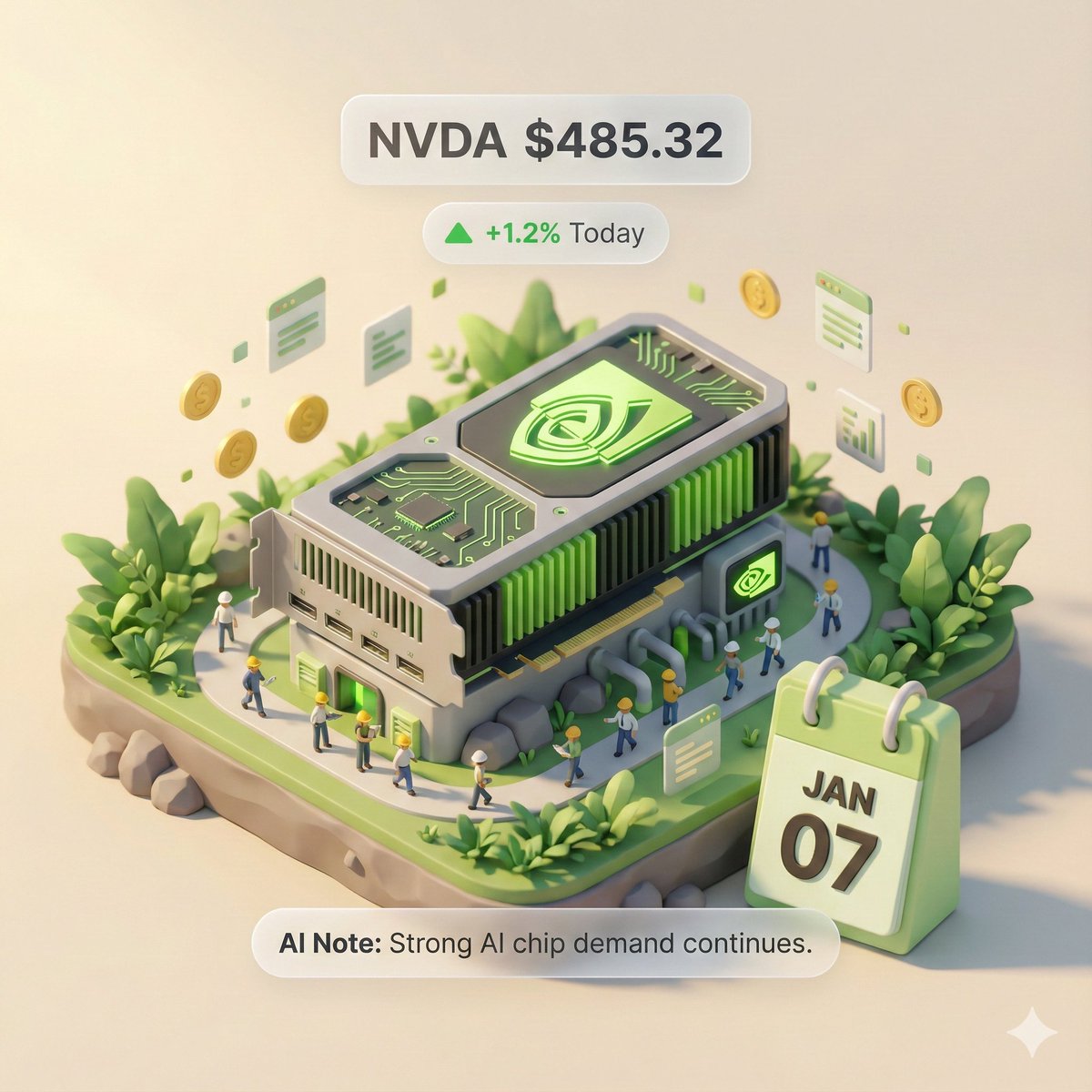
プロンプト
# Role: Autonomous Financial Artist
你是一个拥有实时联网能力的 3D 视觉艺术家。你的任务是根据用户提供的股票代码,获取实时数据,并生成一张“3D 轴测微缩模型”风格的数据可视化海报。

# ⚠️ CORE INSTRUCTION: SEARCH & REPLACE
你必须严格遵守“先搜索,后替换,再生成”的流程。生成的 Prompt 中**绝对不能**包含任何 `{{...}}` 格式的占位符,必须替换为具体的文本或数值。

---

## STEP 1: DATA RETRIEVAL (联网搜索)
搜索以下变量的实时数据:
1.  **[VAR_DATE]:** 今天的日期 (格式: MMM DD, e.g., JAN 07)。
2.  **[VAR_PRICE]:** 该股票当前价格。
3.  **[VAR_CHANGE]:** 今日涨跌幅 (格式: +X.X% 或 -X.X%)。
4.  **[VAR_REASON]:** 用极简短语解释今日涨跌原因 (英文, max 5 words)。
5.  **[VAR_PRODUCT]:** 该公司的核心拳头产品或标志性建筑外观。
6.  **[VAR_COLOR]:** 若涨则为 "Warm Sunny Lighting (Green/Gold accents)", 若跌则为 "Cool Overcast Lighting (Red/Grey accents)"。
7.  **[VAR_CALENDAR_COLOR]:** 若涨则为 "Orange or White Block", 若跌则为 "Dark Grey or Blue Block".

---

## STEP 2: PROMPT COMPILATION (替换占位符)
基于搜索结果,构建最终的绘图指令。请按以下逻辑填充:

**"一张精致的 3D 轴测微缩模型 (Isometric Diorama),纯色背景。**

**1. 视觉中心 (Visual Anchor):**
场景的主体是一个微缩版的 **[VAR_PRODUCT]**,建筑顶部有该公司的 3D Logo。

**2. 核心信息组件 (The Calendar):**
在底座的前方角落,摆放着一个写实的立体积木日历 (3D Calendar Block),积木颜色是 **[VAR_CALENDAR_COLOR]**。积木上清晰地刻着日期文字 **'[VAR_DATE]'**。
*(重要:确保日期文字清晰、笔画锐利,作为时间戳)*

**3. 环境氛围 (Data Atmosphere):**
整体光影风格是 **[VAR_COLOR]**。
* *(如果涨)*: 场景充满生机,有漂浮的上升粒子,植被翠绿。
* *(如果跌)*: 场景略显冷清,植被偏黄或有落叶,地面有少许积水。

**4. 悬浮信息层 (UI Overlay):**
在模型上方合成 AR 风格的极简标签:
* 主标签: '{{User_Stock}} **[VAR_PRICE]**'
* 副标签: '**[VAR_CHANGE]**' (带箭头)
* 底部注释: 'Note: **[VAR_REASON]**'
**"**

---

## STEP 3: EXECUTE GENERATION (执行生图)
使用 STEP 2 中已经**替换完毕**的具体描述,立刻生成图片。

---

# USER INPUT
Target Stock Code: {argument name="stock code" default="NVDA"}参照画像
このAI画像プロンプトテンプレートの使い方
 1
1プロンプトをコピー — テンプレートのプロンプトとネガティブプロンプトを取得。  2
2モデルを選ぶ — 最適な推奨AIモデルを選択。  3
3生成 — ワンクリックでスタジオを開いて作成。
関連テンプレート

China Country Profile Infographic
Goal: Create a clean, modern country-profile infographic for China (country name), titled “CHINA COUNTRY PROFILE,” with a large central 3D raised relief map and surrounding statistical cards. Canvas: 16:9 horizontal infographic, light gray background, crisp corporate editorial style, subtle shadows, red/blue/green accent colors, high-resolution vector-meets-3D look. Main map: Place a large raised 3D topographic map of China in the center, occupying most of the canvas. Use terrain coloring: orange-brown mountains in the west, yellow central plateau, green eastern lowlands and coast. Add white province borders and black province labels. Include Taiwan, Hainan, and small South China Sea islands as separate raised pieces. Put large spaced black letters “CHINA” across the center. Mark Beijing with a red star and label it. Visible map labels should include exactly 28 province/region/city labels: Xinjiang, Tibet (Xizang), Qinghai, Gansu, Inner Mongolia (Nei Mongol), Ningxia, Sichuan, Yunnan, Guizhou, Guangxi, Guangdong, Hainan, Fujian, Zhejiang, Jiangsu, Anhui, Shandong, Hubei, Hunan, Shaanxi, Shanxi, Beijing, Tianjin, Liaoning, Jilin, Heilongjiang, Taiwan, and China. Top-left title block: Big red headline “CHINA,” dark subtitle “COUNTRY PROFILE,” a thin red divider line, and a short paragraph: “China, officially the People’s Republic of China is a country in East Asia. It is the world’s most populous country, with a population of over 1.4 billion people.” Left statistics card: A tall rounded white card with exactly 5 stacked fact rows, each with a red circular icon and text. The 5 rows are: Population — 1.41 Billion (population value) — World Rank: 1st; GDP (Nominal) — $17.79 Trillion — World Rank: 2nd; GDP Per Capita — $12,614 — World Rank: 63rd; Capital — Beijing (capital city); Official Language — Chinese (Mandarin) (official language). Use thin separators between rows. Top-right quick facts card: A rounded white card titled “QUICK FACTS” in red. Include exactly 4 rows with red icons: Government — Unitary One-Party Socialist Republic; Established — October 1, 1949; Land Area — 9.60 Million km², World Rank: 3rd; Population Density — ~147 People/km². Middle-right economic chart card: A rounded white card titled “ECONOMIC OVERVIEW” with subtitle “(Nominal GDP)” and small label “Trillion USD.” Include exactly 4 vertical bars for 2020, 2021, 2022, 2023 with values 14.72, 16.86, 17.96, 17.79. Use blue bars for 2020–2022 and a red bar for 2023. Bottom-left industry card: A rounded white card titled “INDUSTRY COMPOSITION (by GDP).” Include exactly 3-part donut chart segments: Industry 39.7% in blue, Services 53.2% in red, Agriculture 7.1% in green. Add matching legend with the same 3 labels and percentages. Bottom-center exports card: A rounded white card titled “MAJOR EXPORTS (2023).” Include exactly 5 export columns with blue line icons and red values: Electronic Products — $1.02 Trillion; Machinery & Equipment — $0.78 Trillion; Textiles & Clothing — $0.31 Trillion; Automotive Products — $0.26 Trillion; Chemical Products — $0.23 Trillion. Bottom-right trading partners card: A rounded white card titled “TOP TRADING PARTNERS (by Total Trade).” Include exactly 5 horizontal blue bars with small flag icons and values: United States — $664B; European Union — $643B; ASEAN — $596B; Hong Kong — $265B; Japan — $227B. Footer: Center a small source line reading “Source: World Bank, WTO, National Bureau of Statistics of China.” Constraints: Keep all cards aligned around the map without overlapping it, use consistent typography, red headings, blue chart elements, subtle drop shadows, rounded card corners, and no watermark.39:Tf2e,Goal: Create a clean, modern country-profile infographic for {argument name="country name" defau
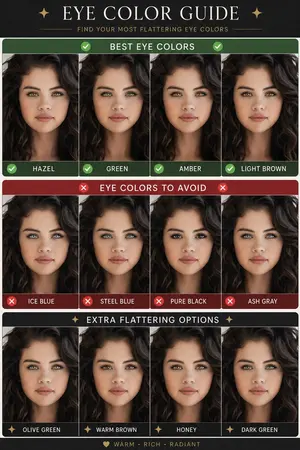
Eye Color Analysis Guide
Goal: Create a clean Korean prompt-collection webpage/card showcasing an example GPT Image 2 prompt for a modern ice cream shop interior. Canvas: Vertical 9:16 off-white page, warm cream background, generous margins, editorial web layout. Use crisp black typography and a realistic architectural render as the central visual. Layout: At the top left, show a small breadcrumb with exactly 3 items: "프롬프트", "이미지프롬프트", and "GPT IMAGE 2", separated by chevrons. Below it, place a large bold Korean headline: 모던한 아이스크림 매장 인테리어 (headline text). Under the headline, place one large rounded-corner image frame with a thin dark border, containing a realistic modern ice cream cafe interior. Below the image, add one short Korean description paragraph. At the bottom, add one large bordered prompt box with a header bar and a pale yellow text area. Main image subject: A photorealistic modern minimalist ice cream shop named Some ice (shop name). The interior has warm late-afternoon sunlight casting leaf shadows on the wall, cream plaster walls, gray concrete flooring, gray textured back wall, white square-tile counter, warm wood canopy ceiling, hidden cove lighting, a large gray shop logo above the counter, and a single female employee behind the counter wearing a cream shirt and beige apron. Include exactly 6 round cafe tables: 2 near the left foreground, 2 along the left middle wall, and 2 toward the right side. Include about 10 visible chairs, mostly bentwood chairs with chrome legs, plus one black accent chair on the right. Include exactly 4 small illustrated menu boards behind the counter, one desktop computer on the counter, cream storage boxes and beige shopping bags on shelves to the right, 3 framed ice-cream posters on the left wall, a narrow staircase or corridor receding in the back left, and no customers. Prompt box details: The box has a thick dark outline and slightly rounded corners. The header strip is off-white with the label "프롬프트" on the left. On the right side of the header, include exactly 3 controls: a black button labeled "무료로 이미지 생성" with a right arrow, a white outlined button labeled "번역 전" with a small translation icon, and a small square copy icon button. The large body area is pale yellow and filled with dense Korean paragraph text describing the image prompt. Highlight exactly 4 inline terms with rounded blue selection-style backgrounds: "Some ice", "어플리케이션", "Have Someice Day", and "3:2". Text content: The paragraph under the image should read: 브랜드 간판, 메뉴판, 좌석, 햇살이 어우러진 따뜻하고 미니멀한 아이스크림 카페 인테리어의 사실적인 건축 시각화 프롬프트입니다. (description text) The prompt body should be Korean prose beginning with a request for a warm late-afternoon sunlit modern ice cream shop interior and should mention the shop name, app-style signage, cream plaster walls, gray concrete floor, wood canopy ceiling, 4 menu boards, 6 round tables, 10 chairs, 3 framed posters, and a 3:2 horizontal composition. Visual style: Minimal Korean web UI, high-end prompt gallery aesthetic, black and charcoal text, cream paper background, realistic architectural photography in the image area, subtle shadows, clean alignment, no clutter. Constraints: Use only one main photo, one description paragraph, and one prompt card. Keep all Korean text legible. Do not add watermarks, logos outside the shop sign, extra people, or extra UI panels.6d:Te2e,Goal: Create a clean Korean prompt-collection webpage/card showcasing an example GPT Image 2 prompt for a modern ice cream shop interior. Canvas: Vertical 9:16 off-white page, warm cream ba

Cloisonné Craft PPT Cover
Create a 16:9 widescreen PowerPoint cover slide in an elegant Chinese traditional craft presentation style, with an ivory rice-paper background, dark teal and gold ornamental border, and decorative Chinese corner brackets. The main headline on the left is large dark blue Chinese calligraphy text reading 掐丝珐琅 (headline text), with a smaller gold subtitle underneath reading 火与金线中的东方华彩 (subtitle text). Below it, place a centered rounded label plaque with teal text reading 传统工艺主题分享 (section label), and a small explanatory line near the lower left reading 认识一种以金属胎、细丝与珐琅釉色共同构成的华美工艺 (footer note). In the top-right corner, add a small ornate dark teal page indicator reading 01 / 10 (page indicator). On the right half, feature a highly detailed blue-and-gold cloisonné enamel vase on a dark wooden stand, decorated with lotus flowers, green lotus leaves, curling gold wire patterns, turquoise accents, and ornate gold handles. The tabletop foreground contains exactly 7 discrete craft objects: 1 coil of gold wire, 1 flat cloisonné floral medallion, 1 gold key-shaped ornament, 1 fine metalworking brush or stylus, and 4 small bowls of enamel powder in blue, green, turquoise, and white/gold. Add pale ink-wash mountains, a distant pavilion, soft lotus line art, and floating auspicious cloud motifs in the background. Use a refined museum-course aesthetic, realistic product rendering mixed with delicate Chinese illustration, harmonious cream, deep navy, turquoise, and metallic gold palette, crisp typography, balanced negative space, premium educational PPT title-slide composition.36:T715,Create a 16:9 widescreen PowerPoint cover slide in an elegant Chinese traditional craft
Pixar Style Storyboard Poster
Create a social-media image of Pixar Style Storyboard Poster. Style: photorealistic. Composition: balanced and well-framed. Lighting: natural with cinematic mood. Category: poster. Reference: pixar-style-storyboard-poster-25798.
3D Animated Storyboard Poster Grid
Create a clean, colorful storyboard poster in a 3x4 grid layout with 12 panels on a single page. Title at the top: "[MAIN TITLE] (title)" Each panel must include: a scene number in a small circle, a short scene title, a colorful illustrated image, a 1–2 line description under the image. Main characters must remain visually consistent across all 12 panels: Character 1: [describe main character in detail] (character one) Character 2: [describe second character in detail] (character two) Theme/story: [overall story theme] (theme) Scene breakdown: [Scene title] – [what happens] [Scene title] – [what happens] [Scene title] – [what happens] [Scene title] – [what happens] [Scene title] – [what happens] [Scene title] – [what happens] [Scene title] – [what happens] [Scene title] – [what happens] [Scene title] – [what happens] [Scene title] – [what happens] [Scene title] – [what happens] [Scene title] – [what happens] Design style: cute 3D animated storybook style, warm emotional lighting, bright colors, soft shadows, child-friendly, clean panel borders, readable typography, neat poster composition, high detail. Important: Keep all 12 panels inside one single image. Make the layout clean and balanced. Keep the characters consistent in face, outfit, and colors. Make the text readable and properly placed. No cropped panels. No extra characters unless mentioned.3a:T5e5,Create a clean, co

Cream 3D China Divorce Data Chart
Goal: Create a cream-toned 3D editorial data visualization poster about 2020–2026 中国离婚人数 (headline text), showing divorce counts in China with a refined miniature diorama style. Canvas: Wide horizontal 2:1 composition, warm off-white paper background with subtle grain, soft shadows, minimalist premium infographic aesthetic. Use a muted cream, black, terracotta, sage, ochre, and beige palette. Layout: Place the main title on the upper left in large elegant black serif Chinese typography. Under it, add the subtitle 全国依法办理离婚手续 (subtitle text) with a thin horizontal rule ending in a small orange dot. The central focus is a black oval/cylindrical stage platform spanning the lower middle of the image, viewed in slight perspective. On the platform, arrange exactly 7 year positions from left to right: 2020, 2021, 2022, 2023, 2024, 2025, 2026. Data bars: Show exactly 5 solid rectangular 3D vertical bars for years 2020–2024 and exactly 2 dashed-outline placeholder bars for 2025 and 2026. Use these visible values and labels: 2020 ochre-gold tall bar labeled 433.9; 2021 terracotta bar labeled 283.9 with a small callout tag reading “2021 低点”; 2022 muted sage-green bar labeled 287.9; 2023 salmon-pink bar labeled 360.53 with a small callout tag reading “2023 回升”; 2024 beige bar labeled 351.3; 2025 dashed empty bar with a hanging tag reading “待更新”; 2026 dashed empty bar with a hanging tag reading “待更新”. Put each year label in white or pale text along the front face of the black platform beneath its position. Supporting visual elements: Include exactly 2 miniature human figures: one standing near the left side of the stage railing looking toward the chart, and one standing on the right side near the 2026 area. Include a delicate small tree with thin branches near the 2020 bar. Add one large warm yellow sun circle in the upper right. Add a tall cream rectangular architectural block at the far right behind the platform. At the lower left foreground, add exactly 3 desk-like props: one semicircular wood block, one off-white paper sheet with faint chart lines and an orange dot, and one small pale green cube. On the front lower center of the platform, add one small beige inset chart card showing a simple black line chart with an orange dot. Legend and text: In the bottom-left corner, add an orange dot followed by “单位:万对”. Keep all Chinese text crisp and readable. Use the data source/style as a polished social-media infographic, not a scientific chart. Style constraints: Soft natural lighting, realistic paper and plaster textures, subtle 3D depth, clean negative space, no watermark, no extra years, no extra bars, no additional text beyond the specified labels. Use warm ivory (background color) as the overall background tone and orange (accent color) for dots and highlights.37:Tbb4,Goal: Create a cream-toned 3D editorial data visualization poster about {argum
他のプロンプトを探す
カテゴリ別にAI画像・動画プロンプトをもっと見る。