
文生图
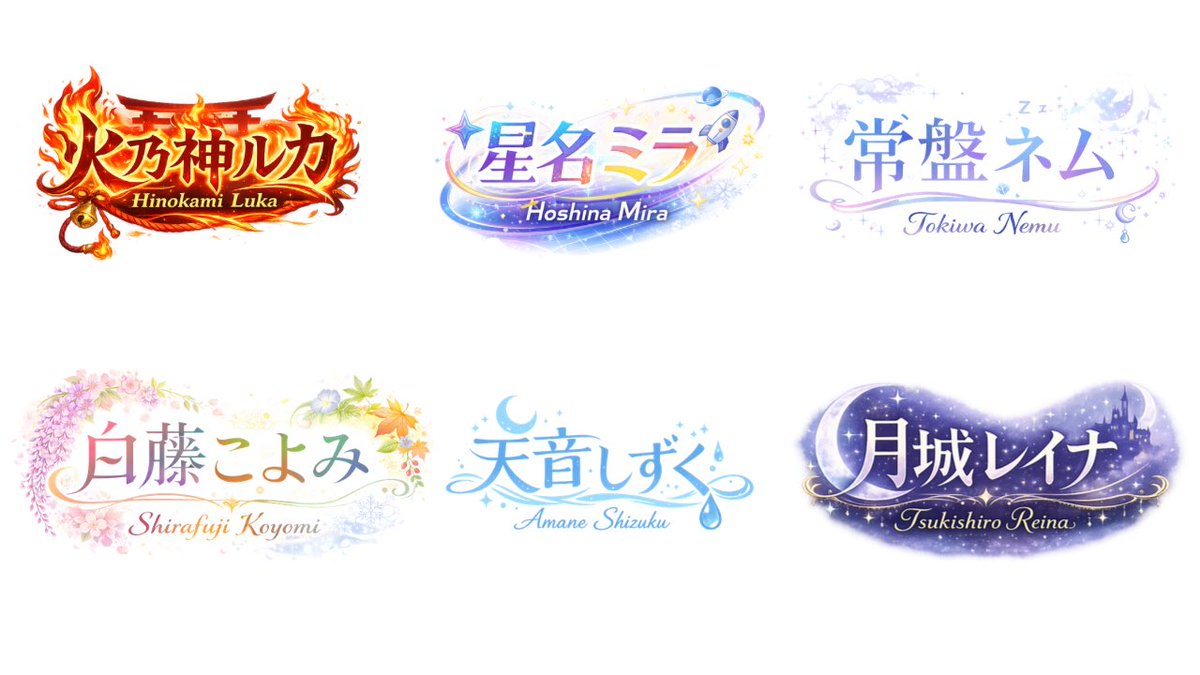
VTuber Logo Concept Grid — AI 图像提示词
Generates a grid of six distinct, highly decorative anime-style VTuber logos with thematic typography and English subtext. - AIPinMaker
提示词
{
  "type": "logo design concept sheet",
  "style": "{argument name=\"overall style\" default=\"anime VTuber typography, highly decorative, gradient text\"}",
  "background": "solid white",
  "layout": {
    "arrangement": "2 rows by 3 columns",
    "count": 6
  },
  "logos": [
    {
      "main_text": "{argument name=\"logo 1 text\" default=\"火乃神ルカ\"}",
      "sub_text": "Hinokami Luka",
      "theme": "{argument name=\"logo 1 theme\" default=\"fire, shrine gate, bell, intense red and gold\"}"
    },
    {
      "main_text": "{argument name=\"logo 2 text\" default=\"星名ミラ\"}",
      "sub_text": "Hoshina Mira",
      "theme": "{argument name=\"logo 2 theme\" default=\"space, stars, rocket, shooting star, blue and purple gradient\"}"
    },
    {
      "main_text": "常盤ネム",
      "sub_text": "Tokiwa Nemu",
      "theme": "sleep, night sky, clouds, crescent moon, Zzz, soft pastel blue and purple"
    },
    {
      "main_text": "白藤こよみ",
      "sub_text": "Shirafuji Koyomi",
      "theme": "four seasons, wisteria, cherry blossoms, autumn leaves, soft pastel colors"
    },
    {
      "main_text": "天音しずく",
      "sub_text": "Amane Shizuku",
      "theme": "water, rain drops, crescent moon, clear blue colors"
    },
    {
      "main_text": "月城レイナ",
      "sub_text": "Tsukishiro Reina",
      "theme": "night, castle silhouette, large crescent moon, stars, dark purple galaxy colors"
    }
  ]
}参考图片
如何使用这个 AI 图像提示词模板
 1
1复制提示词 —— 取走该模板的提示词与反向提示词。  2
2选择模型 —— 选一个推荐的 AI 模型以获得最佳匹配。  3
3生成 —— 一键打开工作台并生成你的作品。
相关模板

Gothic VTuber Logo Grid
{ "type": "VTuber logo design concepts", "theme": "{argument name=\"main theme\" default=\"gothic dark fantasy\"}", "background": "{argument name=\"background color\" default=\"pitch black\"}", "layout": "2x3 grid containing 6 distinct logo designs", "logos": [ { "position": "top-left", "main_text": "{argument name=\"logo 1 main text\" default=\"魔界のメシア\"}", "sub_text": ["魔界の観測者", "MAKAI NO KANSOKUSHA"], "colors": ["purple", "silver"], "motifs": ["horns", "glowing purple eye", "bat wings"] }, { "position": "top-center", "main_text": "{argument name=\"logo 2 main text\" default=\"深淵プレシア\"}", "sub_text": ["Shinen Lucia", "魔界の断罪者"], "colors": ["red", "black", "gold"], "motifs": ["chains", "demonic spikes", "glowing red runes"] }, { "position": "top-right", "main_text": "{argument name=\"logo 3 main text\" default=\"夢喰いメフィ\"}", "sub_text": ["まかいのゆめくい"], "colors": ["pink", "purple"], "motifs": ["skull with crown", "bat wings", "sparkles"] }, { "position": "bottom-left", "main_text": "蒼影カナタ", "sub_text": ["魔界の影詩人", "- AOKAGE KANATA -"], "colors": ["blue", "silver"], "motifs": ["large central eye", "silver bat wings", "gothic architecture"] }, { "position": "bottom-center", "main_text": "黄昏ベリアル", "sub_text": ["Tasogare Belial", "魔界の王子"], "colors": ["gold", "purple"], "motifs": ["crown", "bat wings", "hanging gems"] }, { "position": "bottom-right", "main_text": "禍朧シオン", "sub_text": ["魔界の記憶屋", "- MAGATSU SHION -"], "colors": ["silver", "purple", "black"], "motifs": ["crescent moon", "glowing purple flame", "chains", "dark smoke"] } ] }
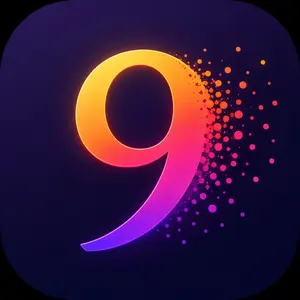
Neon Number App Icon
Create a polished mobile app icon featuring a single large stylized numeral 9 (number) centered slightly left on a square canvas with very rounded corners. Use a deep midnight navy-to-purple background with subtle radial shading and a faint vignette. The numeral should be thick, smooth, glossy, and dimensional, like a custom sans-serif 3D glyph, with a luminous gradient running from golden yellow and orange at the upper left through hot pink in the middle to vivid violet and electric purple at the lower tip. Add a soft neon rim light and inner glow around the digit, with a stronger warm glow on the top-left edge and magenta-purple glow on the bottom curve. The right side of the numeral dissolves into a dynamic particle burst: dozens of circular dots and small speckles of varied sizes scattering outward to the right, colored orange, red, pink, magenta, and purple, densest near the digit and fading into the dark background. Keep the composition clean and iconic, with no text other than the numeral, no border, no watermark, high contrast, modern iOS-style app icon, crisp edges, vibrant gradient lighting, and a premium digital-art finish.
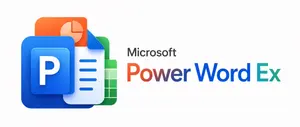
Microsoft PowerWordEx Logo Mockup
A clean minimalist tech logo composition on a light gray background, wide horizontal layout. On the left, show a stacked cluster of 4 overlapping Microsoft Office-style app icons with soft gradients, rounded corners, subtle depth, and glossy modern vector shading. The front icon is a large blue square tile with a smaller raised blue panel containing a bold white capital P. Behind and slightly above it, place an orange presentation icon with a white pie-chart symbol. Behind the blue icon to the right, place a white document page icon with a folded blue corner and 4 horizontal blue text lines. At the back on the right, place a green spreadsheet icon with a white grid. Arrange the 4 icons so they overlap tightly and read as a unified hybrid Office app mark. On the right side, place the product name in a clean sans-serif font: small black text reading Microsoft above a large multicolor wordmark reading PowerWordEx (headline text). Color the word in segmented Microsoft-style hues: warm orange-red for Power, deep blue for Word, and teal-green for Ex. Center the whole composition vertically, keep generous whitespace, and render it as polished corporate branding mockup, crisp vector illustration, soft shadowing, no extra objects.
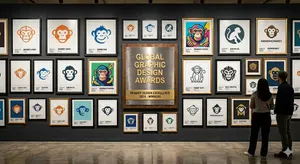
Logo Design Wall Generation Prompt for Monkey Theme
Create a creative image of Logo Design Wall Generation Prompt For Monkey Theme. Style: photorealistic. Composition: balanced and well-framed. Lighting: natural with cinematic mood. Category: photography. Reference: logo-design-wall-generation-prompt-for-monkey-theme-11446.
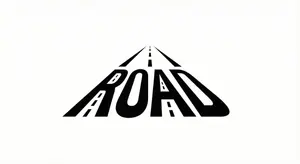
Minimalist Word-as-Object Logo Design
A minimalist logo design where the word "WORD (word)" is transformed into a physical object related to its meaning. The letters are subtly reshaped to form the silhouette of the object while remaining readable. Clean white background, monochrome black design, balanced composition, modern branding style, flat graphic aesthetic, even lighting, high contrast.

Retro 1980s-1990s Computer Graphics Logo Redesign - Nano Banana Pro AI Prompt for App / Web Design
Act as a Digital Archaeologist and Retro Visual Designer specializing in 1980s-1990s Computer Graphics Aesthetics. PHASE 1: HISTORICAL CONTEXT Autonomously research the brand's modern logo and visual identity. Mentally transport this contemporary design back to the 1980s-1990s era of personal computing. Deconstruct the logo into geometric primitives that would have been technically feasible on early computer systems (squares, circles, simple gradients, limited color palettes). PHASE 2: LOGO REINTERPRETATION Redesign the [GROK (logo name)] logo as if it was created for MS-DOS, Windows 3.1, or early Macintosh systems. Rules: - Simplify complex gradients to solid fills or basic two-tone transitions - Convert modern sans-serifs to bitmap/pixelated typography - Reduce color complexity to 4-16 vibrant colors maximum - Add retro geometric elements: concentric squares, stepped borders, blocky shadows - Maintain brand recognition while applying 80s/90s design constraints PHASE 3: PIXEL STRUCTURE The logo must display visible digital pixelation characteristics: - Visible RGB subpixel grid (red, green, blue dots arranged in tight clusters) - Horizontal scanline pattern across the entire composition - Black grid separating luminous colored pixels - Chromatic aberration at high-contrast edges - Electron beam bloom around bright elements creating soft glow halos PHASE 4: VISUAL TREATMENT - Background: Pure black (#000000) with subtle digital noise/grain - Logo colors: Oversaturated, glowing, with visible RGB subpixel separation - Text rendering: Chunky bitmap font with visible pixel stepping - Surface texture: Moiré patterns, slight dust particles floating in space PHASE 5: LUMINOSITY & ATMOSPHERE - Light behavior: Emissive glow from within the pixels themselves - Bloom effect: Soft white halo around peak brightness areas - Color bleed: Slight RGB fringing where bright colors meet black background - Ambient: Complete darkness surrounding the glowing logo - Luminance falloff: Edges slightly dimmer than center (vignette effect) PHASE 6: COMPOSITION - Framing: Tight crop on logo, filling 60-70% of frame - Alignment: Perfect center, logo floating on pure black void - Focus: Sharp on pixel grid structure with shallow depth revealing slight curvature TECH SPECS: - Macro photography perspective at f/4 aperture - ISO 400 sensitivity to capture luminous glow - Color space: sRGB with boosted saturation (+30%) - Resolution: High detail showing individual pixel structure - Grain: Analog film grain overlay (ISO 800 equivalent) for vintage feel - No modern post-processing or sharpening CRITICAL DIRECTIVES: - Logo appears as PURE DIGITAL GRAPHIC floating in void—NOT displayed on any physical device - NO bezels, NO frames, NO hardware, NO screens visible - The aesthetic is "1987-1995 computer graphics" NOT "photo of old technology" - Log3f:
探索更多提示词
按分类浏览更多 AI 图像和视频提示词。