
文生图
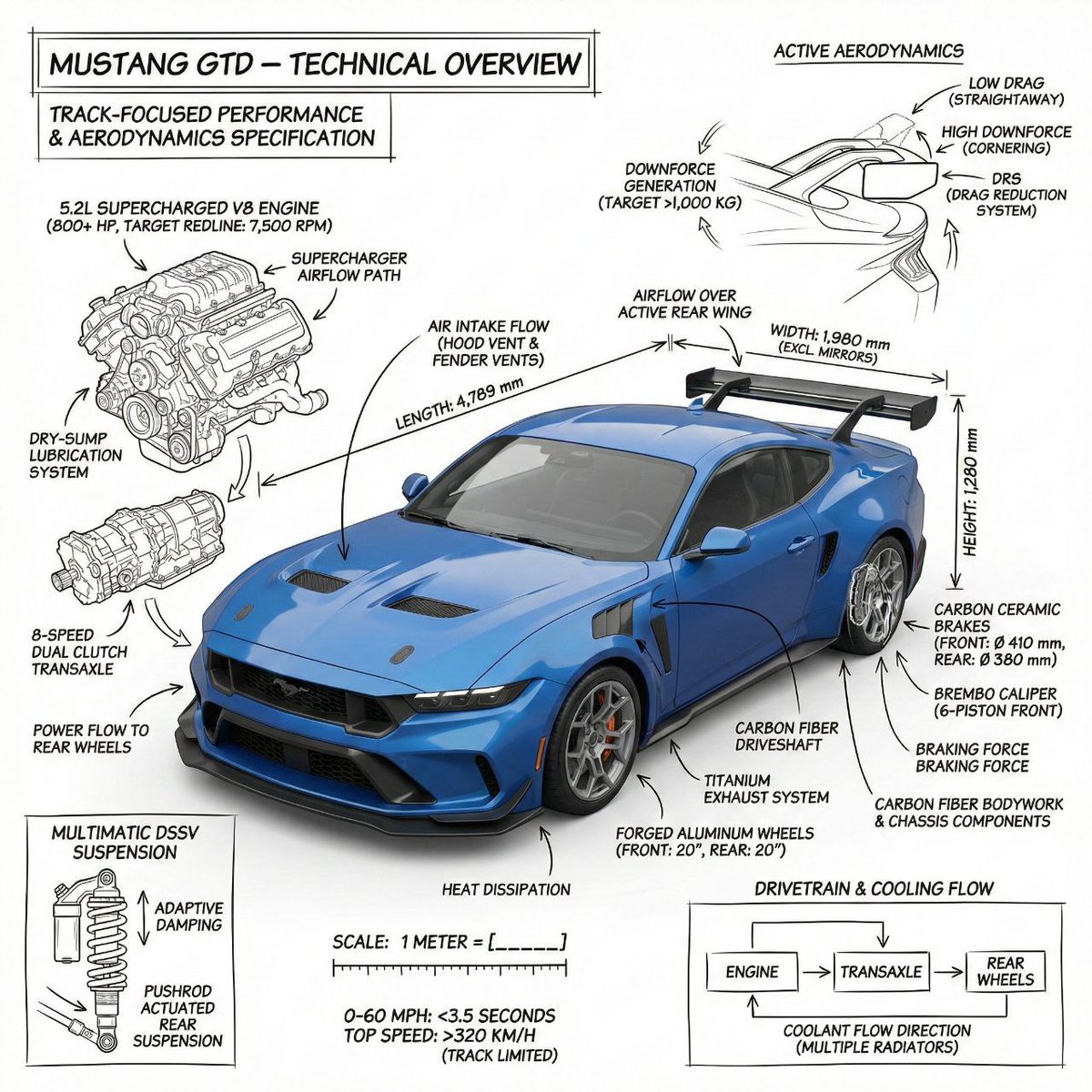
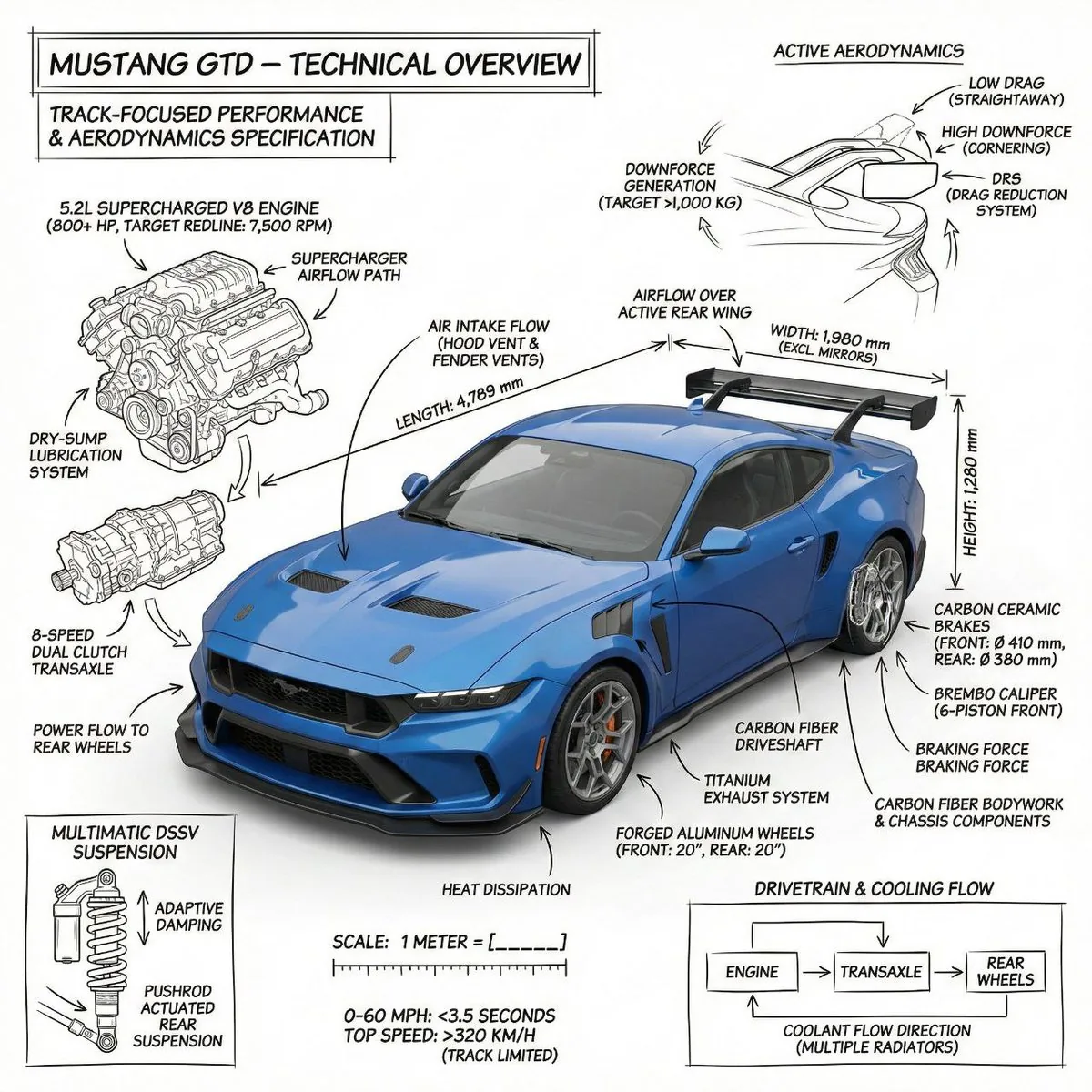
Infographic image of Mustang GTD with technical annotations - Nano Banana Pro AI Prompt for Infographic / Edu Visual — AI 图像提示词
A detailed prompt for generating a technical infographic of a car, combining a photorealistic render of the Mustang GTD with hand-sketched, architectural-style technical annotations. It specifies elements like component labels, cutaway outlines, measurements, and flow arrows, all rendered in black ink on a pure white background for an engineering manual aesthetic. - AIPinMaker
提示词
PROMPT 1  - Create an infographic image of Mustang GTD  combining a realistic photograph or photorealistic render of the object with technical annotation overlays placed directly on top.

Use black ink–style line drawings and text ({argument name="car color" default="blue"} Mustang GTD   ) on a pure white studio background.

Include:
•Key component labels
•Internal cutaway or exploded-view outlines (where relevant)
•Measurements, dimensions, and scale markers
•Material callouts and quantities
•Arrows indicating function, force, or flow (all the functions that comes with bugatti Chiron)
•Simple schematic or sectional diagrams where applicable

Place the title Mustang GTD  inside a real technical annotation box in one corner.

Style & layout rules:
•The real object remains clearly visible beneath the annotations(no annotation on the real object)
•Annotations look hand-sketched, technical, and architectural
•Clean composition with balanced negative space
•Educational, museum-exhibit / engineering-manual vibe

Visual style:
Minimal technical illustration aesthetic.
Black linework layered over realistic imagery.
Precise but slightly hand-drawn feel.

Color palette:
Pure white background.
Black annotation lines and text only.
No colors.

Output:
1080 × 1080 resolution
Ultra-crisp
Social-feed optimized
No watermark

PROMPT 2 - Create an infographic image of bugatti, combining a realistic photograph or photorealistic render of the object with technical annotation overlays placed directly on top.

Use black ink–style line drawings and text ({argument name="bugatti color" default="copper color"} bugatti ) on a pure white studio background.

Include:
•Key component labels
•Internal cutaway or exploded-view outlines (where relevant)
•Measurements, dimensions, and scale markers
•Material callouts and quantities
•Arrows indicating function, force, or flow (all the functions that comes with bugatti Chiron)
•Simple schematic or sectional diagrams where applicable

Place the title bugatti inside a real technical annotation box in one corner.

Style & layout rules:
•The real object remains clearly visible beneath the annotations(no annotation on the real object)
•Annotations look hand-sketched, technical, and architectural
•Clean composition with balanced negative space
•Educational, museum-exhibit / engineering-manual vibe

Visual style:
Minimal technical illustration aesthetic.
Black linework layered over realistic imagery.
Precise but slightly hand-drawn feel.

Color palette:
Pure white background.
Black annotation lines and text only.
No colors.

Output:
1080 × 1080 resolution
Ultra-crisp
Social-feed optimized
No watermark41:Ta8e,PROMPT 1 - Create an infographic imag参考图片
如何使用这个 AI 图像提示词模板
 1
1复制提示词 —— 取走该模板的提示词与反向提示词。  2
2选择模型 —— 选一个推荐的 AI 模型以获得最佳匹配。  3
3生成 —— 一键打开工作台并生成你的作品。
相关模板
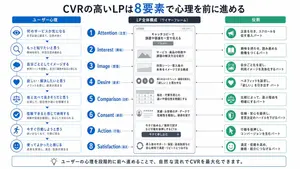
Japanese LP Psychology 8-Step Infographic
{"type":"Japanese marketing infographic","topic":"high-converting landing page structure guided by user psychology","style":{"look":"clean flat business infographic","palette":{"primary":"blue","secondary":"green","neutral":"white and light gray","accent":"dark navy headline with one highlighted blue numeral"},"background":"plain white","lines":"thin gray connectors and borders","icons":"simple circular line icons in blue and green","aspect_ratio":"16:9 landscape"},"headline":{"text":"CVRの高いLPは{argument name=\"number of elements\" default=\"8\"}要素で心理を前に進める","position":"top center","emphasis":"the numeral is large and bright blue"},"layout":{"columns":3,"sections":[{"title":"ユーザー心理","position":"left column","count":8,"items":[{"index":1,"icon":"eye","label":"何のサービスか気になる","subtext":"まずは目に留まり、注意が向く"},{"index":2,"icon":"magnifying glass","label":"もっと知りたいと思う","subtext":"興味を持ち、内容を読み進める"},{"index":3,"icon":"thought cloud","label":"自分ごととしてイメージする","subtext":"利用シーンを想像し、自分に関係があると感じる"},{"index":4,"icon":"heart","label":"欲しい・解決したいと思う","subtext":"メリットを感じ、欲求が高まる"},{"index":5,"icon":"balance scale","label":"他と比べて良さそうだと思う","subtext":"比較して、優位性や違いを理解する"},{"index":6,"icon":"check mark badge","label":"信頼できると感じて納得する","subtext":"根拠や実績を確認し、安心して決められる"},{"index":7,"icon":"running person","label":"今すぐ行動しようと思う","subtext":"迷いがなくなり、行動に移る"},{"index":8,"icon":"smiling face","label":"使ってよかったと感じる","subtext":"成果を実感し、満足・信頼が深まる"}]},{"title":"LP全体構成(ワイヤーフレーム)","position":"center column","count":8,"items":[{"index":1,"label":"Attention(注意)","wireframe":"logo at top, main hero block with headline and CTA button","text":"キャッチコピーで課題や価値を一言で伝える"},{"index":2,"label":"Interest(興味)","wireframe":"image placeholder and text block","text":"サービス・商品の特徴や課題の解決方法を紹介"},{"index":3,"label":"Image(想像)","wireframe":"wide image placeholder","text":"利用シーン・導入後の未来をイメージできる構成"},{"index":4,"label":"Desire(欲求)","wireframe":"three small circular icons and text","text":"得られるベネフィット/価値を提示し『欲しい』と思わせる"},{"index":5,"label":"Comparison(比較)","wireframe":"comparison table grid","text":"他社・代替手段との違いや優位性を明確にする"},{"index":6,"label":"Consent(納得)","wireframe":"star rating, avatar, testimonial lines","text":"実績・お客様の声・データで信頼性を補強し、納得を促す"},{"index":7,"label":"Action(行動)","wireframe":"large CTA area with dark button","text":"今すぐ始める/無料で試すなど行動を後押しするCTA"},{"index":8,"label":"Satisfaction(満足)","wireframe":"circular arrow support icon and text","text":"導入後のサポート・保証・返金制度など安心材料で満足・リピートにつなげる"}],"extra_labels":["LOGO","CTAボタン","今すぐ申し込む"]},{"title":"役割","position":"right column","count":8,"items":[{"index":1,"icon":"megaphone","text":"注意を引き、スクロールを促す導入パート"},{"index":2,"icon":"open book","text":"興味を持たせ、読み進める動機をつくるパート"},{"index":3,"icon":"picture frame","text":"自分ごと化を促し、利用イメージを具体化するパート"},{"index":4,"icon":"heart","text":"ベネフィットを訴求し、『欲しい』を引き出すパート"},{"index":5,"icon":"balance scale","text":"比較によって、選ぶ理由を明確にするパート"},{"index":6,"icon":"shield","text":"信頼・安心を提供し、意思決定のハードルを下げるパート"},{"index":7,"icon":"cursor arrow","text":"行動を後押しし、コンバージョンを生むパート"},{"index":8,"icon":"smile face","text":"満足・信頼を高め、継続・紹介につなげるパート"}]}],"connectors":"dotted horizontal guide lines connect each of the 8 center stages to matching items in the left and right columns; small downward arrows connect stacked cards in the left column"},"footer":{"style":"rounded rectangular note bar with light background and thin blue outline","icon":"light bulb","text":"ユーザーの心理を段階的に前へ進めることで、自然な流れでCVRを最大化できます。"},"composition":"top headline, three evenly spaced vertical columns beneath it, eight aligned horizontal rows across the page, symmetrical educational slide design for a landing page optimization manual","quality":"sharp vector text, presentation-slide clarity, polished corporate training material"}3d:T1407,{"type":"Japanese marketing infographic","topic":"high-converting landing page structure guided by user psychology","style":{"look":"clean flat business infographic","palette":{"primary":"blue","secondary":"green","neutral":"white and light gray","accent":"dark navy headline with one highlighted blue numeral"},"background":"plain white","lines":"thin gray connectors and borders","icons":"simple circular line icons in blue and green","aspect_ratio":"16:9 landscape"},"headline":{"text":"CVRの高いLPは{argument name=\"number of elements\" default=\"8\"}要素で心理を前に進める","position":"top center","emphasis":"the numeral is large and bright blue"},"layout":{"columns":3,"sections":[{"title":"ユーザー心理","position":"left column","count":8,"items":[{"index":1,"icon":"eye","label":"何のサービスか気になる","subtext":"まずは目に留まり、注意が向く"},{"index":2,"icon":"magnifying glass","label":"もっと知りたいと思う","subtext":"興味を持ち、内容を読み進める"},{"index":3,"icon":"thought cloud","label":"自分ごととしてイメージする","subtext":"利用シーンを想像し、自分に関係があると感じる"},{"index":4,"icon":"heart","label":"欲しい・解決したいと思う","subtext":"メリットを感じ、欲求が高まる"},{"index":5,"icon":"balance scale","label":"他と比べて良さそうだと思う","subtext":"比較して、優位性や違いを理解する"},{"index":6,"icon":"check mark badge","label":"信頼できると感じて納得する","subtext":"根拠や実績を確認し、安心して決められる"},{"index":7,"icon":"running person","label":"今すぐ行動しようと思う","subtext":"迷いがなくなり、行動に移る"},{"index":8,"icon":"smiling face","label":"使ってよかったと感じる","subtext":"成果を実感し、
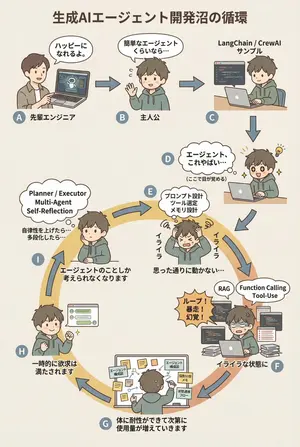
AI Agent Development 'Swamp' Diagram Prompt - Nano Banana Pro AI Prompt for Infographic / Edu Visual
diagram: title: "生成AIエージェント開発沼の循環 (図のタイトル)" style: character: "simple_editorial_cute" tone: "light_like_original" line: "soft_round" shading: "flat_minimal" palette: "muted_editorial" background: "light_beige_or_white" rule: first_character_only: "最初の人物のみ別人" others_same_character: "それ以外は全て同一人物" anxiety_requires_tech_terms: true dialogue_tone: "元図の短く軽い言い回しを維持" layout: intro_track: "上段は直線(左→右)、その後に下へ落ちて円環へ合流" loop_track: "円環(輪)として配置し、矢印は円周に沿って時計回りにカーブ" nodes: # ===== 上段:直線導入 ===== - id: A zone: "intro" position: "upper_left" actor: "別人(先輩エンジニア)" visual: "ラップトップを指差す" item: "AIエージェントのデモ画面" says: "ハッピーになれるよ。" arrow_to: { id: B, shape: "straight", direction: "right" } - id: B zone: "intro" position: "upper_center" actor: "主人公(同一人物)" visual: "軽く手を振る" says: "簡単なエージェントくらいなら…" arrow_to: { id: C, shape: "straight", direction: "right" } - id: C zone: "intro" position: "upper_right" actor: "主人公(同一人物)" visual: "サンプルコードを実行" item: "LangChain / CrewAI サンプル" arrow_to: { id: D, shape: "straight", direction: "down" } # ===== D:覚醒ポイント ===== - id: D zone: "connector" position: "right_outer_before_loop" actor: "主人公(同一人物)" visual: face: "目が見開く(かわいい)" effect: "小さなひらめき線" posture: "前のめり" state: "覚醒" says: "エージェント、これやばい…" micro_text: "(ここで目が覚める)" arrow_to: id: E shape: "gentle_curve" direction: "down_into_ring" # ===== 円環開始(必ずここから回る)===== - id: E zone: "loop" position: "loop_right_upper" actor: "主人公(同一人物)" visual: "頭を抱える(かわいい)" state: "不安・イライラ開始" says: "イライラ" thought_terms: - "プロンプト設計" - "ツール選定" - "メモリ設計" thought_text: "思った通りに動かない…" arrow_to: { id: F, shape: "curved_along_ring", direction: "clockwise" } - id: F zone: "loop" position: "loop_right_lower" actor: "主人公(同一人物)" visual: "コードとログに囲まれる" state: "イライラが定着" says: "イライラな状態に" callout: "ループ!暴走!幻覚!" thought_terms: - "RAG" - "Function Calling" - "Tool-Use" arrow_to: { id: G, shape: "curved_along_ring", direction: "clockwise" } - id: G zone: "loop" position: "loop_bottom" actor: "主人公(同一人物)" visual: "付箋と構成図だらけ" says: "体に耐性ができて次第に使用量が増えていきます" items: - "エージェント構成図" - "役割分担メモ" - "状態遷移フロー" arrow_to: { id: H, shape: "curved_along_ring", direction: "clockwise" } - id: H zone: "loop" position: "loop_left_lower" actor: "主人公(同一人物)" visual: "うまく動いて小さくガッツポーズ" state: "一時的満足" says: "一時的に欲求は満たされます" arrow_to: { id: I, shape: "curved_along_ring", direction: "clockwise" } - id: I zone: "loop" position: "loop_left_upper" actor: "主人公(同一人物)" visual: "また考え込む" state: "執着・思考占有" says: "エージェントのこと3f:Teea,diagram: title: "The Cycle of the Generative AI Agent Development Swamp (diagram title)" style: character: "simple_editorial_cute" tone: "light_like_original" line: "soft_round" shading: "flat_minimal" palette: "muted_editorial" background: "light_beige_or_white" rule: first_character_only: "Only the first person is different" others_same_character: "All others are the same person" anxiety_requires_tech_terms: true dialogue_tone: "Maintain the short, light phrasing of the original diagram" layout: intro_track: "The upper section is a straight line (left to right), then drops down to join the loop" loop_track: "Arranged as a loop (ring), with arrows curving clockwise along the circumference" nodes: # ===== Upper Section: Straight Introduction ===== - id: A zone: "intro" position: "upper_left" actor: "Different person (Senior Engineer)" visual: "Pointing at a laptop" item: "AI Agent Demo Screen" says: "It'll make you happy." ar

Whimsical Programmer Almanac Infographic
{ "type": "watercolor infographic almanac", "style": "hand-drawn, Little Prince theme, cream background, scattered stars", "header": { "date": "{argument name=\"date\" default=\"2026年4月18日\"}", "title": "{argument name=\"main title\" default=\"vibe coding 老黄历\"}", "subtitle": "丙午年 三月初二 星期六" }, "layout": { "sections": [ { "title": "宜", "position": "top-left", "count": 5, "labels": [ "{argument name=\"first do item\" default=\"跟着感觉写代码\"}", "和AI聊一聊再开工", "删掉不对的,保留有趣的", "给项目起一个浪漫的名字", "喝杯咖啡,让思路长出来" ] }, { "title": "今日天象 & 编程运势", "position": "top-right", "count": 4, "labels": [ "月亮进入双子座", "灵感流动,适合对话与创造。", "5 stars", "灵感 90% 调试 65% 成就感 88%" ] }, { "title": "忌", "position": "mid-left", "count": 5, "labels": [ "{argument name=\"first dont item\" default=\"一上来就写完美架构\"}", "纠结技术选型到天黑", "害怕报错,不敢运行", "复制粘贴不思考", "忘记保存与提交" ] }, { "title": "今日吉时", "position": "bottom-left", "count": 2, "labels": [ "09:30 - 11:30 灵感正旺", "14:00 - 16:00 敲出惊喜" ] }, { "title": "幸运指令", "position": "bottom-left", "count": 4, "labels": [ "git add .", "git commit -m \"follow the vibe\"", "git push", "# 宇宙会帮你编译的" ] }, { "title": "今日心法", "position": "bottom-right", "count": 1, "labels": [ "不必成为最厉害的程序员,只需成为最有感受力的创造者。让感觉引路,让代码开花。" ] } ], "illustration": { "position": "center-right", "subject": "Little Prince on asteroid with laptop, fox, rose in glass dome, mug", "quote": "{argument name=\"quote\" default=\"重要的东西,用眼睛是看不见的,要用代码和心去感受。\"} —— 小王子与程序员", "sticky_notes": { "count": 3, "labels": [ "先跑起来再说。", "让AI陪你探索。", "bug也是礼物。" ] } } } }3d:Ta73,{ "type": "watercolor infographic almanac", "style": "hand-drawn, Little Prince theme, cream background, scattered stars", "header": { "date": "{argument name=\"date\" default=\"2026年4月18日\"}", "title": "{argument name=\"main title\" default=\"vibe coding 老黄历\"}", "subtitle": "丙午年 三月初二 星期六" }, "layout": { "sections": [ { "title": "宜", "position": "top-left", "count": 5, "labels": [ "{argument name=\"first do item\" default=\"跟着感觉写代码
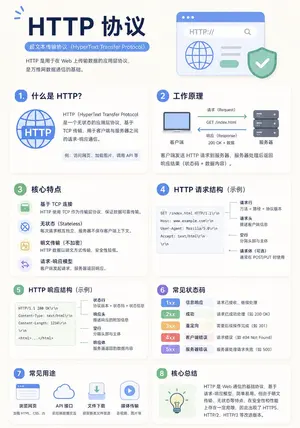
Minimalist Educational Infographic Template
Create a infographic image of Minimalist Educational Infographic Template. Style: photorealistic. Composition: balanced and well-framed. Lighting: natural with cinematic mood. Category: illustration. Reference: minimalist-educational-infographic-template-16270.

20-Panel Cartoon Robot Drawing Guide Prompt - Nano Banana Pro AI Prompt for Infographic / Edu Visual
Create a 20-panel layout guide for drawing a cute cartoon robot. Each panel keeps everything from before and adds one clear change. 1. Light guide lines: vertical center, horizontal center, and a ground line. 2. Add torso: rounded rectangle above the ground. 3. Add torso centerline. 4. Add head: smaller rounded square above torso. 5. Add neck connector: short rounded block. 6. Add left eye circle. 7. Add right eye circle. 8. Add pupils inside both eyes. 9. Add thin rim rings around both eyes. 10. Add mouth rectangle below eyes. 11. Add evenly spaced vertical slats in the mouth. 12. Add left shoulder joint circle on torso side. 13. Add right shoulder joint circle. 14. Add left upper arm cylinder from left shoulder. 15. Add left elbow circle and left forearm cylinder. 16. Add left claw hand (base curve + two prongs). 17. Add right upper arm cylinder from right shoulder. 18. Add right elbow circle and right forearm cylinder. 19. Add right claw hand to match left. 20. Add legs and feet as simple blocks: two short legs from torso bottom and two rounded trapezoid feet, plus a small ground shadow.
探索更多提示词
按分类浏览更多 AI 图像和视频提示词。