
文生图
Creative Doodled Image Overlay — AI 图像提示词
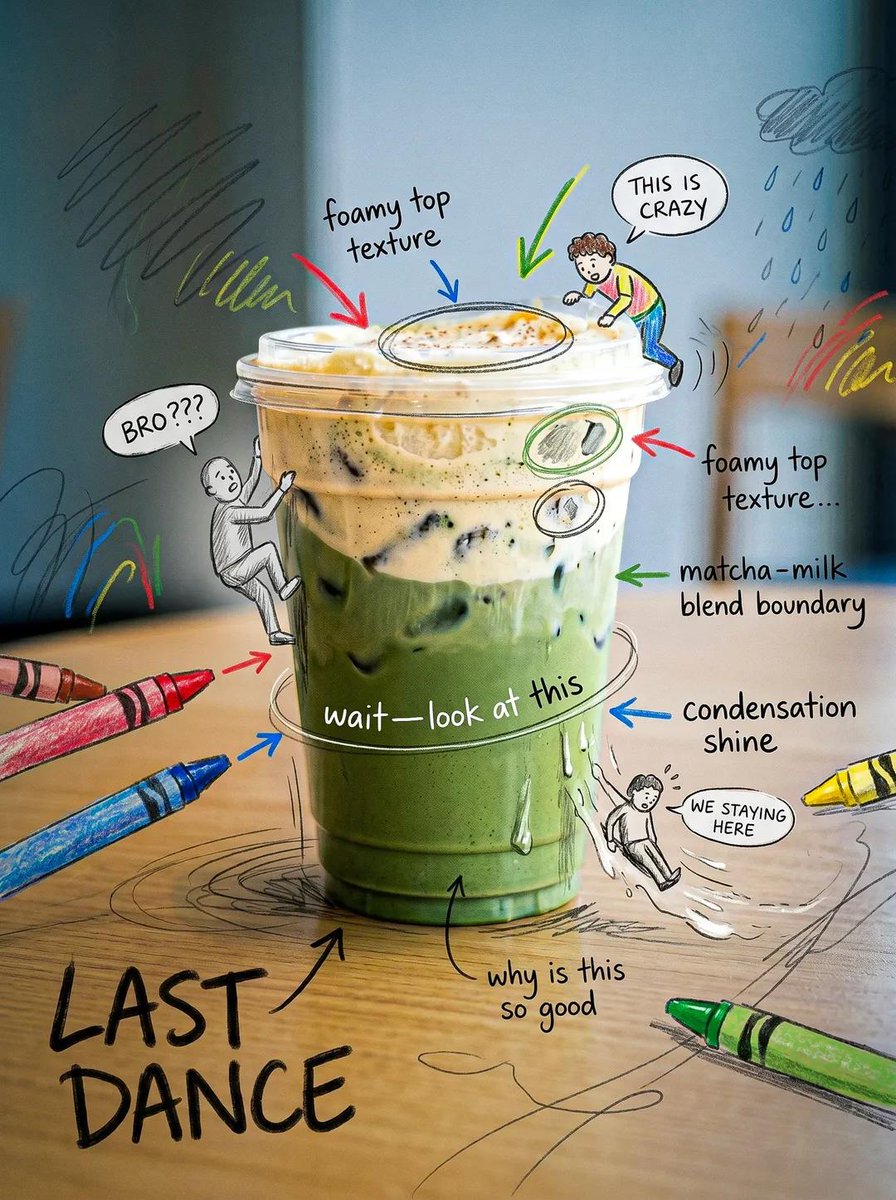
An image editing prompt that adds artistic, hand-drawn doodles and humorous notes over a realistic photograph while preserving the original subject. - AIPinMaker
提示词
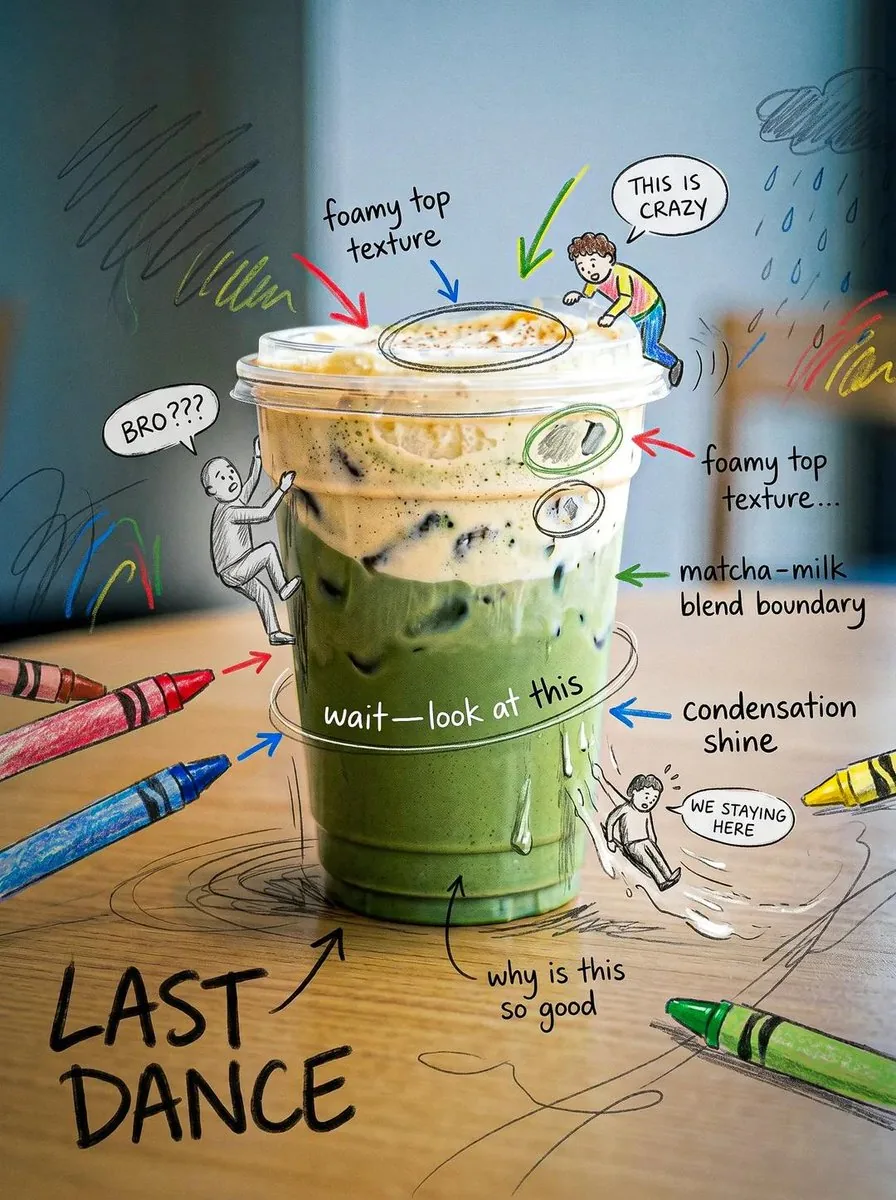
Edit this image while STRICTLY preserving the original subject, composition, background, lighting, and perspective. Do not replace or alter the environment — the real-world setting must remain fully intact and realistic. Slightly enhance the overall mood to feel more cinematic and calm — subtly deepen shadows, soften highlights, and introduce a gentle moody or rainy atmosphere while keeping it natural. Now transform the image by adding a highly expressive, hand-drawn overlay that creates a sense of a “living micro world” around the product. Use a {argument name="art style" default="crayon + marker + pencil sketch style"} that feels playful, slightly messy, but intentional and artistic — not overly chaotic, but rich and layered. Add controlled chaos elements: Hand-drawn arrows pointing to key product details (texture, shine, layers), Scribble circles and highlight marks to guide attention, Energetic lines, swirls, and sketch marks that enhance focus (not random placement). Introduce tiny doodle characters interacting with the product: Small illustrated figures climbing, sitting, sliding, or reacting to the product. Keep them minimal but expressive. Add small speech bubbles with playful reactions like “BRO???”, “THIS IS CRAZY”, or “WE STAYING HERE”. Ensure all doodles feel integrated into the scene and follow the product’s shape and perspective. Create a strong emotional contrast: Background remains calm, soft, and slightly moody; Overlays are lively, bright, and energetic. Add layered handwritten notes in a natural human style (not clean fonts), such as: “this part tho…”, “wait—look at this”, “why is this so good”. Optionally include a bold handwritten phrase like: “{argument name="slogan" default="LAST DANCE"}” as a statement element. The final result should feel like a real photograph infused with imagination — a quiet scene brought to life by chaotic, playful thoughts.39:T79d,Edit this image while STRICTLY preserv参考图片
如何使用这个 AI 图像提示词模板
 1
1复制提示词 —— 取走该模板的提示词与反向提示词。  2
2选择模型 —— 选一个推荐的 AI 模型以获得最佳匹配。  3
3生成 —— 一键打开工作台并生成你的作品。
相关模板

Monochrome Hand-Drawn Sketch Transformation
Create a cinematic image of Monochrome Hand Drawn Sketch Transformation. Style: photorealistic. Composition: balanced and well-framed. Lighting: natural with cinematic mood. Category: cinematic-video. Reference: monochrome-hand-drawn-sketch-transformation-1864.

Nano Banana Pro torn paper style-switching edit prompt - Nano Banana Pro AI Prompt for Social Media Post
task: "edit-image: add widened torn-paper layered effect" base_image: use_reference_image: true preserve_everything: - character identity - facial features and expression - hairstyle and anatomy - outfit design and colors - background, lighting, composition - overall art style rules: - Only modify the torn-paper interior areas. - Do not change pose, anatomy, proportions, clothing details, shading, or scene elements. effects: - effect: "torn-paper-reveal" placement: "across chest height" description: - Add a wide, natural horizontal tear across the chest area. - The torn interior uses the style defined in `interior_style`. - effect: "torn-paper-reveal" placement: "lower abdomen height" description: - Add a wide horizontal tear across the lower abdomen. - The torn interior uses the style defined in `interior_style`. interior_style: mode: line-art (画風モード) style_settings: line-art: palette: "monochrome" line_quality: "clean, crisp" paper: "notebook paper with subtle ruled lines" sumi-e: palette: "black ink tones" brush_texture: "soft bleeding edges" paper: "plain textured paper" figure-render: material: "PVC-like" shading: "semi-realistic highlights" paper: "plain smooth surface" colored-pencil: stroke_texture: "visible pencil grain" palette: "soft layered hues" paper: "rough sketchbook paper" watercolor: palette: "soft transparent pigments" blending: "smooth bleeding" edges: "soft contours" paper: "watercolor paper texture" pencil-drawing: graphite_texture: "visible pencil grain" shading: "smooth gradients" line_quality: "mixed sharp and soft" tone: "gray-scale" paper: "notebook paper with faint ruled lines"3f:T770,ta

Pencil Sketch to MS Paint Abomination
Create a creative image of Pencil Sketch To Ms Paint Abomination. Style: photorealistic. Composition: balanced and well-framed. Lighting: natural with cinematic mood. Category: photography. Reference: pencil-sketch-to-ms-paint-abomination-17554.

Minimal Black Ink Illustration Blueprint Prompt
Create a creative image of Minimal Black Ink Illustration Blueprint Prompt. Style: photorealistic. Composition: balanced and well-framed. Lighting: natural with cinematic mood. Category: photography. Reference: minimal-black-ink-illustration-blueprint-prompt-2891.

Fairy Tale Woodcut Engraving Style
Create a creative image of Fairy Tale Woodcut Engraving Style. Style: photorealistic. Composition: balanced and well-framed. Lighting: natural with cinematic mood. Category: photography. Reference: fairy-tale-woodcut-engraving-style-23630.

Funny Ugly Doodle Sketch
Create a creative image of Funny Ugly Doodle Sketch. Style: photorealistic. Composition: balanced and well-framed. Lighting: natural with cinematic mood. Category: photography. Reference: funny-ugly-doodle-sketch-20481.
探索更多提示词
按分类浏览更多 AI 图像和视频提示词。