
文生图
Chinese AI Retirement Planning Infographic — AI 图像提示词
This prompt generates a polished Chinese editorial infographic about the limits of AI in retirement planning, suitable for social media posts, business education, or thought-leadership visuals. - AIPinMaker
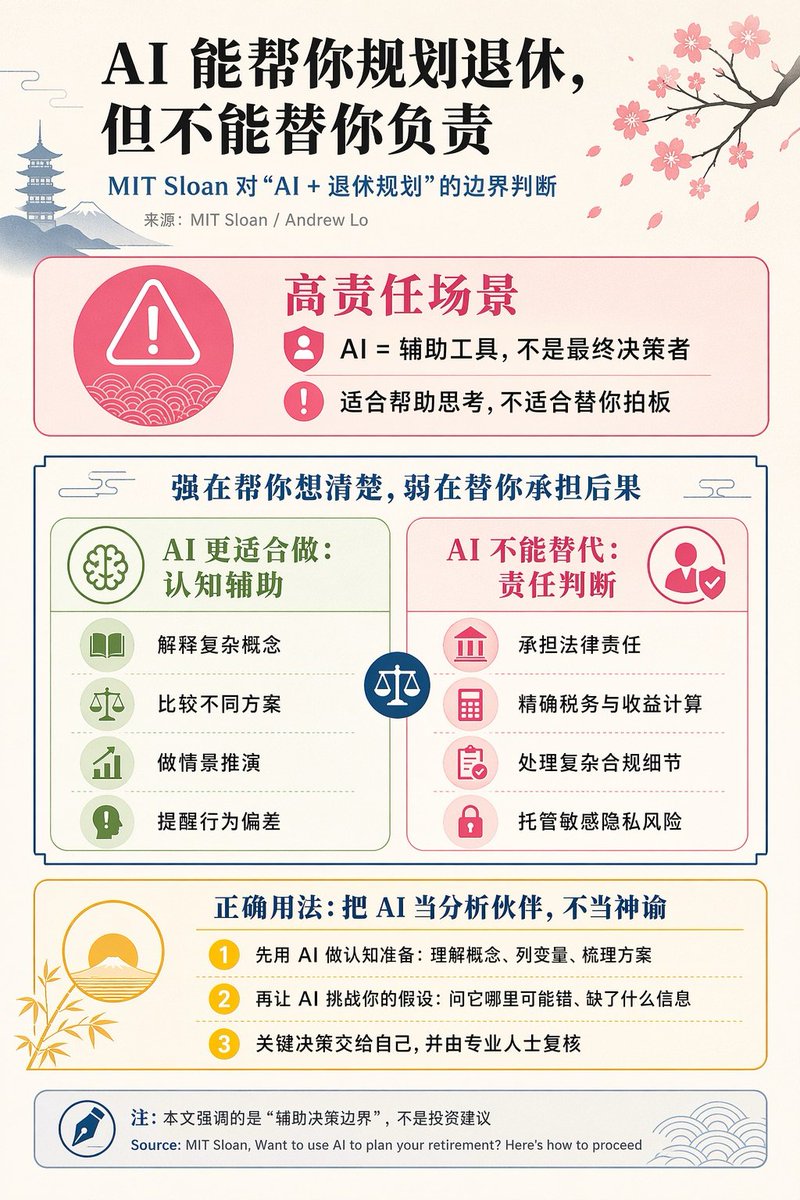
提示词
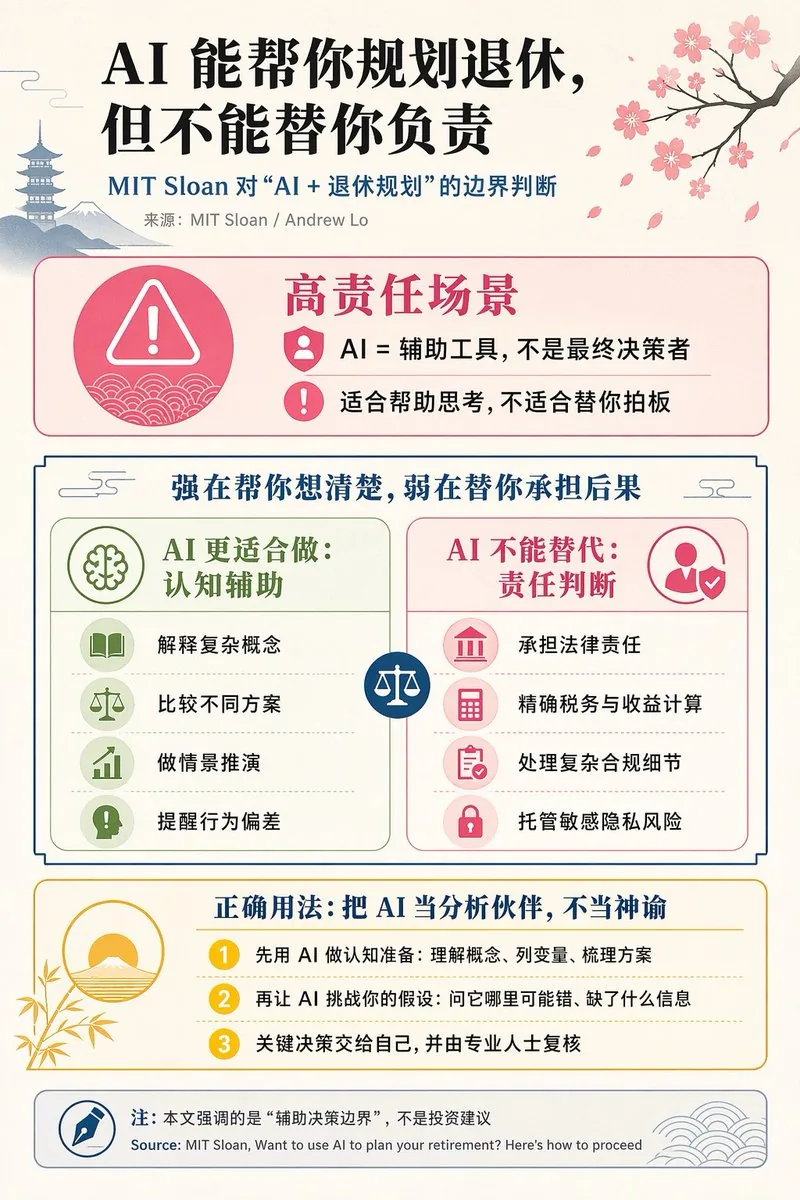
{"type":"editorial Chinese infographic poster","topic":"AI and retirement planning boundaries","style":"clean academic magazine infographic, flat vector icons, soft textured off-white paper background, balanced Chinese editorial typography, minimal Japanese-inspired decorative motifs","canvas":{"orientation":"portrait","aspect_ratio":"3:4"},"palette":{"background":"warm ivory","primary_text":"black","secondary_text":"deep blue","accent_red":"rose pink","accent_green":"muted olive green","accent_yellow":"golden yellow","accent_blue":"navy blue","line_color":"soft gray-blue"},"headline":{"text":"{argument name=\"headline text\" default=\"AI 能帮你规划退休,但不能替你负责\"}","position":"top left","font":"bold Chinese serif or Song-style display","large":true},"subheadline":{"text":"MIT Sloan 对“AI + 退休规划”的边界判断","position":"below headline","color":"deep blue","font":"bold Chinese sans-serif"},"source_line":{"text":"来源:MIT Sloan / Andrew Lo","position":"below subheadline","color":"gray"},"layout":{"sections":[{"title":"高责任场景","position":"upper middle","count":2,"shape":"rounded rectangle with pink border and pale pink fill","icon_count":3,"labels":["AI = 辅助工具,不是最终决策者","适合帮助思考,不适合替你拍板"],"left_icon":"large pink warning triangle inside circle over wave pattern","item_icons":["person badge","exclamation mark"]},{"title":"强在帮你想清楚,弱在替你承担后果","position":"center","count":2,"shape":"large framed comparison panel","subsections":[{"title":"AI 更适合做:认知辅助","position":"left","count":4,"color":"green","labels":["解释复杂概念","比较不同方案","做情景推演","提醒行为偏差"],"icons":["book","balance scale","upward chart","exclamation in speech bubble"]},{"title":"AI 不能替代:责任判断","position":"right","count":4,"color":"pink-red","labels":["承担法律责任","精确税务与收益计算","处理复杂合规细节","托管敏感隐私风险"],"icons":["courthouse","calculator","clipboard","lock"]}],"center_icon":"blue circle with white balance scale"},{"title":"正确用法:把 AI 当分析伙伴,不当神谕","position":"lower middle","count":3,"shape":"rounded rectangle with yellow border and pale cream fill","labels":["先用 AI 做认知准备:理解概念、列变量、梳理方案","再让 AI 挑战你的假设:问它哪里可能错、缺了什么信息","关键决策交给自己,并由专业人士复核"],"left_illustration":"yellow rising sun over stylized landscape with bamboo leaves","step_markers":"three yellow numbered circles: 1, 2, 3"},{"title":"注:本文强调的是“辅助决策边界”,不是投资建议","position":"bottom","count":1,"shape":"rounded rectangle with blue-gray border","labels":["Source: MIT Sloan, Want to use AI to plan your retirement? Here’s how to proceed"],"left_icon":"blue fountain pen nib in circle","right_decoration":"gray-blue wave pattern"}],"decorations":{"count":5,"items":["top right cherry blossom branch with pink flowers and falling petals","top left pagoda silhouette","top left distant mountain silhouette","small cloud-line motifs near upper corners of comparison section","subtle wave patterns inside circular icons and lower right footer"]}},"composition":"ample margins, all text in Chinese except the English source line at bottom, strong hierarchy from headline to colored content boxes, symmetrical comparison layout in the middle, polished social-media-ready infographic","rendering":"sharp vector infographic, crisp text, subtle paper grain, no photorealism"}3e:Te44,{"type":"editorial Chinese infographic poster","topic":"AI and retirement planning boundaries","style":"clean academic magazine infographic, flat vector icons, soft textured off-white paper background, balanced Chinese editorial typography, minimal Japanese-inspired decorative motifs","canvas":{"orientation":"portrait","aspect_ratio":"3:4"},"palette":{"background":"warm ivory","primary_text":"black","secondary_text":"deep blue","accent_red":"rose pink","accent_green":"muted olive green",参考图片
如何使用这个 AI 图像提示词模板
 1
1复制提示词 —— 取走该模板的提示词与反向提示词。  2
2选择模型 —— 选一个推荐的 AI 模型以获得最佳匹配。  3
3生成 —— 一键打开工作台并生成你的作品。
相关模板
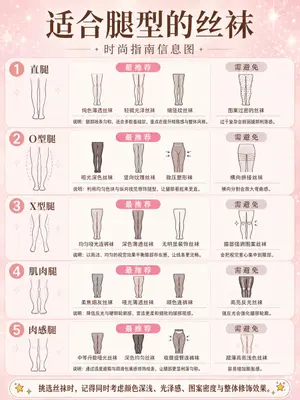
Fashion Style Guide Infographic Poster
Create a social-media image of Fashion Style Guide Infographic Poster. Style: photorealistic. Composition: balanced and well-framed. Lighting: natural with cinematic mood. Category: poster. Reference: fashion-style-guide-infographic-poster-22552.
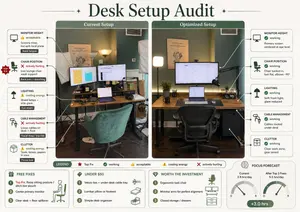
Desk Setup Audit Infographic
Using REFERENCE_0, turn the attached desk photo and its written brief into a clean editorial-style infographic poster. Create a side-by-side comparison with exactly 2 labeled photo panels: “Current Setup” on the left using the original scene, and “Optimized Setup” on the right showing a plausible improved version of the same room and desk from a matching angle. Add a large serif headline at the top reading Desk Setup Audit (headline text). Around the left panel, add exactly 5 issue callout cards connected by leader lines: 1) MONITOR HEIGHT — 👍 acceptable — “Screens close, but split focal plane” — tag “Neck fatigue”; 2) CHAIR POSITION — ❌ actively hurting — “Low lounge chair, weak support” — tag “Back pain + slouching”; 3) LIGHTING — ⚠️ costing energy — “Mixed lamps + side glare” — tag “Eye strain”; 4) CABLE MANAGEMENT — ❌ actively hurting — “Loose cables on desk + floor” — tag “Visual drag / trip risk”; 5) CLUTTER — ⚠️ costing energy — “Tools, boxes, papers in view” — tag “Focus loss”. Add a small red “TOP FIX” badge pointing to the chair position issue. Around the right panel, add exactly 5 improved callout cards: 1) MONITOR HEIGHT — ✅ working — “Primary screen centered at eye level”; 2) CHAIR POSITION — ✅ working — “Chair tucked in, feet flat, elbows ~90°”; 3) LIGHTING — ✅ working — “Soft front light, glare reduced”; 4) CABLE MANAGEMENT — ✅ working — “Cables routed under desk”; 5) CLUTTER — ✅ working — “Clear work zone, gear zoned”. In the optimized panel, visibly show the improvements: one main monitor centered, laptop centered below it, ergonomic office chair, cleaner desktop, cable routing hidden under the desk, softer balanced lighting, and a small drawer cabinet on the right while keeping the same room recognizable. Add a bottom legend with exactly 5 items: “LEGEND”, “Top Fix”, “working”, “acceptable”, “costing energy”, “actively hurting”. Along the bottom, add exactly 4 boxed sections: 1) “FREE FIXES” with 3 numbered items — “Top Fix: Raise sitting posture / ditch low slouch”, “Center primary monitor”, “Clear desk + floor spillover”; 2) “UNDER $50” with 3 numbered items — “Velcro ties + under-desk cable tray”, “Lumbar pillow or footrest”, “Simple desk organizer”; 3) “WORTH THE INVESTMENT” with 3 numbered items — “Ergonomic task chair”, “Monitor arms for perfect alignment”, “Closed storage / drawers”; 4) “FOCUS FORECAST” showing 2 gauges labeled “Current: 2.5 hrs/day” and “After Top 3 Fixes: 5.5 hrs/day”, plus a green pill reading “+3.0 hrs”. Use a refined magazine infographic aesthetic, muted green and cream palette, rounded boxes, minimal text, crisp icons, thin connector lines, and polished layout suitable for sharing on social media.36:Tb90,Using REFERENCE_0, turn the attached desk photo and its written brief into a clean editorial-style infographic poster. Create a side-by-side comparison with exactly 2 labeled photo panels: “Current Setup” on the left using the origina
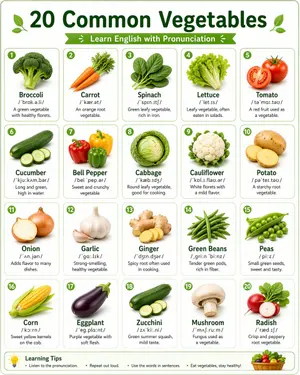
Language Learning Infographic Poster
Create a social-media image of Language Learning Infographic Poster. Style: photorealistic. Composition: balanced and well-framed. Lighting: natural with cinematic mood. Category: poster. Reference: language-learning-infographic-poster-14782.
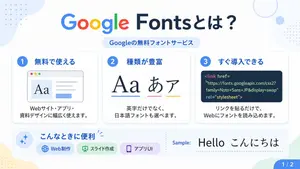
Google Fonts Japanese Infographic
{"type":"Japanese infographic poster","topic":"Google Fonts introduction","style":{"look":"clean flat modern presentation slide","palette":"white background with soft pastel blue, green, yellow, and lavender accents","aspect_ratio":"16:9","lighting":"bright even digital graphic lighting","finish":"crisp vector-like infographic with subtle shadows and rounded cards"},"text":{"headline":"{argument name=\"headline text\" default=\"Google Fontsとは?\"}","subheadline":"Googleの無料フォントサービス","sample_label":"Sample:","sample_text":"{argument name=\"sample text\" default=\"Hello こんにちは\"}","page_indicator":"1 / 2"},"layout":{"sections":[{"title":"top header","position":"top center","count":2,"labels":["Google Fontsとは?","Googleの無料フォントサービス"]},{"title":"feature cards","position":"middle row","count":3,"labels":["1 無料で使える","2 種類が豊富","3 すぐ導入できる"]},{"title":"use cases bar","position":"bottom left to center","count":4,"labels":["こんなときに便利","Web制作","スライド作成","アプリUI"]},{"title":"sample area","position":"bottom right","count":2,"labels":["Sample:","Hello こんにちは"]},{"title":"page marker","position":"bottom right corner","count":1,"labels":["1 / 2"]}],"background_decorations":{"count":7,"items":["pale blue organic blob in top left","small blue dotted grid in top left","thin pale blue ring in top right","small pale blue circle near top right","small blue dotted grid at upper right edge","pale yellow organic blob in bottom left","pale green angular shape in bottom right"]}},"cards":[{"number":"1","title":"無料で使える","description":"Webサイト・アプリ・資料デザインに幅広く使えます。","visual":"rounded white card with light shadow, blue number badge, browser window illustration showing large serif Aa on the left, gray text lines on the right, and a small blue button below"},{"number":"2","title":"種類が豊富","description":"英字だけでなく、日本語フォントも選べます。","visual":"rounded white card with light shadow, blue number badge, large typography samples reading Aa あ ア, each with colored underline in blue, pink, and yellow"},{"number":"3","title":"すぐ導入できる","description":"リンクを貼るだけで、Webにフォントを読み込めます。","visual":"rounded white card with light shadow, blue number badge, dark navy code panel containing HTML link tag for Google Fonts"}],"lower_band":{"left_icon":"blue sparkle icon inside pale blue circle","title":"こんなときに便利","chips":{"count":3,"items":[{"label":"Web制作","color":"light blue","icon":"globe"},{"label":"スライド作成","color":"light green","icon":"presentation board"},{"label":"アプリUI","color":"light purple","icon":"smartphone"}]},"divider":"vertical dotted line","sample_preview":"large black typography sample on white background"},"typography":{"headline_font":"{argument name=\"headline font\" default=\"Google Sans-like rounded sans serif\"}","body_font":"{argument name=\"body font\" default=\"clean Japanese sans serif\"}","notes":"The word Google in the headline uses the official multicolor Google logo style: blue G, red o, yellow o, blue g, green l, red e; the rest of the headline is dark navy."}}
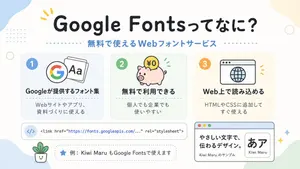
Cute Google Fonts Japanese Infographic
A clean, cute Japanese infographic on a soft off-white background with rounded pastel abstract corner blobs and tiny decorative dots and rings, designed like a friendly web-design explainer poster. At the top center, place a large bold rounded headline in Japanese reading Google Fontsってなに? (headline text), in very dark navy, with a small yellow accent mark near the first word. Directly below it, add a medium-size blue subheading reading 無料で使えるWebフォントサービス (subheadline text), with dotted divider lines extending left and right. In the middle, arrange exactly 3 rounded rectangular feature cards in a horizontal row, evenly spaced. Card 1 is pale blue with a blue number badge "1" in the upper left, an icon showing the multicolor Google G beside overlapping font sheets with "Aa", a bold Japanese title "Googleが提供するフォント集", and smaller text below "Webサイトやアプリ、資料づくりに使える". Card 2 is pale mint green with a green number badge "2", an icon of a pink piggy bank with a gold coin labeled "¥0" and small green motion marks, a bold title "無料で利用できる", and smaller text "個人でも企業でも使いやすい". Card 3 is pale warm cream with an orange number badge "3", an icon of a simple browser window with a globe, a bold title "Web上で読み込める", and smaller text "HTMLやCSSに追加してすぐ使える". Below the three cards, place a wide horizontal white code bar with rounded corners and a subtle outline; on the left include a pale blue circular icon containing </>, and to the right show a single line of code in a monospaced style: "<link href=\"https://fonts.googleapis.com/...\" rel=\"stylesheet\">" with the URL in blue. Under that, add a dashed rounded pill-shaped note box containing a blue star icon and Japanese text 例:Kiwi Maru もGoogle Fontsで使えます (example text). At the bottom left, place a tiny smiling potted plant illustration. At the bottom right, add a larger browser-style sample panel with a light blue title bar and three small traffic-light circles in the top left; inside, on the left, show bold Japanese sample copy "やさしい文字で、伝わるデザイン。" and smaller text "Kiwi Maru のサンプル", and on the right a rounded white inset card displaying large black Japanese characters "あア" with the font name Kiwi Maru (font sample name) beneath. Scatter 4 small sparkle/star accents around the lower right area. Use a flat vector illustration style, crisp outlines, soft pastel palette, centered composition, generous spacing, rounded sans-serif typography, and a cheerful beginner-friendly tech education aesthetic.39:Taf0,A clean, cute Japanese infographic on a soft off-white background with rounded pastel abstract corner blobs and tiny decorative dots and rings, designed like a friendly web-design explainer poster. At the top center, place a
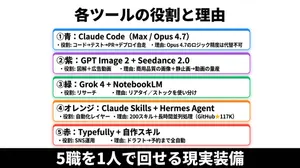
Japanese AI Tools Role Infographic
{"type":"Japanese infographic poster","style":"clean business presentation slide, minimalist flat design, crisp vector-like typography, white background with subtle light gray tone, centered composition, high contrast, social-media-friendly landscape layout","canvas":{"aspect_ratio":"2:1","size":"wide horizontal"},"headline":{"text":"{argument name=\"headline text\" default=\"各ツールの役割と理由\"}","position":"top center","font":"bold Japanese sans-serif","color":"black","size":"very large"},"layout":{"sections":[{"title":"①青:Claude Code(Max / Opus 4.7)","position":"upper middle","count":2,"labels":["・役割: コード→テスト→PR→デプロイ自走","・理由: Opus 4.7のロジック精度は代替不可"],"container":"rounded white rectangle with blue outline, faint blue glow, soft drop shadow"},{"title":"②紫:GPT Image 2 + Seedance 2.0","position":"upper mid-lower","count":2,"labels":["・役割: 図解+広告動画","・理由: 商用品質の画像+静止画→動画の量産"],"container":"rounded white rectangle with purple outline, faint purple glow, soft drop shadow"},{"title":"③緑:Grok 4 + NotebookLM","position":"center","count":2,"labels":["・役割: リサーチ","・理由: リアタイ/ストックを使い分け"],"container":"rounded white rectangle with green outline, faint green glow, soft drop shadow"},{"title":"④オレンジ:Claude Skills + Hermes Agent","position":"lower mid-upper","count":2,"labels":["・役割: 自動化レイヤー","・理由: 200スキル+長時間並列処理(GitHub★117K)"],"container":"rounded white rectangle with orange outline, faint orange glow, soft drop shadow"},{"title":"⑤赤:Typefully + 自作スキル","position":"lower middle","count":2,"labels":["・役割: SNS運用","・理由: ドラフト→予約まで全自動"],"container":"rounded white rectangle with red outline, faint red glow, soft drop shadow"}],"section_count":5,"arrangement":"five evenly spaced horizontal cards stacked vertically in the center, all same width, each with rounded corners and colored border matching the numbered color name"},"footer":{"text":"{argument name=\"footer text\" default=\"5職を1人で回せる現実装備\"}","position":"bottom full width","background":"solid black bar","font":"extra bold Japanese sans-serif","color":"white","size":"very large"},"typography":{"body_font":"bold Japanese sans-serif","body_color":"black","emphasis":"tool names in heavier bold, compact spacing, left-aligned inside each card"},"colors":{"card_borders":["blue","purple","green","orange","red"],"background":"white to very light gray","text":"black","footer_bg":"black","footer_text":"white"},"customization":{"item_1_tool":"{argument name=\"first tool line\" default=\"Claude Code(Max / Opus 4.7)\"}","item_2_tool":"{argument name=\"second tool line\" default=\"GPT Image 2 + Seedance 2.0\"}","item_3_tool":"{argument name=\"third tool line\" default=\"Grok 4 + NotebookLM\"}"}}
探索更多提示词
按分类浏览更多 AI 图像和视频提示词。