
Text to Image
Web page design from reference wireframe — AI Image Prompt
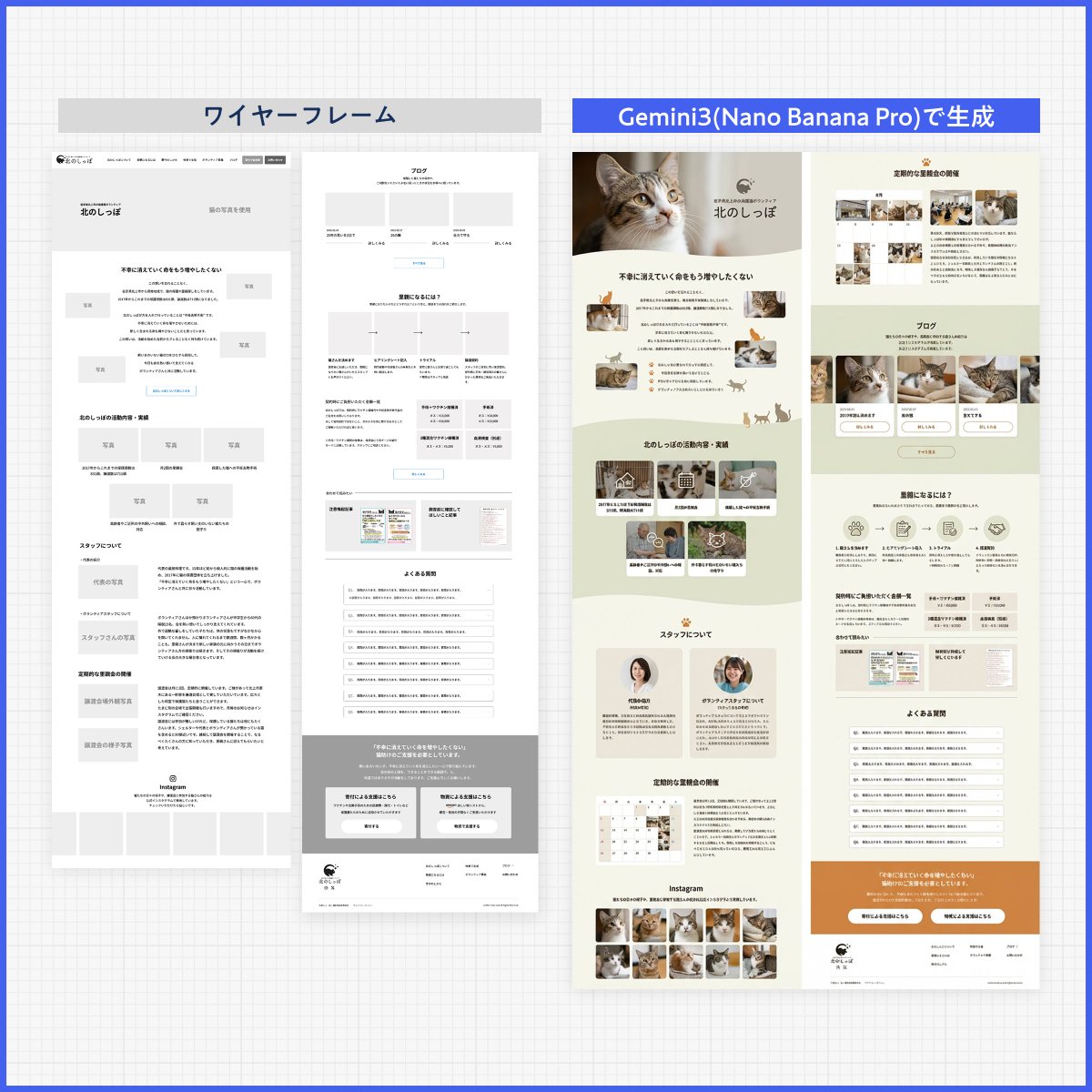
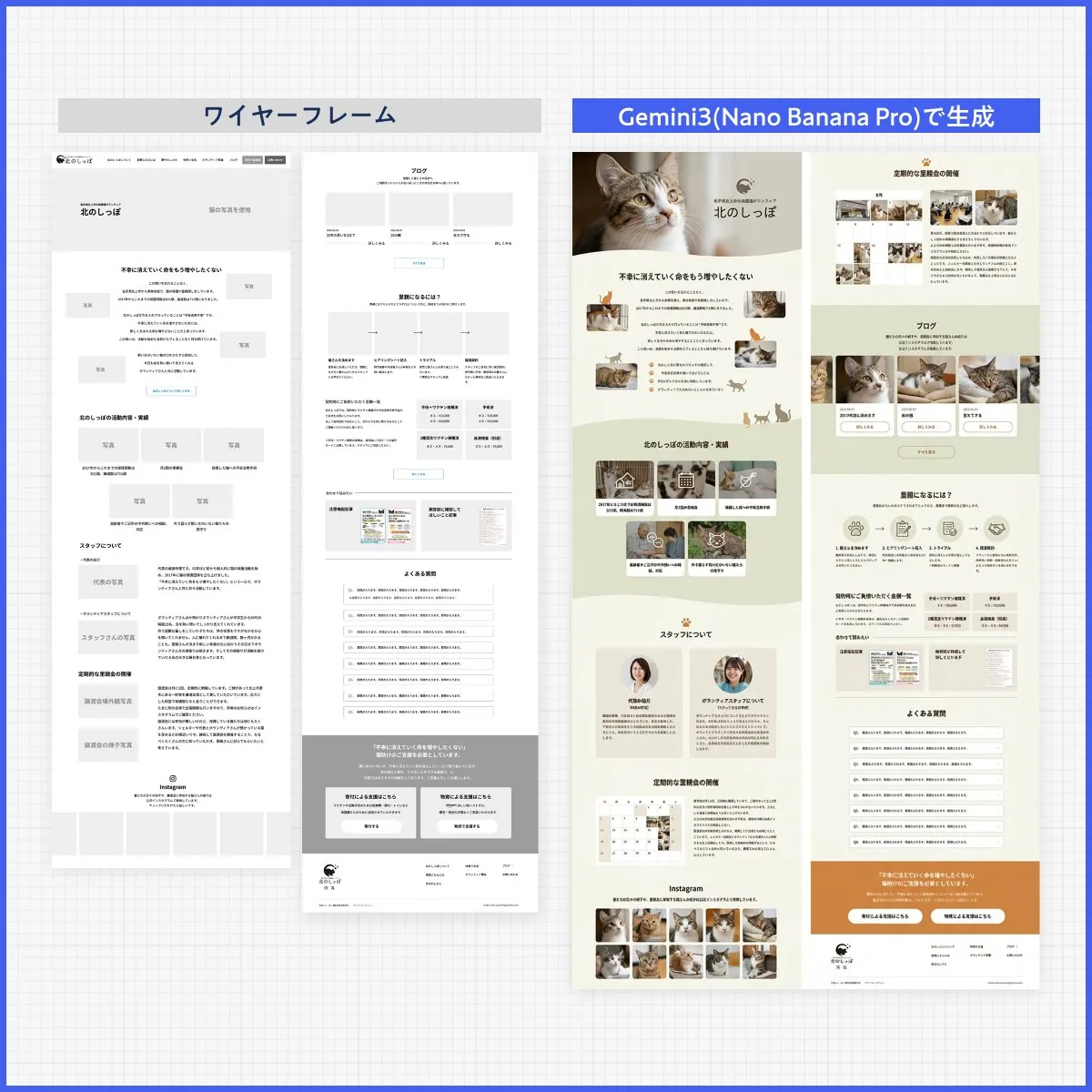
A Japanese prompt that asks Nano Banana Pro to design a clean, flowing layout based on the text in a reference image while ignoring its layout. - AIPinMaker
Prompt
Create a creative image of Web Page Design From Reference Wireframe. Style: photorealistic. Composition: balanced and well-framed. Lighting: natural with cinematic mood. Category: photography. Reference: web-page-design-from-reference-wireframe-506.
Prompt breakdown
- Subject
- Web Page Design From Reference Wireframe
- Style
- photorealistic
- Lighting
- natural with cinematic mood
- Composition
- balanced and well-framed
- Mood
- cinematic
Remix ideas
- Overlay faint wireframe lines on the finished UI to emphasize the reference transformation
- Angle the shot as if photographing an actual laptop screen on a desk with ambient reflections
- Add subtle screen glare and bezel shadows to heighten the photography category realism
Reference images
How to use this AI Image prompt template
 1
1Copy the prompt — grab this template’s prompt and negative prompt.  2
2Pick a model — choose a recommended AI model for the best match.  3
3Generate — open the studio with one click and create your result.
Related templates
Visually Stunning Slide Generation from Content
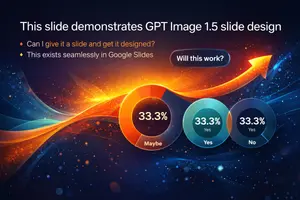
Create a infographic image of Visually Stunning Slide Generation From Content. Style: photorealistic. Composition: balanced and well-framed. Lighting: natural with cinematic mood. Category: illustration. Reference: visually-stunning-slide-generation-from-content-1776.

Japanese Branding Strategy Infographic
{"type":"Japanese branding infographic","style":{"visual":"clean corporate flat design, website-brand-consistent explainer graphic, teal and dark navy color palette, soft off-white background, thin mint-green outlines, rounded cards, minimal vector icons, generous spacing, editorial layout","mood":"professional, trustworthy, educational, easy to understand"},"canvas":{"aspect_ratio":"16:9","background":"light warm gray"},"header":{"badge":{"text":"まとめ","shape":"rounded hexagon badge","color":"teal"},"title":"記憶のショートカットを作る戦い"},"intro":{"position":"below header","shape":"large rounded rectangle","text":"『ブランディングの科学 独自のブランド資産構築篇』を読み解くと、ブランディングとは決してポエムや雰囲気作りではなく、『消費者の記憶の構造を理解し、購買という行為の摩擦を極限まで減らすための科学』であることが分かります。","emphasis":"the quoted sentence in teal and slightly bolder"},"layout":{"sections":[{"title":"1","position":"left middle","count":3,"labels":["バラバラな施策","ブリッジ(つなぐ)","アンカー(記憶に定着)"],"heading":"ブリッジとアンカーを機能させ、すべての活動を資産に変える。","graphics":{"icon_count":5,"icons":["speech bubble with card","brochure or folded leaflet","display stand or signboard","suspension bridge","anchor with small waves"],"connector":"dotted line connecting the sequence toward bridge and anchor"},"footer":"一貫した独自のブランド資産が、あらゆる施策をつなぎ、消費者の記憶という海にしっかりと錨を下ろします。"},{"title":"2","position":"center middle","count":5,"labels":["ギフト","お土産","自分へのご褒美","出張","家族旅行"],"heading":"狭いポジショニングに逃げず、CEP(思い出すきっかけ)の数を愚直に増やす。","graphics":{"center":"teal filled circle labeled ブランド","outer_icon_count":5,"outer_icons":["gift box","shopping bag","sparkles in circle","briefcase","group of people"],"extra_icon":"coffee cup at left as daily-use cue","connector":"dotted radial lines from center brand circle to each surrounding cue"},"footer":"CEPの数=思い出す入口の数。多くのシーンで思い出してもらえるブランドが、市場シェアを拡大します。"},{"title":"3","position":"right middle","count":3,"labels":["5秒","独自のブランド資産(視覚的・感覚的シグナル)","色・形・ロゴ"],"heading":"5秒で選ばれるための『独自のブランド資産(視覚的・感覚的シグナル)』を研ぎ澄ます。","graphics":{"icon_count":4,"icons":["stopwatch with large text たった5秒","eye symbol","bottle on shelf","two cartons or packaged products on shelf"],"accent":"short motion lines around stopwatch and eye"},"footer":"遠くからでも一瞬で認識される『色』『形』『ロゴ』といった強烈なシグナルが、わずか数秒の勝負を制します。"}],"bottom_band":{"count":2,"left_block":{"graphics":"waist-up illustration of a thinking businessman in suit, hand on chin, simplified flat vector style","text":"『良いものを作れば売れる』という時代はとうの昔に終わり、今は『思い出され、すぐに見つけられるものが売れる』時代です。 自社のブランドは、お客様の記憶の中でどんな『入り口』を持ち、どんな『記号』で認識されているのか。"},"right_block":{"graphics":"circular badge containing an open book icon","text":"ローカルビジネスを一段上のステージへ引き上げるためのバイブルとして、手元に置いておきたい一冊です。 ぜひ、自社のブランド資産を棚卸しするきっかけにしてみてください。"}}},"typography":{"language":"Japanese","title_weight":"bold heavy sans-serif","body_weight":"clean sans-serif","number_badges":"white numerals inside teal circles"},"composition":{"grid":"three evenly spaced rounded cards across the middle row, with a full-width intro panel above and a full-width concluding panel below","alignment":"balanced, centered, spacious","shadow":"very subtle or none"}}3c:T10cd,{"type":"Japanese branding infographic","style":{"visual":"clean corporate flat design, website-brand-consistent explainer graphic, teal and dark navy color palette, soft off-white background, thin mint-green outlines, rounded cards, minimal vector icons, generous spacing, editorial layout","mood":"professional, trustworthy, educational, easy to understand"},"canvas":{"aspect_ratio":"16:9","background":"light warm gray"},"header":{"badge":{"text":"まとめ","shape":"rounded hexagon badge","color":"teal"},"title":"記憶のショートカットを作る戦い"},"intro":{"position":"below header","shape":"large rounded rectangle","text":"『ブランディングの科学 独自のブランド資産構築篇』を読み解くと、ブランディングとは決してポエムや雰囲気作りではなく、『消費者の記憶の構造を理解し、購買という行為の摩擦を極限まで減らすための科学』であることが分かります。","emphasis":"the quoted sentence in teal and slightly bolder"},"layout":{"sections":[{"title":"1","position":"left middle","count":3,"labels":["バラバラな施策","ブリッジ(つなぐ)","アンカー(記憶に定着)"],"heading":"ブリッジとアンカーを機能させ、すべての活動を資産に変える。","graphics":{"icon_count":5,"icons":["speech bubble with card","brochure or folded leaflet","display stand or signboard","suspension bridge","anchor with small waves"],"connector":"dotted line connecting the sequence toward bridge and anchor"},"footer":"一貫した独自のブランド資産が、あらゆる施策をつなぎ、消費者の記憶という海にしっかりと錨を下ろします。"},{"title":"2","position":"center midd

Infographic of OpenAI's History
Create a infographic image of Infographic Of Openais History. Style: photorealistic. Composition: balanced and well-framed. Lighting: natural with cinematic mood. Category: illustration. Reference: infographic-of-openais-history-1779.

4-Column AI Image Generation Infographic
{ "type": "infographic", "style": "clean, corporate, flat design, soft pastel colors, rounded corners, white background", "header": { "main_title": "{argument name=\"main title\" default=\"ChatGPTで画像を作るコツ\"}", "subtitle": "{argument name=\"subtitle\" default=\"良いプロンプトの書き方と、効果的な修正方法(2026年4月10日公開の要点)\"}", "top_right_badge": "OpenAI Academy / Creating images with ChatGPT" }, "layout": { "columns": [ { "color_theme": "blue", "header": "{argument name=\"column 1 title\" default=\"1 良いプロンプトの書き方 (1〜3文で簡潔に)\"}", "item_count": 5, "icons": ["target", "landscape picture", "map pin", "paintbrush", "sliders"] }, { "color_theme": "green", "header": "{argument name=\"column 2 title\" default=\"2 結果をよくする修正のコツ\"}", "item_count": 4, "icons": ["checkmark", "checkmark", "checkmark", "A/B comparison"] }, { "color_theme": "orange", "header": "3 少し高度な使い方", "item_count": 4, "icons": ["multiple images", "letter T", "bar chart", "magic wand"] }, { "color_theme": "purple", "header": "4 注意点", "item_count": 4, "icons": ["shield with check", "star", "document with check", "gavel"] } ], "footer": { "left_section": { "title": "{argument name=\"bottom left title\" default=\"プロンプト例 (1〜3文)\"}", "item_count": 3, "thumbnails": ["orange tabby cat", "coffee cup on white background", "blue bar chart"] }, "right_section": { "title": "ワークフロー", "step_count": 4, "icons": ["upload arrow", "sparkles", "A/B boxes", "checkmark"], "flow_style": "horizontal with dashed arrows" } } } }

SaaS AI Dashboard Landing Page
{ "type": "SaaS landing page hero graphic", "style": "Modern UI/UX, light theme, soft shadows, glassmorphism, {argument name=\"primary theme color\" default=\"purple and blue gradients\"}", "header": { "headline": "{argument name=\"main headline\" default=\"Run your work with AI clarity.\"}", "subheadline": "Coordinate tasks, context, and execution across your tools in one intelligent workspace." }, "layout": { "center_dashboard": { "app_name": "{argument name=\"app name\" default=\"FlowBridge\"}", "greeting": "{argument name=\"user greeting\" default=\"Good morning, Alex 👋\"}", "sidebar_links": 8, "top_metrics_cards": 4, "recent_activity_items": 3, "project_progress_bars": 3, "floating_action_bar": "{argument name=\"floating bar text\" default=\"Ask AI anything or type a command...\"}" }, "left_integrations": { "count": 4, "style": "pill-shaped cards connected by thin lines to the center dashboard", "labels": [ "Google Calendar: Events & schedule", "Notion: Docs & knowledge", "Slack: Messages & updates", "Google Drive: Files & assets" ] }, "right_integrations": { "count": 4, "style": "pill-shaped cards connected by thin lines to the center dashboard", "labels": [ "Asana: Tasks & projects", "GitHub: Code & commits", "Figma: Design files", "Microsoft Teams: Calls & meetings" ] }, "bottom_feature_cards": { "count": 3, "style": "rectangular cards with soft shadows", "cards": [ { "title": "AI-powered overview", "description": "Get instant clarity on goals, progress, and what needs your attention.", "visuals": "Line chart showing 24.6 hr focus time, and 3 bottom metrics (Meetings, Deep work, Tasks done)" }, { "title": "Connected execution", "description": "Stay aligned with tasks, updates, and dependencies across your tools.", "visuals": "List of 4 upcoming tasks and 4 team workload progress bars with user avatars" }, { "title": "Insights that drive impact", "description": "Understand progress, unblock risks, and make smarter decisions.", "visuals": "Donut chart showing 18 projects by status, and a list of 3 top risks with red flag icons" } ] } } }39:

Infographic on ChatGPT Image 1.5
Create a infographic image of Infographic On Chatgpt Image 15. Style: photorealistic. Composition: balanced and well-framed. Lighting: natural with cinematic mood. Category: illustration. Reference: infographic-on-chatgpt-image-15-1814.
Explore more prompts
Browse more AI image and video prompts by category.
FAQ
- What makes this web page design photorealistic rather than a standard digital mockup?
- The image treats the completed page as a physical object photographed with natural light and cinematic depth, giving it tangible screen bezel and surface details.
- How closely does the final design follow the reference wireframe?
- The layout preserves the exact grid and element placement from the wireframe while adding photorealistic textures, typography, and imagery that match the balanced composition.